
Introducció
Thank you for choosing the Calypso K5684/6 Digital Watch. This manual provides essential information for the proper setup, operation, and maintenance of your watch. Please read it carefully to ensure optimal performance and longevity of your device.
The Calypso K5684/6 is a sporty and fashionable digital multifunction watch featuring a clear LCD display, 10 ATM (100 meters) water resistance, a durable plastic strap, chronograph, alarm, and dual time zone functions.
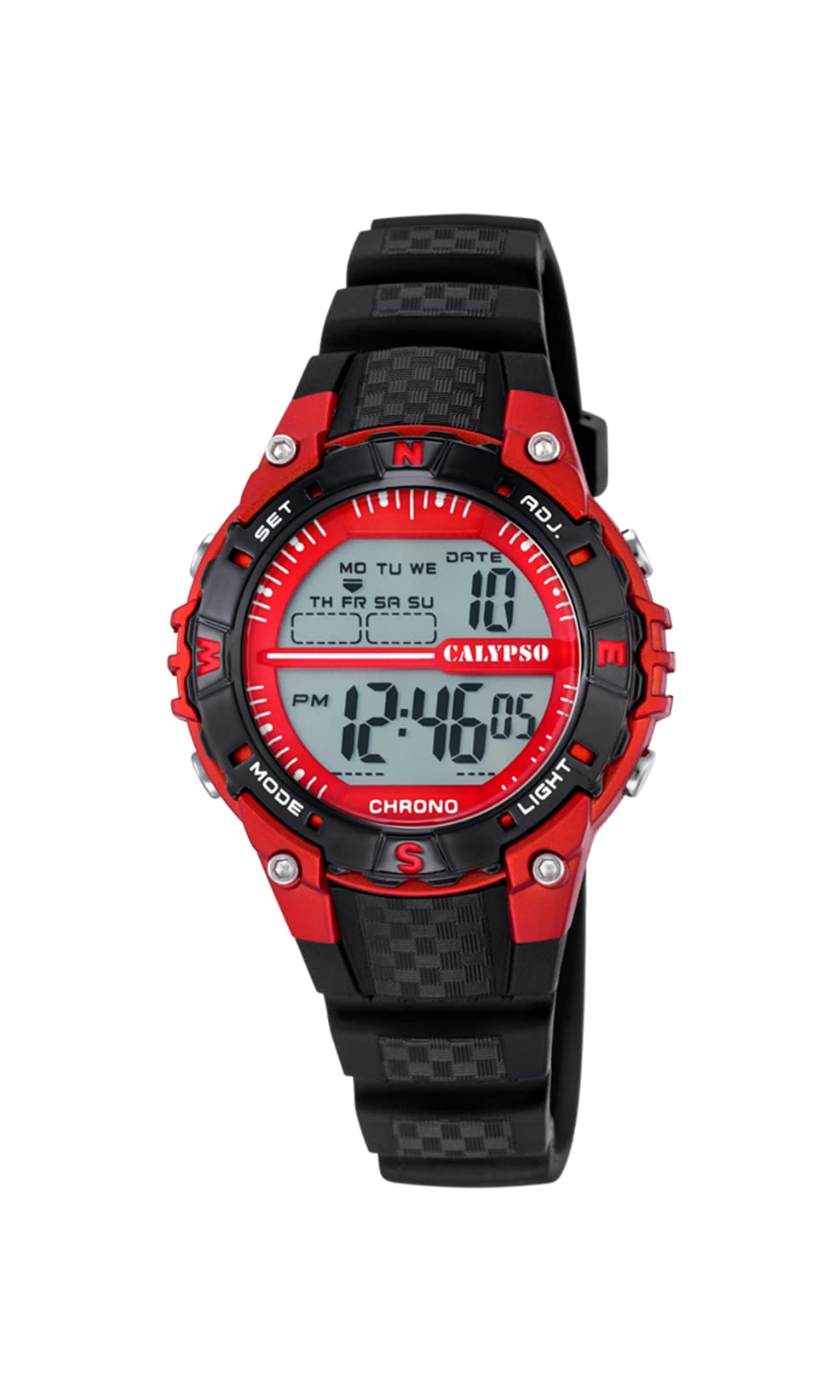
Un front view of the Calypso K5684/6 digital watch, showcasing its LCD display, black plastic case, and strap. The display shows time, date, and mode indicators.
Configuració inicial
S'han acabat les funcions del botóview
Your Calypso K5684/6 watch features four primary control buttons:
- Mode: Cycles through different display modes (Time, Alarm, Chronograph, Dual Time).
- SET: Used to enter and confirm settings in various modes.
- ADJ (Adjust): Used to adjust values (increment/decrement) during setting. Also functions as Start/Stop for Chronograph.
- LLUM: Activa la retroiluminació per a la visibilitat en condicions de poca llum.

Un primer pla view of a Calypso digital watch, highlighting the 'MODE', 'SET', 'ADJ', and 'LIGHT' buttons on the sides of the watch case. The display shows 'MON 12:44 8-17 06'.
Instruccions de funcionament
1. Configuració de data i hora
- Des de la pantalla de l'hora normal, premeu la tecla MODE Premeu el botó repetidament fins que els segons comencin a parpellejar. Això indica que esteu en el mode de configuració de l'hora.
- Premeu el botó SET per anar canviant pels paràmetres: Segons → Hores → Minuts → Any → Mes → Dia.
- Mentre un valor parpelleja, utilitzeu la tecla ADJ button to increase or decrease the value. Hold ADJ for faster adjustment.
- Un cop tots els paràmetres siguin correctes, premeu el botó MODE per sortir del mode de configuració i tornar a la visualització normal de l'hora.
2. Funció d'alarma
- Premeu el botó MODE button until the alarm time is displayed (usually indicated by 'AL' or a bell icon).
- Manteniu premut el botó SET fins que les hores de l'alarma comencin a parpellejar.
- Utilitza el ADJ per configurar l'hora d'alarma desitjada.
- Premeu SET again to move to the alarm minutes, then use ADJ per definir els minuts.
- Premeu SET per confirmar i sortir de la configuració de l'alarma.
- To activate/deactivate the alarm, in alarm mode, press the ADJ botó. Apareixerà/desapareixerà una icona d'alarma a la pantalla.
3. Cronògraf (Cronòmetre)
- Premeu el botó MODE button until 'CHRONO' or 'STW' is displayed. The display will show '00:00:00'.
- Premeu el botó ADJ botó per iniciar el cronògraf.
- Premeu ADJ de nou per aturar el cronògraf.
- Per posar el cronògraf a zero, premeu el botó SET botó mentre el cronògraf està aturat.
4. Dual Time Zone
- Premeu el botó MODE button until 'DT' or 'DUAL TIME' is displayed.
- Manteniu premut el botó SET botó fins que les hores comencen a parpellejar.
- Utilitza el ADJ per configurar l'hora desitjada per a la segona zona horària.
- Premeu SET again to move to the minutes, then use ADJ to set the minutes (minutes are usually synchronized with the main time zone).
- Premeu SET to confirm and exit the dual time setting.
5. Llum de fons
Premeu el botó LLUM per il·luminar la pantalla durant uns segons. Aquesta funció és útil en entorns foscos.
Cura i Manteniment
1. Neteja
- Wipe the watch case and strap regularly with a soft, dry cloth to remove dirt and moisture.
- Per a la brutícia tossuda, utilitzeu una mica damp drap amb sabó suau i després eixugueu-lo immediatament.
- Eviteu utilitzar netejadors químics, dissolvents o materials abrasius, ja que poden danyar l'acabat i les juntes del rellotge.
2. Precaucions de resistència a l'aigua
Your Calypso K5684/6 watch is water-resistant up to 10 ATM (100 meters), making it suitable for swimming and snorkeling. However, please observe the following:
- No feu servir cap botó mentre el rellotge estigui submergit a l'aigua. This can compromise the water resistance.
- Eviteu exposar el rellotge a aigua calenta, vapor o canvis extrems de temperatura, ja que això pot afectar els segells.
- Després de l'exposició a l'aigua salada, esbandiu el rellotge amb aigua fresca i eixugueu-lo bé.
3. Substitució de la bateria
When the display becomes dim or the watch stops functioning, the battery may need replacement. It is recommended to have the battery replaced by a qualified watch technician to ensure the water resistance is maintained.
Resolució de problemes
| Problema | Causa possible | Solució |
|---|---|---|
| La pantalla està en blanc o tènue. | Bateria baixa o esgotada. | Canvieu la pila. Consulteu un tècnic de rellotges professional. |
| Els botons no responen. | Pot ser que el rellotge estigui en mode bloquejat o que la bateria estigui baixa. | Try pressing the MODE button to cycle through modes. If unresponsive, consider battery replacement. |
| L'hora és incorrecta. | Time was not set correctly or watch was exposed to strong magnetic fields. | Refer to the "Time and Date Setting" section to reset the time. |
| Aigua dins del rellotge. | Water resistance compromised (e.g., buttons pressed underwater, damaged seals). | Porta immediatament el rellotge a un servei professional de reparació per evitar més danys. |
Especificacions del producte
| Característica | Detall |
|---|---|
| Número de model | K5684/6 |
| Marca | Calipso |
| Tipus de visualització | LCD digital |
| Material de la caixa | Polycarbonate with Stainless Steel Back |
| Material de la corretja | Plàstic |
| Resistència a l'aigua | 10 caixers automàtics (100 metres) |
| Funcions | Time, Date, Day, Alarm, Chronograph, Dual Time Zone, Backlight |
| Dimensions del producte (L x A x A) | 17.4 x 8.99 x 8.2 cm |
| Pes de l'article | 50 grams |
| País d'origen | Espanya |
Informació de la garantia
Calypso watches typically come with a manufacturer's warranty covering defects in materials and workmanship. The specific terms and duration of your warranty are usually provided with your purchase documentation. Please retain your proof of purchase for any warranty claims.
The warranty does not cover damage resulting from improper use, accidents, unauthorized repairs, or normal wear and tear.
Atenció al client
For further assistance, technical support, or service inquiries regarding your Calypso K5684/6 Digital Watch, please contact your retailer or the official Calypso customer service in your region. Contact details can often be found on the Calypso official weblloc o en els materials d'embalatge.


