1. Introducció
This manual provides essential information for the setup, operation, and maintenance of your Epson SureColor P400 Wireless Color Photo Printer. Please read this manual thoroughly before using the printer to ensure optimal performance and longevity.
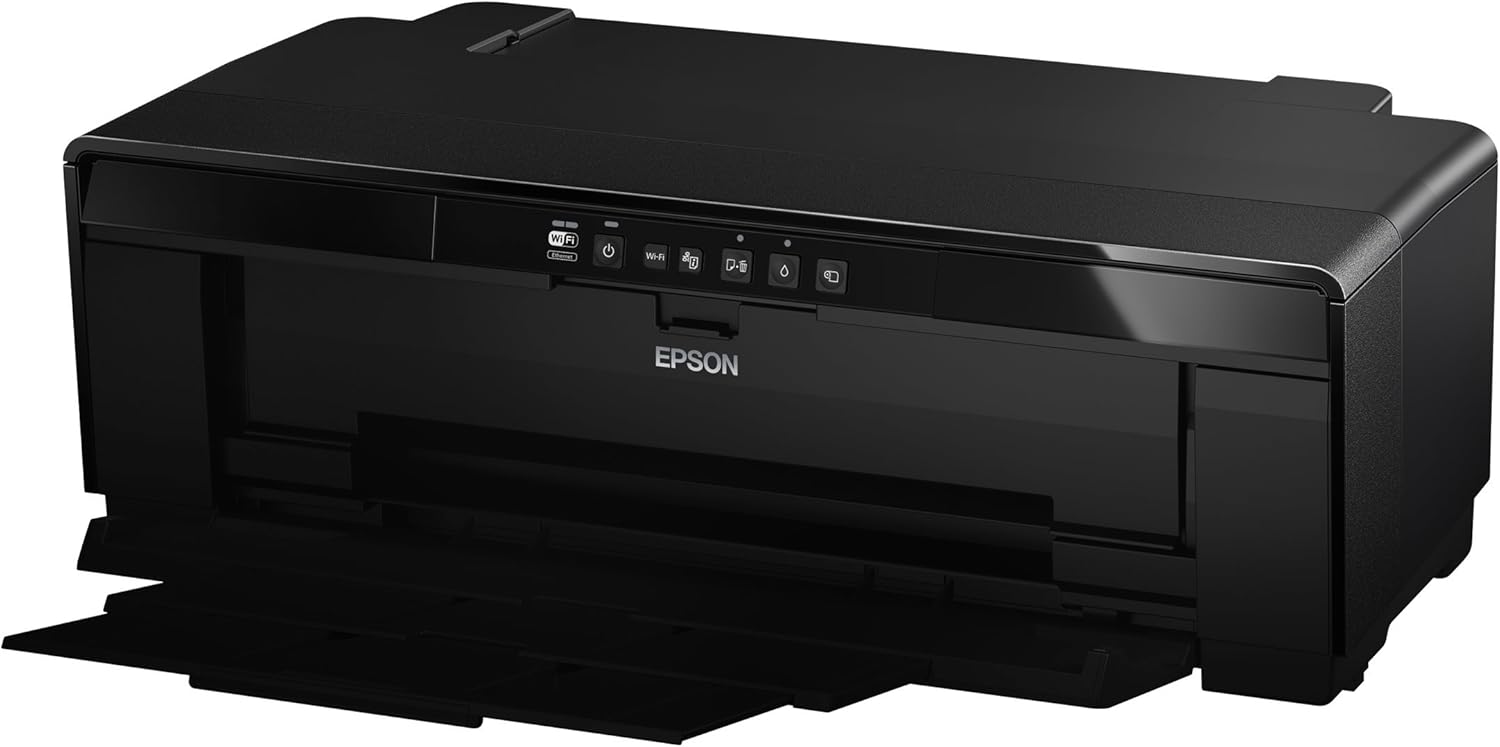
Imatge 1: Frontal view of the Epson SureColor P400 Wireless Color Photo Printer.
2. Característiques clau
- UltraChrome HG2 Ink: Utilizes an 8-color pigment ink set, including Red and Orange inks, for vibrant, true-to-life color and deep blacks.
- Gloss Optimizer: Provides a smooth, professional finish to prints.
- Manipulació versàtil de mitjans: Supports 13-inch wide cut-sheet and roll paper, fine art paper, and art board up to 1.3 mm thick.
- Connectivitat: Features Wireless (Wi-Fi), Ethernet, and USB 2.0 for flexible printing options.
- Individual Ink Cartridges: High-capacity 14 mL cartridges allow for replacement of only the color needed.

Imatge 2: acabatview of the Epson SureColor P400 highlighting advanced paper handling, versatile connectivity, and the MicroPiezo printhead.
3. Guia de configuració
3.1 Desembalatge i col·locació
- Traieu amb cura la impressora de l'embalatge.
- Place the printer on a stable, flat surface with adequate space around it for operation and ventilation.
- Traieu totes les cintes protectores i els materials d'embalatge de la impressora.
3.2 Instal·lació de cartutxos de tinta
- Open the printer cover to access the ink cartridge slots.
- Unpack each 14 mL ink cartridge (Cyan, Gloss Optimizer, Magenta, Matte Black, Orange, Photo Black, Red, Yellow).
- Insert each cartridge into its corresponding color-coded slot until it clicks into place.
- Tanqueu la coberta de la impressora.
Video 1: Official Epson SureColor P400 overview, demonstrating key features and ink installation. This video provides a visual guide to the printer's capabilities and how to manage ink cartridges.
3.3 Connexió d'alimentació
- Connecteu el cable d'alimentació a la impressora i després a una presa de corrent.
- Premeu el botó d'engegada per encendre la impressora.
3.4 Instal·lació i connectivitat del programari
- Install the printer software on your computer (PC or Mac) from the provided CD or Epson's official weblloc.
- Follow the on-screen instructions to set up your preferred connection method:
- Sense fil (Wi-Fi): Connecteu la impressora a la vostra xarxa sense fils.
- Ethernet: Connecteu un cable Ethernet de la impressora al vostre encaminador o concentrador de xarxa.
- USB 2.0: Connecteu un cable USB (no inclòs) de la impressora a l'ordinador.

Image 3: Illustration of the Epson SureColor P400's compatibility and connectivity features, showing various devices and connection types.
4. Instruccions de funcionament
4.1 Càrrega de paper
The SureColor P400 offers multiple paper loading options:
- Auto Sheet Feeder: For photo, matte, and plain papers. Load paper into the top rear slot.
- Rear Single Sheet Fine Art Paper Path: For heavier fine art papers and specialty media.
- Roll Paper Holder: For 8.3-inch or 13-inch wide roll paper, ideal for panoramas up to 129 inches long.
- Front Straight-Through Path: Handles art board up to 1.3 mm thick.

Image 4: Diagram illustrating the three media feed options available on the Epson SureColor P400, including the top-loading auto-sheet feeder, front fine-art media feed, and roll media feed.

Image 5: The Epson SureColor P400 is capable of printing on a wide range of media, including various types of Epson Legacy Papers, Velvet Fine Art, Premium Photo Paper Luster, and Exhibition Canvas Gloss.
4.2 Impressió
- Assegureu-vos que la impressora estigui engegada i connectada al dispositiu.
- Obriu el document o la imatge que voleu imprimir a l'ordinador.
- Seleccioneu "Imprimir" al menú de l'aplicació.
- Choose the Epson SureColor P400 as your printer.
- Adjust print settings such as paper type, size, and quality in the printer driver dialog box.
- Feu clic a "Imprimeix" per iniciar el procés d'impressió.
5. Manteniment
5.1 Substitució dels cartutxos de tinta
- When an ink cartridge is low or empty, a notification may appear on your computer or the printer's indicator light will signal.
- Press the ink droplet button on the printer's control panel to move the print head to the replacement position.
- Obriu la tapa del cartutx de tinta.
- Press the tab on the empty cartridge to release it, then pull it straight out.
- Unpack a new genuine Epson ink cartridge and insert it firmly into the correct slot until it clicks.
- Close the ink cartridge cover and press the ink droplet button again to return the print head to its home position.
5.2 Neteja del capçal d'impressió
If print quality declines or you notice missing lines or incorrect colors, perform a print head cleaning:
- Accediu al programari d'utilitats de la impressora a l'ordinador.
- Select "Head Cleaning" or "Nozzle Check" to initiate the cleaning cycle.
- Follow the on-screen prompts. Repeat if necessary.
5.3 Cleaning the Paper Path
If you experience streaks on your prints, the paper path may need cleaning. Refer to the user guide for detailed instructions on how to clean the internal components, such as the pad that collects excess ink.
6. Solució De Problemes
- La impressora no respon:
- Comproveu la connexió d'alimentació i assegureu-vos que la impressora estigui engegada.
- Verify network or USB cable connection.
- Reinicieu la impressora i l'ordinador.
- Mala qualitat d'impressió (ratlles, esvaïment):
- Comproveu els nivells de tinta i substituïu els cartutxos buits.
- Perform a print head cleaning and nozzle check.
- Assegureu-vos que feu servir la configuració de paper adequada per al tipus de suport.
- Clean the paper path if streaks persist.
- Embussos de paper:
- Apagueu la impressora i traieu amb cura el paper encallat de les safates d'entrada o sortida.
- Refer to the user guide for instructions on clearing internal paper jams.
7. Especificacions
| Característica | Detall |
|---|---|
| Número de model | C11CE85201 |
| Dimensions del producte (P x A x A) | 12.8" x 24.5" x 8.6" |
| Pes de l'article | 27.1 lliures |
| Tecnologia d'impressió | Inkjet (Pigment-based ink) |
| Sortida de la impressora | Color |
| Resolució d'impressió màxima | 5760 x 1440 ppp |
| Colors de tinta | Cyan, Magenta, Yellow, Photo Black, Matte Black, Red, Orange, Gloss Optimizer |
| Tecnologia de connectivitat | USB 2.0, Wireless (Wi-Fi), Ethernet |
| Mides de suports admesos | Up to 13" x 129" (roll paper), 13" x 19" (sheet) |
| Capacitat màxima del full d'entrada | 1 (single sheet feed for specialty media) |
| Impressió a doble cara (dúplex) | Sí |
| Consum d'energia | Printing: Approx. 20 W; Sleep mode: Approx. 1.4 W; Power off: Approx. 0.15 W |
| Dispositius compatibles | PC, Mac |

Image 6: Contents of the Epson SureColor P400 box, including the printer, ink cartridges, power cord, and user guide. Note that the USB cable is not included.
8. Informació de la garantia
Specific warranty details for the Epson SureColor P400 are not provided in this manual. Please refer to the warranty card included with your product or visit the official Epson website for the most current and comprehensive warranty information.
9. Atenció al client
For technical assistance, troubleshooting, or further inquiries, please visit the official Epson support website or contact Epson customer service. Support resources often include FAQs, driver downloads, and contact information for live assistance.
Podeu visitar el Botiga Epson a Amazon per obtenir informació addicional sobre el producte i accessoris.


