Introducció
Thank you for choosing the Spider Waterproof Bluetooth Speaker. This manual provides detailed instructions for the proper use, maintenance, and troubleshooting of your new speaker. Please read this manual thoroughly before operating the device to ensure optimal performance and longevity.
Informació de seguretat
- No exposeu l'altaveu a temperatures extremes ni a la llum solar directa durant períodes prolongats.
- Eviteu deixar caure o sotmetre l'altaveu a forts impactes.
- No intenteu desmuntar ni modificar l'altaveu. Això anul·larà la garantia.
- Mantingueu l'altaveu allunyat de dispositius mèdics.
- Ensure all ports are securely closed when using the speaker near water to maintain its waterproof rating.
Contingut del paquet
Si us plau, comproveu el paquet per veure si hi ha els elements següents:
- Spider Waterproof Bluetooth Speaker (M-BTSP-L802)
- USB Charging Cable (USB-A to 3.5mm/USB-B)
- Clip de mosquetó
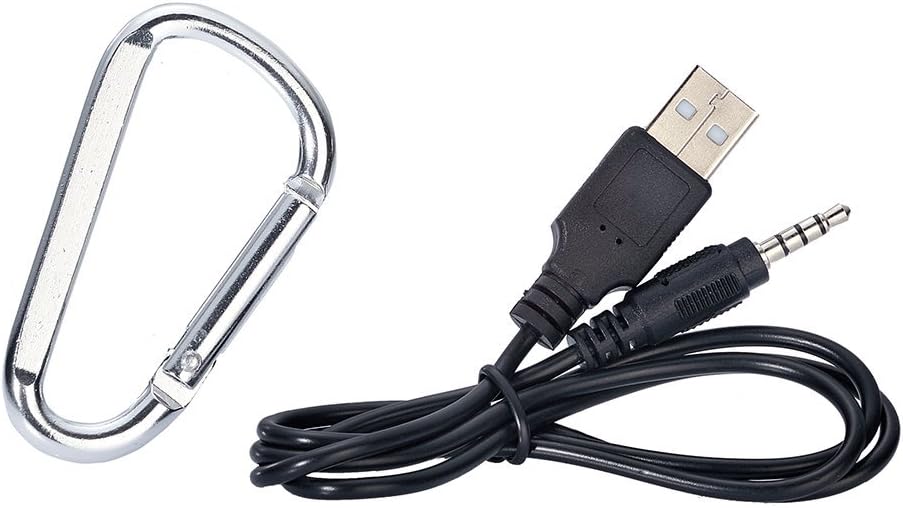
Image: Included USB charging cable and carabiner clip.
Producte acabatview
Familiaritzeu-vos amb les diverses parts i controls del vostre altaveu.
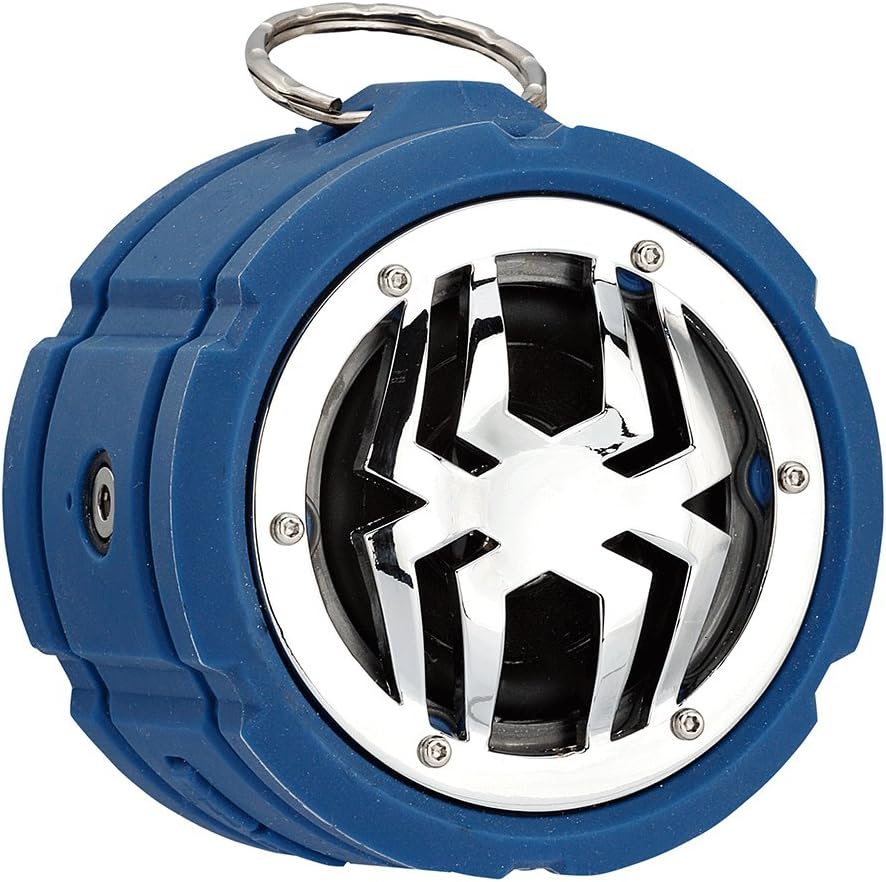
Imatge: Frontal view of the Spider Waterproof Bluetooth Speaker, showing the speaker grille with spider design and the top ring for the carabiner.
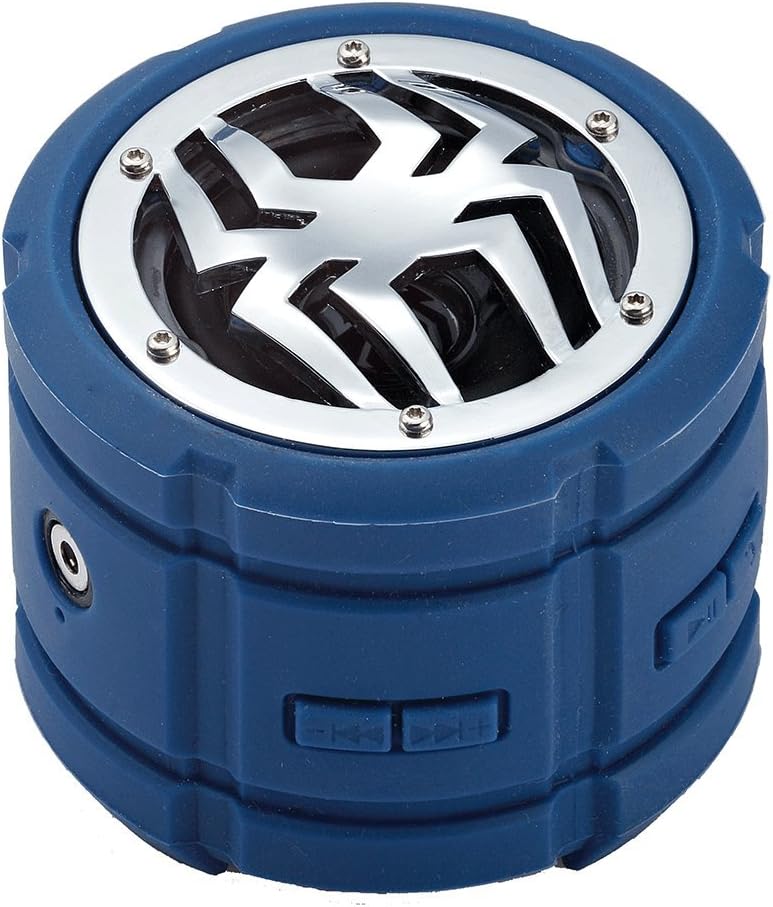
Imatge: Lateral view of the speaker, highlighting the control buttons for power, volume, and track navigation.

Imatge: Part posterior view of the speaker, showing the covered charging port and audio input jack.
Configuració
1. Carregant l’altaveu
Before first use, fully charge the speaker. Connect the small end of the USB charging cable to the speaker's charging port (located under the protective flap) and the USB-A end to a USB power adapter (not included) or a computer's USB port. The charging indicator light will illuminate during charging and turn off when fully charged.
2. Encès / apagat
- Per encendre: Press and hold the Power button (usually indicated by a power symbol) for approximately 3 seconds until you hear an audible prompt or see an indicator light.
- Per apagar: Press and hold the Power button again for approximately 3 seconds until you hear an audible prompt or the indicator light turns off.
3. Emparellament Bluetooth
- Ensure the speaker is powered on and in Bluetooth pairing mode (indicated by a flashing LED light). If not, briefly press the Bluetooth button (if available) or power cycle the device.
- Al dispositiu mòbil (telèfon intel·ligent, tauleta, ordinador portàtil), activeu el Bluetooth i cerqueu els dispositius disponibles.
- Select "Spider BT802" or similar name from the list of found devices.
- Once paired, the speaker will provide an audible confirmation, and the LED indicator will stop flashing and remain solid.
4. Connecting via Audio Jack (AUX)
For devices without Bluetooth, you can use the 3.5mm audio jack. Connect one end of a 3.5mm audio cable (not included) to the speaker's AUX-in port and the other end to your audio source's headphone jack. The speaker will automatically switch to AUX mode.
En funcionament
Reproducció de música
- Reproduir/pausa: Press the Play/Pause button (usually a triangle or two vertical bars).
- Pista següent: Press the 'Next Track' button (usually a double arrow pointing right).
- Pista anterior: Press the 'Previous Track' button (usually a double arrow pointing left).
- Pujar el volum: Press the 'Volume Up' button (usually '+').
- Baixar el volum: Press the 'Volume Down' button (usually '-').
Funcions de trucada (micròfon integrat)
The speaker features a built-in microphone, allowing you to answer calls hands-free when connected via Bluetooth.
- Respon a la trucada: Premeu el botó Reproduir/Pausa una vegada quan rebeu una trucada.
- Finalitzar la trucada: Premeu el botó Reprodueix/Pausa una vegada durant una trucada.
- Rebutja la trucada: Press and hold the Play/Pause button for 2 seconds when a call comes in.
Manteniment
- Neteja: Use a soft, dry cloth to clean the speaker. For stubborn dirt, a slightly damp es pot fer servir un drap. No utilitzeu productes químics agressius ni netejadors abrasius.
- Emmagatzematge: Guardeu l'altaveu en un lloc fresc i sec, allunyat de la llum solar directa i de temperatures extremes quan no l'utilitzeu durant períodes prolongats.
- Cura de la bateria: Per allargar la durada de la bateria, eviteu descarregar completament l'altaveu amb freqüència. Carregueu-lo regularment, fins i tot si no l'esteu fent servir.
Resolució de problemes
| Problema | Causa possible | Solució |
|---|---|---|
| L'altaveu no s'encén. | Bateria baixa. | Carregueu l'altaveu completament. |
| No es pot emparellar per Bluetooth. | Altaveu no en mode d'emparellament; Bluetooth del dispositiu desactivat; Massa lluny del dispositiu. | Assegureu-vos que l'altaveu estigui en mode d'emparellament; activeu el Bluetooth al dispositiu; acosteu l'altaveu al dispositiu (a menys de 10 metres). |
| Sense so. | Volum massa baix; Mode d'entrada incorrecte; El dispositiu no reprodueix. | Increase speaker and device volume; Ensure correct mode (Bluetooth/AUX); Check if audio is playing on your device. |
| Mala qualitat de so. | Interference; Low battery. | Move away from other electronic devices; Charge the speaker. |
Especificacions
| Característica | Detall |
|---|---|
| Número de model | M-BTSP-L802 |
| Tecnologia de connectivitat | Bluetooth, presa d'àudio de 3.5 mm |
| Característiques especials | Waterproof, Built-in Microphone, Multi-room Audio (if supported by source) |
| Mode de sortida d'àudio | estèreo |
| Potència màxima de sortida de l'altaveu | 80 watts |
| Temps d'espera | 120 hores |
| Dimensions (aprox.) | 11.68 x 9.4 x 7.62 cm |
| Pes (aprox.) | 362.87 g |
| Color | Blau |
Garantia i Suport
This Spider Waterproof Bluetooth Speaker (Model M-BTSP-L802) comes with a 1 any de garantia del fabricant des de la data de compra. Aquesta garantia cobreix els defectes de materials i de mà d'obra en ús normal.
La garantia no cobreix:
- Danys causats per accident, abús, mal ús, inundació, incendi, terratrèmol o altres causes externes.
- Damage caused by operating the product outside the permitted or intended uses described by Spider.
- Damage caused by service performed by anyone who is not a representative of Spider or an authorized Spider Service Provider.
For warranty claims or technical support, please contact your retailer or the manufacturer directly. Please retain your proof of purchase for warranty validation.


