Introducció
This manual provides comprehensive instructions for the setup, operation, and maintenance of your Pure Siesta Rise Digital Radio Alarm Clock. Please read this manual thoroughly before using the device to ensure proper functionality and to maximize your user experience.
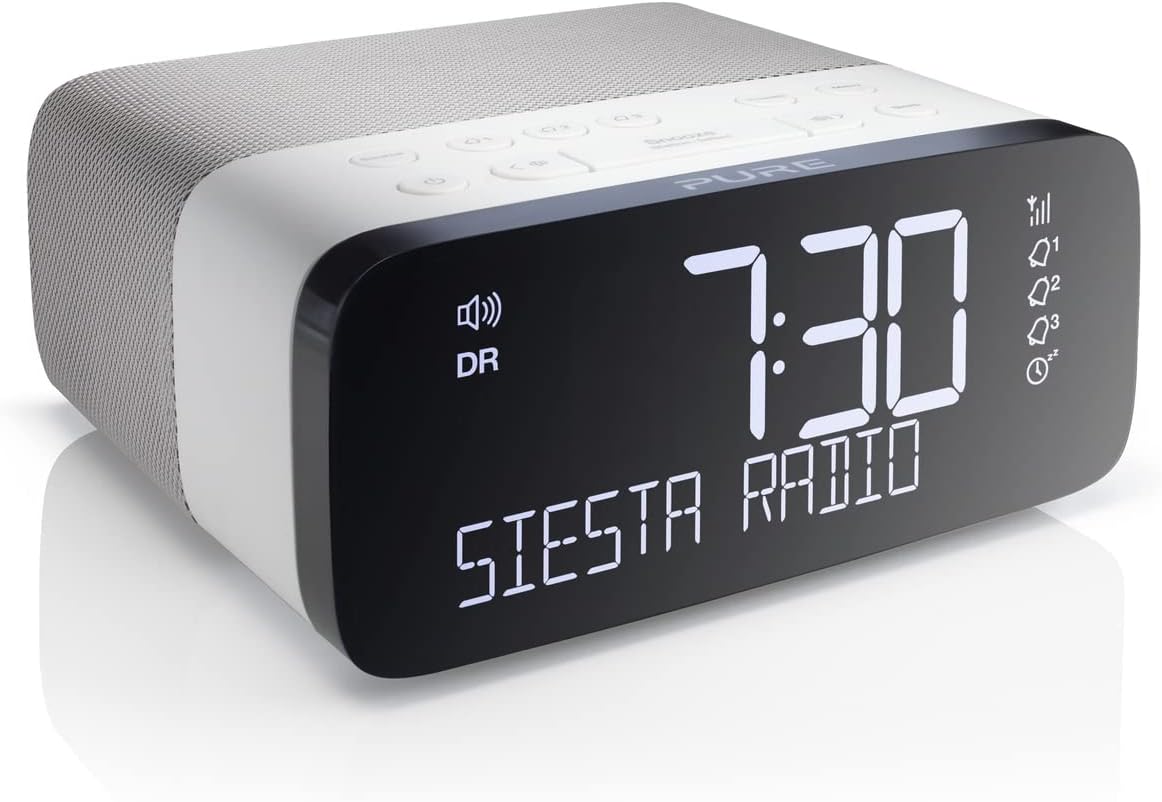
Figure 1: Pure Siesta Rise Digital Radio Alarm Clock. This image shows the front of the clock radio with its large, clear display indicating the time as 7:30 and the text "SIESTA RADIO". Alarm icons and signal strength indicators are also visible on the right side of the display.
Característiques clau
- FM/DAB+/DAB Radio: Access a wide range of digital and FM radio stations.
- Càrrega de telèfon USB: Convenient USB power port for charging compatible mobile devices.
- CrystalVue Auto-Dim Display: Large display with automatic brightness adjustment based on ambient light conditions.
- Alarmes múltiples: Set up to three independent alarms with options for radio or tone, and different settings for weekdays and weekends.
- Disseny compacte: Sleek and unobtrusive, designed to fit easily on bedside tables.
- Digital Tick Approved: Ensures future compatibility with digital radio standards.
Configuració
1. Desembalatge i col·locació
Carefully remove the Siesta Rise from its packaging. Place the unit on a stable, flat surface, such as a bedside table or shelf. Ensure there is adequate ventilation around the device.

Figure 2: The Siesta Rise positioned on a bedside table, demonstrating its compact size and suitability for bedroom environments. A bed with pillows and a window are visible in the background.
2. Connexió d'alimentació
Connect the supplied power adapter to the DC input port on the rear of the Siesta Rise. Plug the adapter into a wall socket. The unit will power on automatically and begin initial setup.

Figura 3: posterior view of the Siesta Rise, highlighting the USB charging port and the power input connection. The model name "Siesta Rise" and "Imagination" logo are also visible.
3. Initial Scan (DAB/FM)
Upon first power-on, the Siesta Rise will automatically scan for available DAB and FM radio stations. This process may take a few minutes. Once complete, the clock will set its time automatically via DAB signal.
Instruccions de funcionament
1. Controls sobreview

Figure 4: Top panel of the Siesta Rise, displaying all control buttons. These include Source, Alarm 1, Alarm 2, Alarm 3, Presets, Menu, Power, Skip Back, Snooze/Station-Select, Skip Forward, Volume Down, Volume Up, and Sleep.
- Botó d'encendre (⏻): Press to turn the radio on or off (standby).
- Botó Font: Alterna entre els modes de ràdio DAB i FM.
- Alarm Buttons (1, 2, 3): Press to set or activate/deactivate individual alarms.
- Presets Button: Access and store your favourite radio stations.
- Botó de menú: Enters the system menu for advanced settings.
- Snooze/Station-Select Button: Press to snooze an active alarm or to select options within menus. Rotate to navigate stations or menu options.
- Botons de volum (◀ ▶): Ajusteu el volum d'àudio.
- Botó de dormir: Sets a sleep timer for the radio.
2. Configuració d'alarmes
- Premeu un dels fitxers Alarm buttons (1, 2, or 3).
- Utilitza el Snooze/Station-Select dial to set the desired alarm time (hour and minute), then press to confirm.
- Select the alarm source (DAB, FM, or Tone) and press to confirm.
- Choose the alarm frequency (Daily, Weekdays, Weekends, or Once) and press to confirm.
- Adjust the alarm volume and press to confirm. The alarm icon will appear on the display, indicating it is active.
3. Càrrega USB
The USB port on the rear of the Siesta Rise is designed for charging mobile devices. Connect your smartphone or other USB-powered device using its charging cable to the USB port. Charging will commence automatically.
4. Brillantor de la pantalla
The CrystalVue display features an auto-dimming function that adjusts brightness according to ambient light. You can also manually adjust the display brightness via the Menu settings.
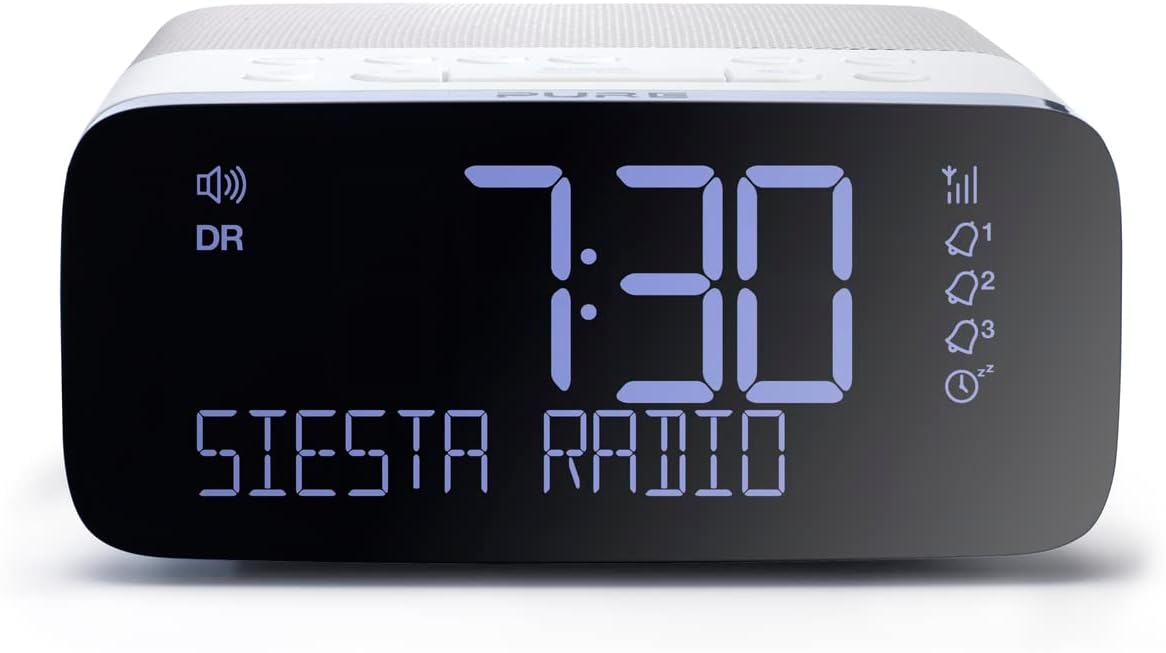
Figura 5: Un primer pla view of the Siesta Rise's CrystalVue display, showing the time 7:30 and "SIESTA RADIO" in clear, blue-tinted digits against a dark background. This illustrates the display's clarity and readability.
Manteniment
1. Neteja
To clean the Siesta Rise, gently wipe the surfaces with a soft, dry, lint-free cloth. Do not use abrasive cleaners, waxes, or solvents as these may damage the finish. Ensure the device is unplugged before cleaning.
2. Actualitzacions de programari
Periodically check the Pure website for any available software updates for your Siesta Rise (current software version is v1.2). Updates can improve performance and add new features. Follow the instructions provided with the update files amb cura.
Resolució de problemes
| Problema | Causa possible | Solució |
|---|---|---|
| Sense alimentació/pantalla | Power adapter not connected or faulty socket. | Ensure power adapter is securely plugged into the unit and a working wall socket. Try a different socket. |
| Mala recepció de ràdio | Senyal feble, interferències o antena no estesa. | Ensure the wire antenna is fully extended and positioned for best reception. Move the unit away from other electronic devices that may cause interference. Perform a full scan for stations. |
| L'alarma no sona | Alarm not activated, volume too low, or incorrect settings. | Verify the alarm is set and active (icon visible). Check alarm volume. Ensure alarm frequency (e.g., Weekdays) matches the current day. |
| La càrrega USB no funciona | Device incompatibility or faulty USB cable. | Assegura't que el dispositiu sigui compatible amb la càrrega USB. Prova un altre cable USB. |
Especificacions
- Model: P147504
- Dimensions (A x A x P): Aproximadament 13.7 cm x 14.1 cm x 6.3 cm
- Pes: 521 g
- Freqüències de ràdio: DAB/DAB+, FM
- Alarmes: 3 independent alarms (Radio or Tone)
- Visualització: CrystalVue Auto-Dimming LED Display
- Connectivitat: USB power output for charging
- Font d'alimentació: Elèctric amb cable
- Color: Blanc/Negre

Figure 6: Diagram illustrating the approximate dimensions of the Siesta Rise, showing a height of 13.7cm and a width of 14.1cm.
Garantia i Suport
The Pure Siesta Rise comes with a 3 any de garantia des de la data de compra. Si us plau, conserveu el comprovant de compra per a reclamacions de garantia.
For technical support, troubleshooting assistance beyond this manual, or warranty inquiries, please visit the official Pure support weblloc web o poseu-vos en contacte amb el seu departament d'atenció al client. Normalment, podeu trobar les dades de contacte al lloc web de Pure weblloc web o a l'embalatge del producte.
Note: Software version is v1.2.


