1. Introducció
Gràcies per la compraasing the RHYTHM 8RZ166SR03 Fit Wave Smart Alarm Clock. This device is a radio-controlled alarm clock equipped with a thermometer, hygrometer, and calendar display. Its compact design and user-friendly interface make it ideal for various indoor settings. This manual provides detailed instructions to help you set up, operate, and maintain your new alarm clock.
Característiques principals:
- Atomic Clock Movement: Automatically synchronizes time via radio waves for precise accuracy.
- Visualització de la temperatura: Shows ambient temperature from -9.9 to 50 ℃.
- Pantalla d'humitat: Shows ambient humidity from 20% to 95%.
- Electronic Sound Alarm: Features an alarm with an auto-stop function.
- Funció de posposar: Silencia temporalment l'alarma.
- Dial Light: Includes an afterglow function for visibility in low light (5 seconds).
- Visualització del calendari: Shows date and day of the week, including Rokuyoku (Japanese traditional calendar).
- Visualització de 12/24 hores: Switchable time format.
2. Contingut del paquet
Si us plau, comproveu que tots els elements siguin presents al paquet:
- RHYTHM 8RZ166SR03 Fit Wave Smart Alarm Clock
- Manual d'instruccions (aquest document)
Note: 2 x AA manganese batteries are required and sold separately.
3. Producte acabatview
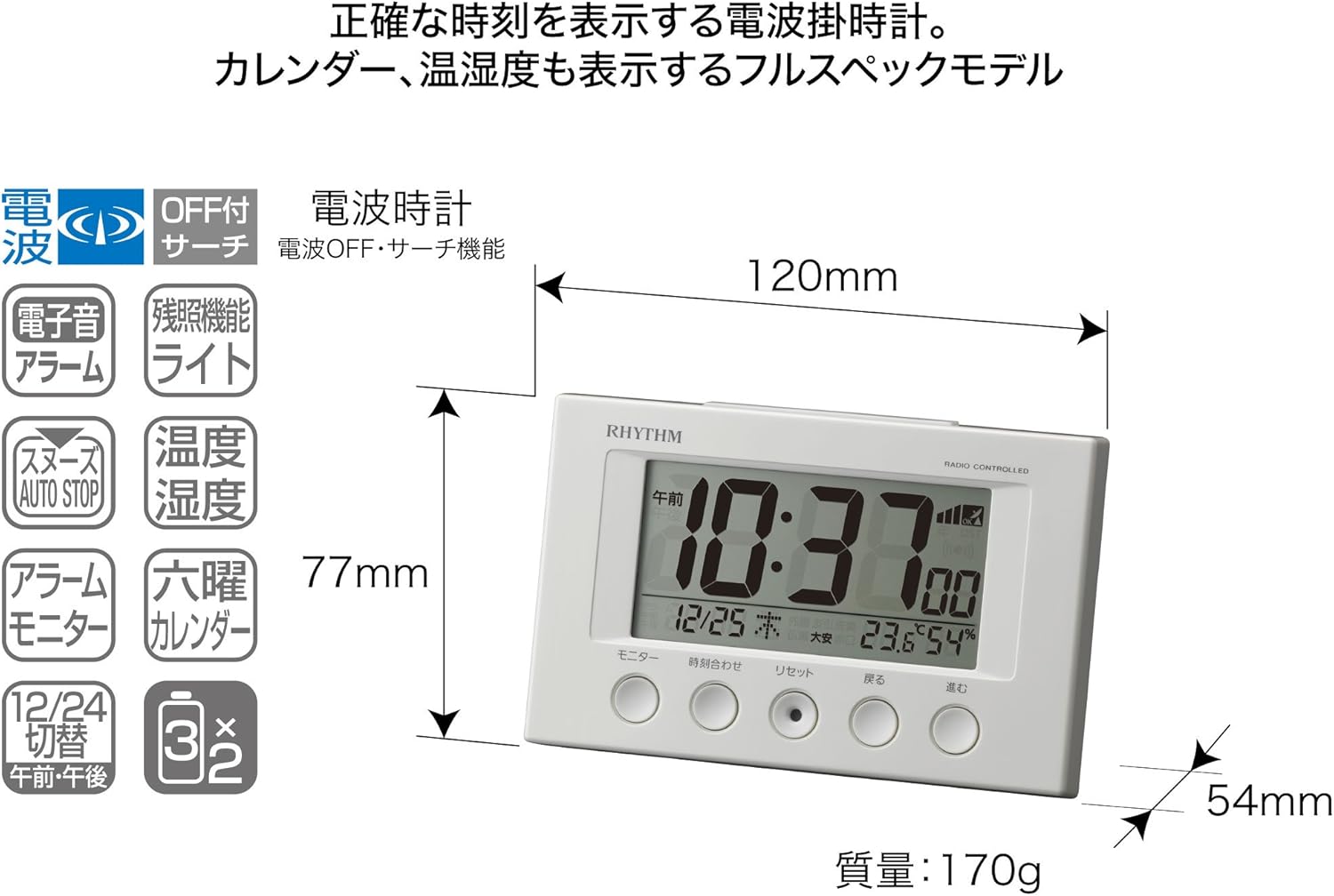
Davant View and Display Elements:

This image displays the front of the RHYTHM 8RZ166SR03 alarm clock. It features a large digital LCD screen at the top, showing time, date, temperature, and humidity. Below the screen are five circular control buttons labeled (from left to right): Monitor, Time Adjustment, Reset, Back, and Forward.

This diagram illustrates the various elements of the LCD display:
- Visualització de l'hora: Shows the current time in 12-hour (AM/PM) or 24-hour format.
- Radio Wave Reception Indicator: Displays the status of radio wave reception.
- Indicador d'alarma: An icon appears when the alarm is activated.
- Visualització de la temperatura: Mostra la temperatura actual de l’habitació.
- Pantalla d'humitat: Shows the current room humidity.
- Visualització del calendari: Shows the current date and day of the week, including Rokuyoku.
Enrere View i controls:
The back of the clock features the alarm ON/OFF slide switch on the left side and the battery compartment cover in the center. The model number '8RZ166' and 'MADE IN CHINA' are also visible.
Control Buttons Explained:

This image details the function of each button:
- Botó del monitor: Used to check the alarm sound.
- Time Adjustment Button: Used for manual time setting and switching between 12/24 hour display.
- Botó de restabliment: Resets the clock and also functions as a forced radio wave reception button.
- Back Button (←): Used to decrease values during alarm or time settings.
- Forward Button (→): Used to increase values during alarm or time settings.
- Alarm Switch (on back): Slides up for ON, down for OFF.
- Snooze Button (top): Activates the snooze function and the dial light.
4. Configuració
4.1 Instal·lació de la bateria
- Traieu la tapa del compartiment de les piles a la part posterior del rellotge.
- Insert two (2) AA manganese batteries, ensuring the correct polarity (+/-) as indicated inside the compartment.
- Substituïu la tapa del compartiment de la bateria.
This image shows the open battery compartment with two AA batteries correctly inserted, indicating the positive and negative terminals.
4.2 Initial Power On and Radio Wave Reception
After battery installation, the clock will automatically attempt to receive radio waves to set the correct time. This process may take several minutes. Ensure the clock is placed in an area with good reception, away from electronic devices that may cause interference.

This diagram illustrates how radio-controlled clocks receive standard time signals from two transmission stations (one in Fukushima, 40kHz, and one in Fukuoka/Saga, 60kHz) to automatically correct and display the precise time. The clock will automatically adjust its time based on these signals.
If reception is successful, the time will be set automatically. If not, you may need to manually set the time (refer to Section 5.1).
5. Instruccions de funcionament
5.1 Manual Time and Date Setting
In cases where radio wave reception is difficult or for specific time zone adjustments:
- Manteniu premut el botó Ajust de temps fins que la pantalla de l'hora comenci a parpellejar.
- Utilitza el Back (←) i Forward (→) botons per ajustar les hores.
- Premeu el botó Ajust de temps button again to move to minutes, then adjust using Back (←) i Forward (→).
- Continueu prement Ajust de temps per anar ciclant pels paràmetres d'any, mes i dia, ajustant cadascun amb Back (←) i Forward (→).
- Un cop tots els paràmetres siguin correctes, premeu el botó Ajust de temps button one last time to confirm and exit the setting mode.
5.2 Configuració d'alarma
- Per configurar l'hora de l'alarma, premeu i manteniu premut el botó Ajust de temps button until the alarm time starts flashing (this may require cycling past the current time settings if already in manual time setting mode).
- Utilitza el Back (←) i Forward (→) botons per ajustar l'hora i els minuts de l'alarma desitjats.
- Premeu el botó Ajust de temps botó per confirmar l'hora de l'alarma.
5.3 Activació/desactivació de l'alarma
Utilitza el Alarm ON/OFF slide switch located on the back of the clock:
- Feu lliscar l'interruptor UP to activate the alarm. An alarm icon will appear on the display.
- Feu lliscar l'interruptor ABAIX to deactivate the alarm. The alarm icon will disappear.
5.4 Snooze Function and Dial Light
Quan soni l'alarma, premeu el botó gran Botó de posposar located on the top of the clock. This will:
- Temporarily silence the alarm (snooze duration is preset).
- Activate the dial light for approximately 5 seconds, illuminating the display for easy viewa les fosques.
The alarm will sound again after the snooze period. To stop the alarm completely, slide the Interruptor d'alarma ON/OFF a OFF.
5.5 Display Modes (12/24 Hour Format)
To switch between 12-hour (with AM/PM indicator) and 24-hour time formats, briefly press the Ajust de temps button outside of setting mode.
5.6 Checking Alarm Sound
Per preview the alarm sound, press the Monitor button on the front of the clock.
6. Manteniment
6.1 Neteja
Per netejar el rellotge, netegeu-lo suaument amb un drap suau i sec. No utilitzeu netejadors abrasius, dissolvents ni esprais químics, ja que poden danyar el rellotge.asing o pantalla.
6.2 Substitució de la bateria
When the display becomes dim or the clock functions erratically, it is time to replace the batteries. Follow the battery installation steps in Section 4.1. It is recommended to replace both batteries at the same time with new ones.
7. Solució De Problemes
| Problema | Causa possible | Solució |
|---|---|---|
| Clock does not display anything or display is dim. | Les piles estan gastades o incorrectament inserides. | Substituïu les piles per piles AA noves, assegurant-vos de la polaritat correcta. |
| Time is incorrect or does not set automatically. | Poor radio wave reception; clock is outside reception area; interference from other electronics. | Move the clock to a different location, away from electronic devices. Try manual time setting (Section 5.1). Press the Reset button to force reception. |
| L'alarma no sona. | L'alarma no està activada; el volum de l'alarma és massa baix (si és ajustable); l'hora d'alarma està incorrecta. | Ensure the Alarm ON/OFF switch is in the ON position. Verify the alarm time is set correctly. |
| Time drifts by an hour occasionally. | Daylight Saving Time (DST) adjustment issues, especially if the clock is designed for a specific region's DST rules. | Manually adjust the time if the automatic DST adjustment is not suitable for your region. Some radio-controlled clocks are optimized for specific regional signals. |
| La pantalla és difícil de llegir des de certs angles. | Les pantalles LCD tenen una qualitat òptima viewangles d'ajust. | Ajusteu el viewing angle or the position of the clock for better clarity. |
8. Especificacions
| Característica | Especificació |
|---|---|
| Número de model | 8RZ166SR03 |
| Marca | RITME |
| Moviment | Atomic clock (Radio-controlled) |
| Material del marc | Plàstic |
| Tipus de visualització | LCD digital |
| Font d'alimentació | Battery Powered (2 x AA manganese batteries, sold separately) |
| Pes de l'article | 0.17 quilos |
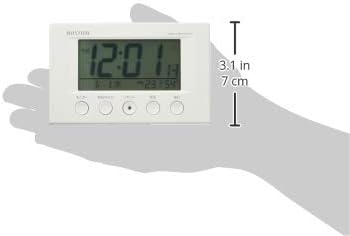
| Dimensions del producte | 12W x 7.7H x 5.4D centimetres (approx. 4.7 x 3.0 x 2.1 inches) |
| Interval de visualització de temperatura | -9.9 ℃ a 50 ℃ |
| Interval de visualització d'humitat | 20% a 95% HR |
| Característiques especials | Calendar Display, Humidity Display, Snooze, Temperature Display, Dial Light (afterglow function) |
| Tipus d'habitació | Bedroom, General Indoor Use |
9. Garantia i Suport
RHYTHM products are manufactured with high-quality standards. For warranty information, please refer to the documentation provided at the time of purchase or contact your retailer. If you encounter any issues or require technical assistance, please contact the RHYTHM customer support or your local distributor. Keep your purchase receipt as proof of purchase.


