1. Introducció
The Fossil Q Dreamer is a sophisticated activity tracker designed to seamlessly integrate into your daily life. This device combines the elegance of a traditional bracelet with the functionality of a modern wearable, tracking your daily steps and calories burned. It also provides filtered notifications from your connected smartphone, keeping you informed without constant screen interaction.
This manual provides essential information for setting up, operating, maintaining, and troubleshooting your Fossil Q Dreamer activity tracker.
2. Què hi ha a la caixa
Upon unboxing your Fossil Q Dreamer, please verify that all components are present:
- Fossil Q Dreamer Activity Tracker (Stainless Steel Bracelet with Leather Strap)
- Base de càrrega
- Cable de càrrega USB
- Guia d'inici ràpid (no inclosa en aquest manual)

Image: The Fossil Q Dreamer activity tracker, featuring a stainless steel bar and a black leather strap.
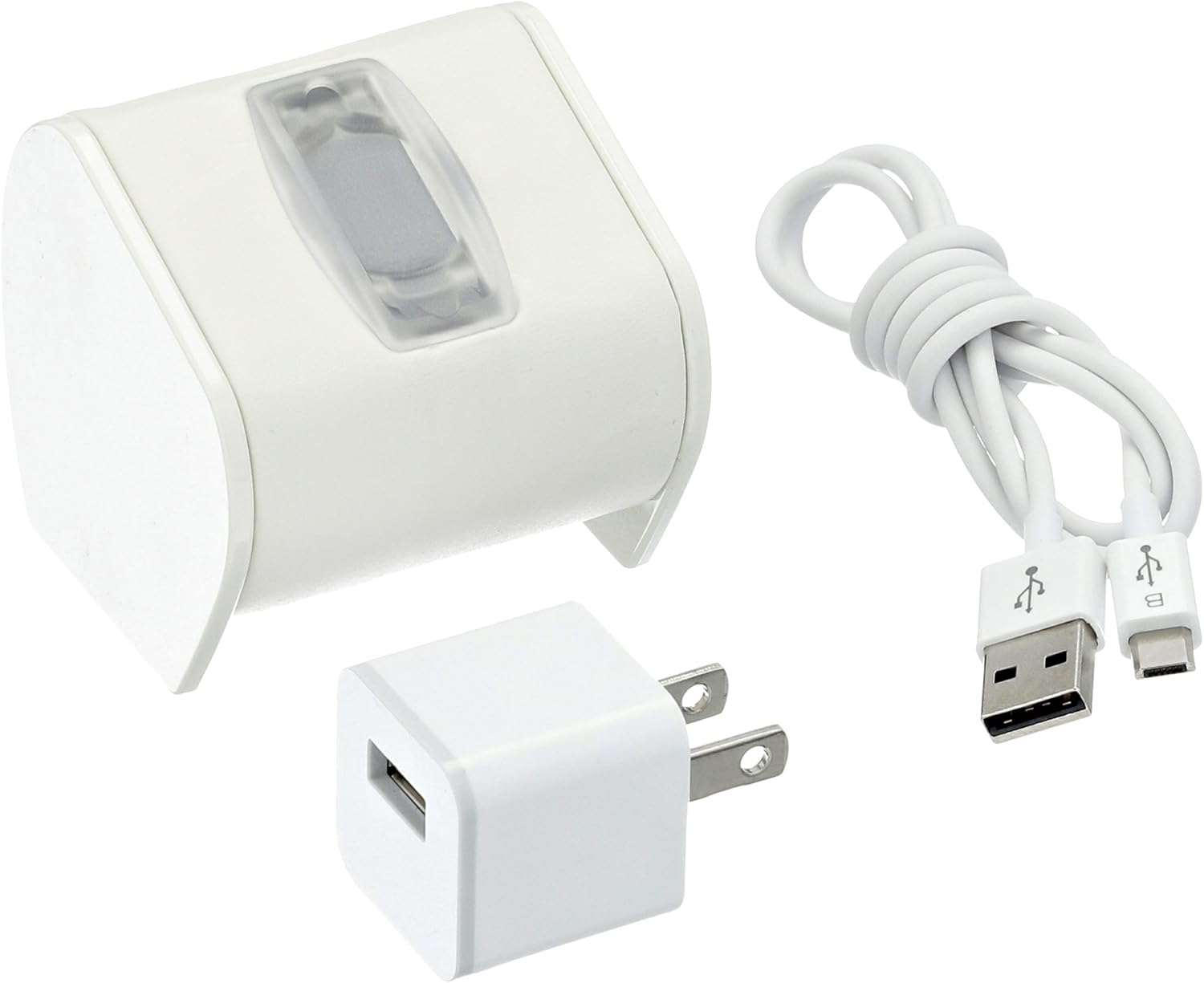
Image: The charging cradle and USB cable included with the Fossil Q Dreamer.
3. Configuració
3.1 Càrrega del dispositiu
- Connect the USB charging cable to the charging cradle.
- Plug the other end of the USB cable into a powered USB port (e.g., computer, wall adapter).
- Place your Fossil Q Dreamer tracker into the charging cradle, ensuring the charging contacts align. The device will indicate charging status.
- Allow the device to charge fully before first use. Charging time may vary.
Image: The charging cradle and USB cable, demonstrating the components used for charging the device.
3.2 Instal·lació i emparellament de l'aplicació
- Descarrega l'oficial Fossil Q App from your smartphone's app store (available for iOS and Android devices).
- Open the Fossil Q App and follow the on-screen instructions to create an account or log in.
- Assegureu-vos que el Bluetooth del vostre telèfon intel·ligent estigui activat.
- Within the app, select the option to add a new device and choose the Fossil Q Dreamer.
- Follow the app's prompts to pair your tracker with your smartphone. This typically involves confirming a code or pressing a button on the tracker.
- Once paired, the app will guide you through initial setup, including personal profile information for accurate activity tracking.
4. Funcionament del vostre dispositiu
4.1 Seguiment d'activitat
The Fossil Q Dreamer automatically tracks your daily activity, including steps taken and calories burned. Wear the device comfortably on your wrist for accurate data collection. Data is synchronized with the Fossil Q App on your smartphone, where you can view your progress, set goals, and analyze trends.
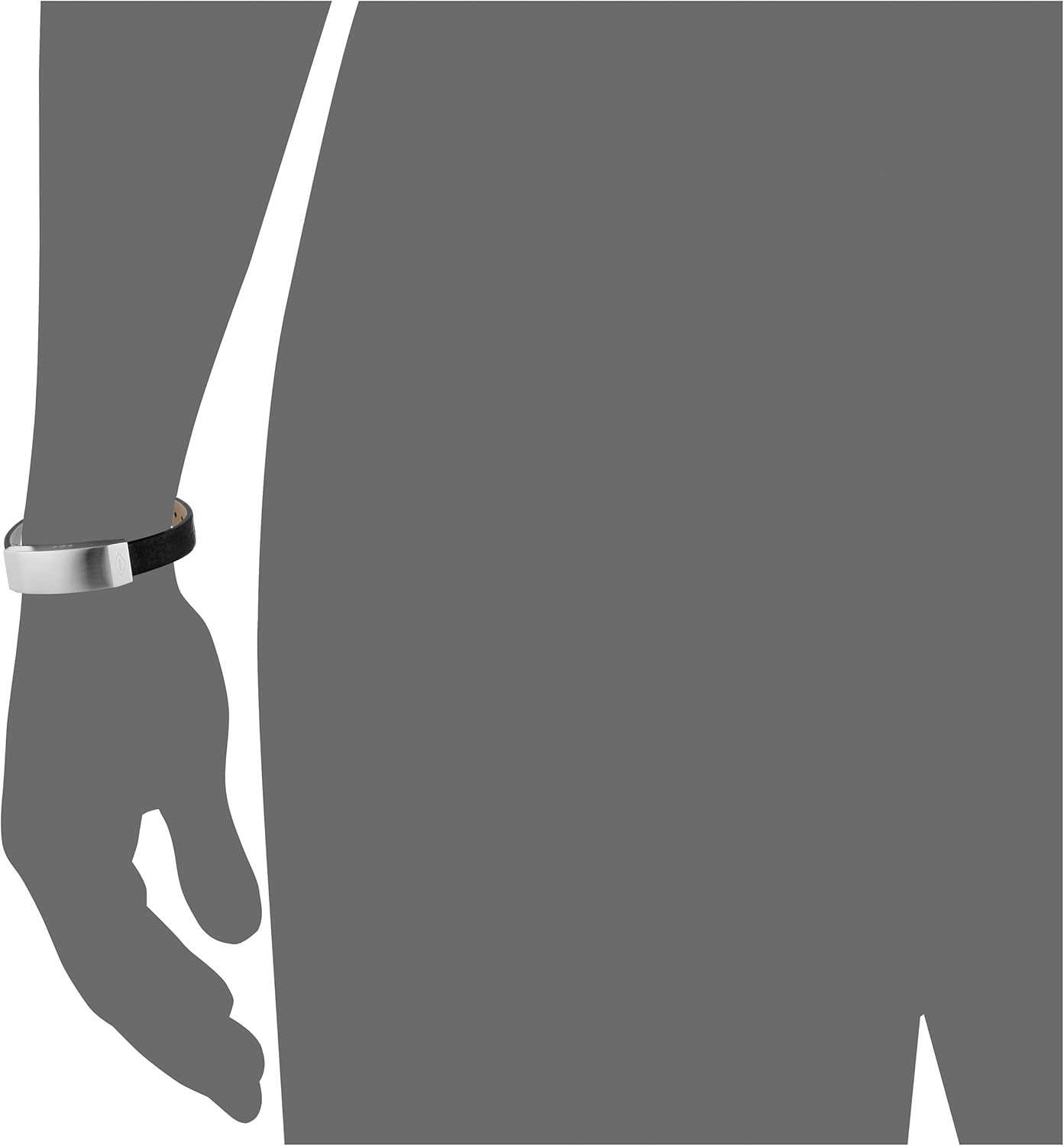
Image: The Fossil Q Dreamer activity tracker worn on a wrist, demonstrating its intended use.
4.2 Notificacions
Once paired with your smartphone, the Fossil Q Dreamer can provide filtered notifications for calls, texts, and app alerts. You can customize which notifications you receive through the Fossil Q App. The tracker uses subtle vibrations or light patterns to alert you, allowing for discreet awareness without needing to check your phone.
4.3 Compatibilitat
The Fossil Q Dreamer is compatible with smartphones running Android and iOS operating systems. Ensure your device meets the minimum operating system requirements specified in the Fossil Q App's description.
5. Manteniment
5.1 Neteja
- Acer inoxidable: Netegeu els components d'acer inoxidable amb un damp cloth. For stubborn marks, a mild soap solution can be used, followed by thorough drying. Avoid abrasive cleaners.
- Corretja de cuir: Clean the leather strap with a dry, soft cloth. For light stains, a slightly damp cloth can be used, but avoid saturating the leather. Allow it to air dry completely. Avoid harsh chemicals or excessive moisture, which can damage the leather.
- Ensure the charging contacts on the tracker and cradle are clean and free of debris for optimal charging.
5.2 Cura de la bateria
To maximize battery life, avoid exposing the device to extreme temperatures. Charge the device regularly, but avoid leaving it fully discharged for extended periods. If storing the device for a long time, ensure it has a partial charge (around 50%) to prevent battery degradation.
5.3 Substitució de la corretja
The Fossil Q Dreamer is compatible with Fossil Q Reveler 12mm straps. If you wish to replace the strap, ensure the new strap is of the correct width and designed for easy interchangeability.
6. Solució De Problemes
If you encounter issues with your Fossil Q Dreamer, try the following steps:
- El dispositiu no respon: Ensure the device is charged. Place it on the charging cradle to see if it powers on.
- Not Tracking Activity: Verify the device is worn correctly on your wrist. Check the Fossil Q App to ensure it is connected and synchronized. Try restarting the app.
- Not Receiving Notifications: Confirm Bluetooth is enabled on your phone and the tracker is paired. Check notification settings within the Fossil Q App and your phone's system settings to ensure permissions are granted.
- Problemes de connexió: Try turning Bluetooth off and on again on your phone. If issues persist, unpair the device from the Fossil Q App and your phone's Bluetooth settings, then re-pair it following the setup instructions.
- Problemes amb l'aplicació: Ensure your Fossil Q App is updated to the latest version. If the app is unresponsive, force close it and reopen. As a last resort, uninstall and reinstall the app.
For persistent issues, refer to the online support resources on the official Fossil weblloc.
7. Especificacions
| Característica | Detall |
|---|---|
| Número de model | FTJ50001-Parent |
| Pes de l'article | 0.2 unces |
| Material | Cuir |
| Tipus de metall | Acer inoxidable |
| Tipus de tancament | Sivelles |
| Compatibilitat | Sistemes operatius Android i iOS |
8. Garantia i Suport
8.1 Informació de la garantia
Fossil products are typically covered by a limited warranty against defects in materials and workmanship. The specific warranty period and terms may vary by region and product. Please refer to the warranty card included with your purchase or visit the official Fossil weblloc per obtenir informació detallada sobre la garantia.
8.2 Atenció al client
For further assistance, technical support, or service inquiries, please visit the official Fossil support website or contact Fossil customer service. You can find contact information and frequently asked questions (FAQs) on their weblloc:


