Introducció
This manual provides detailed instructions for the setup, operation, and maintenance of your MARATHON Atomic Desk Clock. This clock features an easy-to-read display, atomic time synchronization, indoor temperature and humidity readings, and a unique heat and comfort index. It also includes an alarm with a snooze function and a button-activated backlight.
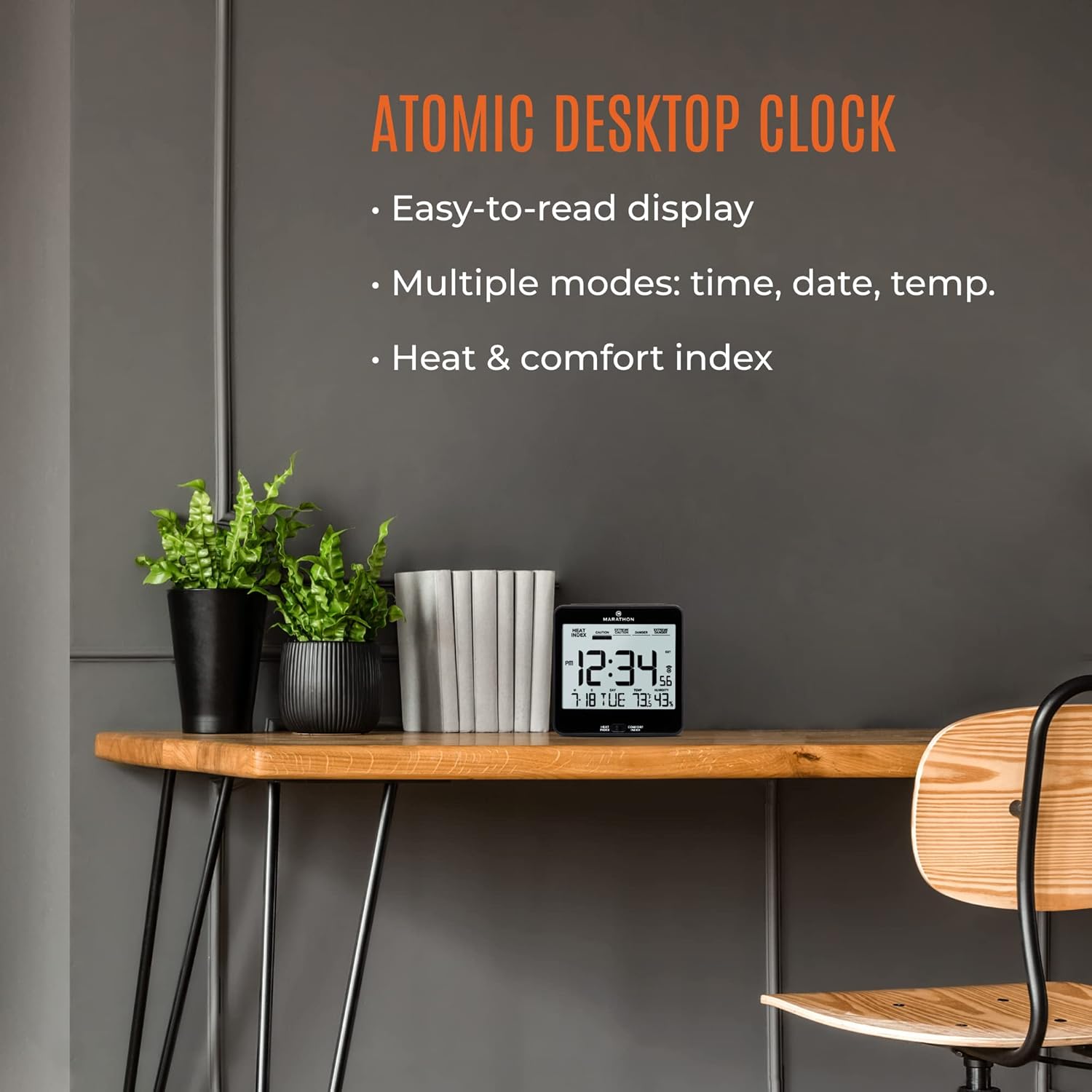
Image: The MARATHON Atomic Desk Clock placed on a wooden desk next to two potted plants, illustrating its compact size and display features.
Característiques clau
- Sincronització del temps atòmic: Automatically sets and adjusts time using radio frequencies from NIST’s Colorado Atomic Clock (North America only).
- Large, Legible Display: A 5.2-inch display for clear visibility of time, date, temperature, and humidity.
- Múltiples modes de visualització: Shows time, day, date, indoor temperature, and humidity.
- Heat & Comfort Index: Graphic display indicating how current conditions compare to ideal comfort levels.
- Alarma amb funció de posposició: Features a progressive alarm and a conveniently located snooze button.
- Il·luminació de fons: Button-activated amber backlight for low-light viewing.

Image: A visual summary of the clock's features: self-setting, easy-to-use alarm with snooze, and sleek design.
Configuració
1. Instal·lació de la bateria
- Localitzeu el compartiment de la bateria a la part posterior del rellotge.
- Obriu la tapa del compartiment de la bateria.
- Introduïu dues (2) piles AA, assegurant-vos de la polaritat correcta (+ i -).
- Tanqueu bé la tapa del compartiment de la bateria.
2. Initial Atomic Time Synchronization
Upon battery installation, the clock will automatically attempt to synchronize with the NIST atomic clock signal. This process may take several minutes to several hours depending on your location and environmental conditions.
- Place the clock near a window, preferably facing west towards Fort Collins, Colorado, for optimal signal reception.
- Avoid placing the clock near electronic devices that may cause interference.
- The signal strength indicator (often a tower icon with waves) on the display will show the reception status. A solid icon indicates successful synchronization.

Imatge: Frontal view of the MARATHON Atomic Desk Clock displaying time, date, temperature, humidity, and heat index, including the atomic signal indicator.
Instruccions de funcionament
1. Visualització de l'hora i la data
The clock automatically displays the current time (12 or 24-hour format), month, date, and day of the week once synchronized.
2. Setting Time Zone
The clock allows selection of various North American time zones (Pacific, Mountain, Central, Eastern, Atlantic, Newfoundland) and includes a Daylight Saving Time (DST) indicator.
- Refer to the specific buttons on the back or side of your clock (e.g., 'TIME ZONE' or 'SET') to cycle through available time zones.
- Ensure the DST indicator is correctly set for your region if applicable.
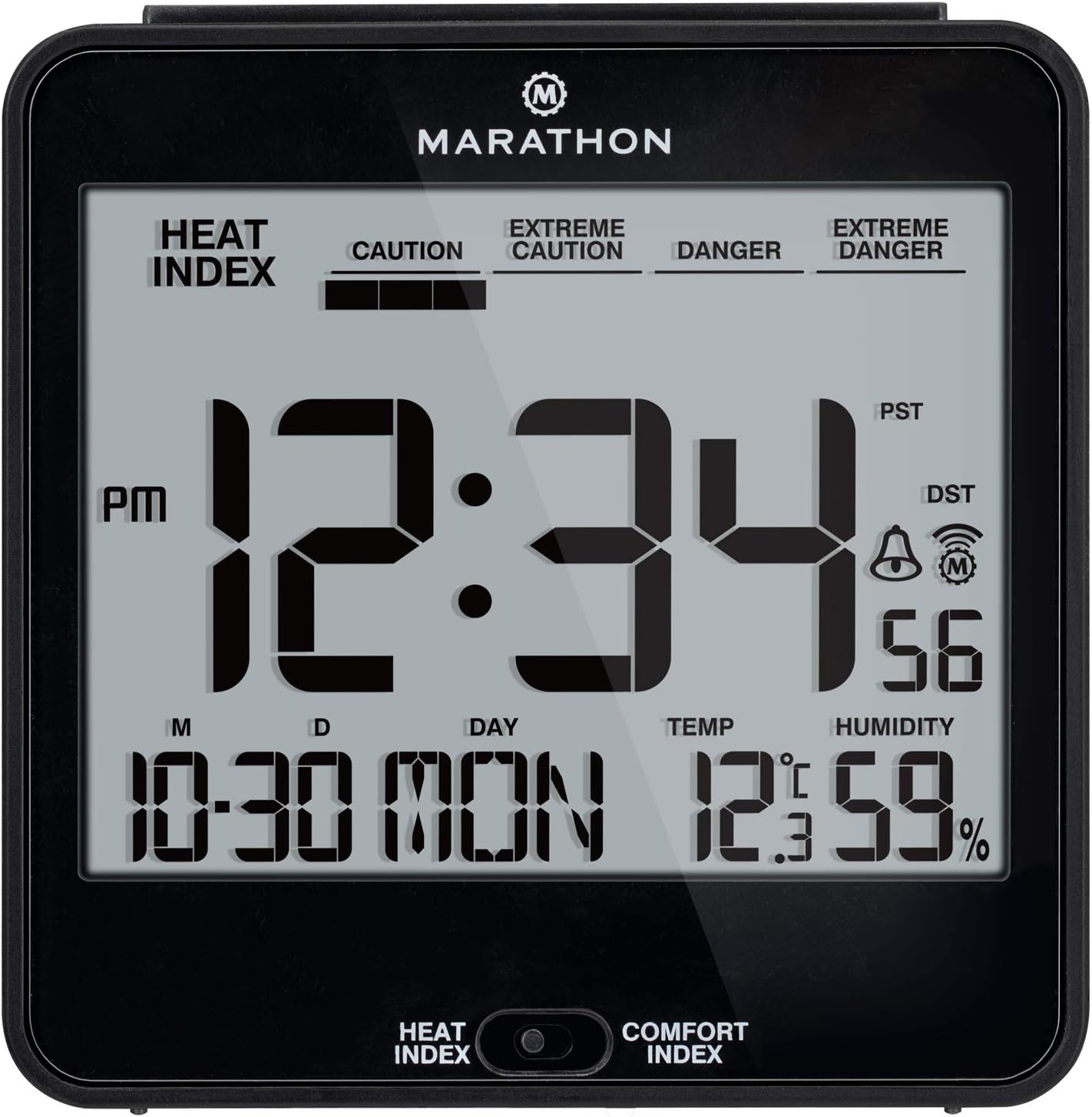
Image: The MARATHON Atomic Desk Clock display showing time, date, temperature, and humidity, with indicators for PST (Pacific Standard Time) and DST (Daylight Saving Time).
3. Funció d'alarma i repetició d'alarma
- Configuració de l'alarma: Press the 'ALARM SET' button (location may vary) to enter alarm setting mode. Use the '+' or '-' buttons to adjust the desired alarm time. Press 'ALARM SET' again to confirm.
- Activació/desactivació de l'alarma: Use the 'ALARM ON/OFF' switch or button to enable or disable the alarm. An alarm icon will appear on the display when active.
- Funció de posposar: When the alarm sounds, press the large 'SNOOZE' button (typically on top of the clock) to temporarily silence the alarm. The alarm will sound again after approximately 5-10 minutes.
4. Visualització de temperatura i humitat
The clock continuously monitors and displays indoor temperature (in °F or °C) and relative humidity.
- To switch between Fahrenheit and Celsius, locate the °F/°C button, usually on the back or side of the unit.
5. Heat and Comfort Index
This feature provides a visual indication of indoor comfort based on temperature and humidity levels.
- Use the 'HEAT INDEX / COMFORT INDEX' button (located on the front bottom of the clock) to toggle between these two display modes.
- The graphic display will adjust to show levels such as 'CAUTION', 'EXTREME CAUTION', 'DANGER', or 'EXTREME DANGER' for the Heat Index, or a comfort level for the Comfort Index.

Image: The MARATHON Atomic Desk Clock positioned on a bathroom counter, displaying the Heat & Comfort Index feature.
6. Activació de la retroiluminació
- Press the 'LIGHT' or 'SNOOZE/LIGHT' button (typically on top of the clock) to activate the amber backlight for a few seconds.
- The backlight is designed for temporary illumination and does not remain on continuously to conserve battery life.

Image: A close-up of the clock's digital display, highlighting the time, day of the week, temperature, and humidity readings.
Manteniment
- Neteja: Wipe the clock with a soft, dry cloth. Do not use abrasive cleaners or solvents, as these may damage the display or casing.
- Substitució de la bateria: Replace batteries when the display becomes dim or unresponsive. Always replace with fresh AA batteries, ensuring correct polarity.
- Emmagatzematge: Si guardeu el rellotge durant un període prolongat, traieu-ne les piles per evitar fuites.
Resolució de problemes
| Problema | Causa possible | Solució |
|---|---|---|
| Clock not synchronizing with atomic signal. | Poor signal reception due to location or interference. | Move the clock to a window, preferably facing west. Keep away from electronic devices. Allow up to 24 hours for synchronization. |
| La pantalla està tènue o en blanc. | Bateries baixes o esgotades. | Replace with fresh AA batteries. Ensure correct polarity. |
| L'alarma no sona. | L'alarma no està activada o està configurada incorrectament. | Ensure the alarm is set and the alarm icon is visible on the display. Check alarm volume settings if available. |
| Incorrect time zone displayed. | Time zone setting is incorrect. | Manually adjust the time zone using the dedicated button on the clock. |
Especificacions
| Característica | Detall |
|---|---|
| Número de model | B017KNVV48 |
| Tipus de visualització | Digital |
| Color | Negre |
| Pes de l'article | 0.27 quilos |
| Font d'alimentació | 2 x AA Batteries (not explicitly stated as included, but often are) |
| Característica especial | Switch between Heat Index and Comfort Index |
| Fabricant | MARATHON |
| Data de primera disponibilitat | 28 d'abril de 2016 |

Image: The MARATHON Atomic Desk Clock with overlaid dimensions, showing it measures 3.7 inches (9.4 cm) in both width and height.
Garantia i Suport
This MARATHON Atomic Desk Clock comes with a 2 any de garantia des de la data de compra.
For technical support, warranty claims, or further assistance, please contact MARATHON customer service. Refer to the product packaging or the official MARATHON weblloc web per obtenir informació de contacte actualitzada.


