Introducció
This manual provides comprehensive instructions for the installation, operation, and maintenance of your Chacon 34548 Outdoor Wi-Fi IP Camera. This device allows for remote monitoring of your property, day and night, through the dedicated Chacon application. Please read this manual thoroughly before using the product to ensure proper function and safety.
Informació de seguretat
- Ensure the camera is installed in a secure location, out of reach of unauthorized individuals.
- Use only the power adapter supplied with the camera.
- Do not expose the camera to extreme temperatures, humidity, or direct water immersion (beyond its IP66 rating).
- Eviteu col·locar la càmera a prop de camps electromagnètics forts.
- Desconnecteu l'alimentació abans de netejar o realitzar qualsevol manteniment.
Contingut del paquet
Verifiqueu que tots els elements siguin presents al paquet:
- Chacon 34548 Outdoor Wi-Fi IP Camera
- Adaptador d'alimentació
- Mounting Kit (screws, wall plugs)
- Manual d'usuari (aquest document)
Producte acabatview
The Chacon 34548 is an outdoor-rated Wi-Fi IP camera designed for robust surveillance. It features a durable housing, integrated night vision, and Wi-Fi connectivity for remote access.

Figura 1: Davant view of the Chacon 34548 Outdoor Wi-Fi IP Camera, showing the lens, IR illuminator, and mounting bracket.

Figura 2: Frontal perspective of the camera, highlighting the main lens, infrared sensor, and external Wi-Fi antenna for improved signal reception.

Figura 3: lateral view of the Chacon 34548 camera, illustrating its compact design and the position of the Wi-Fi antenna.

Figura 4: posterior view of the camera, displaying the model number (34548), regulatory marks, and a QR code for easy setup.
Configuració
1. Instal·lació física
- Trieu una ubicació: Select an outdoor location that provides the desired viewing angle and is within range of your Wi-Fi network. Ensure the location offers protection from direct impact and allows for proper cable management.
- Muntar la càmera:
- Mark the drilling points on the wall or ceiling using the camera's mounting bracket as a template.
- Perfora forats i insereix els tacs de paret proporcionats.
- Fixeu el suport de muntatge amb cargols.
- Attach the camera to the bracket and adjust the angle as needed.
2. Connexió d'alimentació
Connect the supplied power adapter to the camera's power input port. Plug the adapter into a suitable outdoor power outlet. Ensure the connection is secure and protected from weather elements.
3. Instal·lació de l'aplicació
Download the official Chacon application from the App Store (for iOS devices) or Google Play Store (for Android devices). Cerca "Chacon" and install the application.
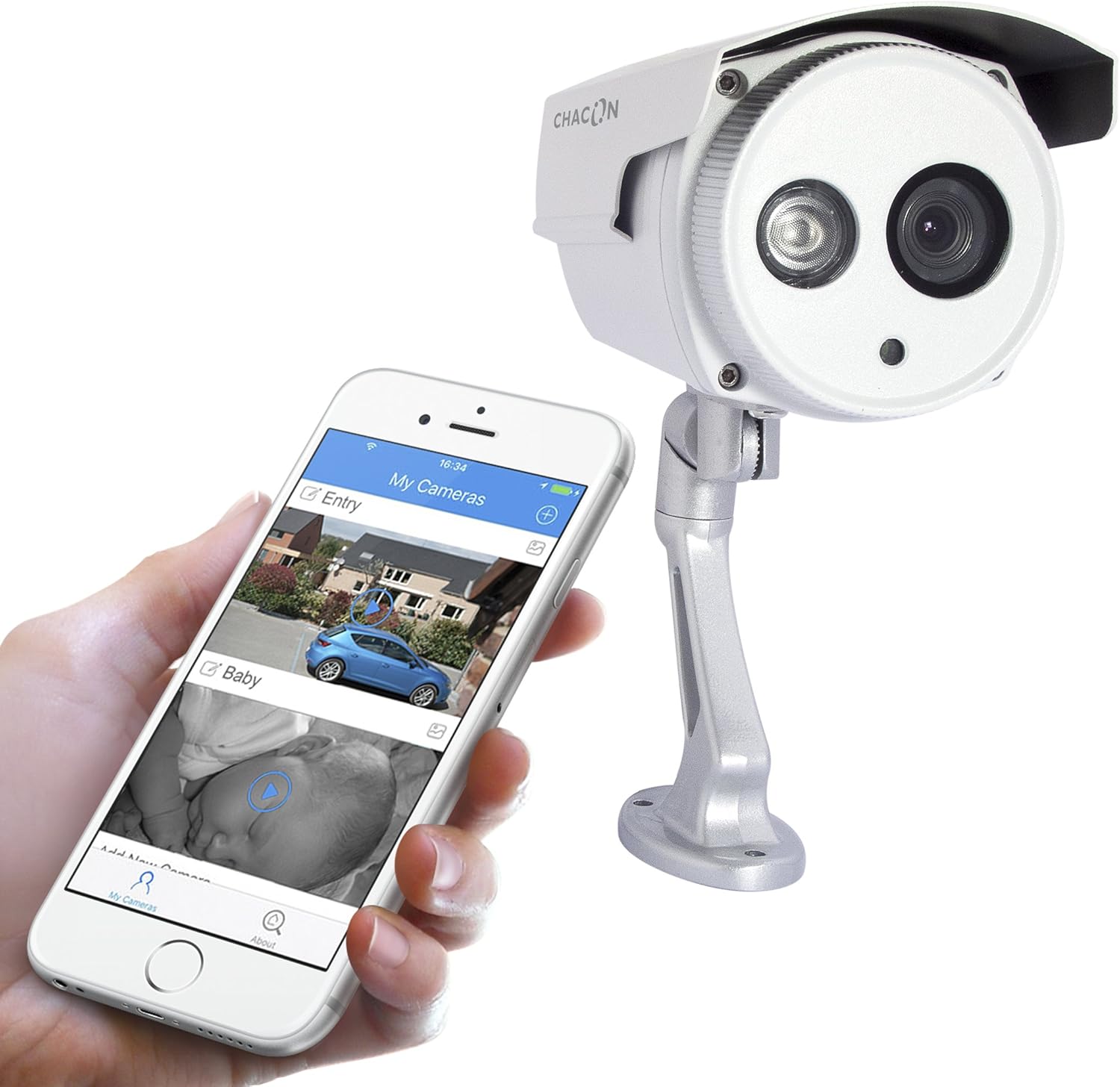
Figura 5: The Chacon 34548 camera shown alongside a smartphone running the Chacon application, demonstrating remote viewcapacitats d'ingrés.
4. Connexió de xarxa (Wi-Fi)
- Open the Chacon app and create an account or log in.
- Follow the in-app instructions to add a new device. This typically involves scanning a QR code on the camera (refer to Figure 4) or manually entering the device ID.
- Select your Wi-Fi network and enter the password. Ensure your camera is within range of your Wi-Fi router.
- Wait for the camera to connect to the network. The app will indicate successful connection.
Instruccions de funcionament
1. Viewen directe
Once connected, open the Chacon app and select your camera from the device list to view the live video feed. You can monitor your property in real-time.
2. Visió nocturna
The camera is equipped with automatic night vision, providing clear images up to 20 meters in low-light conditions. This feature activates automatically when ambient light levels are insufficient.
3. Remote Access and Control
The Chacon app allows you to access your camera feed from anywhere with an internet connection. You can also adjust settings, such as video resolution (720p), and monitor the horizontal viewing angle of 70 degrees and diagonal viewangle d'inclinació de 75 graus.
4. Gravació i reproducció
Refer to the Chacon app's specific features for information on motion detection recording, cloud storage options, or local storage (if a microSD card slot is present, which is not explicitly mentioned in specifications but common). Instructions for playback of recorded footage will be available within the app.
Manteniment
- Neteja: Netegeu suaument la lent i la carcassa de la càmera amb un drap suauamp tela. No utilitzeu productes químics aggressivs ni netejadors abrasius.
- Actualitzacions de firmware: Periodically check the Chacon app for available firmware updates. Keeping your camera's firmware updated ensures optimal performance and security.
- Inspecció del cable: Regularly inspect power and network cables for any signs of wear or damage, especially in outdoor installations.
Resolució de problemes
| Problema | Causa possible | Solució |
|---|---|---|
| La càmera no s'encén | Sense alimentació, adaptador defectuós, connexió fluixa | Check power outlet, ensure adapter is securely connected, try a different outlet. |
| No es pot connectar a la Wi-Fi | Incorrect Wi-Fi password, camera out of range, network interference | Verify Wi-Fi password, move camera closer to router, restart router, check for 2.4GHz network compatibility. |
| Sense transmissió de vídeo en directe | Network issue, camera offline, app malfunction | Check internet connection, restart camera, restart Chacon app, ensure camera is connected to Wi-Fi. |
| Mala qualitat d'imatge | Lent bruta, poca llum, amplada de banda de xarxa | Clean the camera lens, ensure adequate lighting or check night vision activation, check network speed. |
Especificacions
| Característica | Detall |
|---|---|
| Número de model | 34548 |
| Marca | Chacón |
| Tecnologia de connectivitat | Sense fil (Wi-Fi) |
| Resolució de gravació de vídeo | 720p |
| Resolució de vídeo efectiva | 720 píxels |
| Característiques especials | Visió nocturna |
| Gamma de visió nocturna | 20 metres |
| ViewAngle d'ajust (Horizontal) | 70 graus |
| ViewAngle d'encaminació (diagonal) | 75 graus |
| Nivell de resistència a l'aigua | Water-repellent (IP66 rating implied by "voor buiten" and common for outdoor cameras) |
| Dispositius compatibles | Telèfon intel·ligent (iOS, Android) |
| Font d'alimentació | Cable elèctric |
| Tipus de muntatge | Muntatge de paret |
| Color | Blanc |
| Material | PVC |
| Components inclosos | Wi-Fi IP Camera for outdoor use |
Informació de la garantia
For detailed warranty information, please refer to the warranty card included with your product packaging or consult your purchase documentation. Warranty terms and conditions may vary by region and retailer.
Atenció al client
If you encounter any issues or have questions not covered in this manual, please contact Chacon customer support. Visit the official Chacon weblloc web per obtenir dades de contacte, preguntes freqüents i recursos addicionals.


