1. Informació important de seguretat
- Ventilació: Ensure adequate ventilation around the projector. Do not block ventilation openings. Overheating can cause damage.
- Font d'alimentació: Use only the specified power adapter. Disconnect power during thunderstorms or when unused for long periods.
- Humitat: Do not expose the projector to rain, moisture, or liquids.
- Neteja: Clean the projector with a soft, dry cloth. Avoid abrasive cleaners.
- Cura de les lents: Handle the lens with care. Clean gently with a lens cleaning cloth.
- Col·locació: Place the projector on a stable, level surface. Avoid direct sunlight or heat sources.
- Protecció ocular: No mireu directament a la lent del projector quan estigui encès.amp està activat.
2. Producte acabatview
2.1. Projector Dimensions
The Excelvan EHD02 projector has compact dimensions, making it portable. The approximate dimensions are 152mm (width) x 220mm (depth) x 76mm (height).
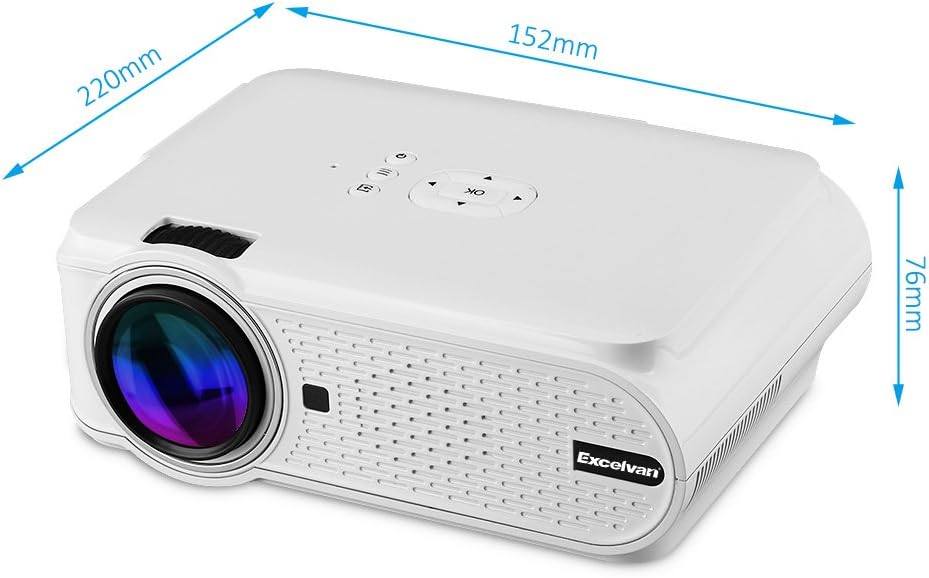
Figure 1: Excelvan EHD02 Mini Projector with labeled dimensions.
2.2. Projector Components and Interfaces
Familiarize yourself with the various ports and controls on your projector for proper setup and operation.

Figure 2: Top controls and rear panel interfaces of the Excelvan EHD02 Projector.
- Top Controls: OK button, Up/Down/Left/Right navigation, Back, Menu, Power.
- Rear Interfaces: VGA port, USB port, Power plug, AV input, 3.5mm Audio port, IR receiver, HDMI port, Keystone adjustment, SD Card slot, TV antenna input.
3. Configuració
3.1. Col·locació
Position the projector on a flat, stable surface. The projection distance determines the image size. For optimal viewing, ensure the projector is centered with the screen or projection surface.
- Distància de projecció: 1.2 to 3.8 meters (approximately 3.9 to 12.5 feet).
- Mida de la imatge: 37 to 130 inches (diagonal).
- Mètodes de projecció: Admet projecció frontal, posterior i al sostre.
3.2. Connexió d'alimentació
- Connecteu el cable d'alimentació a l'entrada d'alimentació del projector.
- Connecteu l'altre extrem del cable d'alimentació a una presa de corrent adequada.
- La llum indicadora d'alimentació s'il·luminarà.

Figure 3: Power cord and remote control for the projector.
3.3. Connexió de fonts d'entrada
El projector admet diverses fonts d'entrada:
- HDMI: Connect to devices like laptops, Blu-ray players, or gaming consoles using an HDMI cable.
- USB: Inseriu una unitat flash USB per reproduir contingut multimèdia files directament.
- Targeta SD: Insert an SD card to play media files.
- DE: Use the provided AV cable to connect to older devices with composite video output.
- VGA: Connect to computers using a VGA cable.
- TV: Connect a TV antenna for analog TV reception.
- Àudio de 3.5 mm: Connecteu altaveus externs o auriculars.
3.4. Enfocament i correcció Keystone
- Ajust del focus: Gireu l'anell d'enfocament de la lent del projector fins que la imatge aparegui nítida i clara.
- Correcció Keystone: If the projected image appears trapezoidal (wider at the top or bottom), use the keystone adjustment dial (typically on the side or rear) to correct the image shape. The projector supports ±12° vertical manual keystone correction.
4. Instruccions de funcionament
4.1. Encès / apagat
- Encès: Press the Power button on the projector or the remote control.
- Apagar: Press the Power button again. The projector will go into standby mode.
4.2. Menu Navigation and Input Selection
- Use the navigation buttons (Up, Down, Left, Right) and the OK button on the projector or remote to navigate through the on-screen menu.
- Press the "Input" or "Source" button (if available on remote, or navigate through menu) to select your desired input source (HDMI, USB, SD, AV, VGA, TV).
4.3. Connexió de telèfon intel·ligent
Connecting smartphones requires specific cables:
- iPhone/iPad: Requires an original Apple composite AV cable.
- Telèfon Android: Requires an MHL cable, and the phone must support MHL (Mobile High-Definition Link).
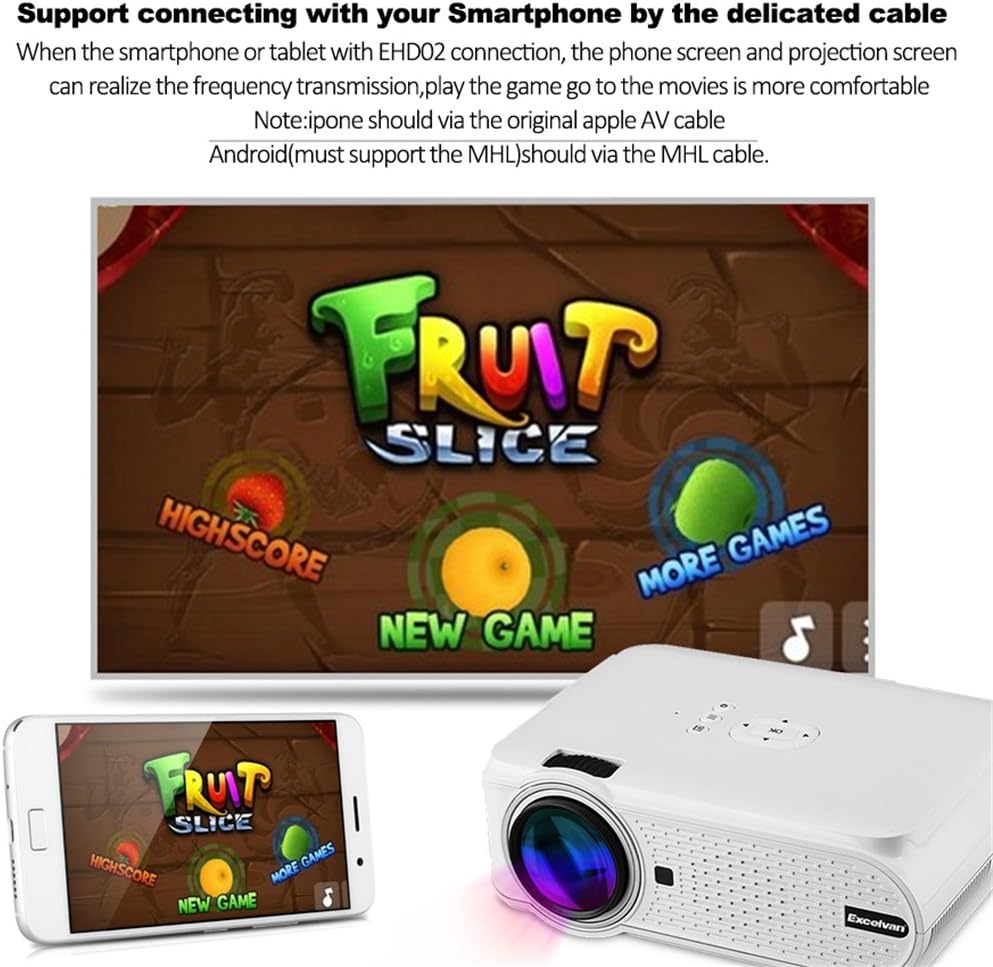
Figura 4: Example of smartphone connection for content projection.
4.4. 3D Playback
The Excelvan EHD02 projector supports red-blue 3D content only. To view Contingut 3D:
- Obtain red-blue 3D source content.
- Use red-blue 3D glasses for viewing.
5. Manteniment
- Neteja de lents: Feu servir un drap suau i sense borrissol dissenyat específicament per a lents òptiques per netejar suaument la lent del projector. Eviteu tocar la lent amb les mans nues.
- Eliminació de pols: Periodically clean the projector's exterior with a soft, dry cloth. Ensure ventilation openings are free from dust and obstructions to prevent overheating.
- Emmagatzematge: Quan no l'utilitzeu durant períodes prolongats, guardeu el projector en un lloc fresc i sec i protegit de la pols.
6. Solució De Problemes
| Problema | Causa possible | Solució |
|---|---|---|
| No es projecta cap imatge |
|
|
| La imatge és borrosa |
|
|
| La imatge és trapezoïdal |
|
|
| Sense so |
|
|
| El comandament a distància no funciona |
|
|
| Projector is noisy or hot |
|
|
7. Especificacions
| Característica | Detall |
|---|---|
| Model | Excelvan EHD02 |
| Tipus de visualització | TFT- Single LCD Panel + LED Technology |
| Resolució nativa | 800 x 480 píxels |
| Resolució suportada | Up to 1080p (1920 x 1080) |
| Brillantor | 1000 lúmens |
| Lent de projecció | F=126mm, Manual Focus |
| Relació de contrast | 1000:1 |
| Relació d'aspecte | 4:3 / 16:9 |
| Altaveu incorporat | 4Ω 2W |
| LED Lamp La vida | 20,000 hores |
| Colors visibles | 1.67 Million Colors (Full Color) |
| Idiomes del menú | English, Spanish, French, German, Portuguese, Italian, Chinese, etc. |
| Mètodes de projecció | Davant, darrere, sostre |
| Interfícies | 1x VGA, 1x USB, 1x SD, 1x HDMI, 1x 3.5mm Audio, 1x AV, 1x TV |
| Mida de la imatge (diagonal) | 37 - 130 polzades |
| Distància de projecció | 1.2 - 3.8 metres |
| Ajust de pantalla | Horizontal and Vertical Flip; Image Zoom |
| Correcció de pedra clau | ±12° Vertical (Manual) |
| Dimensions (L x A x A) | 220 mm x 152 mm x 76 mm |
| Pes | 1.44 kg |
8. Garantia i Suport
The Excelvan EHD02 Mini Portable LED Projector comes with a 2 any de garantia des de la data de compra.
For technical support, warranty claims, or further assistance, please contact your retailer or the Excelvan customer service department. Please have your model number (EHD02) and purchase information ready when contacting support.


