1. Producte acabatview
This manual provides essential information for the Gateway SX2100 Motherboard, featuring an integrated AMD E2-1800 1.7GHz CPU. This component is a system pull, guaranteed for 90 days, and is a genuine part designed for specific Gateway SX2100 systems. It is crucial to verify compatibility with your existing system before installation, as parts are not typically interchangeable without manufacturer recommendation.
- System Pull: This motherboard is sourced from an existing system.
- Guaranteed for 90 days: Ensures functionality and reliability post-purchase.
- Genuine part: Authentic Gateway component.
- Integrated AMD E2-1800 1.7GHz CPU: Processor is pre-installed on the motherboard.
2. Configuració i instal·lació
Proper installation of a motherboard is critical for system stability and longevity. It is recommended that installation be performed by a qualified technician. Always ensure your system is powered off and unplugged before beginning any installation or maintenance.
2.1 Precaucions de seguretat
- Desconnecteu sempre el cable d'alimentació de la presa de corrent abans de tocar qualsevol component.
- Porteu una polsera antiestàtica per evitar la descàrrega electrostàtica (ESD), que pot danyar els components electrònics sensibles.
- Work on a clean, flat, and stable surface.
2.2 Passos d'instal·lació
- Preparar el xassís: Ensure the computer case is ready for motherboard installation. Remove any necessary covers or brackets.
- Instal·leu l'escut d'E/S: Snap the motherboard's I/O shield into the rear opening of the computer case.
- Muntar la placa base: Carefully align the motherboard with the standoffs in the chassis. Gently lower the motherboard into place, ensuring the I/O ports align with the I/O shield. Secure the motherboard with appropriate screws.
- Connectar l'alimentació: Connect the main 24-pin ATX power connector and the 4-pin CPU power connector from the power supply to the motherboard.
- Instal·lar memòria (RAM): Insert DDR3 RAM modules into the available memory slots (2 slots available). Ensure they are seated firmly until the clips lock into place.
- Connectar dispositius d'emmagatzematge: Connect SATA data cables from your hard drives or SSDs to the SATA ports on the motherboard. Connect the corresponding power cables from the power supply.
- Connecteu els cables del panell frontal: Connect the power button, reset button, HDD LED, power LED, and USB/audio headers from the computer case to the corresponding pins on the motherboard. Refer to your case manual for specific pin layouts.
- Instal·leu les targetes d'expansió (opcional): If applicable, install any PCIe expansion cards (e.g., graphics card, network card) into the appropriate slots.
- Comprovacions finals: Comproveu dues vegades totes les connexions per assegurar-vos que estiguin ben fixades i orientades.
3. Funcionament de la placa base
Once the motherboard is installed and all components are connected, you can power on your system. The integrated AMD E2-1800 1.7GHz CPU will initiate the boot process.
3.1 Configuració de la BIOS/UEFI
To access the BIOS (Basic Input/Output System) or UEFI (Unified Extensible Firmware Interface) setup utility, press the designated key (commonly DEL, F2, F10, o F12) immediately after powering on the system. The exact key may vary; refer to your system's documentation or on-screen prompts during boot-up.
Dins de la BIOS/UEFI, podeu configurar l'ordre d'arrencada, l'hora del sistema, la configuració del maquinari i supervisar l'estat del sistema.
3.2 Instal·lació del controlador
After installing your operating system, it is essential to install the correct drivers for the motherboard's chipset (AMD 785E), integrated graphics, audio, and network components. These drivers are typically available on the Gateway support website for your specific system model (SX2100).
4. Manteniment
Un manteniment regular ajuda a garantir la longevitat i el rendiment òptim de la placa base i del sistema.
- Eliminació de pols: Periodically clean dust from the motherboard and components using compressed air. Ensure the system is powered off and unplugged before cleaning. Pay special attention to the CPU heatsink and fan.
- Control ambiental: Operate the system in a well-ventilated area, away from direct sunlight, excessive heat, and humidity.
- Manipulació de components: When handling the motherboard or other internal components, always use proper anti-static precautions to prevent damage from static electricity.
5. Solució De Problemes
If you encounter issues with your Gateway SX2100 Motherboard, consider the following common troubleshooting steps:
- Sense alimentació/Sense arrencada:
- Verifiqueu que tots els cables d'alimentació (ATX de 24 pins, CPU de 4 pins) estiguin connectats correctament.
- Assegureu-vos que la font d'alimentació funcioni correctament.
- Comproveu les connexions del botó d'engegada del panell frontal a la placa base.
- Sense pantalla:
- Ensure the monitor is connected to the correct video output port (VGA or HDMI).
- Reseat RAM modules. Try booting with one RAM stick at a time if multiple are installed.
- Si feu servir una targeta gràfica dedicada, assegureu-vos que estigui correctament instal·lada i que tingui alimentació.
- Inestabilitat/Avaries del sistema:
- Check for overheating. Ensure CPU fan is spinning and heatsink is clear of dust.
- Executeu eines de diagnòstic de memòria per comprovar si hi ha errors de RAM.
- Assegureu-vos que tots els controladors estiguin actualitzats.
- Component no reconegut:
- Verify the component (e.g., hard drive, expansion card) is properly connected.
- Check BIOS/UEFI settings to ensure the component is enabled.
- Install or update relevant drivers for the component.
For persistent issues, consult the Gateway support website or contact a qualified computer technician.
6. Especificacions
| Característica | Especificació |
|---|---|
| Número de model | DB.GDC11.001 |
| Marca | Porta d'entrada |
| Dispositius compatibles | Escriptori |
| Tipus de xipset | AMD 785E |
| Ranures de memòria disponibles | 2 |
| S/PDIF Connector Type | Òptic |
| Estàndard de bus de sistema compatible | SATA 3 |
| Pes de l'article | 1 lliures |
| Data de primera disponibilitat | 26 de novembre de 2015 |
| UPC | 014146444246 |
7. Producte Views

Figura 7.1: A dalt view of the Gateway SX2100 Motherboard. This image highlights the integrated AMD E2-1800 CPU with its heatsink and fan, two DDR3 RAM slots (blue), various capacitors, and the I/O panel connectors including USB, Ethernet, and audio ports. The overall layout of the board's components is visible.
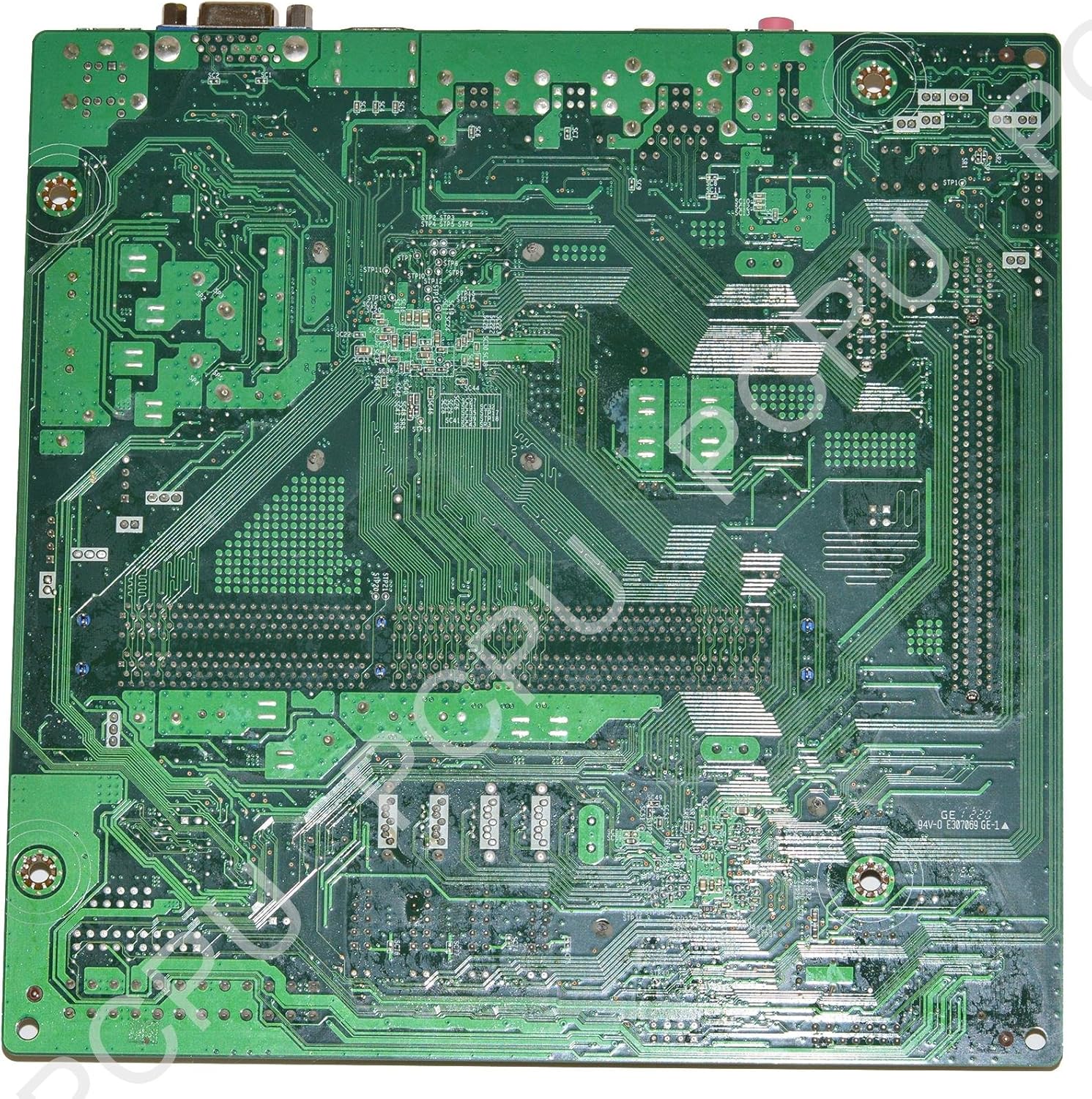
Figura 7.2: A baix view of the Gateway SX2100 Motherboard. This perspective reveals the intricate network of circuit traces and solder points on the underside of the printed circuit board (PCB). It provides insight into the complex routing of signals and power across the motherboard.
8. Garantia i Suport
This Gateway SX2100 Motherboard is guaranteed for 90 days from the date of purchase. This warranty covers defects in materials and workmanship under normal use. For warranty claims or technical support, please contact the seller or refer to the official Gateway support channels for your specific system model.
Please note that physical damage, improper installation, or unauthorized modifications are not covered under warranty.