Introducció
Thank you for choosing the TeckNet Wa628 Wireless Digital Doorbell. This manual provides detailed instructions for the installation, operation, and maintenance of your new doorbell system. Please read this manual thoroughly before use to ensure proper functionality and to maximize the lifespan of your product. Keep this manual for future reference.
Contingut del paquet
Si us plau, comproveu el contingut del paquet per assegurar-vos que hi hagi tots els elements:
- 1 x TeckNet Wa628 Wireless Doorbell Receiver (Chime Unit)
- 1 x TeckNet Wa628 Wireless Doorbell Transmitter (Push Button)
- Mounting Hardware (Screws, Wall Plugs, Double-sided Adhesive Tape)
- Manual d'usuari

Producte acabatview
The TeckNet Wa628 is a wireless digital doorbell system designed for ease of installation and reliable performance. It consists of a weather-resistant push button (transmitter) and a portable chime unit (receiver).
Característiques principals:
- Funcionament sense fil: No wiring required for installation.
- Multiple Melodies: Choose from 38 distinct melodies.
- Volum ajustable: 4 levels of volume control, ranging from 0dB to 90dB.
- Indicador LED: Visual alert for incoming visitors, useful for noisy environments or hearing-impaired users.
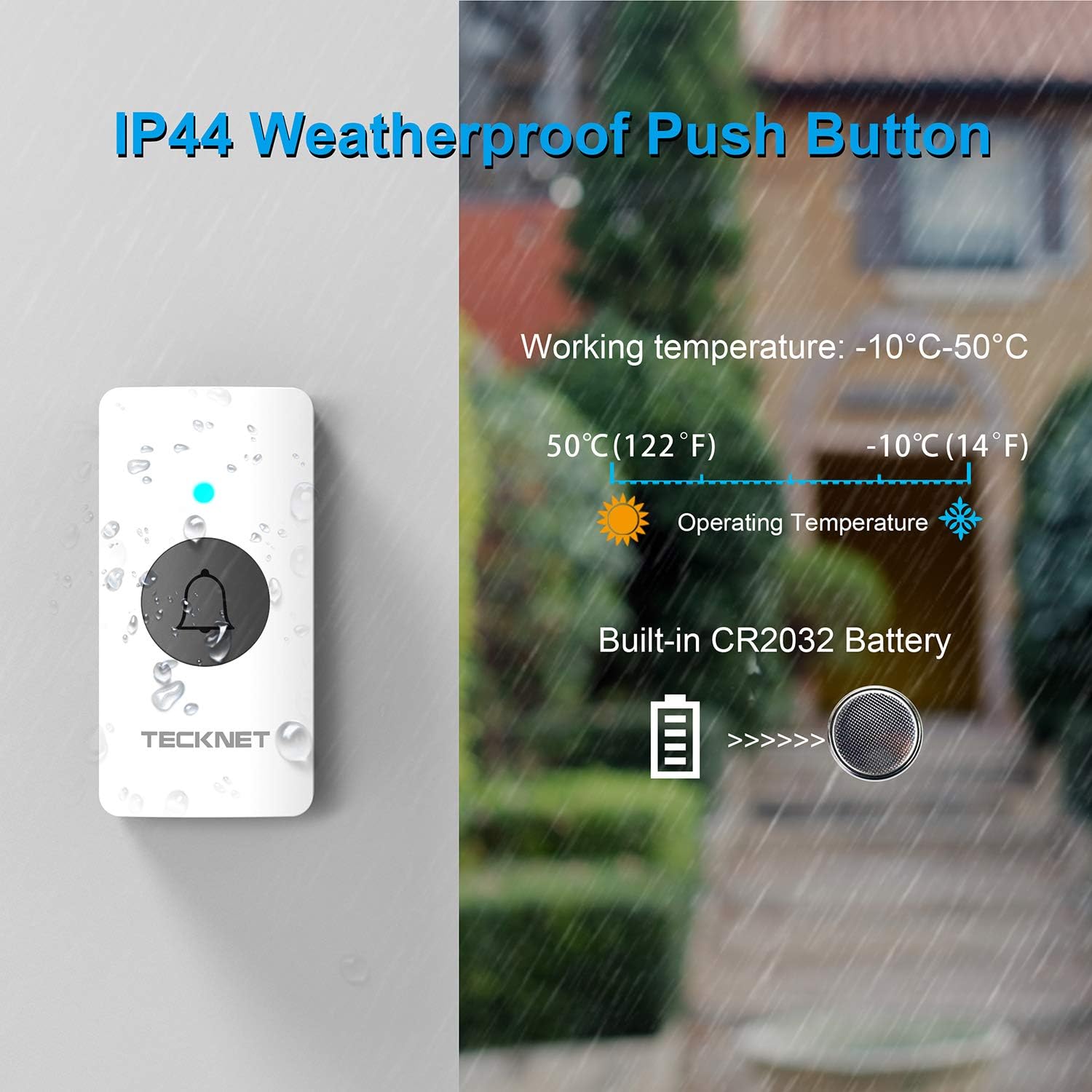
- Weatherproof Push Button: IP44 rated for outdoor use.
- Opcions d'alimentació flexibles: Receiver can be powered by AAA batteries or USB. Transmitter uses a built-in CR2032 battery.
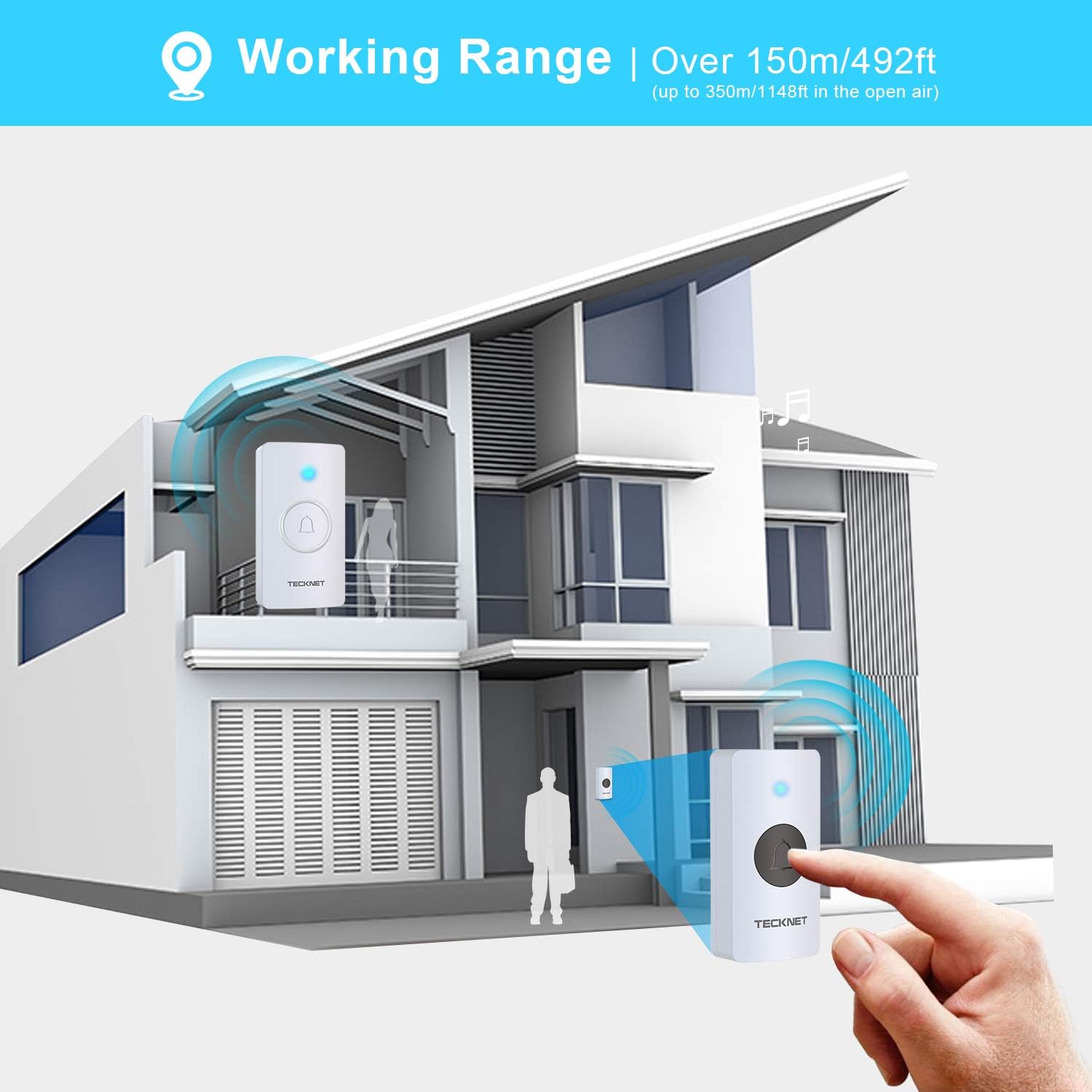
- Interval estès: Operates effectively over 150 meters (492 feet), up to 350 meters (1148 feet) in open areas.

Configuració
Instal·lació del transmissor (botó):
- Prepareu el transmissor: The transmitter comes with a built-in CR2032 battery. Remove any insulating strip if present to activate the battery.
- Trieu la ubicació de muntatge: Select a flat, clean surface near your door.
- Opcions de muntatge:
- Cinta adhesiva: Peel off one side of the double-sided adhesive tape and apply it to the back of the transmitter. Peel off the other side and firmly press the transmitter onto the desired surface for at least 30 seconds.
- Cargols: If using screws, mark the positions for drilling. Drill pilot holes, insert wall plugs (if necessary), and secure the transmitter using the provided screws.
Receiver (Chime Unit) Setup:
- Opcions d'energia:
- Potència de la bateria: Open the battery compartment on the back of the receiver. Insert 3 AAA batteries (not included), ensuring correct polarity (+/-). Close the compartment.
- Potència USB: Alternatively, connect the receiver to a 5V USB power adapter (not included) using a standard USB cable.
- Col·locació: Place the receiver in a central location within your home where the chime can be easily heard. It can be placed on a table using its detachable stand or mounted on a wall.


Instruccions de funcionament
Vinculació de l'emissor i el receptor:
Your doorbell system should be pre-paired from the factory. If re-pairing is needed or if you add additional transmitters/receivers:
- Ensure the receiver is powered on (either by batteries or USB).
- Press and hold the volume button on the receiver for approximately 5 seconds until you hear a short chime and the LED indicator flashes. This indicates it is in pairing mode.
- Within 10 seconds, press the push button on the transmitter. The receiver will chime, confirming successful pairing.
- If pairing fails, repeat the steps.
Selecció de melodies:
Per canviar la melodia:
- Press the 'Melody' button (often indicated by a music note icon) on the receiver to cycle through the 38 available tunes.
- Un cop sentiu la melodia desitjada, deixeu de prémer el botó. La melodia seleccionada es desarà.
Ajust de volum:
Per ajustar el volum:
- Press the 'Volume' button on the receiver to cycle through the 4 available volume levels (0dB to 90dB).
- Seleccioneu el nivell de volum que millor s'adapti al vostre entorn.
Indicador LED:
When the push button is pressed, the LED indicator on both the transmitter and receiver will flash, providing a visual alert in addition to the audible chime.

Manteniment
Substitució de la bateria:
- Transmitter (Push Button): The transmitter uses a CR2032 lithium battery. When the LED on the push button no longer lights up or the range decreases significantly, it's time to replace the battery. Carefully open the transmitter casing (usually by prying it open with a small screwdriver) and replace the CR2032 battery, ensuring correct polarity.
- Receiver (Chime Unit): The receiver uses 3 AAA batteries. If the chime volume becomes low or the unit stops working, replace the AAA batteries in the battery compartment, ensuring correct polarity.
Neteja:
Wipe the doorbell units with a soft, dry cloth. Do not use abrasive cleaners or solvents, as these may damage the surface or internal components. Ensure the push button's seal remains intact for weather resistance.
Resolució de problemes
| Problema | Causa possible | Solució |
|---|---|---|
| El timbre no sona. | Low or dead batteries in transmitter or receiver. Units are not paired. Receiver is out of range. | Replace batteries in both units. Re-pair the transmitter and receiver (see 'Pairing' section). Move receiver closer to the transmitter. |
| Curt abast operatiu. | Obstructions (thick walls, metal structures). Interference from other wireless devices. Low battery. | Relocate the receiver to a more open area. Avoid placing near large metal objects. Replace batteries. |
| LED indicator on receiver does not flash. | Receiver is not powered. Feature is disabled (if applicable). | Check receiver power (batteries or USB). Consult manual for LED settings if available. |
| Melody resets after power loss. | This model may not retain melody selection without continuous power. | Re-select your preferred melody after power is restored or batteries are replaced. |
Especificacions
- Marca: TECNET
- Nom del model: Wa628
- Número de model: 843175
- Interval sense fil: Over 150m (492ft), up to 350m (1148ft) in open air
- Melodies: 38 melodies seleccionables
- Nivells de volum: 4 (0dB to 90dB)
- Transmitter Weatherproof Rating: IP44
- Temperatura de funcionament: -10 °C a 50 °C (de 14 °F a 122 °F)
- Bateria del transmissor: 1 x CR2032 (built-in)
- Potència del receptor: 3 x AAA batteries (not included) or 5V USB DC power adapter (not included)
Garantia i Suport
For warranty information and customer support, please refer to the documentation included with your purchase or visit the official TECKNET weblloc. També podeu trobar més informació sobre el TECKNET Brand Store on Amazon.


