Introducció
This manual provides essential information for the proper use and care of your Versa 110-240v Power Adapter. This adapter is designed to provide reliable power to compatible Versa watch winder models. Please read these instructions carefully before use.
Compatibilitat: This power adapter is compatible with Versa watch winder models G015, G077, G083, G087, G088, G090, G091, G094, and G095. It is NO compatible with Versa Elite models.
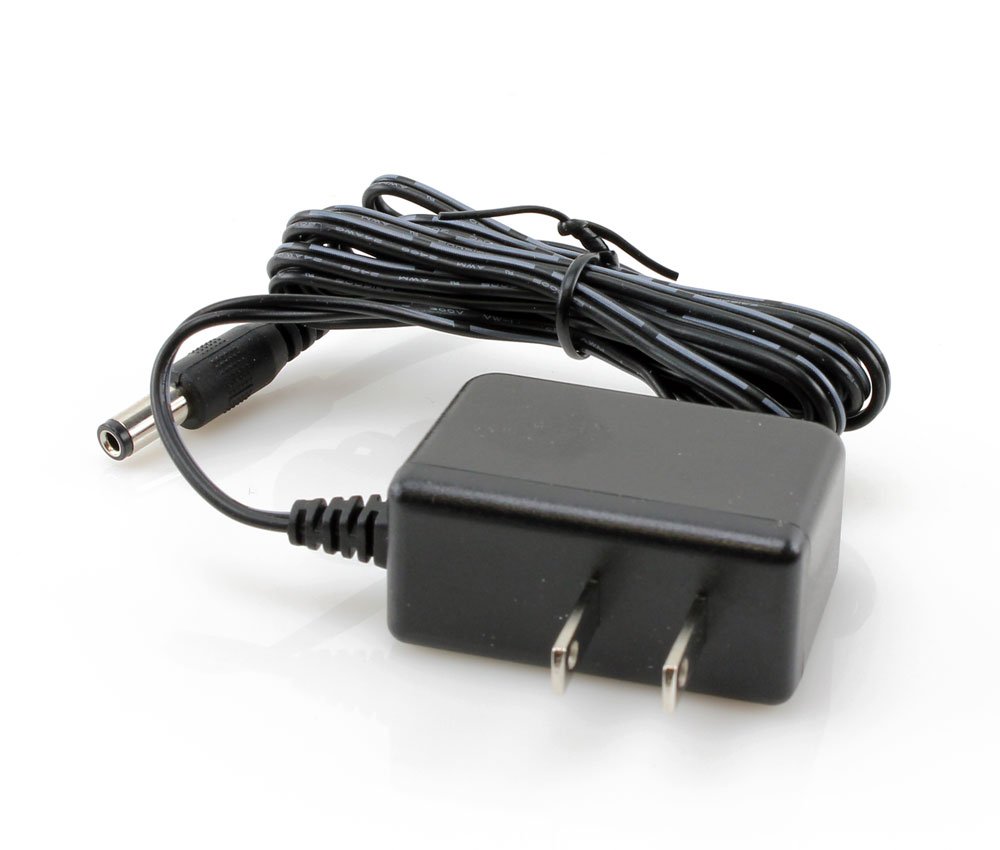
Image: The Versa Watch Winder Power Adapter, a black power supply unit with a standard two-prong plug and a barrel connector for the watch winder.
Configuració
- Verificar la compatibilitat: Before connecting, ensure your Versa watch winder model is listed as compatible (G015, G077, G083, G087, G088, G090, G091, G094, G095). Do not use with Versa Elite models.
- Connect to Winder: Locate the power input port on your Versa watch winder. Insert the barrel connector end of the power adapter firmly into this port.
- Connecteu-vos a la presa de corrent: Plug the two-prong end of the power adapter into a standard 110-240v AC electrical outlet. Ensure the outlet is easily accessible.
- Encès: Once connected, your watch winder should receive power. Refer to your specific watch winder's manual for instructions on its operation and settings.
En funcionament
The Versa Power Adapter functions as a dedicated power supply for your watch winder. Its operation is automatic once connected to a power source and a compatible watch winder.
- The adapter converts standard AC voltage (110-240v) to the appropriate DC voltage required by your watch winder.
- Ensure the adapter is always plugged into a functional electrical outlet.
- Avoid disconnecting the adapter from the winder or outlet while the winder is actively operating, unless necessary for safety or maintenance.
Manteniment
- Neteja: Disconnect the adapter from the power outlet before cleaning. Use a soft, dry cloth to wipe the adapter. Do not use liquid cleaners or abrasive materials.
- Emmagatzematge: When not in use for extended periods, store the adapter in a cool, dry place, away from direct sunlight and moisture.
- Manipulació: Avoid bending or crimping the power cord excessively. Do not place heavy objects on the cord.
- Inspecció: Periodically inspect the adapter and cord for any signs of damage, such as frayed wires or cracked casing. If damage is observed, discontinue use immediately and replace the adapter.
Resolució de problemes
If your watch winder is not receiving power or functioning correctly, consider the following:
- No Power to Winder:
- Ensure the power adapter is securely plugged into both the watch winder and a working electrical outlet.
- Test the electrical outlet with another device to confirm it is functional.
- Verify that the watch winder model is compatible with this power adapter.
- Winder Malfunction: If the winder receives power but does not operate as expected, consult the instruction manual specific to your Versa watch winder model for troubleshooting steps related to its internal mechanisms or settings.
- Danys a l'adaptador: If the power adapter shows visible signs of damage (e.g., frayed cord, burnt smell), discontinue use immediately and replace it.
Especificacions
| Característica | Detall |
|---|---|
| Número de model | VERSA_ADAPTER |
| Entrada Voltage | 110-240V AC |
| Font d'alimentació | Elèctric amb cable |
| Dimensions del paquet | 3.5 x 2.25 x 1.5 polzades |
| Pes del paquet | 2 lliures |
| Fabricant | Versa |
| ASIN | B01AVP5SBE |
| Data de primera disponibilitat | 20 de gener de 2016 |
Garantia
Specific warranty details for the Versa Watch Winder Power Adapter may vary. Please refer to the warranty information provided with your original purchase or visit the official Versa website for the most current warranty policy. Keep your proof of purchase for any warranty claims.
Suport
For further assistance, technical support, or inquiries regarding your Versa Watch Winder Power Adapter, please visit the official Versa weblloc web o poseu-vos en contacte amb el seu departament d'atenció al client. Normalment, podeu trobar la informació de contacte al fabricant weblloc web o a l'embalatge del producte.


