1. Introducció
The AULA F2010 Unicorn Backlit Mechanical Gaming Keyboard is designed for an enhanced gaming and typing experience. It features a durable construction, multi-color LED illumination, and responsive mechanical switches. This manual provides detailed instructions for setting up, operating, and maintaining your keyboard.
2. Contingut del paquet
- AULA F2010 Mechanical Gaming Keyboard
- Manual d'usuari
- Extractor de tecles
3. Guia de configuració
3.1 Requisits del sistema
- Operating System: Windows Vista / 7 / 8 / 10 / Mac OS
- Port USB disponible
3.2 Connexió del teclat
- Localitzeu un port USB disponible al vostre ordinador.
- Plug the USB connector of the AULA F2010 keyboard into the USB port.
- The keyboard will automatically install the necessary drivers. This may take a few moments.
- Un cop finalitzada la instal·lació, la retroiluminació del teclat s'il·luminarà, indicant que està llest per al seu ús.
4. Instruccions de funcionament
4.1 Control de retroiluminació
The AULA F2010 features multi-color LED backlighting with adjustable brightness and various lighting effects.
- Ajust de brillantor: Premeu FN + PGUP per augmentar la brillantor. Premeu FN + PGDN per disminuir la brillantor.
- Canvi de modes d'il·luminació: Premeu FN + INS to cycle through different lighting effects (e.g., strobe, glow, pulse).
- Personalització de la il·luminació: Ús FN + HOME to enter custom lighting mode. Specific keys can be lit according to user preference.
- Adjusting Effect Speed: Ús FN + Fletxa esquerra or FN + Fletxa dreta to adjust the speed of dynamic lighting effects.
4.2 Anti-Ghosting and Key Rollover
The keyboard features 100% Anti-Ghosting with 104 Key Roll-over on USB, ensuring that every key press is registered accurately, even during rapid, simultaneous inputs common in gaming.
4.3 Mode de repòs
To conserve energy, the keyboard will enter sleep mode and turn off all LEDs after 10 minutes of inactivity. Press any key to resume the LED backlight and normal operation.
4.4 Tecles de drecera multimèdia
The keyboard includes user-friendly shortcut function keys that can be activated in conjunction with the FN key for quick access to multimedia controls and other functions.
5. Característiques del producte
- Disseny elegant: Minimalist styled mechanical gaming keyboard with 6-color backlighting.
- Construcció duradora: Features a brushed aluminum chassis for rugged, lifelong durability.
- Advanced Keycaps: AULA Armor Technology with highly durable Double-shot injection molding keycaps, suitable for all gaming circumstances.
- Resistència ambiental: Water resistant, dust-proof, and static-free design.
- Interruptors mecànics: Equipped with Blue mechanical switches for a tactile and audible typing experience.

Imatge: De dalt a baix view of the AULA F2010 keyboard, showcasing its full layout and vibrant multi-color backlighting.

Imatge: Anglesa view of the AULA F2010 keyboard, displaying the multi-color LED backlighting across the keys.
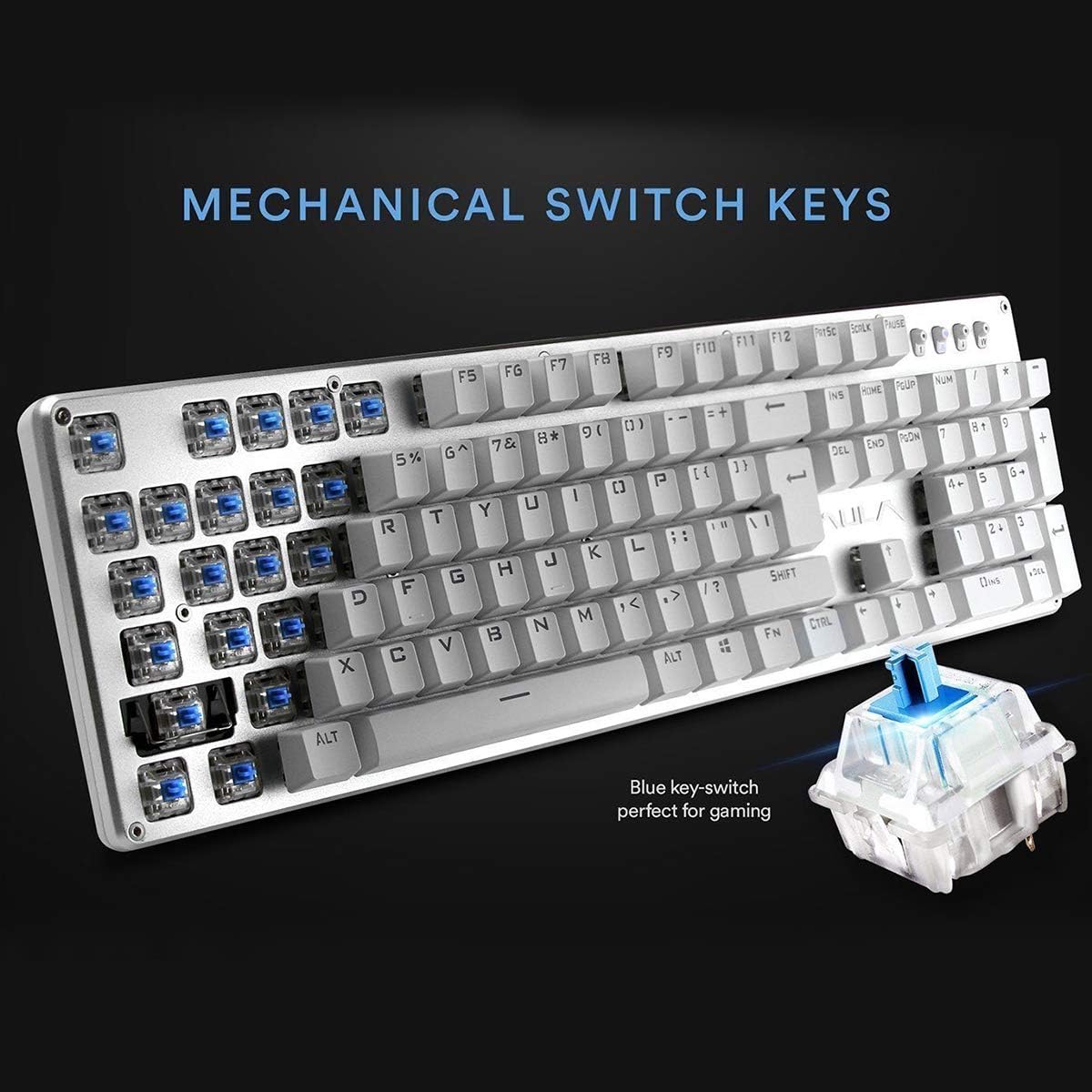
Imatge: Un primer pla view highlighting the mechanical blue switches, which provide tactile feedback and a distinct click sound.
6. Manteniment i cura
Proper maintenance ensures the longevity and optimal performance of your AULA F2010 keyboard.
- Neteja: Regularly clean the keyboard with a soft, dry cloth. For deeper cleaning, use a keycap puller to remove keycaps and clean dust and debris with compressed air or a small brush.
- Vessaments de líquids: Due to its water-resistant design, minor spills may not cause damage. However, it is recommended to immediately unplug the keyboard, dry it thoroughly, and allow it to air dry completely before reconnecting.
- Emmagatzematge: Guardeu el teclat en un lloc fresc i sec, allunyat de la llum solar directa i de temperatures extremes.
7. Solució De Problemes
Si teniu problemes amb el teclat, consulteu les solucions habituals següents:
- El teclat no respon:
- Assegureu-vos que el cable USB estigui ben connectat tant al teclat com a l'ordinador.
- Prova de connectar el teclat a un port USB diferent.
- Reinicieu l'ordinador.
- Check if the keyboard is in sleep mode (press any key to wake it).
- La retroiluminació no funciona:
- Ensure the brightness is not set to the lowest level (use FN + PGUP to increase).
- Verify that the keyboard is not in sleep mode.
- Keys Not Registering or Doubling:
- Clean around and under the affected keycaps for any debris.
- If the issue persists, it may indicate a switch malfunction. Contact customer support if the product is under warranty.
8. Especificacions
| Característica | Detall |
|---|---|
| Marca | AULA |
| Número de model | F2010 |
| Tecnologia de connectivitat | Amb cable (USB) |
| Nombre de claus | 104 |
| Tipus d'interruptor de clau | Mechanical (Blue Switch) |
| Il·luminació de fons | Multi-color LED (RGB) with adjustable brightness and modes |
| Anti-fantasma | 100% Anti-Ghosting with 104 Key Roll-over |
| Material | Brushed Aluminum Chassis, Double-shot Injection Molding Keycaps |
| Compatibilitat de sistemes operatius | Windows Vista / 7 / 8 / 10 / Mac OS |
| Pes de l'article | 2.87 lliures (1.3 kg) |
| Dimensions del producte (L x A x A) | 17.2 x 5.1 x 0.83 polzades (43.7 x 13 x 2.1 cm) |
| Característiques especials | Water Resistant, Dust-proof, Static-free, Sleep Mode |
9. Garantia i Suport
For warranty information, technical support, or service inquiries, please refer to the warranty card included with your product or visit the official AULA weblloc web. Conserveu el rebut de compra com a comprovant de compra per a reclamacions de garantia.


