1. Introducció
This manual provides essential instructions for the safe and efficient operation of your InFocus IN128HDx 1080p DLP Professional Network Projector. Please read this manual thoroughly before using the projector and retain it for future reference. The InFocus IN128HDx is designed to deliver high-definition content with clarity and brightness, suitable for various professional and educational environments.
2. Producte acabatview
2.1 Característiques clau
- Native 1080p resolution for high-definition content display without scaling.
- 4000 lumens brightness and 15,000:1 contrast ratio for clear, readable images in various lighting conditions.
- Integrated 10-watt speaker for audio output.
- Common throw ratio (1.3:1) for flexible installation and replacement.
- Multiple connectivity options: HDMI, VGA, composite, S-video, and LAN port for network management.
2.2 Components del projector

Figura 2.1: Davant view of the InFocus IN128HDx projector. This image shows the main lens and the overall compact design of the unit.

Figura 2.2: A dalt view of the InFocus IN128HDx projector, highlighting the control panel with buttons for power, menu, source selection, and navigation. Also visible are the focus and zoom rings near the lens.

Figura 2.3: lateral view of the InFocus IN128HDx projector, illustrating the ventilation grilles for heat dissipation and the overall profile del dispositiu.
3. Configuració
3.1 Desembalatge i col·locació
- Carefully remove the projector from its packaging.
- Place the projector on a stable, flat surface or mount it securely according to installation guidelines. Ensure adequate ventilation around the unit.
- Position the projector at the desired distance from the screen. Refer to the specifications for throw ratio details.
3.2 Connexió a l'alimentació
- Connecteu el cable d'alimentació a l'entrada de corrent del projector.
- Connecteu l'altre extrem del cable d'alimentació a una presa de corrent amb connexió a terra.
3.3 Connexió de fonts de vídeo
The IN128HDx supports multiple input sources:
- HDMI: For high-definition digital video and audio. Connect an HDMI cable from your source device to the projector's HDMI port.
- VGA: For analog video signals from computers. Connect a VGA cable from your computer to the projector's VGA port.
- Vídeo compost: For standard definition video. Connect a composite video cable (yellow RCA) to the corresponding port.
- Vídeo S: For improved standard definition video. Connect an S-Video cable to the S-Video port.
- LAN: For network control and management. Connect an Ethernet cable to the LAN port.
4. Instruccions de funcionament
4.1 Engegada/apagada
- Encès: Premeu el botó Poder button on the projector's control panel or remote control. The power indicator light will illuminate.
- Apagar: Premeu el botó Poder button again. A confirmation message may appear; press Poder a second time to confirm shutdown. Allow the projector to cool down before unplugging.
4.2 Ajust de l'enfocament i el zoom
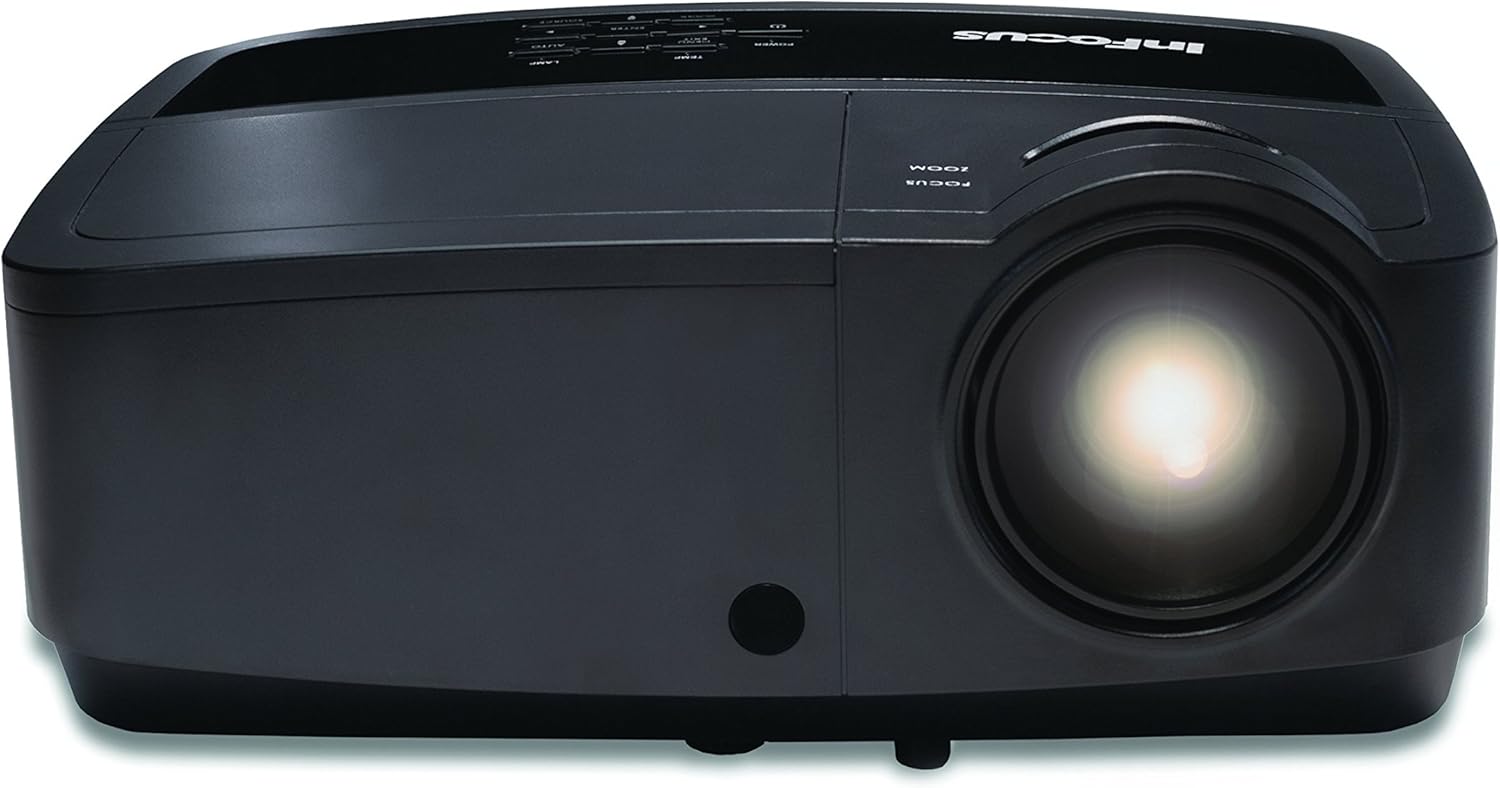
Figura 4.1: Primer pla view of the projector lens, showing the manual focus and zoom adjustment rings. These rings are used to sharpen the image and adjust its size on the screen.
- Focus: Gira el Focus ring around the lens until the image appears sharp and clear on the screen.
- Zoom: Gira el Zoom ring to adjust the size of the projected image.
4.3 Selecció de la font d'entrada
Premeu el botó Font button on the control panel or remote control to cycle through available input sources (HDMI, VGA, Composite, S-Video). Alternatively, use the menu to select the desired source.
4.4 Navegació de menús
Premeu el botó Menú button to access the on-screen display (OSD) menu. Use the arrow buttons to navigate and the Entra button to select options. Press Menú or Sortida per tancar el menú.
5. Manteniment
5.1 Lamp Substitució
El projector lamp té una vida útil finita. Quan la lamp indicator illuminates or the image brightness significantly decreases, the lamp may need replacement. Refer to the full service manual for detailed lamp replacement procedures. Always use genuine InFocus replacement lamps.
5.2 Neteja del projector
- Exterior: Utilitzeu un drap suau i sense pelusa dampened with a mild cleaning solution to wipe the exterior casing. No utilitzeu productes de neteja abrasius ni dissolvents.
- Lent: Gently clean the projector lens with a lens cleaning cloth or lens paper. Avoid touching the lens surface with your fingers.
- Filtres d'aire: Regularly check and clean the air filters to ensure proper ventilation and prevent overheating. Refer to the full service manual for filter access and cleaning instructions.
6. Solució De Problemes
| Problema | Causa possible | Solució |
|---|---|---|
| No es mostra cap imatge |
|
|
| La imatge és borrosa |
|
|
| Sense àudio |
|
|
For more detailed troubleshooting, please consult the comprehensive user manual available on the InFocus support weblloc.
7. Especificacions
| Característica | Detall |
|---|---|
| Número de model | IN128HDX |
| Tipus de visualització | DLP |
| Resolució nativa | 1920 x 1080 (1080p) |
| Brillantor | 4000 lúmens |
| Relació de contrast | 15,000:1 |
| Connectivitat | HDMI, VGA, Composite, S-Video, LAN |
| Altaveu incorporat | 10 watts |
| Pes de l'article | 5.06 lliures (2.29 kg) |
| Dimensions del producte | 8.66 x 11.5 x 3.86 polzades (22 x 29.2 x 9.8 cm) |

Figura 7.1: InFocus IN128HDx projector illustrating its physical dimensions: approximately 29.2 cm (11.5 inches) in length, 22 cm (8.66 inches) in width, and 12.1 cm (4.76 inches) in height.
8. Garantia i Suport
For information regarding the product warranty, please refer to the warranty card included with your projector or visit the official InFocus website. For technical support, service, or to purchase replacement parts, please contact InFocus customer service or visit their support portal online.
InFocus Official Weblloc: www.infocus.com


