1. Introducció
The YI Mirror Dash Cam C1C is designed to enhance your driving safety and record your journeys. This device integrates a front-facing 1080p HD camera and a rear-facing 720p HD camera into a rearview mirror form factor, providing comprehensive road coverage. It features an integrated LCD touchscreen for easy control and preview, built-in Wi-Fi for mobile app connectivity, a G-Sensor for emergency recording, and loop recording functionality.
2. Informació de seguretat
- Assegureu-vos que el dispositiu estigui ben muntat i que no us obstrueixi view de la carretera o interferir amb els controls del vehicle.
- Do not operate the device or adjust settings while driving. Always pull over safely before making any adjustments.
- Use only the provided power adapter and cables to prevent damage to the device and your vehicle.
- Eviteu exposar el dispositiu a temperatures extremes, a la llum solar directa durant períodes prolongats o a una humitat excessiva.
- Keep the lenses clean for optimal recording quality.
3. Contingut del paquet
Si us plau, comproveu el paquet per veure si hi ha els elements següents:
- YI Mirror Dash Cam (Main Unit)
- Càmera posterior
- Rear Camera Cable (6.5m / 21.3ft)
- Car Charger/Power Cable
- Corretges de muntatge
- Targeta de memòria (inclosa)
- Manual d'usuari (aquest document)
4. Producte acabatview
The YI Mirror Dash Cam C1C combines a high-definition dash camera with a functional rearview mirror. It captures both front and rear views of your vehicle, providing comprehensive recording and enhanced visibility.

Figure 1: YI Mirror Dash Cam C1C main unit and rear camera. The main unit is a mirror with an integrated front camera and a screen, while the smaller rear camera is separate.
Característiques principals:
- Càmeres HD duals: Records front (1080p) and rear (720p) simultaneously.
- 4.3" Integrated Touchscreen: For intuitive control and live view.
- Lent gran angular de 138°: Captura una àmplia view de la carretera.
- Excel·lent visió nocturna: Provides clear images in low-light conditions.
- Sensor G: Automatically detects collisions and locks footage.
- Enregistrament en bucle: Registra contínuament, sobreescrivint el més antic files quan la targeta de memòria està plena.
- Reverse Monitor: Displays the rear camera view amb pautes d'aparcament en marxa enrere.
- Wi-Fi integrat: For connecting to the mobile app.

Figura 2: Mésview of YI Mirror Dash Cam C1C features, including 1080p front camera, 720p rear camera, 138° wide-angle lens, 4.3" integrated touchscreen, night vision, and simple setup.

Figure 3: YI Mirror Dash Cam C1C highlighting the 1080p front camera integrated into the mirror and the separate 720p rear camera.

Figure 4: A visual representation of the YI Mirror Dash Cam C1C's night vision feature, showing clear recording in a dark environment.
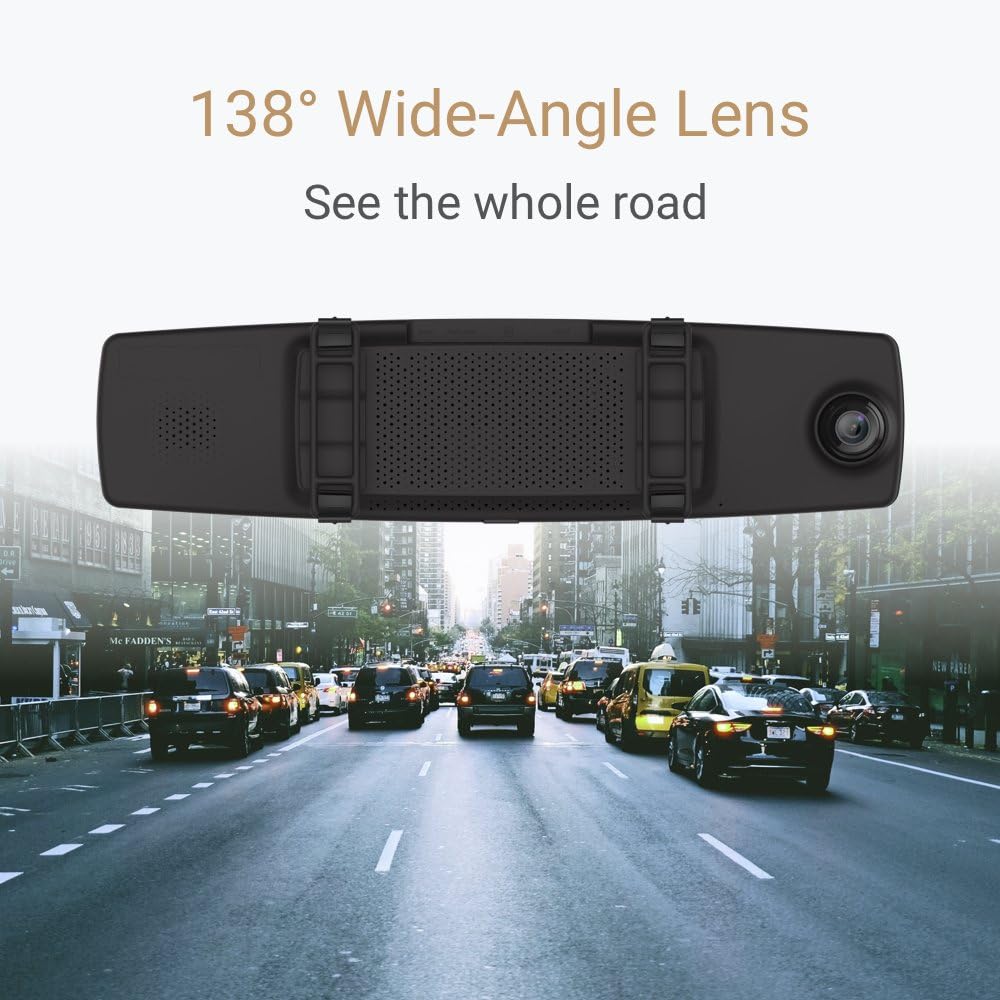
Figure 5: An illustration demonstrating the 138° wide-angle lens of the YI Mirror Dash Cam C1C, capturing a broad perspective of the road ahead.

Figure 6: The YI Mirror Dash Cam C1C displaying a 'Driver Fatigue Prompt' on its screen, indicating a feature designed to alert drivers.
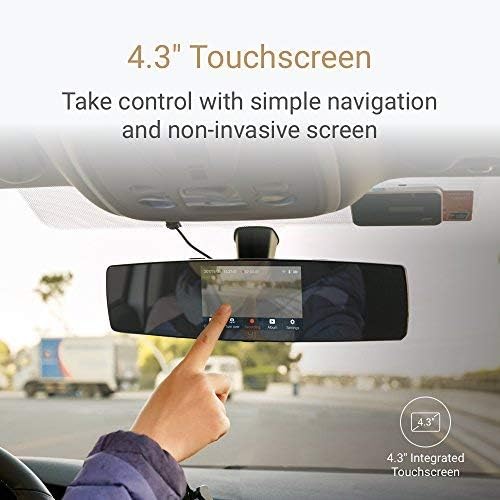
Figure 7: A hand interacting with the 4.3-inch touchscreen of the YI Mirror Dash Cam C1C, demonstrating its touch control interface.
5. Configuració
5.1. Inserció de la targeta de memòria
- Locate the microSD card slot on the YI Mirror Dash Cam.
- Insert the provided memory card into the slot until it clicks into place. Ensure the card is inserted correctly to avoid damage.
5.2. Muntatge de la càmera de salpicader amb mirall
- Place the YI Mirror Dash Cam over your vehicle's existing rearview mirall.
- Secure the dash cam using the provided mounting straps, ensuring it is firmly attached and does not vibrate.
- Adjust the angle of the front camera to ensure it captures the desired view del camí per davant.
5.3. Connexió de la càmera posterior
- Connect the rear camera cable to the rear camera port on the main dash cam unit.
- Route the rear camera cable neatly along the vehicle's interior to the desired mounting location for the rear camera (e.g., rear windshield).
- Mount the rear camera securely using its adhesive or screws, ensuring a clear view de la part posterior.
- For the reverse monitor function, connect the red wire from the rear camera cable to your vehicle's reverse light power supply. This step is optional but recommended for automatic reverse display.
5.4. Connexió d'alimentació
- Connect the car charger/power cable to the power input port on the YI Mirror Dash Cam.
- Connecteu l'altre extrem del carregador de cotxe a la presa de corrent de 12 V del vostre vehicle (endoll de l'encenedor de cigarrets).
- Route the power cable neatly to avoid obstructing your driving.
6. Instruccions de funcionament
6.1. Encès / apagat
- La càmera del salpicader s'encendrà automàticament i començarà a gravar quan s'activi el contacte del vehicle.
- S'apagarà automàticament quan s'apagui el contacte.
- To manually power on/off, press and hold the power button located on the device.
6.2. Interfície de pantalla tàctil
The 4.3-inch LCD touchscreen allows you to navigate menus, view viu footage, and playback recordings. Tap icons on the screen to access different functions and settings.
6.3. Modes d'enregistrament
- Enregistrament en bucle: The dash cam continuously records video in segments (e.g., 1, 3, or 5 minutes). When the memory card is full, it automatically overwrites the oldest unlocked files.
- Enregistrament d'emergència (sensor G): In the event of a sudden impact or collision, the built-in G-Sensor will automatically trigger emergency recording. This footage is locked and protected from being overwritten by loop recording.
6.4. Reverse Monitor Function
If the rear camera is correctly wired to your vehicle's reverse light, the dash cam screen will automatically switch to display the rear camera view amb les pautes d'aparcament quan poseu marxa enrere.
6.5. Wi-Fi and Mobile App Connection
- Download the official YI Dash Cam mobile app from your smartphone's app store.
- On the dash cam, enable Wi-Fi through the settings menu.
- Connect your smartphone to the dash cam's Wi-Fi network (SSID and password usually found in the dash cam's Wi-Fi settings).
- Utilitzeu l'aplicació per view viu footage, download recordings, and adjust settings remotely.
6.6. Reproducció
You can playback recorded videos directly on the dash cam's touchscreen or by connecting to the mobile app. Alternatively, remove the microSD card and view files en un ordinador.
7. Manteniment
- Neteja: Feu servir un drap suau i sec per netejar la pantalla i les lents de la càmera del salpicader. No utilitzeu productes de neteja abrasius ni dissolvents.
- Targeta de memòria: Regularly format the microSD card (at least once a month) to ensure optimal performance and prevent data corruption. Back up important files abans de formatar.
- Actualitzacions de firmware: Check the YI website or mobile app periodically for firmware updates to ensure your device has the latest features and bug fixes.
8. Solució De Problemes
- El dispositiu no s'encén: Check the power connection and ensure the car charger is properly plugged into the 12V outlet. Test the outlet with another device.
- Problemes de gravació: Ensure a compatible microSD card is inserted and formatted. Check if the card is full or corrupted.
- Poca qualitat de vídeo: Netegeu les lents de la càmera. Assegureu-vos que s'hagi tret la pel·lícula protectora de les lents.
- Problemes de connexió Wi-Fi: Ensure Wi-Fi is enabled on the dash cam and your smartphone. Restart both devices and try reconnecting.
- Reverse monitor not activating: Verify that the rear camera's red wire is correctly connected to the vehicle's reverse light power supply.
9. Especificacions
| Característica | Especificació |
|---|---|
| Dimensions del producte | 13.3 x 4.3 x 3.1 polzades |
| Pes de l'article | 1.54 lliures (0.7 quilograms) |
| Número de model de l'article | C1C |
| Bateries | Necessita 1 bateria de polímer de liti (inclosa) |
| Tecnologies de connectivitat | Wi-Fi |
| Característiques especials | Enregistrament en bucle |
| Tecnologia de visualització | LCD |
| Altres funcions de visualització | Sense fil |
| Color | Negre |
| Fabricant | YI |
| Nom del model | YI Mirror Dash Camera |
| Tipus de servei del vehicle | Cotxe |
| Resolució de captura de vídeo | 1080p (Front) |
| Mètode de control | Toca |
10. Garantia i Suport
For warranty information, technical support, or service inquiries, please refer to the official YI website or contact YI customer service. Keep your purchase receipt as proof of purchase for warranty claims.