Introducció
This manual provides essential information for the safe and efficient operation of your RCA DRC98090 9-inch Portable DVD Player. Please read this manual thoroughly before using the device and retain it for future reference.
Contingut del paquet
- RCA DRC98090 9-inch Portable DVD Player
- Carregador/adaptador d'alimentació CA
- Adaptador de corrent del cotxe
- Comandament a distància (si està inclòs)
- AV Cable (if included)
- Manual d'usuari (aquest document)
Configuració
1. Carregant la bateria
Before initial use, fully charge the built-in Lithium Ion battery. Connect the AC power adapter to the DC IN port on the player and plug the other end into a standard wall outlet. The charging indicator light will illuminate. A full charge typically takes several hours. The player can operate for approximately 5 hours on a full charge.
2. Encès / apagat
Per encendre el dispositiu, premeu i manteniu premut el botó PODER button until the screen illuminates. To power off, press and hold the PODER el botó de nou fins que la pantalla s'apagui.
3. Connexió d'auriculars
For private listening, plug standard 3.5mm headphones into the AURICULAR jack located on the side of the player. The built-in speaker will automatically mute when headphones are connected.
4. Connecting to External Display (Optional)
If an AV cable is provided, you can connect the player to an external display (like a TV) using the AV OUT ports. Ensure the correct input source is selected on your external display.
Instruccions de funcionament
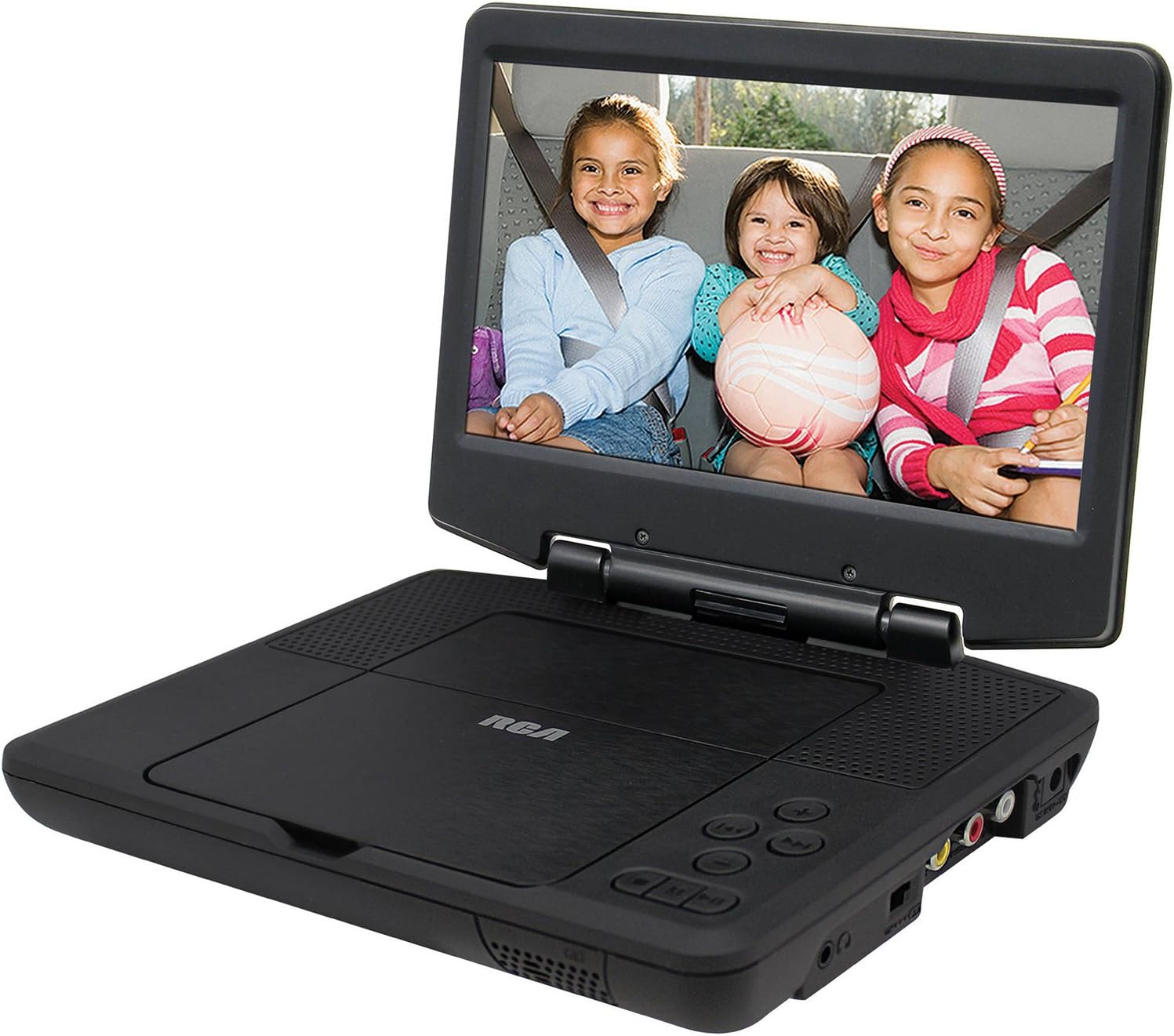
Figure 1: RCA DRC98090 Portable DVD Player in open position, displaying content on its 9-inch screen.
1. Inserció d'un disc
Gently open the disc cover. Place the DVD or CD onto the spindle with the label side facing up. Press down gently on the center of the disc until it clicks into place. Close the disc cover firmly.

Figure 2: RCA DRC98090 Portable DVD Player with the disc tray open and a DVD inserted.
2. Reproducció de disc
Once a disc is inserted and the player is powered on, it will typically begin playback automatically. If not, navigate to the "Play" option using the on-screen menu and control buttons.
- Reproduir/pausa: Premeu el botó REPRODUCCIÓ/PAUSA botó per iniciar o aturar la reproducció.
- Atura: Premeu el botó STOP botó per aturar la reproducció.
- Omet: Utilitza el SEGÜENT / ANTERIOR buttons to skip between chapters or tracks.
- Avançar/rebobinar ràpid: Mantingueu el SEGÜENT / ANTERIOR botons per avançar o rebobinar ràpidament.
- Volum: Ajusteu el volum amb el botó VOLUM +/- botons.
3. Media Compatibility
The RCA DRC98090 supports playback of DVDs, CDs, and JPG image files. Ensure discs are clean and free of scratches for optimal performance.
4. On-Screen Menu Navigation
Use the directional buttons (Up, Down, Left, Right) and the ENTRAR button on the player or remote control to navigate through the on-screen menus for settings, chapter selection, and other functions.
Manteniment
1. Cleaning the Player
- Pantalla: Use a soft, lint-free cloth specifically designed for electronics screens. Do not use abrasive cleaners or sprays directly on the screen.
- Exterior: Netegeu les superfícies exteriors amb un damp cloth. Avoid getting moisture into openings.
- Disc Tray/Lens: Do not attempt to clean the internal disc lens. If disc reading issues persist, consult a qualified service technician.
2. Cura de la bateria
To prolong battery life, avoid fully discharging the battery frequently. Recharge the player regularly, even if not in constant use. Store the device in a cool, dry place when not in use for extended periods.
3. Emmagatzematge
When storing the player, ensure the disc tray is empty and the unit is powered off. Keep it away from extreme temperatures, direct sunlight, and high humidity.

Figure 3: RCA DRC98090 Portable DVD Player in its closed, compact state, ready for storage or transport.
Resolució de problemes
| Problema | Causa possible | Solució |
|---|---|---|
| El reproductor no s'encén. | Battery is discharged; Power adapter not connected properly. | Charge the battery; Ensure power adapter is securely connected to both player and power outlet. |
| No disc playback. | Disc inserit incorrectament; Disc brut o ratllat; Format de disc incompatible. | Reinsert disc correctly; Clean disc with a soft cloth; Ensure disc is DVD, CD, or JPG format. |
| No hi ha so dels altaveus/auriculars. | Volume is too low; Headphones not fully inserted; Mute function activated. | Increase volume; Reinsert headphones firmly; Check if mute is active. |
| Picture is distorted or freezes. | Disc is damaged; Player needs reset. | Try a different disc; Power off and restart the player. |
| Slow response or noisy operation. | Normal operation for some units; Internal components. | Ensure proper ventilation; If excessive, contact support. |
Especificacions
| Característica | Detall |
|---|---|
| Nom de marca | RCA |
| Número de model | DRC98090 |
| Mida de la pantalla | 9 polzades (23 cm en diagonal visible) |
| Pes de l'article | 1.4 lliures |
| Dimensions del producte | 2.5 x 8 x 11 polzades |
| Tipus de bateria | 1 bateria de ions de liti (inclosa) |
| Color | Negre |
| ASIN | B01D5V684W |
| Data de primera disponibilitat | 19 de març de 2016 |
Garantia i Suport
For warranty information, please refer to the documentation included with your purchase or contact the retailer where the product was acquired. As this product may be refurbished, warranty terms may vary.
For technical support or further assistance, please visit the official RCA support weblloc web o poseu-vos en contacte amb el seu departament d'atenció al client. Normalment, podeu trobar la informació de contacte al fabricant weblloc o embalatge del producte.


