1. Introducció
This manual provides comprehensive instructions for the HP Elite x2 1012 G1 Tablet PC, model W0S24UT#ABA. It covers setup, operation, maintenance, and troubleshooting to ensure optimal performance and user experience. Please read this manual thoroughly before using your device.
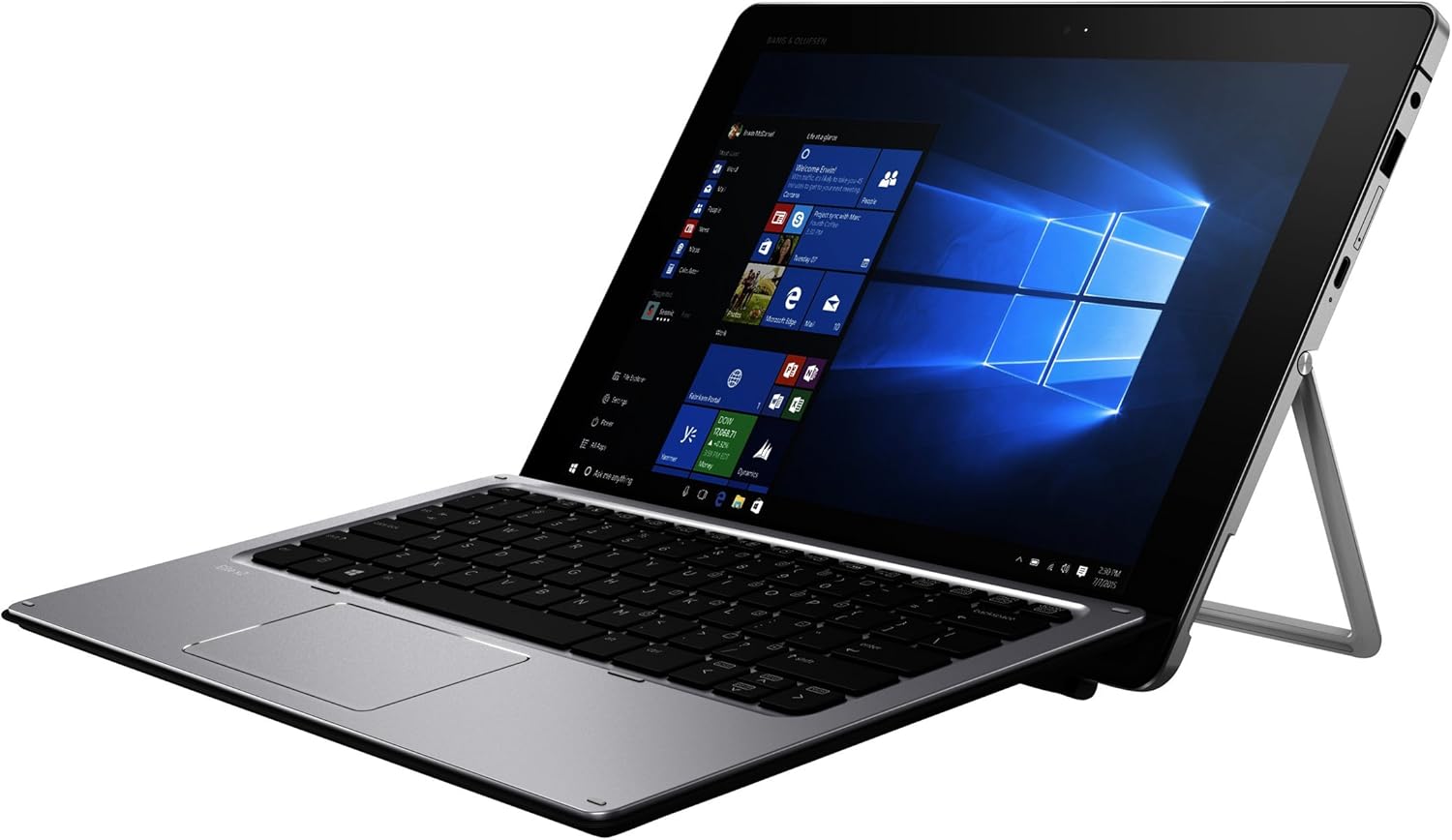
Figure 1: HP Elite x2 1012 G1 Tablet PC in laptop mode.
2. Què hi ha a la caixa
Verifiqueu que tots els components siguin presents a l'embalatge:
- HP Elite x2 1012 G1 Tablet
- HP Elite x2 1012 G1 Travel Keyboard
- Bateria de 4 cel·les (integrada)
- Adaptador de corrent
- WACOM active capacitive pen

Figure 2: Included components: Tablet, Travel Keyboard, and WACOM Active Pen.
3. Configuració inicial
3.1 Càrrega del dispositiu
Before first use, fully charge the tablet. Connect the power adapter to the tablet's charging port and then to a power outlet. The charging indicator light will illuminate.
3.2 Attaching the Travel Keyboard
Align the magnetic connector on the HP Elite x2 1012 G1 Travel Keyboard with the corresponding port on the bottom edge of the tablet. The keyboard will snap into place magnetically.

Figure 3: HP Elite x2 1012 G1 with Travel Keyboard attached, ready for use.
3.3 Engegada i configuració inicial
- Press and hold the power button located on the side of the tablet until the HP logo appears.
- Seguiu les instruccions que apareixen a la pantalla per completar la configuració del Windows 10 Pro, inclosa la selecció d'idioma, la connexió de xarxa i la creació d'un compte d'usuari.
4. Operating the HP Elite x2 1012 G1
4.1 Tablet Mode and Keyboard Mode
The HP Elite x2 1012 G1 can be used as a standalone tablet or as a laptop with the attached keyboard. Windows 10 Pro automatically detects the presence of the keyboard and adjusts the interface accordingly.

Figure 4: The integrated kickstand allows for adjustable viewing angles in laptop mode.
4.2 Using the WACOM Active Pen
The WACOM Active Pen allows for precise input, drawing, and note-taking directly on the touchscreen. It supports pressure sensitivity for a natural writing and drawing experience. Refer to Windows Ink Workspace for pen-specific features.
4.3 Ports i connectors
- Ports USB 3.0: Connect external devices such as USB drives, mice, or printers.
- Port USB-C: For charging, data transfer, and video output (with compatible adapters).
- Presa combinada per a auriculars/micròfon: Connect audio devices.
- Ranura per a targeta MicroSD: Expand storage capacity.
5. Manteniment i cura
5.1 Neteja del dispositiu
- Utilitzeu un drap suau i sense pelusa lleugerament dampNetegeu la pantalla amb aigua o un netejador de pantalles dissenyat específicament per a electrònica.
- Per al xassís i el teclat, feu servir un drap sec i suau. Eviteu productes químics agressius o materials abrasius.
5.2 Cura de la bateria
- Per allargar la durada de la bateria, eviteu les temperatures extremes.
- Deixeu que la bateria es descarregui parcialment periòdicament abans de tornar-la a carregar.
5.3 Actualitzacions de programari
Regularly check for and install operating system and driver updates to ensure optimal performance and security. These can typically be found through Windows Update or the HP Support Assistant application.
6. Solució De Problemes
6.1 El dispositiu no s'encén
- Ensure the device is fully charged. Connect the power adapter and wait a few minutes before attempting to power on again.
- Try a different power outlet or adapter if available.
6.2 El teclat no respon
- Verify that the keyboard is securely attached to the tablet's magnetic connector.
- Reinicieu la tauleta.
- Check for any physical obstructions in the connector ports.
6.3 Touchscreen Issues
- Netegeu la pantalla per eliminar qualsevol brutícia o taques.
- Reinicieu el dispositiu.
- Ensure that the display drivers are up to date.
7. Especificacions
| Característica | Detall |
|---|---|
| Model | HP Elite x2 1012 G1 (W0S24UT#ABA) |
| Mida de la pantalla | 12 polzades |
| Resolució de pantalla | 1920 x 1080 pixels (Max: 1920x1280 Pixels) |
| Processador | 1.2 GHz Intel Core i7-5500U (2 Processors) |
| RAM | 8 GB de LPDDR3 (1866 MHz) |
| Emmagatzematge | SSD (256 GB Flash Memory Size) |
| Gràfics | Gràfics integrats Intel HD 515 |
| Sistema operatiu | Windows 10 Pro 64-bit Edition |
| Tipus sense fil | 802.11abg |
| Ports USB | 4 x ports USB 3.0 |
| posterior WebResolució de la càmera | 5 MP |
| Pes de l'article | 1.81 lliures |
| Dimensions del producte | 18.1 x 11.6 x 3 polzades |
| Color | Plata |
| Primer disponible | 21 de març de 2016 |
Note: Specifications are subject to change without notice. For the most current information, please refer to the official HP product page.
8. Garantia i Suport
For warranty information, technical support, and service inquiries, please visit the official HP support website or contact HP customer service. Keep your purchase receipt and product serial number readily available.
Suport d'HP Weblloc: www.hp.com/support
Enllaç de producte: Pàgina de producte d'Amazon