1. Introducció
The Fnatic Gear Rush LED Backlit Mechanical Pro Gaming Keyboard is designed for competitive gaming, offering precision, reliability, and comfort. This manual provides essential information for setting up, operating, maintaining, and troubleshooting your keyboard.
2. Contingut del paquet
Si us plau, verifiqueu que tots els elements siguin presents al vostre paquet:
- Fnatic Gear Rush Mechanical Keyboard
- Reposa-canell desmuntable
- Cable USB (integrat)
- Guia d'inici ràpid (no inclosa en aquest manual digital)
3. Configuració
Follow these steps to set up your Fnatic Gear Rush keyboard:
- Connecteu el teclat: Plug the integrated USB cable from the keyboard into an available USB port on your computer. The keyboard is plug-and-play and does not require additional drivers for basic functionality.
- Attach the Wrist Rest (Optional): Align the wrist rest with the bottom edge of the keyboard and gently push to secure it. The wrist rest is designed for ergonomic comfort during extended use.
- Encesa inicial: The keyboard's LED backlighting will illuminate upon successful connection.
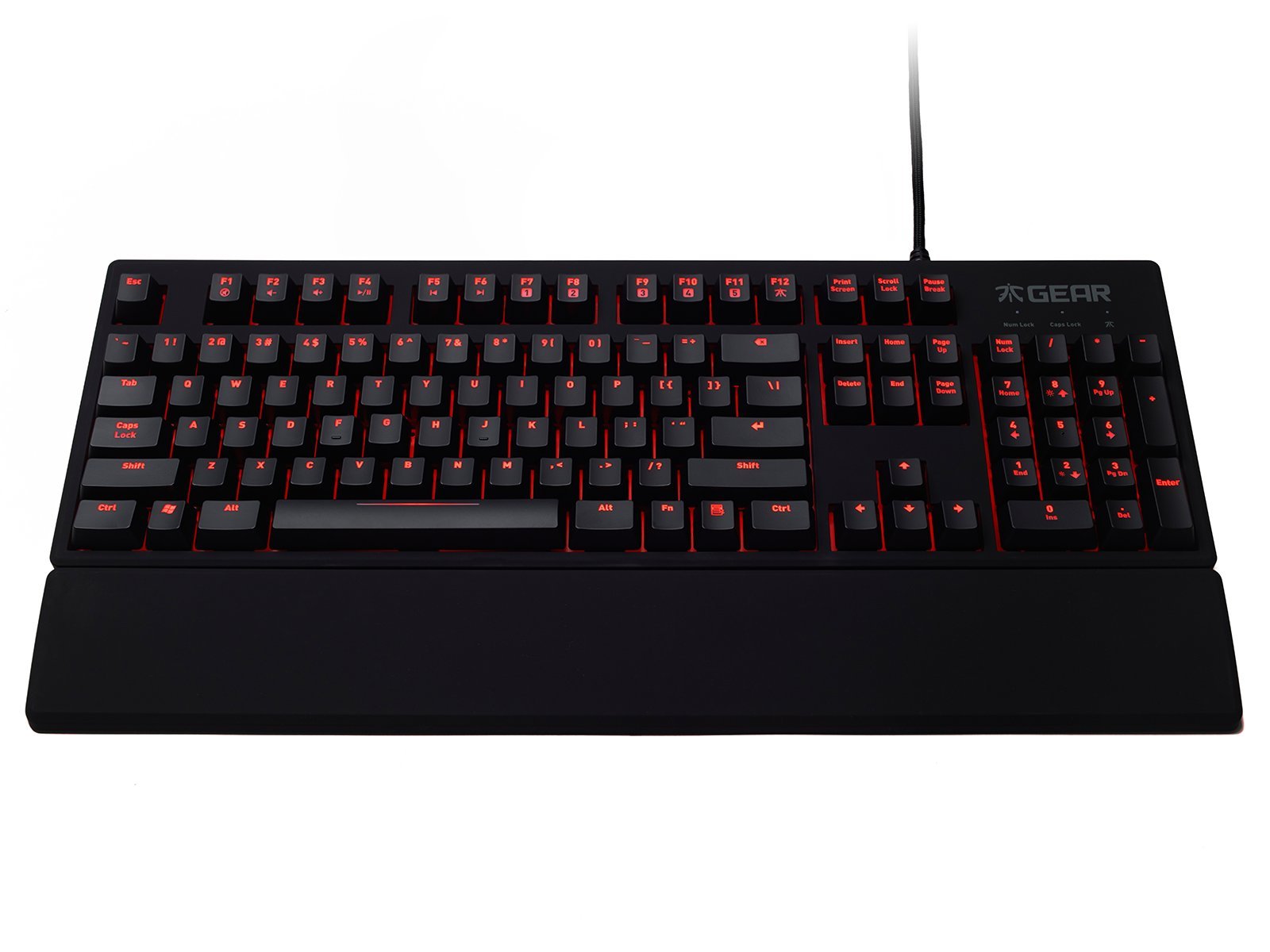
Image: The Fnatic Gear Rush Mechanical Keyboard, showcasing its full layout and integrated USB cable, ready for connection.
4. Instruccions de funcionament
The Fnatic Gear Rush keyboard features standard QWERTY US layout keys and several function keys for enhanced control.
4.1. Control de la retroiluminació
Adjust the LED backlighting brightness using the dedicated function keys:
- Fn+F1: Reduir la brillantor de la retroiluminació.
- Fn+F2: Augmenta la brillantor de la retroiluminació.
- The keyboard offers multiple brightness levels, including off.

Image: Detail of the keyboard's upper left section, highlighting the Fn key and F1/F2 keys used for adjusting LED backlight intensity.
4.2. Media Controls
Control media playback directly from your keyboard:
- Fn+F5: Reproduir/Pausa
- Fn+F6: Atureu-vos
- Fn+F7: Pista anterior
- Fn+F8: Pista següent
- Fn+F9: Silencia el volum
- Fn+F10: Disminuir el volum
- Fn+F11: Augmenta el volum
4.3. Mode de joc
Activate Gaming Mode to disable the Windows key and prevent accidental interruptions during gameplay:
- Fn+F12: Toggle Gaming Mode On/Off. An indicator light may illuminate when Gaming Mode is active.
4.4. USB Pass-through Ports
The keyboard features two additional USB ports on its back for convenient connection of other peripherals:
- Locate the two USB ports on the upper right side of the keyboard's rear.
- These ports can be used for connecting a mouse, headset, or other USB devices.

Image: The back of the Fnatic Gear Rush keyboard, highlighting the two integrated USB pass-through ports for connecting additional devices.
5. Manteniment
Un manteniment adequat garanteix la longevitat i el rendiment del teclat.
- Neteja: Disconnect the keyboard from your computer before cleaning. Use a soft, dry cloth to wipe the surface. For deeper cleaning, a can of compressed air can remove dust and debris from between the keycaps. Avoid using harsh chemicals or abrasive materials.
- Eliminació de la tapa de les tecles (avançada): Keycaps can be carefully removed for thorough cleaning or replacement using a keycap puller (not included). Exercise caution to avoid damaging the switches.
- Emmagatzematge: Guardeu el teclat en un lloc sec i fresc, allunyat de la llum solar directa i de temperatures extremes.
6. Solució De Problemes
If you encounter issues with your Fnatic Gear Rush keyboard, refer to the following common solutions:
| Problema | Causa possible | Solució |
|---|---|---|
| El teclat no respon | Loose USB connection, faulty USB port, system driver issue. |
|
| La retroiluminació no funciona o és tènue | Brightness set to minimum, software conflict. |
|
| Keys repeating or not registering | Restes sota la tapa de la tecla, mal funcionament de l'interruptor. |
|
| Windows key disabled | Gaming Mode is active. | Premeu Fn + F12 per desactivar el mode de joc. |
7. Especificacions
Key technical specifications for the Fnatic Gear Rush Mechanical Keyboard:
- Model: Rush Keyboard
- Tipus d'interruptor: Interruptors mecànics Cherry MX Red
- Disseny: Disseny dels EUA
- Il·luminació de fons: Red LED Backlit
- Connectivitat: USB
- Pass-through USB: 2 ports
- Dimensions (L x A x A): 17.64 x 5.83 x 1.3 polzades (44.8 x 14.8 x 3.3 cm)
- Pes: 2.8 lliures (1.27 kg)
- Material: Rubber (coating)
- Característiques especials: Backlit, Ergonomic Design, Detachable Wrist Rest, Gaming Mode

Imatge: Un professional lateralfile view of the Fnatic Gear Rush keyboard, illustrating its ergonomic shape and the texture of its rubberized coating.
8. Garantia i Suport
For warranty information and technical support, please refer to the official Fnatic weblloc web o contacteu directament amb el seu servei d'atenció al client.
- Assistència en línia: Visita el Fnatic Store on Amazon for product information and links to official support resources.
- Període de garantia: Specific warranty terms and duration may vary by region. Please retain your proof of purchase.


