1. Introducció
The Excelvan K380 is a 2-channel wireless Bluetooth karaoke set designed for home entertainment. This system allows you to connect your smart devices via Bluetooth to play music and sing along using the two included wireless microphones. This manual provides essential information for the proper setup, operation, and maintenance of your karaoke set.
2. Contingut del paquet
Si us plau, comproveu el contingut del paquet per assegurar-vos que hi hagi tots els elements:
- 1 x Excelvan K380 Receiver Unit
- 2 x micròfons sense fil
- 2 x Audio Cables (RCA to 3.5mm, 3.5mm to 3.5mm)
- Cable d’alimentació 1 x USB
- 2 x Simple Microphone Stands
- 1 x Manual d'usuari

3. Producte acabatview
Familiarize yourself with the components and controls of your Excelvan K380 karaoke set.
3.1 Unitat receptora

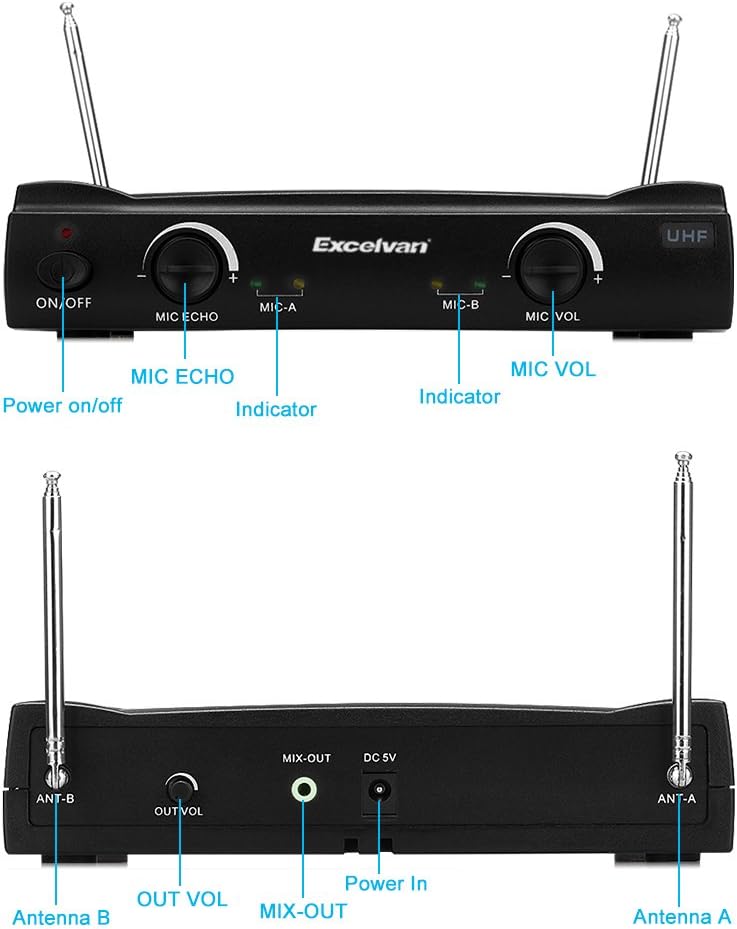
Controls del panell frontal:
- Interruptor ON / OFF: Encén o apaga la unitat receptora.
- MIC ECHO Knob: Adjusts the echo effect for the microphones.
- MIC-A Indicator: Lights up when Microphone A is active.
- MIC-B Indicator: Lights up when Microphone B is active.
- Mando VOL MIC: Adjusts the overall volume of the microphones.
- Indicador UHF: Indicates UHF wireless signal status.
Ports del panell posterior:
- Antena B: Antenna for Microphone B.
- OUT VOL Knob: Adjusts the overall output volume of the receiver.
- MIX-OUT Port: Audio output to connect to external speakers or ampaixecadors.
- DC 5V Power In: Power input for the receiver unit.
- Antena A: Antenna for Microphone A.
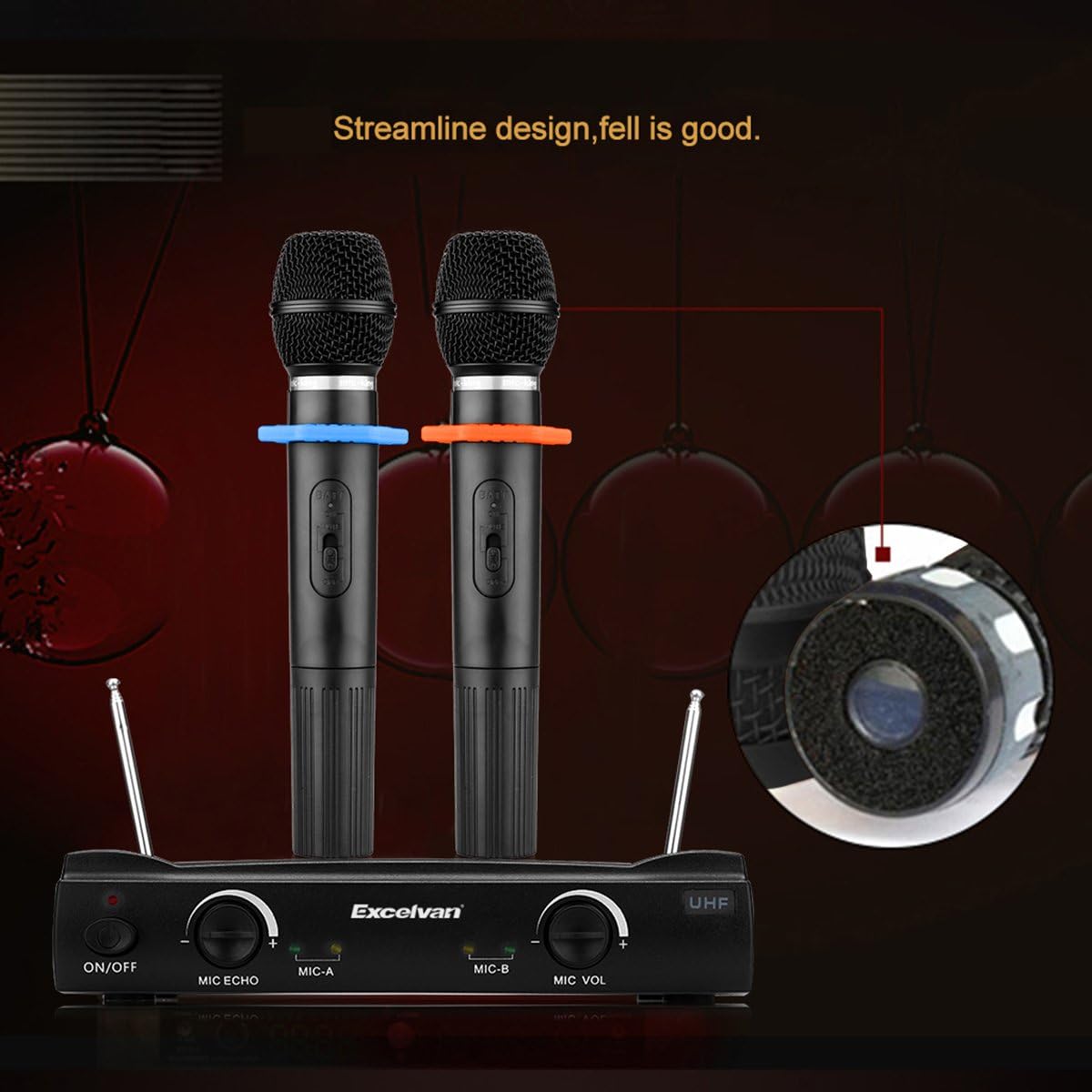
3.2 micròfons sense fils
Each wireless microphone features an ON/OFF switch and internal battery compartment. The microphones operate on UHF frequencies, offering over 200 frequency points for clear signal reception.
4. Configuració
Follow these steps to set up your Excelvan K380 karaoke system:
- Connexió d'alimentació: Connect the provided USB power cable to the DC 5V Power In port on the rear of the receiver unit. Plug the other end into a compatible USB power adapter (not included) or a mobile battery.
- Sortida d'àudio: Use one of the provided audio cables to connect the MIX-OUT port on the receiver to the audio input of your external speaker system or amplificador. Assegureu-vos que la connexió sigui segura.
- Microphone Batteries: Open the battery compartment of each wireless microphone and insert 2 AAA batteries (not included) into each microphone, observing correct polarity.
- Configuració de l'antena: Extend both Antenna A and Antenna B on the rear of the receiver unit for optimal wireless signal reception.
- Receptor encès: Flip the ON/OFF switch on the front panel of the receiver unit to the 'ON' position. The power indicator will light up.
- Emparellament Bluetooth: On your smartphone, tablet, or other Bluetooth-enabled device, search for available Bluetooth devices and select 'Excelvan K380' to pair. Once paired, the Bluetooth indicator on the receiver may light up or change color (refer to specific model behavior if different).
5. Instruccions de funcionament
Once setup is complete, you can begin using your karaoke set:
- Microphone Power On: Slide the ON/OFF switch on each wireless microphone to the 'ON' position. The corresponding MIC-A or MIC-B indicator on the receiver will light up.
- Ajustar el volum del micròfon: Use the MIC VOL knob on the receiver's front panel to adjust the volume of the microphones to your desired level.
- Apply Echo Effect: Turn the MIC ECHO knob to add or reduce the echo effect on your vocals.
- Reproduir música: Start playing music from your paired Bluetooth device. Adjust the music volume directly on your device.
- Adjust Overall Output Volume: Use the OUT VOL knob on the rear panel of the receiver to control the combined volume of music and microphones output to your external speakers.
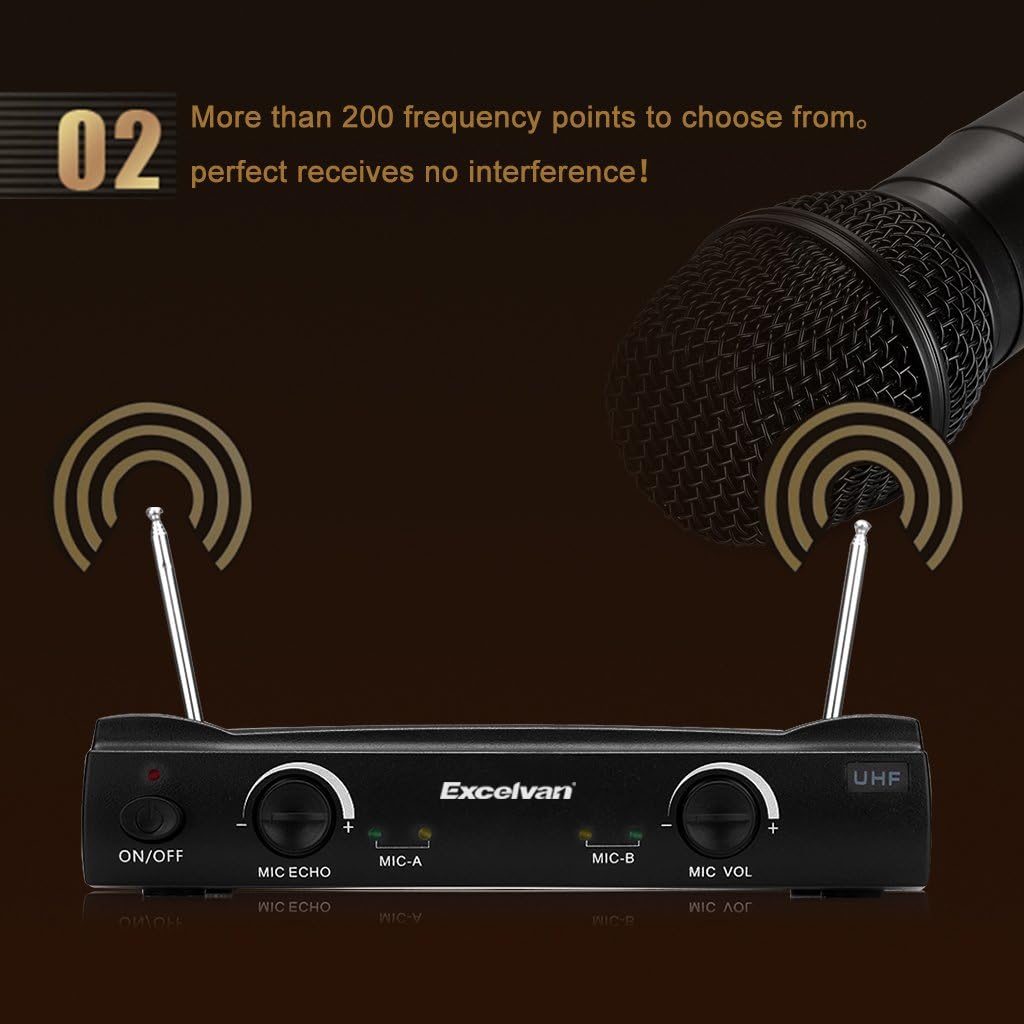
The system utilizes UHF wireless technology with over 200 selectable frequency points to minimize interference and ensure clear audio transmission.
6. Manteniment
Proper maintenance ensures the longevity and optimal performance of your karaoke set:
- Neteja: Wipe the receiver unit and microphones with a soft, dry cloth. Do not use liquid cleaners or abrasive materials.
- Emmagatzematge: Quan no l'utilitzeu, guardeu la unitat en un lloc fresc i sec, allunyat de la llum solar directa i de temperatures extremes.
- Substitució de la bateria: Replace the AAA batteries in the wireless microphones when the sound quality degrades or the microphone indicator on the receiver unit shows low power.
- Cura del cable: Avoid bending or crimping the audio and power cables excessively to prevent damage.
7. Solució De Problemes
Si teniu problemes, consulteu la guia de resolució de problemes següent:
| Problema | Causa possible | Solució |
|---|---|---|
| Sense sortida de so | El receptor no està encès Cables no connectats correctament Nivells de volum massa baixos External speaker off or muted | Ensure receiver is ON Check all cable connections (MIX-OUT to speaker) Increase OUT VOL, MIC VOL, and music volume on device Turn on/unmute external speaker |
| El micròfon no funciona | Micròfon apagat Bateries baixes o esgotades Micròfon fora de rang | Turn microphone ON Substituïu les piles Move microphone closer to the receiver |
| Error de connexió Bluetooth | Receiver not in pairing mode Device too far from receiver Interferències d'altres dispositius | Ensure receiver is powered on and ready to pair Move device closer to receiver Turn off other Bluetooth devices nearby; try re-pairing |
| Soroll estàtic o d'interferència | Interferències ambientals Microphone too close to speakers Configuració de volum alt | Ensure antennas are extended; try repositioning receiver Maintain distance between microphones and speakers Reduce overall volume (OUT VOL) and microphone volume (MIC VOL) |
8. Especificacions
Key technical specifications for the Excelvan K380 Karaoke Set:
- Número de model: K380
- Marca: Excelvan
- Tecnologia de connectivitat: Bluetooth
- Característica especial: Control de volum
- Font d'alimentació: Corded Electric (via USB power cable)
- Plataforma de maquinari: Karaoke Machine, Desktop PC
- Nombre de canals: 2
- UPC: 708624218138
9. Garantia i Suport
Specific warranty information and customer support contact details are not provided in the product data. Please refer to the retailer or manufacturer's weblloc web per conèixer els termes de la garantia i les opcions d'assistència.


