1. Introducció
This manual provides detailed instructions for the safe and efficient operation of your Optoma EH416 Full HD 3D DLP Projector. Please read this manual thoroughly before using the projector and retain it for future reference. Proper use and maintenance will ensure optimal performance and longevity of your device.
Informació de seguretat
- No mireu directament a la lent del projector quan estigui encès.amp està encès. La llum intensa pot causar lesions oculars.
- Assegureu-vos que hi hagi una ventilació adequada al voltant del projector. No bloquegeu les obertures de ventilació.
- Use only the power cord supplied with the projector. Connect to a properly grounded outlet.
- No exposeu el projector a la pluja, la humitat o l'excés d'humitat.
- Demaneu totes les tasques de manteniment a personal de servei qualificat. No intenteu obrir ni reparar el projector vosaltres mateixos.
2. Què hi ha a la caixa
Please verify that all items listed below are present in your package. If any items are missing or damaged, contact your dealer immediately.
- Optoma EH416 Projector
- Cable d'alimentació
- Cable VGA a VGA
- Control remot
- Bossa de transport
- Bateries per a comandament a distància
- Multilingual CD-ROM User’s Manual
- Targeta d'inici ràpid
- Targeta de garantia
3. Producte acabatview
Característiques clau
- Alt Brillantor: 4200 lumens for clear images in various lighting conditions.
- Alt contrast: 20,000:1 contrast ratio for sharp, luminous images with deep blacks.
- Resolució Full HD: Native 1080p (1920x1080) resolution, supporting up to WUXGA (1920x1200).
- Advanced Optical Lens: Features a 1.6x zoom and vertical lens shift for flexible installation.
- Àmplia connectivitat: Dual HDMI (one with MHL support), dual audio-in, VGA, and more.
- sRGB Color Profile: Enables vibrant and highly accurate colors based on Rec. 709 HDTV specification.
- Ajust del color de la paret: Compensates for brightness loss when projecting on non-white surfaces.
- Edge Mask: Eliminates soft edges and jaggedness on the projection border for a smooth image.
- Àudio integrat: Altaveu integrat de 10 W.
Components del projector
The image below illustrates the main components of the Optoma EH416 projector, including the lens, control panel, and various ports.
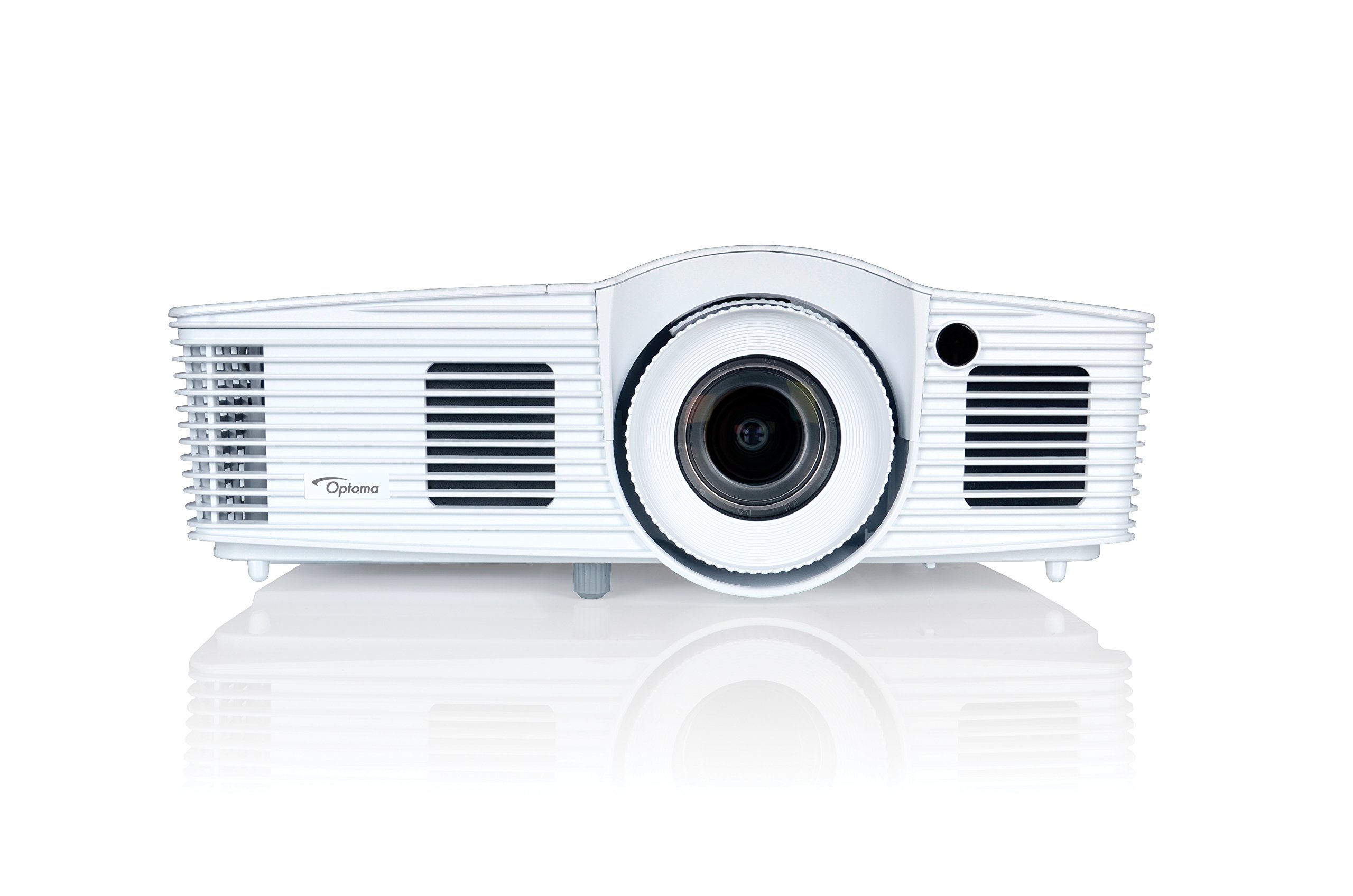
Figura 1: Frontal view of the Optoma EH416 Projector, showing the lens and primary controls.
Ports de connectivitat
The Optoma EH416 projector offers a wide range of connectivity options located on the rear panel for versatile integration with various devices.
- HDMI (x2): Digital input for high-definition video and audio. One port supports MHL for mobile devices.
- VGA (x2): Analog input for computer connections.
- Audio In (x2): 3.5mm stereo jack for analog audio input.
- Sortida d'àudio: 3.5mm stereo jack for connecting external speakers.
- USB-A: For power output or service.
- RS232: For projector control via a computer or control system.
- RJ45 (Ethernet): For network control and management.
4. Configuració
Col·locació del projector
The Optoma EH416 offers flexibility in placement due to its 1.6x zoom and vertical lens shift capabilities. Position the projector on a stable surface or mount it securely. Adjust the distance from the screen to achieve the desired image size. The 1.6x zoom allows for a larger image from a shorter distance or a smaller image from a longer distance without moving the projector.
Dispositius de connexió
- Connexió d'alimentació: Connect the power cord to the projector's power inlet and then to a grounded electrical outlet.
- Font del vídeo:
- For HDMI devices (e.g., Blu-ray player, laptop): Connect an HDMI cable from your device to one of the HDMI ports on the projector.
- For VGA devices (e.g., older laptops): Connect a VGA cable from your device to a VGA port on the projector. If audio is also required, connect a separate 3.5mm audio cable from your device to an Audio In port on the projector.
- For MHL compatible mobile devices: Connect an MHL cable to the designated HDMI/MHL port.
- Sortida d'àudio (opcional): If using external speakers, connect an audio cable from the projector's Audio Out port to your sound system.
Encès/Apagat
- Per encendre: Press the power button on the projector's control panel or the remote control. The power indicator light will turn blue.
- Per apagar: Press the power button twice. The projector will enter a cooling down cycle before completely shutting off. Do not unplug the projector during the cooling cycle.
5. Funcionament del projector
Funcionament bàsic
- Selecció de la font: Use the 'Source' button on the remote or control panel to cycle through available input sources (HDMI1, HDMI2/MHL, VGA1, VGA2).
- Navegació del menú: Press the 'Menu' button to access the On-Screen Display (OSD). Use the arrow keys to navigate and 'Enter' to select options.
- Control de volum: Use the volume buttons on the remote control to adjust the audio output from the built-in speaker or Audio Out port.
Ajustaments d'imatge
- Enfocament i zoom: Rotate the focus and zoom rings on the projector lens to achieve a sharp and appropriately sized image.
- Correcció Keystone: If the image appears trapezoidal, use the 'Keystone' function in the OSD menu or the dedicated button on the remote to correct the image shape. The EH416 supports ±40° vertical keystone correction.
- Desplaçament vertical de la lent: This feature allows you to physically move the image up or down without tilting the projector, minimizing keystone distortion. Adjust the lens shift dial located near the lens.
- Ajust del color de la paret: Access this feature in the OSD menu to compensate for the color of your projection surface (e.g., blackboard, light yellow wall). This helps maintain accurate color reproduction even on non-white walls.
- sRGB Color Profile: For the most accurate and vibrant colors, especially when connecting to a PC, Mac, or sRGB compatible source, select the sRGB picture mode in the OSD. This profile adheres to the Rec. 709 HDTV specification.
- Edge Mask: This function, found in the OSD, helps to refine the edges of the projected image, eliminating any soft or jagged appearance on the border.
6. Manteniment
Neteja del projector
- Lent: Feu servir un drap suau i sense borrissol dissenyat específicament per a lents òptiques. No utilitzeu productes de neteja abrasius.
- Casing: Netegeu el projector casinamb un drap suau i sec. Per a la brutícia resistent, utilitzeu un drap lleugerament sec.amp drap amb un detergent suau i després eixugueu-lo.
- Vendes d'aire: Regularly check and clean the air vents to prevent dust buildup, which can lead to overheating. Use a soft brush or compressed air.
Lamp Atenció
El projector lamp té una vida útil finita. Quan la lamp life is nearing its end, a warning message may appear on the screen. Refer to the full user manual on the included CD-ROM for detailed instructions on lamp replacement. Always use genuine Optoma replacement lamps to ensure optimal performance and safety.
7. Solució De Problemes
This section addresses common issues you might encounter. For more detailed troubleshooting, refer to the comprehensive user manual on the included CD-ROM.
- Sense imatge a la pantalla:
- Check if the projector is powered on and the lamp està encès.
- Verify that the video source device is powered on and functioning correctly.
- Ensure the video cable (HDMI, VGA) is securely connected to both the projector and the source device.
- Select the correct input source using the 'Source' button on the remote or projector.
- Imatge borrosa o distorsionada:
- Ajusteu l'anell de focus de la lent del projector.
- If the image is trapezoidal, use the keystone correction function.
- Ensure the projector is perpendicular to the screen or use vertical lens shift.
- Sense so:
- Check the volume level on the projector and the source device.
- If using an analog VGA connection, ensure a separate audio cable is connected.
- Verify that the audio output is not muted.
- El control remot no funciona:
- Comproveu i substituïu les piles.
- Assegureu-vos que no hi hagi obstacles entre el comandament a distància i el receptor d'infrarojos del projector.
8. Especificacions
| Característica | Detall |
|---|---|
| Número de model | EH416 |
| Resolució de visualització | 1920 x 1080 (Full HD) |
| Brillantor | 4200 lúmens |
| Relació de contrast | 20,000:1 |
| Tecnologia de connectivitat | Wireless, HDMI, MHL, VGA |
| Dimensions del producte | 8.81 x 12.36 x 4.48 polzades |
| Pes de l'article | 6.6 lliures |
| Usos recomanats | Negocis, Educació |
| Fabricant | OPTOMA TECHNOLOGY |
| Data de primera disponibilitat | 5 d'abril de 2016 |
9. Garantia i Suport
Your Optoma EH416 projector comes with a manufacturer's warranty. Please refer to the included warranty card for specific terms, conditions, and registration information. For technical support, product registration, or to download the latest drivers and firmware, please visit the official Optoma website or contact Optoma customer service.


