1. Introducció
Gràcies per la compraasing the EXCELVAN WH1175 LCD Wireless Weather Station. This device provides accurate indoor and outdoor temperature, humidity, dew point, and barometric pressure readings, along with weather trend forecasting. It features a clear LCD display, a remote sensor for outdoor monitoring, and an alarm function. Please read this manual carefully to ensure proper setup and operation of your weather station.
2. Contingut del paquet
En desempaquetar, comproveu que tots els elements que s'enumeren a continuació hi són presents i en bon estat:
- 1 x Main Weather Station Unit
- 1 x Outdoor Remote Sensor
- 1 x Manual d'usuari
- Mounting Screws (for remote sensor)

Figure 2.1: All components of the EXCELVAN WH1175 weather station.
3. Producte acabatview
3.1 Main Unit (Receiver)
The main unit features a large LCD display that shows indoor and outdoor environmental data, time, and weather forecasts. Control buttons are located on the front for easy access to settings and functions.
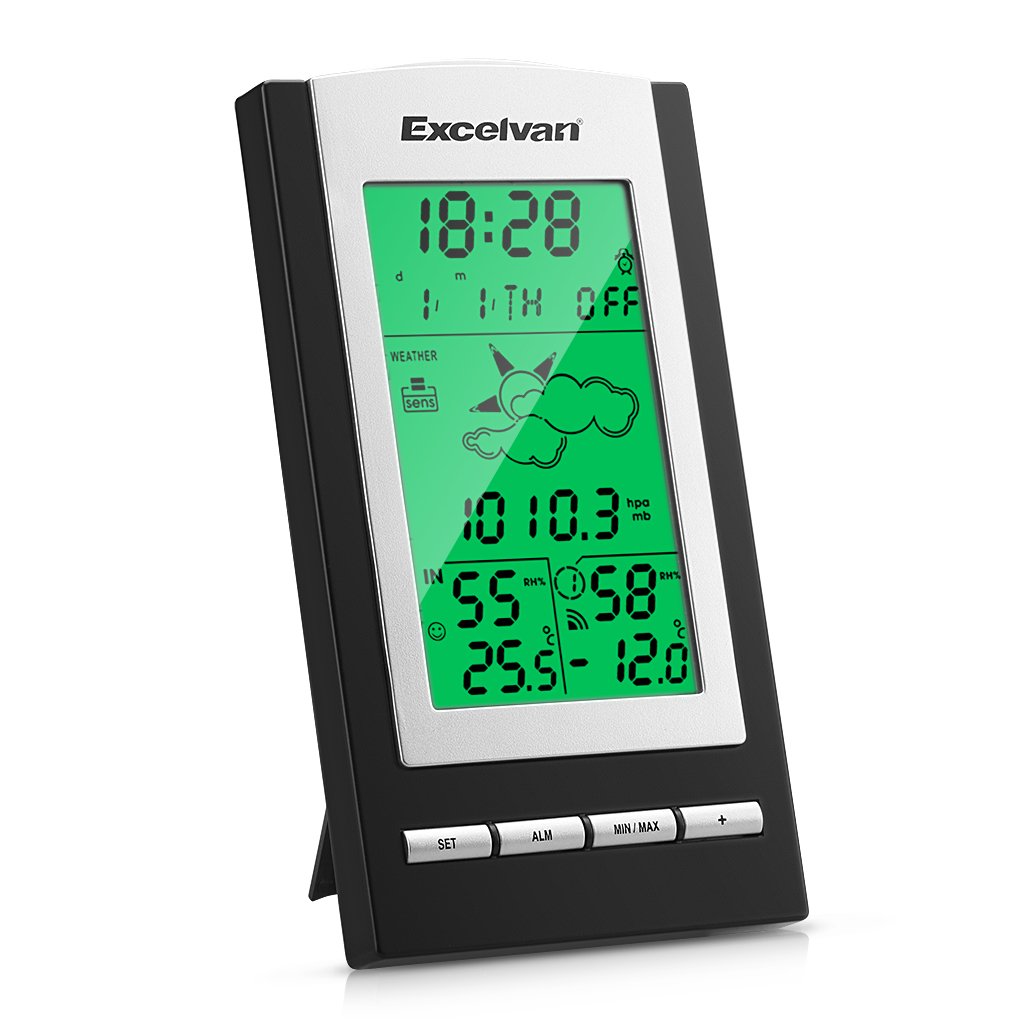
Figura 3.1: Frontal view of the main weather station unit and remote sensor.

Figure 3.2: Detail of the main unit's control buttons.
The rear of the main unit includes a battery compartment and a fold-out stand for tabletop placement, as well as a keyhole for wall mounting.

Figura 3.3: posterior view de la unitat principal.
3.2 Remote Sensor (Transmitter)
The remote sensor wirelessly transmits outdoor temperature and humidity data to the main unit. It is designed with IPX3 waterproofing for outdoor use and includes a battery compartment.
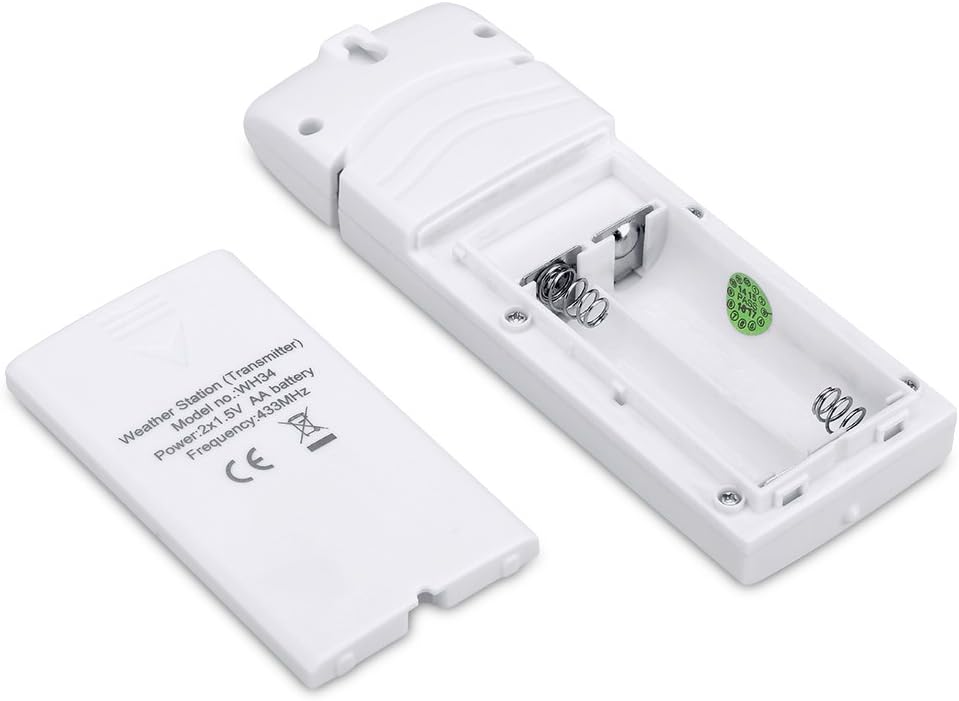
Figure 3.4: Remote sensor with battery compartment open.
4. Instal·lació
4.1 Instal·lació de la bateria
- Unitat principal: Open the battery compartment cover on the back of the main unit. Insert 3 x 1.5V AA batteries (not included), ensuring correct polarity (+/-). Close the cover.
- Sensor remot: Open the battery compartment cover on the back of the remote sensor. Insert 2 x 1.5V AAA batteries (not included), ensuring correct polarity (+/-). Close the cover.

Figure 4.1: Battery installation in the main unit.
Figure 4.2: Battery installation in the remote sensor.
4.2 Col·locació del sensor
The main unit should be placed indoors. The remote sensor is IPX3 waterproof and can be placed outdoors. For optimal performance, place the remote sensor in a shaded area, protected from direct sunlight and precipitation, to ensure accurate temperature and humidity readings. The effective transmission distance between the sensor and the main unit is up to 328 feet (100 meters) in an open field.

Figura 4.3: Example of sensor placement.
5. Configuració inicial
After installing batteries in both the main unit and the remote sensor, allow a few minutes for the devices to establish a connection and for the first set of data to appear on the LCD screen. Do not press any buttons on the base station until the initial data is displayed. This ensures proper synchronization between the main unit and the remote sensor.
6. Funcionament
6.1 Configuració de la data i l'hora
Press the 'SET' button to enter time/date setting mode. Use the '+' or 'MIN/MAX' buttons to adjust values. Press 'SET' again to confirm and move to the next setting. The station supports 12/24 hour format and automatic adjustment for Daylight Saving Time (DST).
6.2 Funció d'alarma
Press the 'ALM' button to view or set the alarm time. In alarm setting mode, use the '+' or 'MIN/MAX' buttons to adjust the alarm time. The alarm duration is 120 seconds.
6.3 Previsió meteorològica
The weather station displays temperature, dew point, humidity, barometric pressure, and a weather trend icon. The weather forecast is based on changes in atmospheric pressure and is an estimation for the next 12-24 hours.
6.4 Llum de fons
The backlight will illuminate for approximately 2 seconds before automatically turning off. To activate the backlight for 10 seconds, press the light button located on the top of the main unit.
7. Especificacions
| Categoria | Especificació |
|---|---|
| Marca | EXCELVAN |
| Model | WH1175 |
| Tipus de visualització | LCD |
| Sensor Transmission Distance | Fins a 100 metres (328 peus) en camp obert |
| Freqüència de transmissió | 433 MHz |
| Interval de temperatura exterior | -40 ℃ to +60 ℃ (-40 ℉ to +140 ℉) |
| Rang de temperatura interior | -10 ℃ to +60 ℃ (14 ℉ to +140 ℉) |
| Resolució de temperatura | 0.1 ℃ |
| Gamma d’humitat | 10% ~ 99% HR |
| Resolució d’humitat | 1% |
| Interval de pressió d'aire | 300 hPa - 1100 hPa |
| Air Pressure Resolution/Accuracy | 0.1hPa / ±3hPa (below 800hPa-1100hPa) |
| Thermo-hygrometer Sensor Interval | 60 segons |
| Pressure/Temperature Measurement Interval | 60 segons |
| Durada de l'alarma | 120 segons |
| Main Station Power Supply | 3 piles AA de 1.5 V (no incloses) |
| Remote Sensor Power Supply | 2 piles AAA de 1.5 V (no incloses) |
| Main Station Dimensions | 160 x 150 x 35 mm |
| Dimensions del sensor remot | 91 x 70 x 32.5 mm |
| Pes del producte | 400 g |
| UPC | 768390022957 |
8. Solució De Problemes
If you encounter issues with your EXCELVAN WH1175 weather station, please consider the following common solutions:
- Sense pantalla / Pantalla tènue: Comproveu la polaritat de la bateria i assegureu-vos que sigui nova. Substituïu-la si cal.
- Sense dades a l'aire lliure: Ensure the remote sensor is within range (max 328 feet/100m in open field) and not obstructed by thick walls or metal objects. Re-sync the sensor by removing and reinserting batteries in both units, starting with the main unit.
- Lectures inexactes: Ensure the remote sensor is placed in a shaded, well-ventilated area, away from direct sunlight or heat sources, and protected from rain.
- Weather Forecast Not Changing: The weather forecast is based on barometric pressure changes over time. Significant changes may take several hours to register. Ensure the unit has been operating continuously for at least 24 hours for accurate forecasting.
Si els problemes persisteixen, poseu-vos en contacte amb l'atenció al client per obtenir més ajuda.
9. Garantia i Suport
The EXCELVAN WH1175 LCD Wireless Weather Station comes with a 2 any de garantia des de la data de compra. Aquesta garantia cobreix els defectes de fabricació i els mals funcionaments en condicions d'ús normal. No cobreix els danys causats per un mal ús, accidents, modificacions no autoritzades o instal·lació incorrecta.
For warranty claims, technical support, or any questions regarding your product, please refer to the contact information provided with your purchase or visit the official EXCELVAN weblloc.


