1. Producte acabatview
The Noyafa NF-198 is a GPS-enabled land meter designed for accurate measurement of area and length. It is suitable for various terrains, including mountainous, sloped, and flat fields. The device provides real-time tracking, displays measurement values, and can automatically calculate prices based on set parameters. It features a color screen for clear data visualization and supports data export for printing and analysis.

Figure 1: Noyafa NF-198 GPS Land Meter
Aquesta imatge mostra la part frontal view of the Noyafa NF-198 GPS Land Meter, highlighting its display screen and control buttons. The device is blue and black with a wrist strap.
2. Components i estructura del producte
The NF-198 device includes several key components and controls for its operation:

Figure 2: NF-198 Product Structure
This diagram labels the various parts and buttons of the NF-198 device, including the hanging hole, GPS signal indication, HD digital display screen, power status indication, On/Off button, Save function button, Back button, Pause button, Delete button, Left/Right/Upward/Downward adjustment buttons, Validator (Enter button), Backlit button, Data confirmation button, and Lighting light button.
2.1. Contingut del paquet
En desembalar, assegureu-vos que hi hagi tots els components:
- Noyafa NF-198 GPS Land Meter
- PCB (Printed Circuit Board - likely refers to internal components or a specific accessory)
- Manual d'usuari (aquest document)
- Carrying Pouch (as seen in packaging images)
- USB Cable (for data transfer/charging, implied)

Figura 3: Contingut de l'embalatge
This image displays the Noyafa NF-198 device alongside its retail packaging and a black carrying pouch, indicating the typical contents of the product package.
3. Configuració i ús inicial
3.1. Instal·lació i càrrega de la bateria
The device comes with two 2000mAh lithium batteries. Ensure they are properly installed. Connect the device to a power source using the provided USB cable to charge the batteries before first use.
3.2. Encès / apagat
Manteniu premut el botó On/Off button (refer to Figure 2) to power the device on or off.
3.3. Adquisició del senyal GPS
For accurate measurements, the device requires a strong GPS signal. Operate the device outdoors and away from tall buildings or dense foliage that may obstruct satellite signals. Wait until the satellite signal indicator shows at least 6 satellites before starting any measurement.
4. Guia de funcionament
The NF-198 offers various measurement modes and functions accessible via its main menu.

Figure 4: Main Menu Functions
This image displays the main menu of the NF-198, showing icons for S-Flat (flat area measurement), Length, S-Slope (slope area measurement), S-Width (width measurement), Vehicle (vehicle-carrier measurement), and Query (data query).
4.1. Area and Length Measurement
- From the main menu, select the desired measurement mode (e.g., S-plana for flat area, S-Pendent for slope area, Longitud for linear distance).
- Walk along the perimeter of the area to be measured or along the line for length measurement. The device will track your movement.
- Premeu el botó Pausa button to temporarily stop tracking, and Pausa de nou per reprendre.
- Once the measurement is complete, the device will display the measuring value, figure track, and automatically calculate the price if configured.

Figure 5: Measurement Data Display
This image shows the NF-198 screen displaying measurement results, including Girth, S-Flat area, Piece, Total, and GPS coordinates (LON, LAT), along with the date and time.
4.2. Vehicle-Carrier Measurement
This mode allows for distance measurement while mounted on a vehicle. The distance can be adjusted according to specific needs. Select Vehicle from the main menu to activate this function.
4.3. Equal-Width Area Measurement
This function is used for measuring areas with a consistent width. Consult the on-screen instructions or specific manual section for detailed steps on using this mode.
4.4. Setting Unit Area Price
The device allows you to set a unit area price, enabling automatic price calculation after measurement. This can be done via 'manual testing' or 'auto testing' methods.

Figure 6: Settings Menu
This image shows the settings menu of the NF-198, where users can configure Area Unit, Area U/P (Unit Price), Len Unit, Len U/P, Mode, Backlight, Auto off, Coord, and TimeZone.
4.5. Gestió de dades
The NF-198 can save up to 100 sets of measurement data. Saved data can be reviewed and deleted directly on the device.
Figura 7: Dades Review and Deletion
This image shows two screens from the NF-198: one listing saved measurement data (Delect, S-Flat, Length, S-Width with dates) and another showing a confirmation prompt to delete selected data.
4.6. Data Export
Test data and graphics trajectory can be exported to a computer for printing and further analysis. The device is compatible with Google Maps to show real graphics trajectory.

Figure 8: Data Export to Computer
This image illustrates the process of exporting data from the NF-198 to a computer, showing the device's main menu and a computer screen displaying a mapping software interface (resembling Google Earth) with options to connect, read data, and save images.
5. Característiques clau
The Noyafa NF-198 GPS Land Meter incorporates several features to enhance its functionality:
- Posicionament avançat: Utilizes advanced chips for fast search positioning and ultra-high precision measurements.
- Mesura versàtil: Measures area and length of any shape, including mountainous, sloped, and flat land.
- Seguiment en temps real: Displays real-time track and calculates total price.
- Pantalla en color: Features a 2.8-inch large color screen for easy operation and clear visual data.
- Efficient Startup: Cold boot in approximately 30 seconds, warm boot in 3 seconds.
- Currency Detection: Includes a currency detection function.
- Il·luminació integrada: Equipped with an LED light and backlight function for use in low-light conditions.
- Calendari perpetu: Built-in calendar function.

Figura 9: Característiques addicionals
This image highlights the currency detection, LED light, and backlight functions of the NF-198. It shows the device being used to detect currency, emitting light, and its screen with backlight activated.
6. Especificacions tècniques
| Característica | Especificació |
|---|---|
| Marca | NOYAFA |
| Número de model | NF-198 |
| Pes de l'article | 396 g |
| Dimensions del paquet | 22.1 x 15.5 x 5.5 cm |
| Mida de la pantalla | 2.8 Inches (as per image, JSON says 8 Inches, 2.8 is more consistent with product image) |
| Resolució | 1280 x 720 (likely for internal processing, not screen resolution) |
| Tecnologia de connectivitat | GPS |
| Sistema operatiu | Android (likely refers to internal OS, not user-facing) |
| Dispositiu compatible | Vehicles, Android devices (for data export/connectivity) |
| Piles incloses | Sí |
| Contingut d'energia de la bateria de liti | 3.7 watts-hora |
| Pes de la bateria de liti | 0.85 grams |
| Característica especial | Advanced Measurement and Tracking Capabilities |
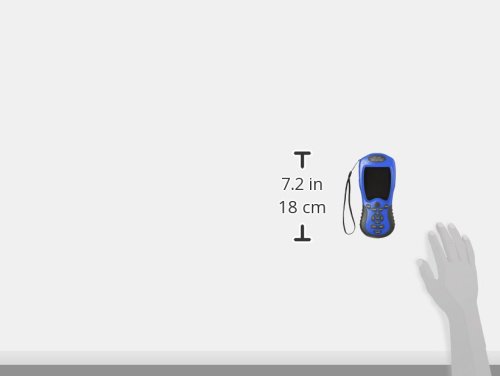
Figura 10: Dimensions del dispositiu
This image provides a visual representation of the NF-198's dimensions, indicating a height of 7.2 inches (18 cm).
7. Manteniment
- Neteja: Feu servir un drap suau i sec per netejar el dispositiu. Eviteu utilitzar productes químics agressius o materials abrasius.
- Emmagatzematge: Guardeu el dispositiu en un lloc fresc i sec, allunyat de la llum solar directa i de temperatures extremes.
- Cura de la bateria: If the device will not be used for an extended period, fully charge the batteries and store them separately if possible, or periodically charge the device to maintain battery health.
8. Solució De Problemes
If you encounter issues with your NF-198, consider the following:
- Sense senyal GPS:
- Ensure you are outdoors and in an open area, away from tall buildings or dense tree cover.
- Wait until the satellite signal indicator shows at least 6 satellites before starting measurement.
- Mesures inexactes:
- Ensure a stable GPS signal (at least 6 satellites).
- Avoid crossing your movement direction during measurement.
- The device is not recommended for areas less than 180 square meters.
- Data Export Issues:
- Ensure the device is properly connected to the computer via USB.
- Verify that the necessary software or drivers are installed on your computer.
- Note: Some older software versions for Google Earth export may no longer be compatible with current Google Earth versions.
- El dispositiu no s'encén:
- Check battery charge level. Connect to charger.
- Assegureu-vos que les bateries estiguin instal·lades correctament.
9. Garantia i Suport
For warranty information and technical support, please refer to the documentation provided with your purchase or contact Noyafa customer service directly. Keep your proof of purchase for warranty claims.


