1. Introducció
Thank you for choosing the Altec Lansing Epsilonia Bluetooth Speaker. This manual provides essential information for setting up, operating, and maintaining your speaker. Please read it thoroughly before use to ensure optimal performance and longevity of your device.
2. Informació de seguretat
- No exposeu l'altaveu a temperatures extremes ni a la llum solar directa durant períodes prolongats.
- While the speaker is designed to be waterproof, avoid submerging it in water. Ensure all ports are securely closed before exposure to moisture.
- Use only the provided power adapter or a certified equivalent for charging.
- Mantingueu l'altaveu allunyat de camps magnètics forts.
- No intenteu desmuntar ni modificar l'altaveu. Això anul·larà la garantia.
- Clean the speaker with a soft, dry cloth. Avoid using abrasive cleaners or solvents.
3. Contingut del paquet
Si us plau, comproveu que tots els articles estiguin presents al vostre paquet:
- Altec Lansing Epsilonia Bluetooth Speaker
- Control remot
- Power Adapter (not explicitly listed but implied for a non-portable speaker, or charging cable if battery powered)
- Manual d'usuari (aquest document)
4. Producte acabatview
The Altec Lansing Epsilonia is a stylish and powerful Bluetooth speaker featuring a distinctive wooden finish and a robust sound output. It offers versatile connectivity options including Bluetooth, NFC, and a 3.5mm AUX input.
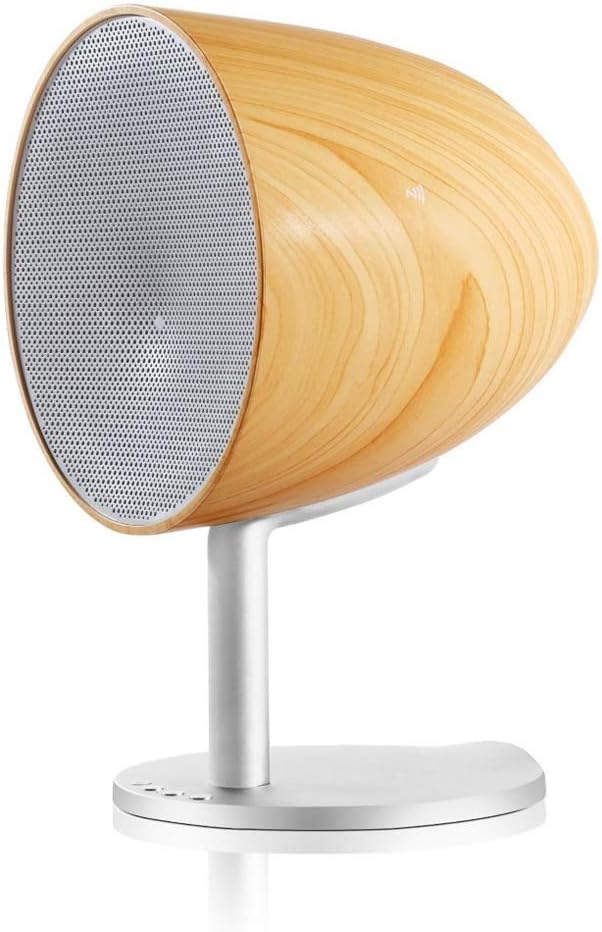
Figure 4.1: Altec Lansing Epsilonia speaker, side view, espectacleasing its wooden enclosure and metal stand. The front grille is visible.

Figura 4.2: Frontal view of the Altec Lansing Epsilonia speaker, highlighting the circular speaker grille and the wooden frame.

Figura 4.3: posterior view of the Altec Lansing Epsilonia speaker, showing the bass port and input connections at the base of the stand.
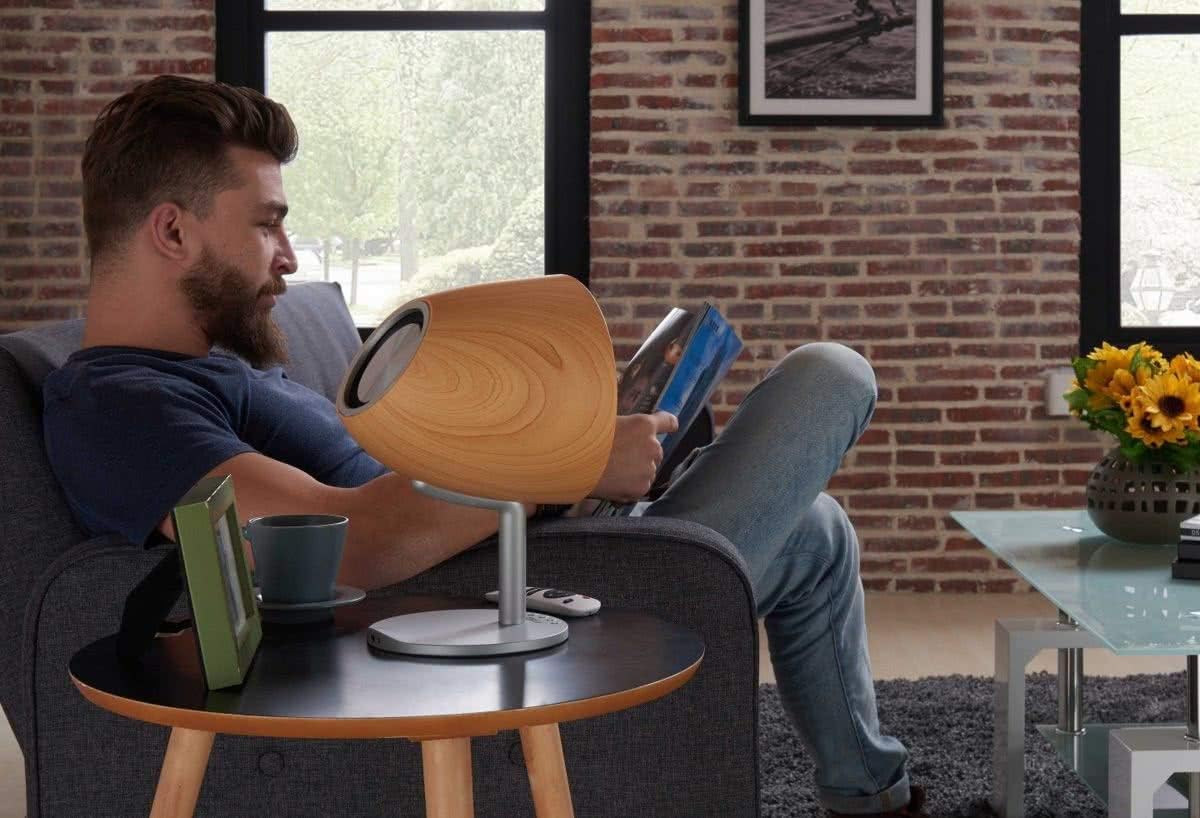
Figure 4.4: Lifestyle image of the Altec Lansing Epsilonia speaker placed on a side table next to a person reading, demonstrating its aesthetic integration into a living space.
5. Configuració
5.1 Col·locació inicial
Place the Altec Lansing Epsilonia speaker on a stable, flat surface. For optimal sound quality, position it in an open area, away from obstructions that might block the sound.
5.2 Engegada/apagada
- Per encendre: Connect the speaker to a power source using the provided adapter. Press and hold the power button (usually located on the base or rear of the speaker) until the indicator light illuminates.
- Per apagar: Premeu i manteniu premut el botó d'engegada de nou fins que l'indicador lluminós s'apagui.
5.3 Càrrega de la bateria
The Epsilonia speaker is battery-powered. Before first use, fully charge the speaker. Connect the power adapter to the speaker's charging port and plug it into a wall outlet. The indicator light will show charging status and turn off or change color when fully charged. A CR2 battery is included.
6. Instruccions de funcionament
6.1 Vinculació Bluetooth
To connect your speaker to a Bluetooth-enabled device (e.g., smartphone, MP3 player):
- Ensure the speaker is powered on and in Bluetooth pairing mode (the indicator light will typically flash).
- Al dispositiu, activa el Bluetooth i cerca els dispositius disponibles.
- Select "Altec Lansing Epsilonia" from the list.
- Once paired, the indicator light on the speaker will become solid, and you will hear a confirmation tone.
6.2 NFC (Near Field Communication) Pairing
For devices with NFC capability:
- Ensure NFC is enabled on your device and the speaker is powered on.
- Tap your NFC-enabled device gently against the NFC area on the speaker (refer to the product diagram for exact location).
- Your device will prompt you to confirm the connection.
6.3 Entrada AUX
To connect a device using the 3.5mm AUX input:
- Connecteu un extrem d'un cable d'àudio de 3.5 mm (no inclòs) al port AUX de l'altaveu.
- Connecteu l'altre extrem a la presa d'auriculars o a la sortida d'àudio del dispositiu.
- The speaker will automatically switch to AUX mode, or you may need to select it using the mode button on the speaker or remote.
6.4 Control de volum
Adjust the volume using the tactile controls on the speaker or the included remote control. You can also control the volume from your connected device.
6.5 Funcions de control remot
The remote control allows for convenient operation from a distance. Functions typically include:
- Encès/Apagat
- Pujar/Bajar el volum
- Reproduir/Pausa
- Pista següent/anterior
- Mode Selection (Bluetooth/AUX)
7. Manteniment
7.1 Neteja
Wipe the speaker's exterior with a soft, dry, lint-free cloth. For stubborn marks, slightly dampRenta el drap amb aigua. No utilitzeu productes químics agressius, dissolvents de neteja ni detergents forts.
7.2 Emmagatzematge
When not in use for extended periods, store the speaker in a cool, dry place, away from direct sunlight and extreme temperatures. If battery-powered, ensure the battery is partially charged before storage to maintain battery health.
8. Solució De Problemes
- Sense energia: Ensure the speaker is fully charged or connected to a working power outlet. Check the power button.
- Sense so: Verify that the volume on both the speaker and your connected device is turned up. Ensure the correct input mode (Bluetooth or AUX) is selected. Check if the device is properly paired via Bluetooth or if the AUX cable is securely connected.
- Problemes de vinculació de Bluetooth: Make sure the speaker is in pairing mode. Turn off and on Bluetooth on your device. Try unpairing and re-pairing the speaker. Ensure no other devices are actively connected to the speaker.
- El control remot no funciona: Check the battery in the remote control. Ensure there are no obstructions between the remote and the speaker.
9. Especificacions
| Característica | Descripció |
|---|---|
| Nom del model | Epsilonia |
| Marca | Altec Lansing |
| Tecnologia de connectivitat | Bluetooth, NFC |
| Dispositius compatibles | Smartphone, MP3 Players |
| Potència de sortida | RMS de 20 Watts |
| Mida de l'altaveu | 1 polzades |
| Impedància | 8 ohms |
| Mètode de control | Tactile (Touch) |
| Font d'alimentació | Alimentat per piles (1 pila CR2 inclosa) |
| Material | Fusta |
| Dimensions (L x A x A) | 32.8 x 18.7 x 18.8 cm |
| Pes | 1.8 quilos |
| Impermeable | Sí |
| Components inclosos | Control remot |
10. Garantia i Suport
The Altec Lansing Epsilonia Bluetooth Speaker comes with a 2 any de garantia des de la data de compra. Aquesta garantia cobreix els defectes de fabricació en condicions d'ús normal. No cobreix els danys causats per un mal ús, accidents, modificacions no autoritzades o desgast normal.
For technical support, warranty claims, or further assistance, please contact Altec Lansing customer service. Refer to the official Altec Lansing weblloc web per obtenir informació de contacte i condicions detallades de la garantia.