Introducció
The Interphone Tour Dual Pack is a high-performance Bluetooth intercom system designed for motorcycle riders. It enables communication between up to four riders over a distance of 1.5 km, offers extended battery life, and supports fast charging. This device is compatible with all helmet types and Bluetooth-enabled smartphones, allowing for calls, music playback, and GPS navigation. This manual provides detailed instructions for installation, operation, maintenance, and troubleshooting to ensure optimal performance and user experience.
Contingut del paquet

Figure 1: Included components of the Interphone Tour Dual Pack.
The Interphone Tour Dual Pack includes the following items:
- 2 Control Units
- 2 Complete Audio Kits (speakers)
- 2 Microphones for full-face helmets
- 2 Microphones for jet or modular helmets
- 2 Sets of Sponge Covers (for microphones)
- 2 Sets of Spacers (for speakers)
- 2 Charging and Data Cables
- 2 Adhesive Bases (for mounting)
- 2 Clip Bases (for mounting)
- Guia d'inici ràpid i informació de garantia
Configuració i instal·lació
Proper installation ensures optimal audio quality and secure attachment of the intercom unit to your helmet.
Mounting the Intercom Unit

Figure 2: Interphone Tour unit securely mounted on a helmet.
Choose between the adhesive base or the clip base for mounting. The adhesive base provides a permanent attachment, while the clip base allows for easier removal. Ensure the mounting location on the helmet is clean and dry before installation.
- Select Mounting Base: Decide whether to use the adhesive base or the clip base.
- Posicionament: Identify a flat, suitable area on the left side of your helmet, near the bottom edge, where the unit will not obstruct vision or movement.
- Install Base:
- Base adhesiva: Peel off the protective film and firmly press the base onto the helmet surface for at least 30 seconds. Allow 24 hours for the adhesive to cure before attaching the intercom unit.
- Clip Base: Slide the clip base between the helmet shell and the inner padding. Ensure it is securely fastened and does not move.
- Attach Intercom Unit: Slide the Interphone Tour control unit onto the installed base until it clicks into place.
Installing Speakers and Microphones
The audio kit includes speakers and two types of microphones to suit different helmet designs.
- Col·locació dels altaveus: Locate the ear pockets inside your helmet. Attach the speakers using the provided adhesive pads, ensuring they are centered over your ears for optimal sound. Use spacers if needed to bring the speakers closer to your ears.
- Selecció del micròfon:
- Full-Face Helmet Microphone: This is a flexible boom microphone. Attach it to the inside of the helmet, positioning the microphone capsule directly in front of your mouth, ensuring it does not touch your lips.
- Jet/Modular Helmet Microphone: This is a wired microphone designed for open-face or modular helmets. Secure it inside the helmet, ensuring it is close to your mouth and protected from wind noise.
- Gestió de cables: Route all cables neatly under the helmet padding to prevent discomfort and ensure they are not snagged. Connect the speaker and microphone cables to the corresponding ports on the intercom unit.
Instruccions de funcionament
The Interphone Tour features intuitive controls for various functions.

Figura 3: Frontal view of two Interphone Tour units, highlighting the control buttons.
Funcions bàsiques
- Encès/apagat: Manteniu premut el botó Botó d'engegada/intercomunicador (usually the large central button with a phone icon or power symbol) for approximately 3 seconds.
- Control de volum: Utilitza el Música i FM buttons (or up/down arrows) to adjust the volume.
- Emparellament Bluetooth:
- Ensure the Interphone Tour is off.
- Manteniu premut el botó Botó d'engegada/intercomunicador until the LED indicator flashes rapidly (pairing mode).
- On your smartphone or GPS device, search for Bluetooth devices and select "Interphone Tour".
- Once paired, the LED will change to a steady blue light.
Comunicació intercomunicadora
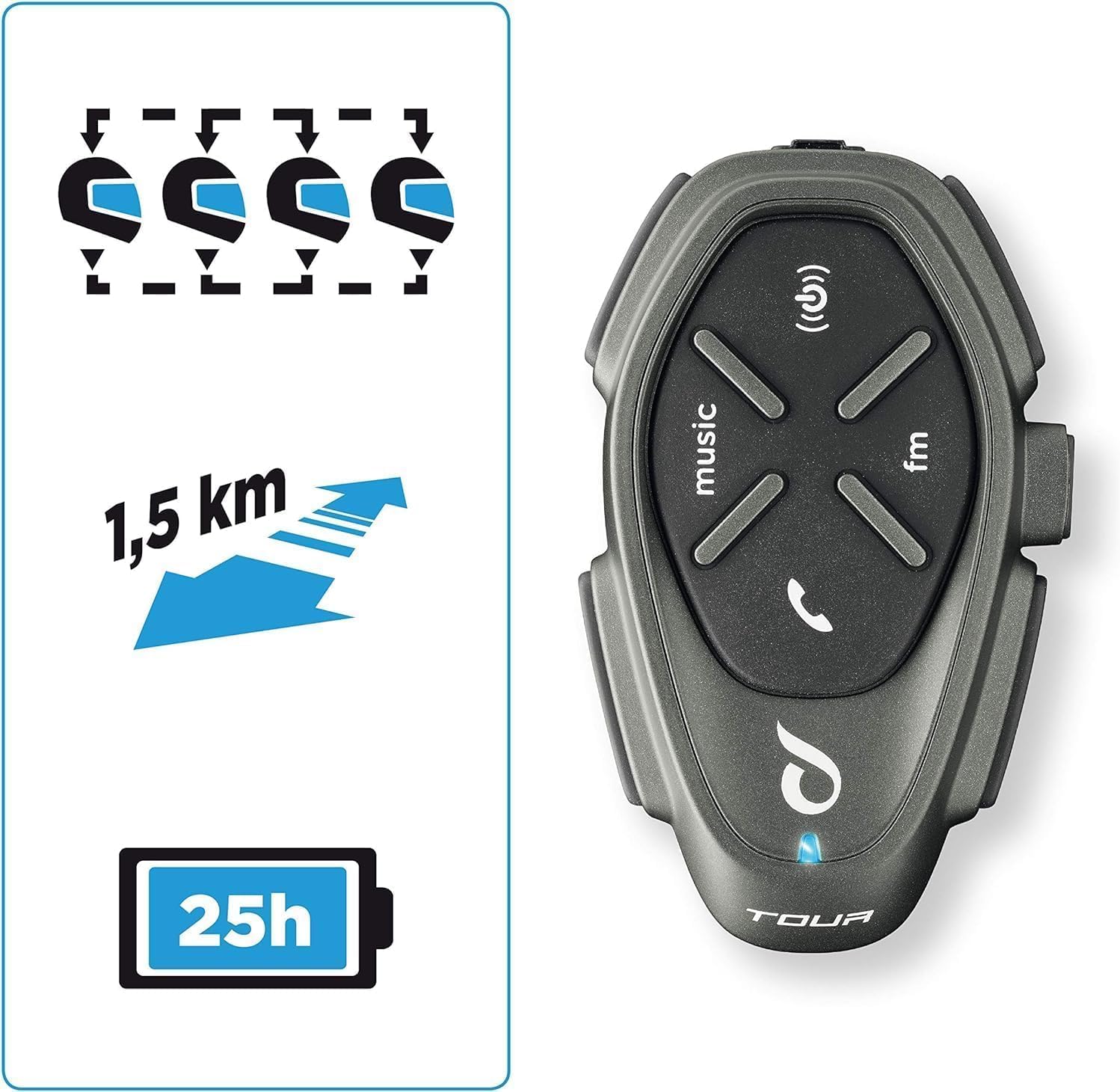
Figure 4: Key features including multi-rider communication and range.
The Interphone Tour supports communication for up to 4 riders over a distance of 1.5 km.
- Iniciació de l'intercomunicador: Premeu breument Botó d'engegada/intercomunicador to start an intercom conversation with a paired unit.
- Intercomunicador multiusuari: Follow the specific pairing instructions in the quick start guide for multi-unit connections (e.g., 3-way or 4-way intercom).
- Anycom Function: The Anycom feature allows communication with other intercom devices, regardless of brand. Refer to the full manual for detailed Anycom pairing procedures.
Media and Navigation

Figure 5: Connectivity options including music, phone calls, and FM radio.
- Reproducció de música: Once paired with your smartphone, use the Botó de música to play/pause music. Use volume buttons to adjust. Music sharing between rider and passenger is supported.
- Ràdio FM: Premeu el botó Botó FM to activate the built-in FM radio. Use the music/FM buttons to scan for stations.
- Navegació GPS: When paired with a Bluetooth-enabled GPS device, voice instructions will be transmitted directly to your helmet speakers.
- Trucades telefòniques:
- Respon a la trucada: Premeu breument Botó del telèfon (or central button).
- Finalitzar la trucada: Premeu breument Botó del telèfon.
- Marcatge per veu: If supported by your phone, long-press the Botó del telèfon per activar l'assistent de veu.
Bateria i càrrega
The Interphone Tour boasts a battery life of over 20 hours and features fast charging technology.
- Càrrega: Connect the provided USB charging cable to the intercom unit and a compatible USB power source. The LED indicator will show charging status.
- Càrrega ràpida: Utilize the fast charge feature for quick power replenishment.
- Durada de la bateria: A fully charged unit provides approximately 25 hours of talk time.
Disseny impermeable
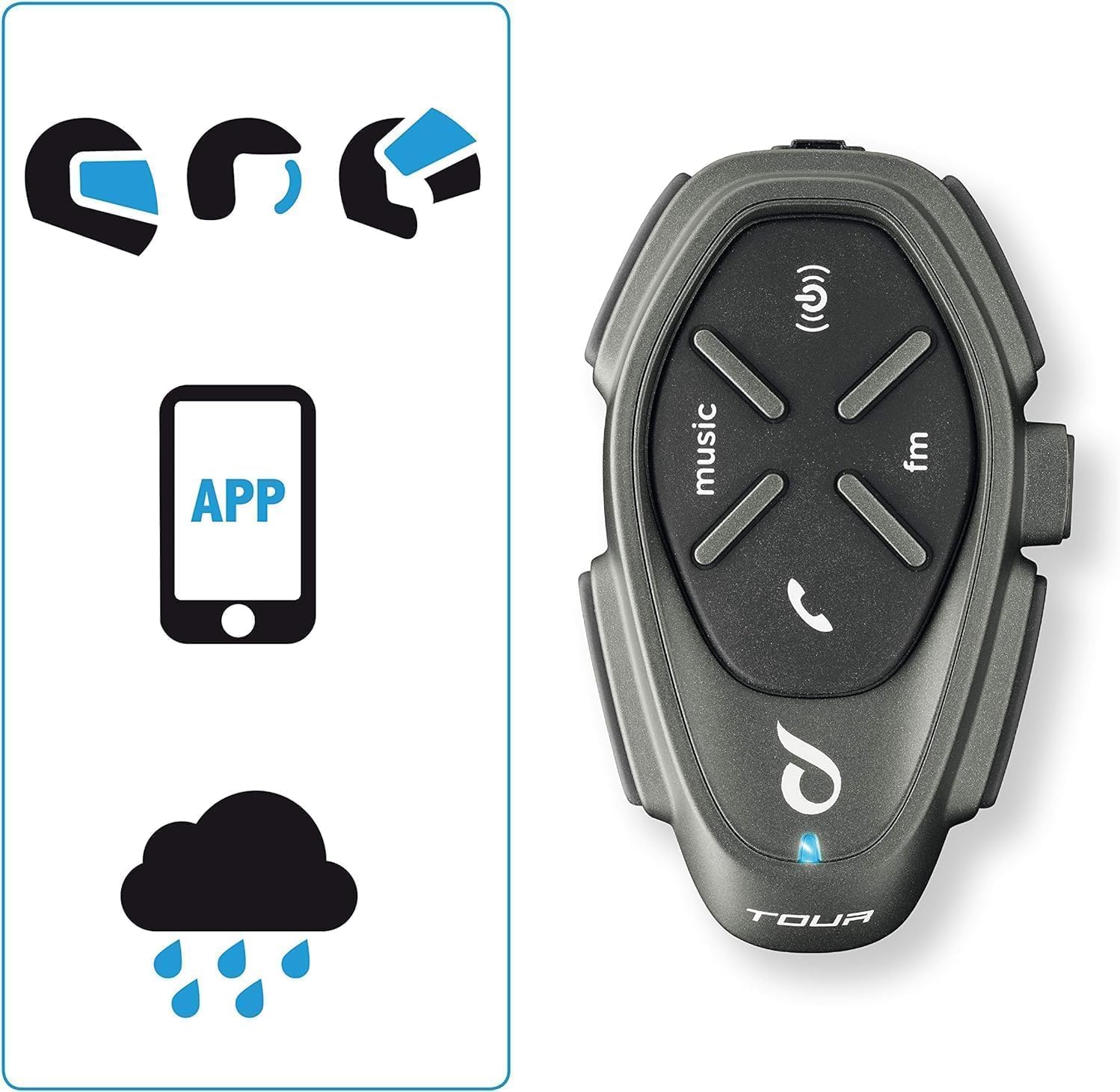
Figure 6: The intercom is compatible with various helmet types and is waterproof.
The Interphone Tour is designed to be fully waterproof, ensuring reliable operation in various weather conditions.
Manteniment
To ensure the longevity and optimal performance of your Interphone Tour, follow these maintenance guidelines:
- Neteja: Utilitzeu un suau, damp cloth to clean the exterior of the intercom unit. Avoid using abrasive cleaners or solvents, as they may damage the finish or internal components.
- Emmagatzematge: When not in use for extended periods, store the unit in a cool, dry place. Ensure the battery is partially charged (around 50%) before storage to prolong its lifespan.
- Cura del cable: Manipuleu els cables amb cura per evitar danys. Eviteu doblegar-los bruscament o estirar-los massa.
- Exposició a l'aigua: While waterproof, it is recommended to wipe the unit dry after exposure to heavy rain to prevent water spots or mineral buildup.
Resolució de problemes
This section addresses common issues you might encounter with your Interphone Tour.
| Problema | Causa possible | Solució |
|---|---|---|
| La unitat no s'encén. | Bateria baixa o esgotada. | Charge the unit using the provided cable. Ensure the charging indicator lights up. |
| Cannot pair with smartphone/GPS. | Unit not in pairing mode; Bluetooth off on device; interference. | Ensure the Interphone Tour is in pairing mode (rapid flashing LED). Check Bluetooth settings on your device. Move away from other electronic devices. |
| Intercom communication is poor or drops. | Out of range; obstacles; low battery. | Ensure units are within 1.5 km range and have a clear line of sight. Charge units. Re-pair if necessary. |
| No hi ha so dels altaveus. | Speakers not connected; volume too low; faulty speakers. | Check speaker connections to the unit. Increase volume. Test with another audio source if possible. |
| El micròfon no capta la veu. | Microphone not connected; incorrect microphone type; faulty microphone. | Ensure microphone is securely connected. Verify correct microphone type for your helmet. Check microphone position. |
If the problem persists, consult the full user manual or contact Interphone customer support.
Especificacions
| Característica | Detall |
|---|---|
| Nom del model | INTERPHOTOURTP |
| Marca | Interphone |
| Tecnologia de connectivitat | Bluetooth |
| Gamma d'intercomunicació | Up to 1.5 km (for 4 riders) |
| Durada de la bateria | Approx. 25 hours talk time (over 20 hours) |
| Carregant | Fast Charge technology |
| Nivell de resistència a l'aigua | Impermeable |
| Dispositius compatibles | Bluetooth devices (smartphones, GPS) |
| Tipus de control | Noise Control, Touch Control, Volume Control, Voice Control |
| Característiques especials | Anycom (inter-brand compatibility), Music Sharing, Noise Cancellation |
| Interval de freqüència | 20 Hz - 20,000 Hz |
| Material | Plàstic |
| Composició de la bateria | Lithium-ion (1 Lithium-polymer included) |
| Factor de forma | Earbuds (Auricolari) |
| Impedància | 25 ohms |
| Aïllament del soroll | Supressió activa del soroll |
Garantia i Suport
The Interphone Tour comes with a manufacturer's warranty and support resources.
- Garantia del fabricant: The product is covered by a 2-year manufacturer's warranty. Please retain your proof of purchase for warranty claims.
- Disponibilitat de peces de recanvi: No es proporciona informació sobre la disponibilitat de peces de recanvi.
- Actualitzacions de programari: No es proporciona informació sobre les actualitzacions de programari garantides.
- Atenció al client: For further assistance, technical support, or warranty claims, please refer to the contact information provided in your Quick Start Guide or visit the official Interphone weblloc.


