Introducció
This manual provides comprehensive instructions for the installation, operation, and maintenance of your InLine 32305P PoE+ Gigabit 5-Port Network Switch. Please read this manual thoroughly before using the device to ensure proper functionality and safety. The InLine 32305P is designed to provide high-speed network connectivity and Power over Ethernet Plus (PoE+) capabilities for compatible devices.
Informació de seguretat
This product complies with recognized technical rules and relevant safety standards or harmonization legislation. Please observe the following safety guidelines:
- The product and its packaging are not toys.
- Keep all packaging material, such as plastic bags or cable ties, out of reach of children and dispose of them properly to prevent suffocation or choking hazards.
- No obriu el dispositiu casing. No hi ha peces que l'usuari pugui reparar a l'interior.
- Ensure the device is placed in a well-ventilated area, away from heat sources and direct sunlight.
- Use only the provided power adapter or a compatible power source with the correct voltage i qualificacions actuals.

Image: Safety warning indicating a choking hazard from packaging materials. This product is not a toy.

Image: Safety warning indicating a risk of suffocation from packaging materials. This product is not a toy.
For further information, consult the weblloc www.inline-info.com/downloadcenter o poseu-vos en contacte amb l'assistència per correu electrònic a service@inline-info.com.
Contingut del paquet
Comproveu que el vostre paquet contingui els elements següents:
- InLine 32305P PoE+ Gigabit 5-Port Network Switch
- Power Adapter (100-240V AC, 50/60Hz, 1.5A max)
- Rackmount Brackets (19-inch angle included)
- Peus de goma (per a col·locació a l'escriptori)
- Manual d'usuari (aquest document)

Image: The InLine 32305P switch displayed with its accompanying rackmount brackets and rubber feet, illustrating the complete package contents.
Producte acabatview
Familiarize yourself with the physical features of the InLine 32305P switch.
Panell frontal
The front panel features the network ports and LED indicators.

Imatge: Frontal view of the InLine 32305P switch, highlighting the five 10/100/1000Mbps RJ45 ports and the Power, Link/Act, and PoE LED indicators.
- Ports RJ45 (1-5): Five 10/100/1000 Mbps auto-negotiating ports. Ports 1-4 support PoE+.
- Indicadors LED: Provide status information for power, link/activity, and PoE status.
Panell posterior
The rear panel contains the power input connector.
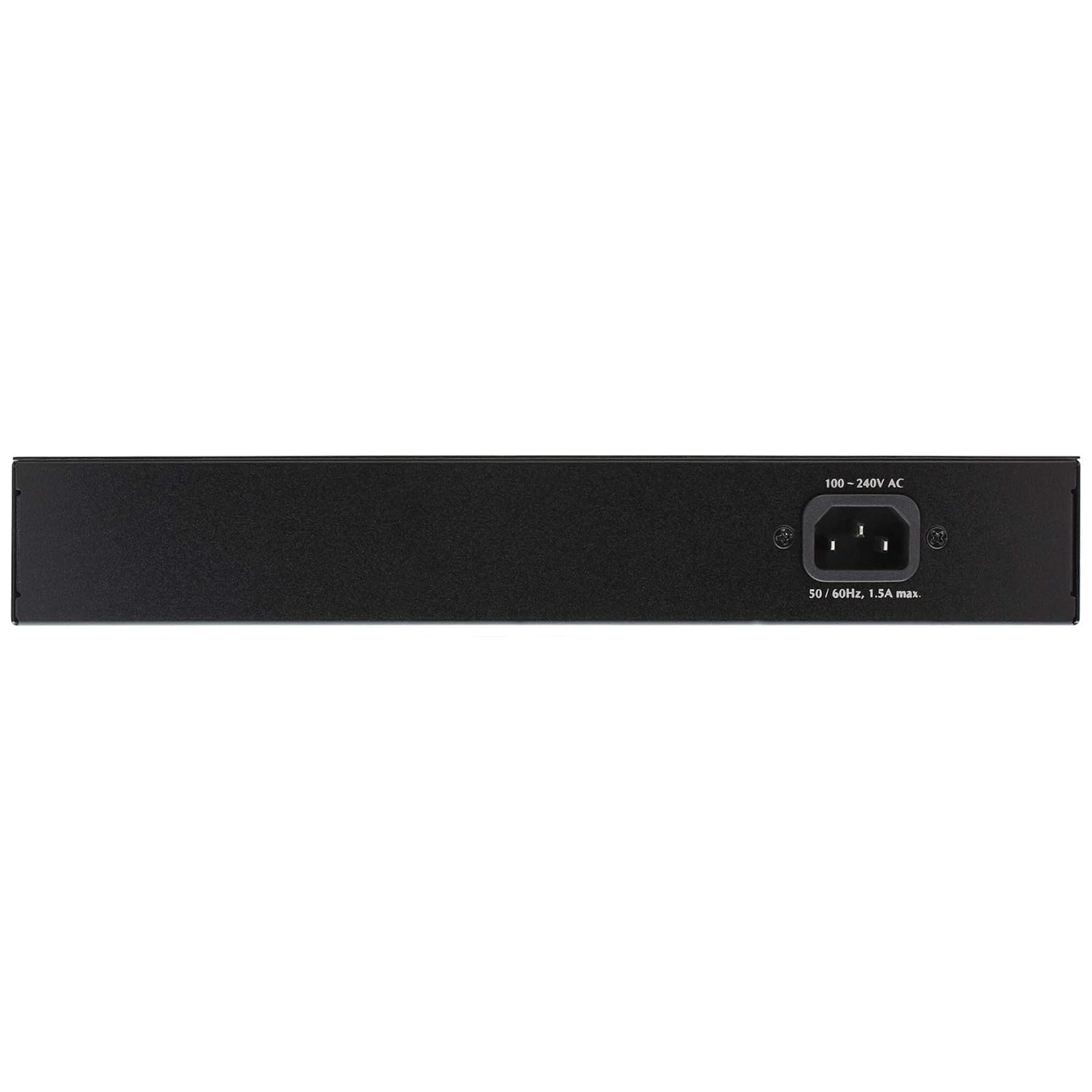
Imatge: Part posterior view of the InLine 32305P switch, showing the 100-240V AC power input connector.
- Entrada d'alimentació: Connector per a l'adaptador d'alimentació extern.
Configuració
Opcions de muntatge
The InLine 32305P switch can be deployed in two ways:
- Ubicació d'escriptori: Attach the included rubber feet to the bottom of the switch to prevent slipping and protect surfaces. Place the switch on a flat, stable surface.
- Instal·lació de rack: Use the provided 19-inch rackmount brackets to install the switch into a standard 19-inch equipment rack. Secure the brackets to the sides of the switch using the supplied screws, then mount the switch into the rack.
Potència de connexió
- Ensure the switch is powered off and all network cables are disconnected.
- Connecteu l'adaptador d'alimentació al port d'entrada d'alimentació del panell posterior del commutador.
- Plug the power adapter into a suitable electrical outlet. The Power LED on the front panel should illuminate, indicating the switch is receiving power.
Connexions de xarxa
- Connect your network devices (e.g., computers, servers, network printers) to any of the five RJ45 ports using standard Ethernet cables (Cat5e or Cat6 recommended for Gigabit speeds).
- For PoE-compatible devices (e.g., IP cameras, VoIP phones, wireless access points), connect them to ports 1-4. The switch will automatically detect and provide power to these devices if they are PoE-compliant (IEEE802.3af/at).
- Observe the Link/Act LEDs for each connected port. A solid green light indicates a successful link, and a blinking light indicates data activity.
Funcionament de l'interruptor
Indicadors LED
Els LED del panell frontal proporcionen informació d'estat en temps real:
| LED | Estat | Descripció |
|---|---|---|
| Poder | Verd (sòlid) | L'interruptor està engegat. |
| Enllaç/Acció (per port) | Verd (sòlid) | A network device is connected and a link is established. |
| Enllaç/Acció (per port) | Verd (parpellejant) | S'estan transmetent o rebent dades al port. |
| PoE (per port 1-4) | Verd (sòlid) | S'està subministrant alimentació PoE al dispositiu connectat. |
| PoE MAX | Vermell (sòlid) | Total PoE power budget is exceeded or nearing its limit. |
PoE+ Functionality
Ports 1-4 of the InLine 32305P support Power over Ethernet Plus (PoE+), compliant with IEEE802.3af and IEEE802.3at standards. This allows the switch to deliver both data and electrical power to compatible devices over a single Ethernet cable. Each PoE+ port can supply up to 25.5W, with a total power budget of up to 75W across all PoE ports.
- The switch automatically detects PoE-compatible devices and supplies the necessary power.
- Non-PoE devices can also be connected to ports 1-4 without damage, as the switch will not supply power to them.
- Monitor the PoE MAX LED. If it illuminates, the total power consumption of connected PoE devices is high. Consider reducing the number of high-power PoE devices or using an external power source for some devices if stability issues occur.
Manteniment
Un manteniment regular ajuda a garantir la longevitat i el rendiment òptim del vostre interruptor.
- Neteja: Use a soft, dry cloth to clean the exterior of the switch. Do not use liquid or aerosol cleaners. Ensure the ventilation openings are free from dust and obstructions.
- Ventilació: Ensure adequate airflow around the switch. Do not block the ventilation holes.
- Gestió de cables: Keep network cables organized and free from kinks or excessive bends to prevent signal degradation.
- Firmware: While this switch is plug-and-play and typically does not require firmware updates, check the InLine website for any potential updates or advisories for your model.
Resolució de problemes
If you encounter issues with your InLine 32305P switch, refer to the following common problems and solutions:
- Sense energia:
- Assegureu-vos que l'adaptador de corrent estigui connectat correctament tant a l'interruptor com a una presa de corrent que funcioni.
- Verifiqueu que la presa de corrent funciona connectant-hi un altre dispositiu.
- Sense LED d'enllaç/activitat:
- Comproveu que el cable Ethernet estigui connectat correctament tant al port del commutador com al dispositiu de xarxa.
- Prova un cable Ethernet diferent.
- Assegureu-vos que el dispositiu de xarxa connectat estigui encès i funcioni correctament.
- Verify the cable length does not exceed 100 meters.
- El dispositiu PoE no rep alimentació:
- Ensure the PoE device is connected to one of ports 1-4.
- Verify the device is PoE-compatible (IEEE802.3af/at).
- Check the PoE LED for the specific port. If it's off, power is not being supplied.
- If the PoE MAX LED is illuminated, the total power budget might be exceeded. Disconnect some PoE devices or use an external power source for them.
- Prova un cable Ethernet diferent.
- Velocitat de xarxa lenta:
- Ensure all connected devices and cables support Gigabit Ethernet (Cat5e or Cat6).
- Check for excessive network traffic or bottlenecks on other network devices.
If the problem persists after trying these steps, please contact InLine technical support.
Especificacions
The following are the technical specifications for the InLine 32305P PoE+ Gigabit 5-Port Network Switch:
- Número de model: 32305P
- Estàndards: IEEE802.3, IEEE802.3u, IEEE802.3x, IEEE802.3ab, IEEE802.3af, IEEE802.3at
- Ports: 5 x 10/100/1000 Mbps RJ45 Auto-Negotiation ports (Ports 1-4 support PoE+)
- Sortida d'alimentació PoE: Up to 25.5W per port (Ports 1-4), up to 75W total across all PoE ports
- Taula d'adreces MAC: Fins a 1K adreces MAC
- Control de flux: IEEE802.3x for full-duplex, Backpressure for half-duplex
- Indicadors LED: Power, Link/Act (per port), PoE (per port), PoE MAX
- Tipus de cable:
- 10Base-T: Cat3, 4, 5 UTP cable (max. 100m)
- 100Base-TX: Cat5, 5e UTP cable (max. 100m)
- 1000Base-T: Cat5e, 6 UTP cable (max. 100m)
- Dimensions (L x A x A): Aproximadament 18 x 4.5 x 28.1 cm
- Pes: Aproximadament 1.68 kg
- Habitatge: Metal, Fanless design
- Entrada d'alimentació: 100-240V AC, 50/60Hz, 1.5A max
Garantia i Suport
InLine products are designed for reliability and performance. For information regarding warranty terms and conditions, please refer to the documentation included with your purchase or visit the official InLine website. For technical support, product inquiries, or to report issues, please contact InLine customer service:
- Weblloc: www.inline-info.com
- Correu electrònic: service@inline-info.com
Please have your product model number (32305P) and purchase information ready when contacting support.


