Introducció
This user manual provides comprehensive instructions for the MI Redmi 4A smartphone. It covers essential information regarding device setup, operation, maintenance, and troubleshooting to ensure optimal performance and user experience. Please read this manual carefully before using your device.
Dispositiu acabatview
The MI Redmi 4A is a compact and lightweight smartphone designed for everyday use. It features a touchscreen display, front and rear cameras, and essential connectivity options.

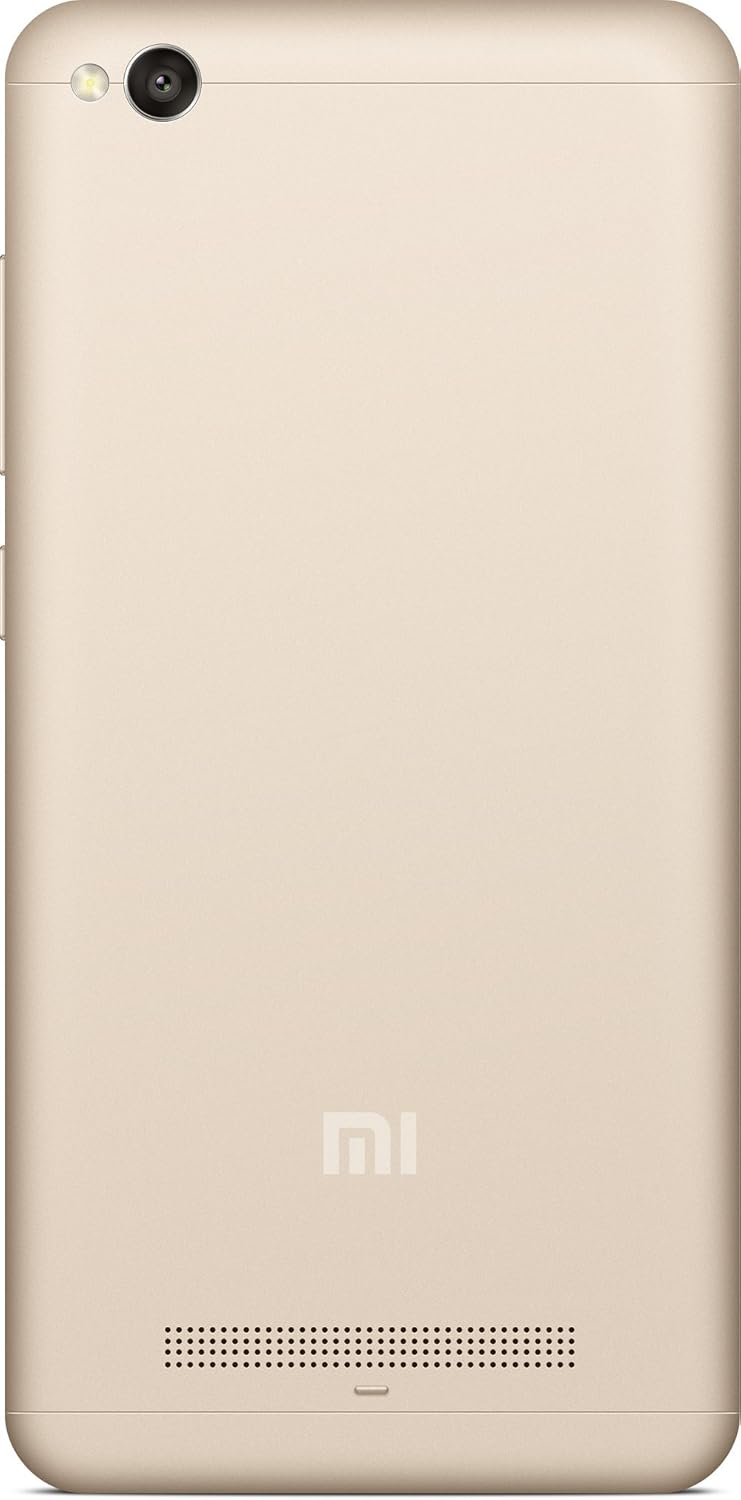


Guia de configuració
1. Desembalatge i càrrega inicial
Carefully remove the MI Redmi 4A and all accessories from the packaging. Before first use, it is recommended to fully charge the device using the provided charger and USB cable.
- Connecteu el cable USB al port de càrrega del telèfon.
- Connecteu l'altre extrem del cable USB a l'adaptador d'alimentació.
- Connecteu l'adaptador de corrent a una presa de corrent.
- L'indicador de càrrega apareixerà a la pantalla.
2. Inserció de la targeta SIM i la targeta MicroSD
The MI Redmi 4A supports dual SIM cards and a microSD card for expandable storage.
- Locate the SIM tray on the left side of the device (refer to Figure 4).
- Introduïu l'eina d'expulsió de la SIM al forat petit de la safata de la SIM per obrir-la.
- Col·loqueu la targeta (o targetes) nano-SIM i/o la targeta microSD a les ranures designades de la safata, assegurant-vos que l'orientació sigui correcta.
- Empenyeu suaument la safata cap al telèfon fins que encaixi al seu lloc.
3. Engegada i configuració inicial
Per encendre el dispositiu per primera vegada:
- Press and hold the Power button (located on the right side, refer to Figure 3) until the MI logo appears.
- Segueix les instruccions que apareixen a la pantalla per seleccionar l'idioma i la regió, connectar-te a la Wi-Fi i configurar el teu compte de Google.
Instruccions de funcionament
Navegació bàsica
- Pantalla tàctil: Interact with the device by tapping, swiping, pinching, and spreading on the display.
- Botó d'inici: Torna a la pantalla d'inici.
- Recents Button: Displays recently opened applications.
- Botó enrere: Torna a la pantalla anterior.
- Botons de volum: Ajusta el volum multimèdia, el volum de les trucades i el volum de les notificacions.
- Botó d'encesa: Press to turn the screen on/off, press and hold to power off or restart.
Ús de la càmera
The MI Redmi 4A is equipped with a 13MP primary camera and a front camera.
- Obriu l'aplicació Càmera des de la pantalla d'inici o des del calaix d'aplicacions.
- Canvieu entre la càmera frontal i la posterior mitjançant la icona de canvi de càmera.
- Tap on the screen to focus on a specific object.
- Premeu el botó de l'obturador per capturar una foto.
- Explore various modes like Panorama, Manual, and Beautify for enhanced photography.
Connectivitat
- Wi-Fi: Aneu a Configuració > Wi-Fi per connectar-vos a les xarxes sense fil disponibles.
- Bluetooth: Ves a Configuració > Bluetooth per emparellar-lo amb dispositius Bluetooth com ara auriculars o altaveus.
- USB: Connect the phone to a computer using a USB cable for file transferència o càrrega.
Manteniment
- Actualitzacions de programari: Regularly check for system updates to ensure your device has the latest features and security patches. Go to Settings > About phone > System update.
- Neteja: Feu servir un drap suau i sense borrissol per netejar la pantalla i la carcassa del telèfon. Eviteu utilitzar productes químics agressius o materials abrasius.
- Cura de la bateria: To prolong battery life, avoid extreme temperatures and do not let the battery drain completely before recharging frequently.
- Gestió d'emmagatzematge: Esborreu periòdicament la memòria cau, desinstal·leu les aplicacions que no feu servir i transferiu fitxers grans files to external storage or cloud services to free up internal memory.
Resolució de problemes
| Problema | Causa possible | Solució |
|---|---|---|
| El dispositiu no s'encén | Bateria baixa; Fallada del sistema | Carregueu el dispositiu durant almenys 30 minuts. Premeu i manteniu premut el botó d'engegada durant 10-15 segons per forçar el reinici. |
| Les aplicacions es bloquegen o es bloquegen | Insufficient RAM; App conflict; Outdated app | Close background apps. Clear app cache (Settings > Apps > [App Name] > Storage > Clear cache). Update the app from Google Play Store. Restart the device. |
| Poca durada de la bateria | High screen brightness; Many background apps; Weak signal | Reduce screen brightness. Close unused apps. Enable battery saver mode. Check network signal strength. |
| No es pot connectar a la Wi-Fi | Incorrect password; Router issue; Wi-Fi module error | Verify Wi-Fi password. Restart your router. Toggle Wi-Fi off and on on the phone. Forget the network and reconnect. |
Especificacions
| Característica | Detall |
|---|---|
| Model | MI Redmi 4A |
| Sistema operatiu | Android 9.0 |
| RAM | 2 GB |
| Emmagatzematge intern | 16 GB |
| Model de CPU | Snapdragon |
| Velocitat de la CPU | 1.4 GHz |
| Tecnologia de visualització | LCD |
| Resolució | 1280 x 720 |
| Càmera primària | 13 MP |
| Càmera frontal | Sí |
| Jack d'àudio | 3.5 mm |
| Connectivitat | Bluetooth, Wi-Fi, USB, Cellular |
| GPS | AGPS |
| Color | Or |
| Pes de l'article | 240 g |
| Dimensions del paquet | 14.8 x 8 x 3.6 cm |
| Data de primera disponibilitat | 13 de maig de 2016 |
Garantia i Suport
For warranty information and customer support, please refer to the official MI website or contact their authorized service centers. Keep your purchase receipt as proof of purchase for warranty claims.
Nota: Els termes i condicions específics de la garantia poden variar segons la regió i la data de compra.