1. Introducció
The YI 4K Action Camera is designed to capture high-quality video and photos in various environments. Featuring advanced technology such as 4K/30fps video recording, 12MP raw image capture, Electronic Image Stabilization (EIS), and voice control, it offers versatility and ease of use for all your adventures.
This manual provides detailed instructions on setting up, operating, maintaining, and troubleshooting your YI 4K Action Camera.

Figure 1.1: YI 4K Action Camera Overview
2. Contingut del paquet
Verifiqueu que tots els elements siguin presents al vostre paquet:
- 1x YI 4K Action Camera
- 1x bateria recarregable
- 1x cable USB
- 1 x manual d'usuari
3. Càmera acabadaview
Familiaritzeu-vos amb els components i els controls de la càmera.
3.1. Davant i posterior View
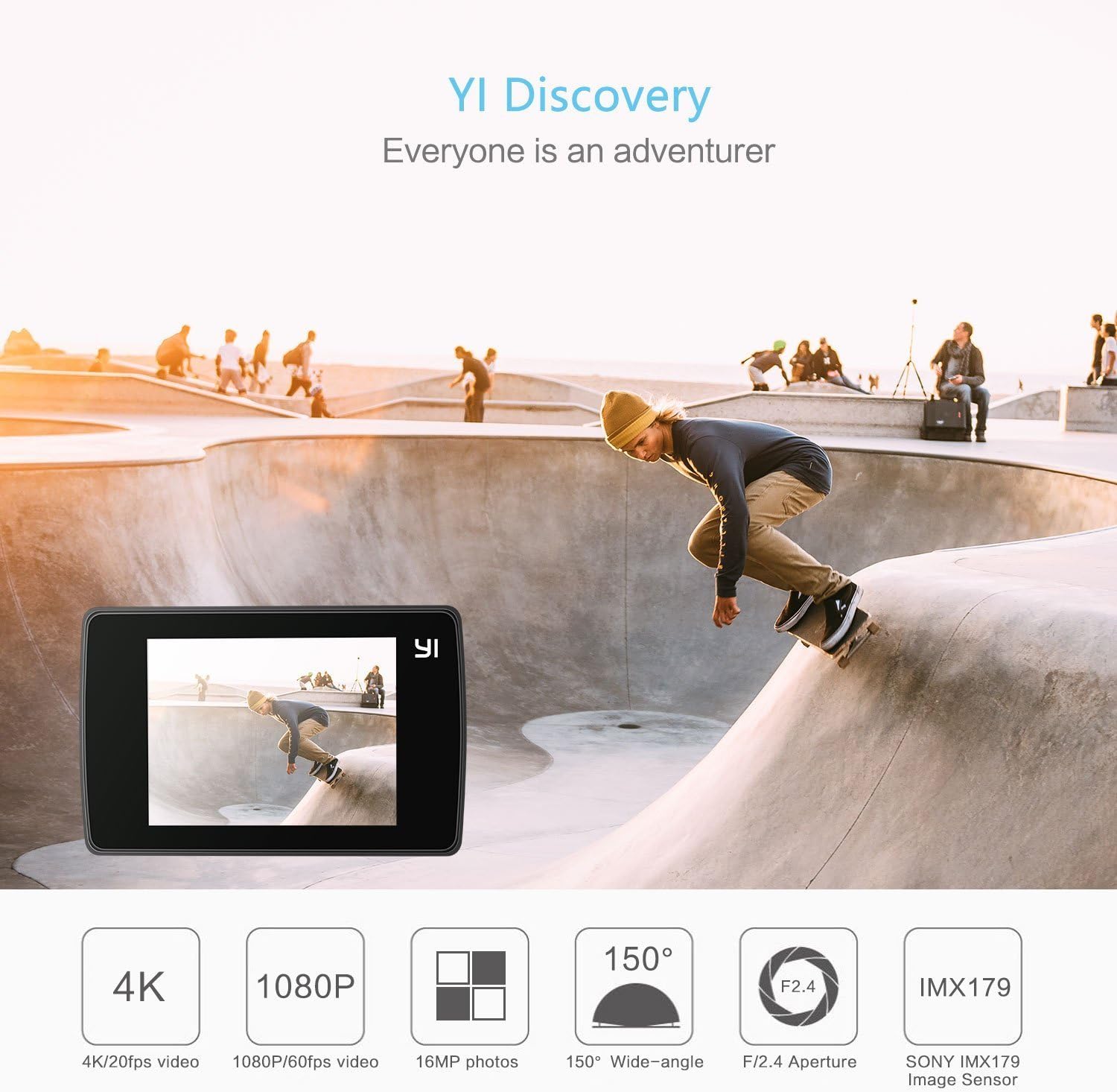
Figura 3.1: Frontal View amb característiques clau
The front features the lens, status indicator light, and microphone. The rear is dominated by the 2.2-inch LCD touchscreen for intuitive control.
3.2. Interfície de pantalla tàctil

Figure 3.2: Touchscreen Operation
The touchscreen allows for easy navigation through settings, previewing footage, and initiating recording. It is made with Gorilla Glass Retina for durability.
3.3. Ports i botons
- Power/Shutter Button: Located on top, used to power on/off the camera and start/stop recording or take photos.
- Port micro USB: Located on the side, used for charging and data transfer.
- Ranura per a targeta MicroSD: Located at the bottom, for inserting the memory card.
- Compartiment de la bateria: Located at the bottom, for inserting the rechargeable battery.
- Muntatge de trípode: Standard 1/4" thread on the bottom for mounting accessories.
4. Configuració inicial
4.1. Carregant la bateria
Before first use, fully charge the included rechargeable lithium-ion battery.
- Obriu la tapa del compartiment de la bateria a la part inferior de la càmera.
- Insert the battery into the compartment, ensuring correct orientation.
- Tanqueu bé la tapa del compartiment de la bateria.
- Connect the camera to a USB power source (e.g., computer, wall adapter) using the provided USB cable. The status indicator light will show charging status.

Figura 4.1: Inserció de la bateria
4.2. Inserció d'una targeta MicroSD
A MicroSD card (not included) is required to store videos and photos. Use a high-speed card (Class 10 or UHS-I/UHS-3 recommended) for optimal performance.
- Assegureu-vos que la càmera estigui apagada.
- Locate the MicroSD card slot on the bottom of the camera.
- Insert the MicroSD card with the contacts facing down until it clicks into place.
- Per treure-la, premeu suaument la targeta fins que faci clic i, a continuació, deixeu-la anar per expulsar-la.
5. Funcionament de la càmera
5.1. Encendre/apagar
- Encès: Press and hold the Power/Shutter button for a few seconds until the screen turns on.
- Apagar: Press and hold the Power/Shutter button for a few seconds until the screen turns off.
5.2. Recording Videos and Taking Photos
Once powered on, the camera defaults to video recording mode. You can switch between modes using the touchscreen.
- Comença a gravar: In video mode, press the Power/Shutter button once. The recording indicator will flash.
- Atura la gravació: Press the Power/Shutter button again.
- Fes una foto: Switch to photo mode via the touchscreen, then press the Power/Shutter button once.
5.3. Modes de tir
The YI 4K Action Camera offers various shooting modes to suit different scenarios:

Figure 5.1: Available Shooting Modes
- Vídeo: Standard video recording (up to 4K/30fps).
- Foto: Single photo capture (up to 12MP).
- Lapse de temps: Captures a series of photos at set intervals to create a video.
- càmera lenta: Records high frame rate video for slow-motion playback.
- Esclat: Captura diverses fotos en una successió ràpida.
- Temporitzador: Estableix un retard abans de fer una foto.
5.4. Connecting to the YI Action App (Wi-Fi)
The YI Action App allows for remote control, live preview, and easy sharing of content.

Figure 5.2: Wi-Fi Connection for App Control
- Download the YI Action App from your smartphone's app store.
- On the camera, enable Wi-Fi through the touchscreen settings.
- Al telèfon intel·ligent, connecteu-vos a la xarxa Wi-Fi de la càmera (l'SSID i la contrasenya es mostren a la pantalla de la càmera).
- Open the YI Action App to connect and control your camera.

Figure 5.3: YI Action App Interface
5.5. Control per veu
The camera supports voice commands for hands-free operation. Ensure the latest firmware is installed to enable this feature.
- Specific voice commands can be found in the camera's settings menu or the YI Action App.
5.6. Estabilització electrònica d'imatge (EIS)
EIS helps to stabilize video footage, reducing shakiness. This feature is available for certain resolutions and frame rates (e.g., up to 2.7K/60fps).
- Enable or disable EIS through the camera's settings menu on the touchscreen.
6. Manteniment i cura
- Neteja: Use a soft, lint-free cloth to clean the camera body and lens. Do not use harsh chemicals or abrasive materials.
- Emmagatzematge: Guardeu la càmera en un lloc fresc i sec, allunyat de la llum solar directa i de temperatures extremes. Traieu la bateria si la guardeu durant períodes prolongats.
- Exposició a l'aigua: The camera itself is not waterproof. Use a compatible waterproof case (sold separately) for underwater use.
- Actualitzacions de firmware: Regularly check for and install firmware updates via the YI Action App or YI Technology weblloc per garantir un rendiment òptim i l'accés a noves funcions.
7. Solució De Problemes
If you encounter issues with your YI 4K Action Camera, refer to the table below for common problems and solutions.
| Problema | Possible solució |
|---|---|
| La càmera no s'encén. | Ensure the battery is fully charged. Reinsert the battery. |
| Error de la targeta MicroSD. | Use a high-speed (Class 10/UHS-I/UHS-3) MicroSD card. Format the card in the camera's settings. Try a different card. |
| Problemes de connexió Wi-Fi. | Ensure Wi-Fi is enabled on the camera. Restart both camera and smartphone. Check Wi-Fi password. |
| Mala qualitat de vídeo/fotos. | Clean the lens. Ensure sufficient lighting. Adjust exposure settings. Update firmware. |
| La bateria s'esgota ràpidament. | Reduce screen brightness. Turn off Wi-Fi/Bluetooth when not in use. Limit continuous recording time. |
8. Especificacions
Key technical specifications for the YI 4K Action Camera:
| Característica | Detall |
|---|---|
| Dimensions del producte | 2.6 x 1.7 x 1.2 polzades |
| Pes de l'article | 3.36 unces |
| Número de model | 90003 |
| Bateries | Necessites 1 piles de polímer de liti (incloses) |
| Tecnologia del sensor fotogràfic | CMOS |
| Resolució de captura de vídeo | 4K |
| Distància focal màxima | 10 mil·límetres |
| Apertura màxima | 2.8 mil·límetres |
| Tipus de memòria flash | Micro SD |
| Format de captura de vídeo | AVI |
| Format d'àudio compatible | AAC |
| Mida de la pantalla | 2.2 polzades |
| Tecnologia de connectivitat | Bluetooth, Wi-Fi 4 (802.11n) |

Figura 8.1: Dimensions de la càmera
9. Garantia i Suport
The YI 4K Action Camera comes with a standard manufacturer's warranty. For detailed warranty terms and conditions, please refer to the warranty card included in your package or visit the official YI Technology weblloc.
For further assistance, technical support, or to download the full user guide in PDF format, please visit the YI Technology support page or refer to the official user manual: