1. Introducció
This manual provides instructions for the proper use and maintenance of your Smatree PC-S100P Charging Case. This case is designed to protect and charge compatible LG Tone HBS series stereo headsets, ensuring they are ready for use whenever you need them.

Figure 1: Smatree PC-S100P Charging Case (Closed)
2. Compatibilitat
The Smatree PC-S100P Charging Case is specifically designed for the following LG Tone HBS series stereo headsets:
- LG Tone+ HBS-700W
- LG Tone HBS-730
- LG Tone HBS-750
- LG Tone HBS-760
- LG Tone HBS-800
- LG Tone HBS-900
- LG Tone HBS-910
- LG Tone HBS-920
- LG Tone HBS-930
- LG Tone HBS-1100
Note: LG HBS A100 is not compatible with this charging case.

Figure 2: Compatible LG Tone Headsets
3. Configuració
3.1 Initial Case Charging
Before first use, fully charge the Smatree PC-S100P Charging Case. Use the provided USB cable to connect the case's USB Input port to a power source (e.g., computer USB port, wall adapter). The LED indicators will illuminate to show the charging status.
3.2 Placing Headsets for Charging
- Open the charging case by unzipping it.
- Carefully place your compatible LG Tone HBS headset into the molded compartment inside the case. Ensure it fits snugly.
- Connect the short charging cable from the case's internal power bank to your headset's charging port.
- Press the On/Off button on the internal power bank to initiate charging. The LED indicators will show the power bank's remaining charge.

Figure 3: Internal Components of the Charging Case
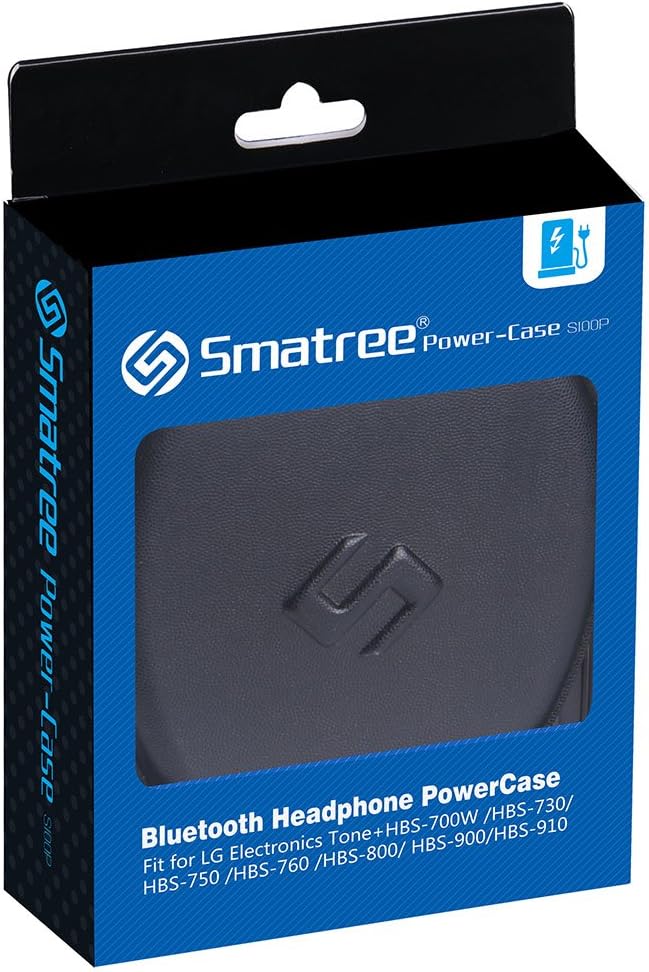
Figure 4: Included Charging Cables
4. Instruccions de funcionament
4.1 Charging Your Headset
Once your headset is placed inside the case and connected to the internal charging cable, press the power bank's On/Off button. The LED indicators will light up, signifying that the power bank is active and charging your headset. The 2000 mAh capacity allows for approximately 6 full charges of your headset when the case is fully charged.

Figure 5: Headset Charging Inside the Case
4.2 Checking Case Battery Level
Press the On/Off button on the internal power bank. The LED indicators will show the current charge level of the case's battery. Each illuminated LED typically represents a portion of the total charge.
4.3 Emmagatzematge d'accessoris
The case features an elastic mesh pocket with a zipper on the inside of the lid. This pocket provides storage for additional cables, ear tips, or other small accessories, keeping them organized and secure.
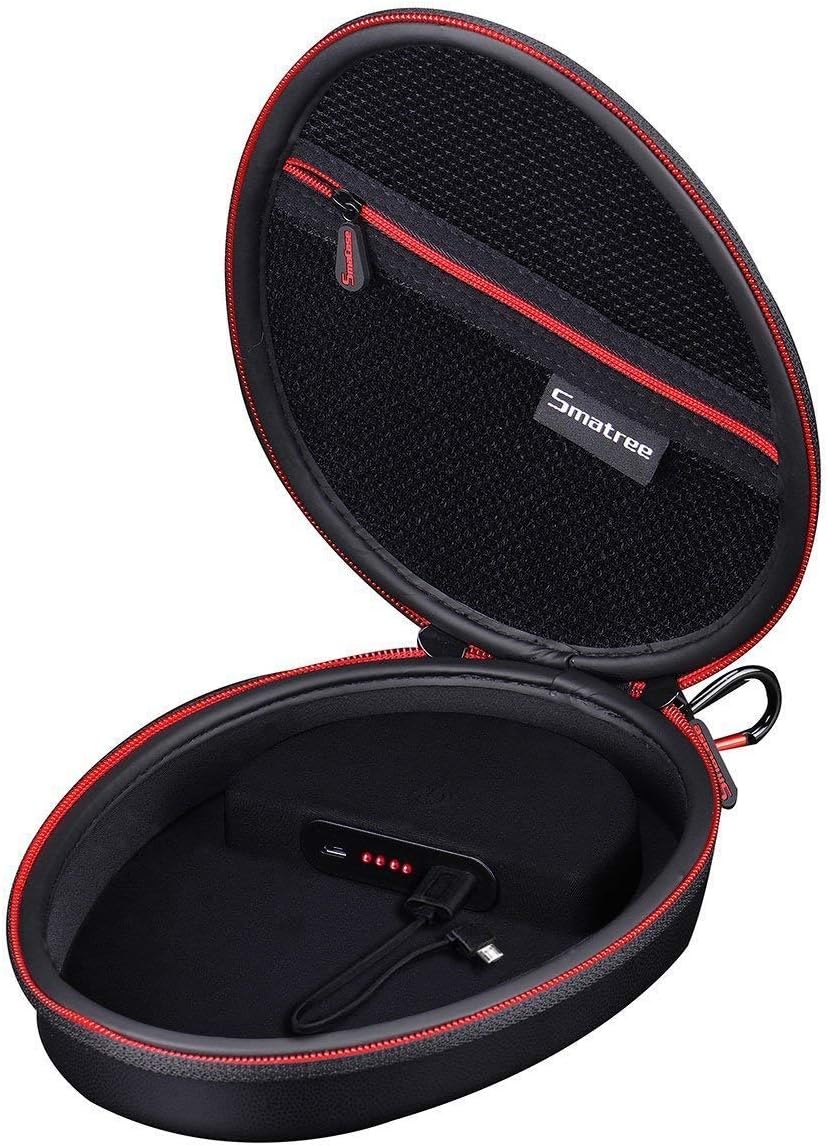
Figure 6: Internal Mesh Pocket for Accessories
4.4 Using the Carabiner Loop
A convenient carabiner loop is integrated into the case design. This allows for easy attachment to a belt, backpack, or other bags for portability.
Vídeo 1: Acabatview of the Smatree Headphone Charging Case, demonstrating its features and functionality.
5. Manteniment
5.1 Neteja
- Exterior: Wipe the PU leather exterior with a soft, damp drap. Eviteu productes químics agressius o netejadors abrasius.
- Interior: The soft interior lining can be gently wiped with a dry or slightly damp drap. Assegureu-vos que no entri humitat als components electrònics.
5.2 Emmagatzematge
When not in use, store the charging case in a cool, dry place away from direct sunlight and extreme temperatures. Ensure the case is closed to protect its contents.
6. Solució De Problemes
| Problema | Causa possible | Solució |
|---|---|---|
| Els auriculars no s'estan carregant |
|
|
| La funda no es carrega |
|
|
| Headset does not fit in case | Incompatible headset model. | Refer to the "Compatibility" section (Section 2) to ensure your headset model is supported. |
7. Especificacions
- Model: PC-S100P
- Capacitat de la bateria: 2000 mAh
- Material: PU Leather (Exterior)
- Dimensions: 8.9 x 6.8 x 2.1 polzades (22.6 x 17.3 x 5.3 cm)
- Pes de l'article: 12.8 unces (363 grams)
- Factor de forma: Hard Case
- Característiques especials: Built-in power bank, Lightweight, Carabiner loop, Internal mesh pocket
- Dispositius compatibles: LG Tone HBS-700W, HBS-730, HBS-750, HBS-760, HBS-800, HBS-900, HBS-910, HBS-920, HBS-930, HBS-1100 Stereo Headsets
8. Garantia i Suport
8.1 Informació de la garantia
Smatree products are covered by a manufacturer's warranty. Please refer to the warranty card included with your product or visit the official Smatree weblloc web per obtenir informació detallada sobre els termes i condicions de la garantia.
8.2 Atenció al client
For technical assistance, product inquiries, or warranty claims, please contact Smatree customer support through their official website or the contact information provided in your product packaging. When contacting support, please have your product model number (PC-S100P) and purchase details ready.


