1. Introducció
This manual provides comprehensive instructions for the setup, operation, maintenance, and troubleshooting of your BenQ ZOWIE XL2411P 24 Inch 144Hz Gaming Monitor. Please read this manual thoroughly before using the product to ensure proper and safe operation.
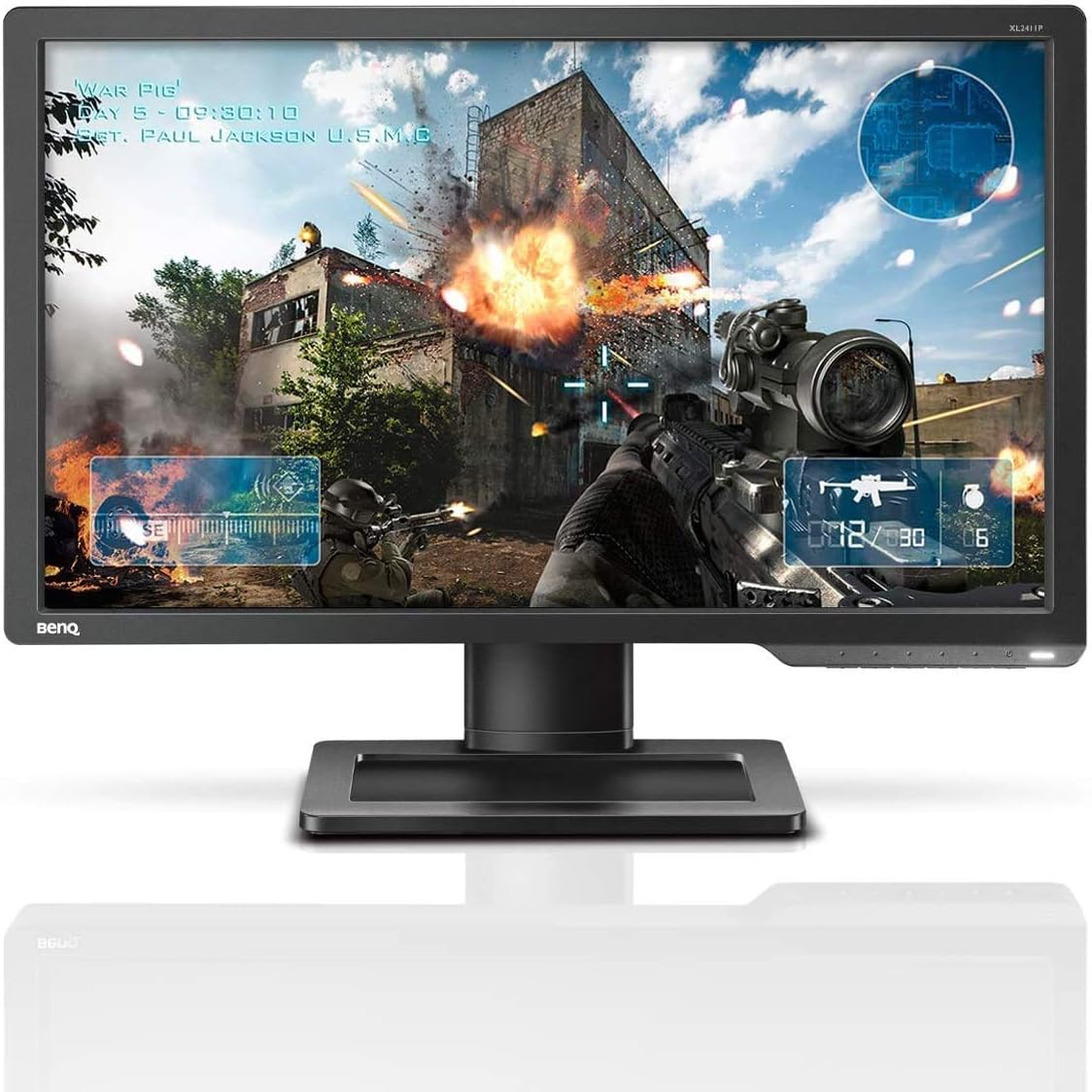
Figura 1.1: Frontal view of the BenQ ZOWIE XL2411P Gaming Monitor.
2. Informació de seguretat
Observeu les següents precaucions de seguretat per evitar danys al monitor i garantir la vostra seguretat personal:
- No exposeu el monitor a la pluja ni a la humitat.
- No obriu el monitor casing. No hi ha peces a l'interior que l'usuari pugui reparar. Demaneu totes les tasques de manteniment a personal de servei qualificat.
- Col·loqueu el monitor sobre una superfície estable i plana per evitar que caigui.
- Assegureu-vos que hi hagi una ventilació adequada al voltant del monitor. No bloquegeu les obertures de ventilació.
- Feu servir només el cable d'alimentació i l'adaptador que s'inclouen amb el monitor.
- Desconnecteu el monitor de la presa de corrent abans de netejar-lo.
3. Contingut del paquet
Verifiqueu que tots els elements siguin presents al paquet:
- BenQ ZOWIE XL2411P Monitor
- Base del suport del monitor
- Monitor Stand Column
- Cable d'alimentació
- DisplayPort Cable (or DVI-DL cable, depending on region/package)
- Guia d'inici ràpid
- Driver CD (if applicable)
4. Configuració
4.1 Muntatge físic
- Traieu amb cura els components del monitor i del suport de l'embalatge.
- Attach the stand column to the monitor panel. Ensure it clicks securely into place.
- Attach the stand base to the stand column. Tighten the thumb screw located on the underside of the base.
- Col·loqueu el monitor muntat sobre una superfície plana i estable.

Figure 4.1: The monitor offers height adjustment for optimal viewcomoditat.

Figure 4.2: The monitor can be tilted and swiveled to achieve the desired viewangle de ing.

Figura 4.3: lateral view of the monitor, showing the VESA mount compatibility for alternative mounting solutions.
4.2 Cables de connexió
Connect the monitor to your computer using one of the following video cables:
- DisplayPort: For 144Hz refresh rate at 1080p resolution.
- DVI-DL (Dual Link DVI): For 144Hz refresh rate at 1080p resolution.
- HDMI 1.3: Supports up to 120Hz refresh rate at 1080p resolution. Note: HDMI only outputs 60Hz max for some devices; not compatible with PS5 / Xbox Series X/S @ 120Hz.
Connecteu el cable d'alimentació a l'entrada d'alimentació del monitor i després a una presa de corrent.

Figura 4.4: posterior view of the monitor showing DisplayPort, DVI-DL, and HDMI input ports.
4.3 Encès
Press the power button located on the bottom right bezel of the monitor to turn it on. Ensure your computer is also powered on.
5. Funcionament
5.1 Navegació en pantalla (OSD)
The OSD menu allows you to adjust various monitor settings. Use the buttons on the bottom right bezel to navigate:
- Botó de menú: Obre el menú OSD.
- Botons de navegació: S'utilitza per desplaçar-se amunt/avall o a l'esquerra/dreta per les opcions del menú.
- Botó Enter: Confirma la selecció.
- Botó de sortida: Surt del menú o de l'OSD actual.
5.2 Característiques clau
The BenQ ZOWIE XL2411P is designed with features to enhance your gaming experience:
- Freqüència de refresc de 144 Hz: Provides extremely smooth motion, reducing motion blur and ghosting for a fluid gaming experience.
- Temps de resposta de 1 ms (GtG): Minimizes input lag and ghosting, crucial for fast-paced competitive gaming.
- Qualificador electrònic negre: Brightens dark scenes without overexposing bright areas, allowing you to spot hidden enemies in dark corners.
- Color Vibrance: Adjusts color performance to enhance visual clarity and differentiate in-game targets from the background.

Figure 5.1: Visual representation of key features: 144Hz Refresh Rate, 1ms Response Time, Color Vibrance, Black eQualizer, and 1920x1080 Resolution.
5.3 Ajustar la configuració
Access the OSD menu to customize your display settings:
- Mode d'imatge: Select from various preset modes (e.g., FPS1, FPS2, RTS, Movie, Standard) optimized for different content.
- Brillantor/Contrast: Ajusta la luminància i el contrast generals de la pantalla.
- Temperatura de color: Choose between different color temperature presets (e.g., Normal, Reddish, Bluish, User Mode) to fine-tune color balance.
- Nitidez: Adjust the clarity of image details.
- AMA (Advanced Motion Accelerator): Overdrive setting for faster pixel response.
5.4 Selecció d'entrada
To switch between video inputs (DisplayPort, DVI-DL, HDMI), press the dedicated input select button or navigate to the "Input" section in the OSD menu.
6. Manteniment
Proper maintenance ensures the longevity and performance of your monitor:
- Neteja de la pantalla: Netegeu suaument la pantalla amb un drap suau i sense borrissol. Per a marques difícils, dampHumitegeu lleugerament el drap amb aigua o un netejador de pantalles sense amoníac ni alcohol. No ruixeu el netejador directament sobre la pantalla.
- Neteja de la Casing: Feu servir un drap suau i sec per netejar el monitor casing. Eviteu els productes de neteja abrasius.
- Ventilació: Assegureu-vos que les obertures de ventilació del monitor estiguin lliures de pols i obstruccions per evitar el sobreescalfament.
- Emmagatzematge: Si guardeu el monitor durant un període prolongat, desendolleu-lo i guardeu-lo en un lloc fresc i sec, preferiblement en el seu embalatge original.
7. Solució De Problemes
Aquesta secció tracta problemes comuns que podeu trobar amb el vostre monitor.
7.1 No Image or "No Signal" Message
- Assegureu-vos que el cable d'alimentació estigui connectat correctament tant al monitor com a la presa de corrent.
- Verify that the video cable (DisplayPort, DVI-DL, HDMI) is firmly connected to both the monitor and your computer's graphics card.
- Check if the correct input source is selected on the monitor (use the input select button or OSD menu).
- Assegureu-vos que l'ordinador estigui encès i que no estigui en mode de repòs.
- Test the monitor with another video source or cable if possible.
7.2 Image is Blurry or Distorted
- Assegureu-vos que la resolució de pantalla de l'ordinador estigui configurada a la resolució nativa del monitor (1920 x 1080).
- Ajusteu la configuració de nitidesa al menú OSD.
- Comproveu si el cable de vídeo està danyat o connexions soltes.
7.3 Monitor Stuck at 60Hz Refresh Rate
- Ensure you are using a DisplayPort or DVI-DL cable for 144Hz. HDMI 1.3 supports up to 120Hz, but some devices may limit it to 60Hz.
- Verify that your graphics card drivers are up to date.
- In your operating system's display settings (e.g., Windows Display Settings, NVIDIA Control Panel, AMD Radeon Settings), manually set the refresh rate to 144Hz.
7.4 Colors Appear Washed Out or Incorrect
- Adjust the Color Vibrance and Color Temperature settings in the OSD menu.
- Try different Picture Modes to see if a preset improves the color.
- Calibrate your monitor using your operating system's color calibration tools or third-party software.
8. Especificacions

Figure 8.1: Dimensions of the BenQ ZOWIE XL2411P Monitor.
| Característica | Especificació |
|---|---|
| Número de model | XL2411P |
| Mida de la pantalla | 24 polzades |
| Resolució de visualització | 1920 x 1080 píxels (FHD 1080p) |
| Relació d'aspecte | 16:9 |
| Freqüència d'actualització | 144Hz (via DisplayPort/DVI-DL) |
| Temps de resposta | 1 ms (GtG) |
| Brillantor | 350 cd/m² |
| Color | Negre |
| Dimensions del producte (L x A x A) | 5.99 x 53.85 x 34.54 cm (5.9 kg) |
| Font d'alimentació | AC |
| Voltage | 240 Volts |
| Fabricant | BenQ |
| Data de primera disponibilitat | 28 de juny de 2016 |
9. Garantia i Suport
BenQ provides a limited warranty for its products. For specific warranty terms and conditions, please refer to the warranty card included with your product or visit the official BenQ weblloc.
For technical support, driver downloads, or further assistance, please visit the BenQ support website or contact their customer service. Have your monitor's model number (XL2411P) and serial number ready when contacting support.
Official BenQ Support Weblloc: www.benq.com/en-ca/support.html


