1. Introducció
The Meer YG300 Classic Mini Projector is a compact and portable LED LCD video projector designed for various entertainment purposes, including watching movies, playing games, and enjoying sports. Its small size makes it ideal for travel, outdoor activities, and creating a private theater experience anywhere. This manual provides essential information for setting up, operating, maintaining, and troubleshooting your projector.

The Meer YG300 Classic Mini Projector is designed for ultimate portability, easily fitting into a bag for on-the-go entertainment.
2. Informació de seguretat
Please read all safety instructions carefully before using the projector. Improper use can result in fire, electric shock, or other hazards. Keep this manual for future reference.
- No exposeu el projector a la pluja o la humitat per evitar incendis o descàrregues elèctriques.
- No obriu la c.asing. Demaneu totes les tasques de manteniment a personal de servei qualificat.
- Assegureu-vos una ventilació adequada. No bloquegeu les obertures de ventilació.
- Feu servir només l'adaptador de corrent que s'inclou amb el projector.
- Eviteu l'exposició directa dels ulls a la lent del projector quan elamp està activat.
- Mantingueu el projector allunyat de fonts de calor i de la llum solar directa.
3. Contingut del paquet
Verifiqueu que tots els elements siguin presents al vostre paquet:
- Meer YG300 Classic Mini Projector
- Cable HDMI
- Control remot
- Adaptador d'alimentació
- Cable AV
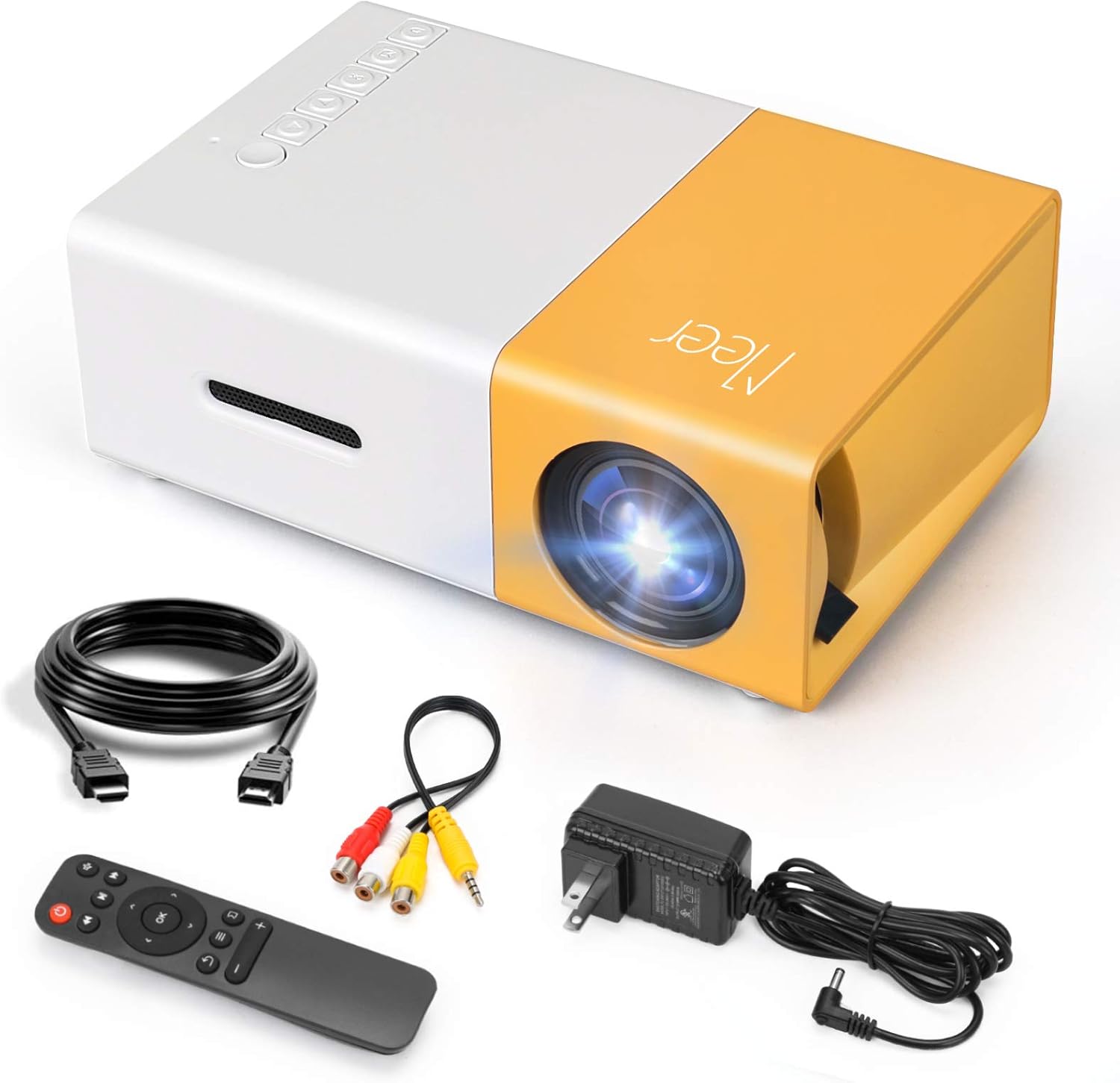
The complete package contents of the Meer YG300 Classic Mini Projector, including the projector unit and all necessary cables and accessories.
4. Producte acabatview
Familiarize yourself with the various parts and interfaces of your Meer YG300 Classic Mini Projector.
4.1. Frontal i lateral View

Detailed diagram illustrating the various buttons and input/output ports on the Meer YG300 Classic Mini Projector.
- Interruptor d'alimentació: Encén/apaga el projector.
- Navigation Buttons (Left, Right, Up, Down): S'utilitza per navegar pels menús.
- Botó D'acord: Confirma les seleccions.
- Botó d'entrada: Selecciona la font d'entrada.
- Botó de retorn: Torna al menú anterior.
- Ranura per a targetes Micro SD: Per reproduir contingut multimèdia directament des d'una targeta Micro SD.
- Entrada AV: Connects to devices using the AV cable.
- Micro USB (5V/2A): Power input for the projector.
- Earphone Slot: Per connectar auriculars o altaveus externs.
4.2. Darrera View

Rear panel of the projector, highlighting the USB, DC power, and HDMI ports.
- USB Input Slot: For playing media directly from a USB drive.
- Entrada d'alimentació de CC: Main power connection.
- Switch of Battery's Power: (Note: This model does not have a built-in battery. This switch may be for internal components or a feature present in other variants.)
- HDMI Input Slot: Es connecta a dispositius mitjançant un cable HDMI.
5. Configuració
5.1. Powering the Projector
The Meer YG300 Classic Mini Projector does not have its own internal battery. It requires a 5V/2A power source to operate. You can use the included wall charger or a compatible power bank, making it versatile for both indoor and outdoor use.

The projector can be powered by a standard wall adapter or a portable power bank (5V/2A minimum) for flexible usage.
5.2. Col·locació inicial
Place the projector on a stable, flat surface. Ensure there are no obstructions in front of the lens or around the ventilation openings. For optimal viewing, use the projector in a dark environment.
6. Funcionament del projector
6.1. Dispositius de connexió
El projector admet diverses fonts d'entrada:
- HDMI: Connect to laptops, TV sticks, gaming consoles (PS4, PS5, X-Box ONE), or tablets.
- USB: Insert a USB flash drive to play videos, photos, or music directly.
- DE: Use the included AV cable to connect to older devices like DVD players.
- Targeta SD: Insert a Micro SD card to play media files.
To connect directly to a smartphone or tablet, you will need a specific adapter (e.g., Lightning to HDMI, Micro USB to HDMI, or Type-C to HDMI), which is not included. For wireless connection, a Wi-Fi display adapter is required for screen mirroring or casting. For streaming services, it is recommended to use devices like Fire Stick, Google Chromecast, or Roku.

The projector offers broad multimedia support, connecting to a wide range of devices for diverse entertainment options.
6.2. Adjusting Focus and Projection Size
The projector features a manual focus adjustment. Rotate the focus ring on the lens until the image appears clear. The optimal projection distance is between 1 to 3 meters, yielding a projection size of up to 60 inches.

Guide to projection distances and screen sizes for the Meer YG300 Classic Mini Projector.
6.3. Sortida d'àudio
The projector has a built-in speaker for audio playback. For a more immersive experience or louder sound, you can connect external speakers or headphones via the earphone slot.
6.4. Escenaris d'ús

Enjoy movies indoors with family.
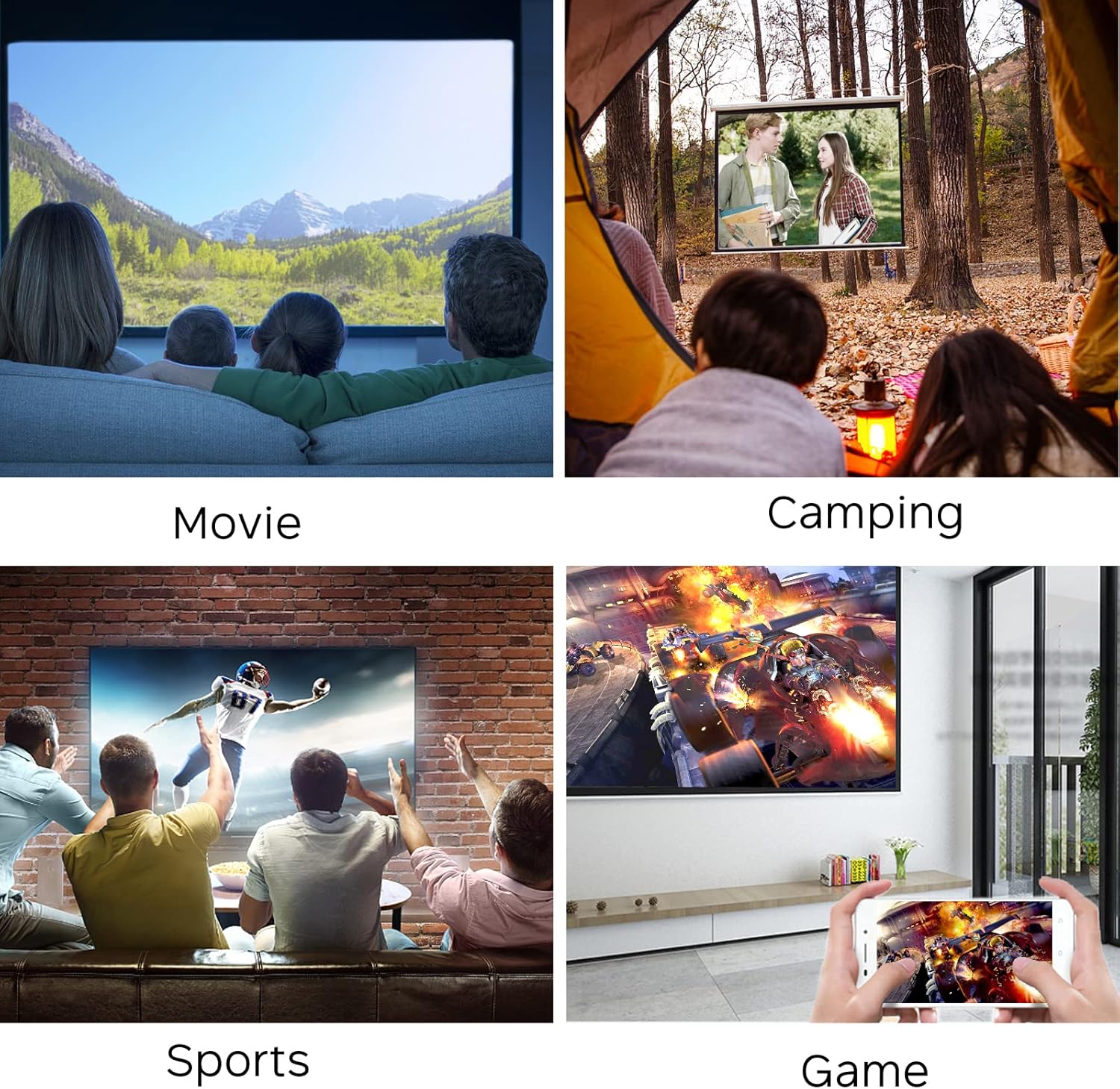
Perfect for outdoor entertainment and camping.
7. Manteniment
Per garantir la longevitat i el rendiment òptim del projector, seguiu aquestes pautes de manteniment:
- Neteja de la lent: Use a soft, lint-free cloth specifically designed for optical lenses. Do not use abrasive cleaners or cloths that could scratch the lens.
- Neteja de la Casing: Netegeu l'exterior del projector amb un drap suau i sec. Per a la brutícia resistent, netegeu lleugeramentamp Es pot fer servir un drap, però assegureu-vos que no entri humitat a l'aparell.
- Ventilació: Regularly check that the ventilation openings are clear of dust and debris to prevent overheating. Do not place the projector on soft surfaces that might block airflow.
- Emmagatzematge: Quan no l'utilitzeu durant períodes prolongats, guardeu el projector en un lloc fresc i sec, allunyat de la llum solar directa i de temperatures extremes.
8. Solució De Problemes
Si teniu problemes amb el projector, consulteu els problemes i solucions més comuns següents:
| Problema | Causa possible | Solució |
|---|---|---|
| No hi ha imatge a la pantalla | No power; Incorrect input source; Loose cable connection | Ensure power adapter is connected and power source is active. Select the correct input source (HDMI, USB, AV, SD). Check all cable connections. |
| Imatge borrosa | Out of focus; Incorrect projection distance | Adjust the focus ring on the lens. Ensure the projector is within the recommended projection distance (1-3 meters). |
| Sense so | Volume too low; Muted; External audio device not connected properly | Increase the volume. Check if the projector or source device is muted. Ensure external speakers/headphones are correctly plugged into the earphone slot. |
| El projector es sobreescalfa | Blocked ventilation; Prolonged use in hot environment | Ensure ventilation openings are clear. Operate in a well-ventilated area. Allow the projector to cool down if it feels excessively hot. |
| El comandament a distància no funciona | Dead batteries; Obstruction between remote and projector | Replace batteries in the remote control. Ensure there is a clear line of sight between the remote and the projector's IR receiver. |
9. Especificacions
| Característica | Detall |
|---|---|
| Nom de marca | Meer |
| Número de model de l'article | YG300 |
| Dimensions del producte | 4.98 x 3.37 x 1.88 polzades |
| Pes de l'article | 10.2 unces |
| Nom del color | groc |
| Resolució de visualització | 640 x 480 |
| Resolució de suport | 1080P (Input) |
| Brillantor | 400 lúmens |
| Relació d'aspecte | 4:3 o 16:9 |
| Distància de projecció | 1-3 metres |
| Mida de projecció | Fins a 60 polzades |
| Tecnologia de connectivitat | HDMI, USB, AV, SD |
| Característiques especials | Altaveus incorporats |
| Font d'alimentació | 5V/2A (via wall charger or power bank) |
| País d'origen | Xina |
10. Garantia i Suport
For any product inquiries, technical support, or warranty information, please refer to the official Meer website or contact their customer service directly. You may also find additional resources and FAQs on the product's Amazon listing page.
Una versió digital d'aquesta guia d'usuari està disponible per descarregar: Guia de l'usuari (PDF)


