Logitech M220 Silent Mouse User Manual
Your guide to a quiet and efficient computing experience.
Producte acabatview
The Logitech M220 Silent Mouse is designed for quiet operation, offering 90% noise reduction compared to classic mice, while maintaining the familiar click feel. Its compact and ambidextrous design ensures comfort for extended use. With an 18-month battery life and a reliable 10-meter wireless range, this mouse provides seamless connectivity across various operating systems.

Figure 1: Logitech M220 Silent Mouse, Wireless Black.
Característiques clau
- Funcionament ultrasilenciós: 90% reduced click sound for a distraction-free environment.
- Comfortable and compact design: Small enough for portability and an ambidextrous shape for natural hand positioning.
- Reliable wireless connectivity: Automatically connects via a tiny USB receiver with a 10-meter range.
- Bateria de llarga durada: Up to 18 months of battery life with auto-sleep function.
- Advanced Optical Tracking: Smooth and precise cursor control on almost any surface.
- Compatibilitat universal: Works with Windows, Mac, Chrome OS, and Linux.
Configuració
Què hi ha a la caixa
- Logitech M220 Silent Mouse
- Receptor USB
- 1 pila AA (preinstal·lada)
- Guia d'inici ràpid
Configuració inicial
- Obre el compartiment de la bateria: Locate the battery compartment cover on the underside of the mouse and slide it open.
- Remove Battery Pull Tab: If present, gently pull the plastic tab to activate the pre-installed AA battery.
- Recuperar receptor USB: The tiny USB receiver is stored inside the battery compartment for convenience. Remove it carefully.
- Tanca el compartiment de la bateria: Col·loqueu la coberta del compartiment de la bateria amb seguretat.
- Connecteu el receptor: Insert the USB receiver into an available USB port on your computer (laptop or desktop).
- Power On Mouse: Slide the On/Off switch on the bottom of the mouse to the 'On' position.
- Connexió automàtica: The mouse should automatically connect to your computer. No additional software or drivers are typically required.

Figure 2: Underside of the M220 mouse, highlighting the battery compartment and USB receiver slot.
Video 1: Official Logitech M220 Silent Wireless Mobile Mouse overview, demonstrating setup and key features.
Funcionament del ratolí
Tecnologia de clic silenciós
The M220 mouse features advanced silent click technology, reducing click sounds by over 90% compared to traditional mice. This allows for a quiet working environment, ideal for shared offices, libraries, or late-night use, without disturbing others.
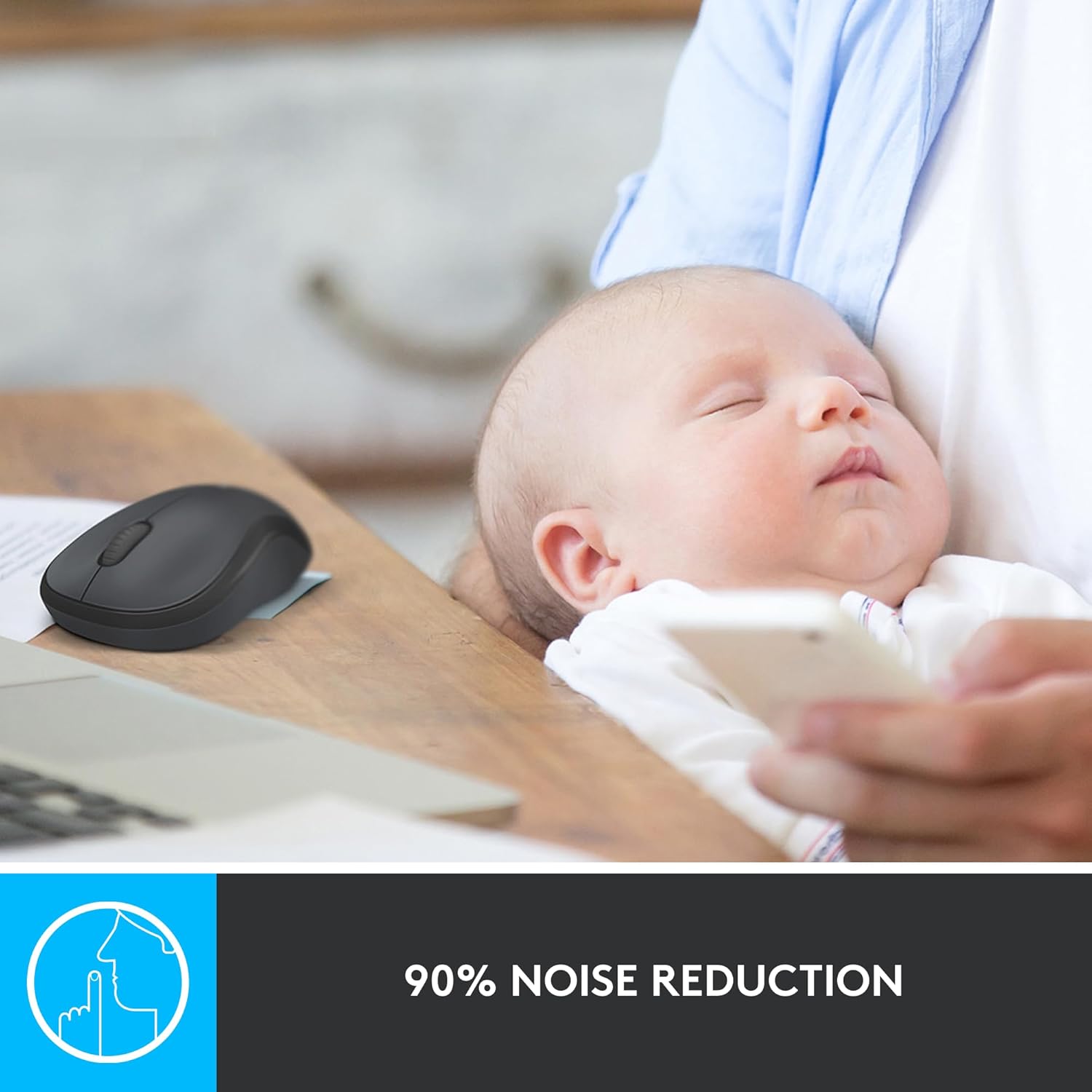
Figure 3: Visual representation of the 90% noise reduction feature of the M220 mouse.
Disseny ambidiestro
The mouse is designed to be comfortable for both left and right-handed users. Its sculpted shape guides either hand into a natural position, reducing strain during prolonged use.

Figure 4: The compact and comfortable design of the M220 mouse, fitting naturally in hand.
Wireless Connectivity and Tracking
The M220 offers a reliable wireless connection up to 10 meters (33 feet) away from your computer. Its advanced optical tracking ensures smooth and precise cursor control on various surfaces, including wood, mousepads, and even directly on a desk.

Figure 5: Universal compatibility of the M220 mouse across different operating systems.
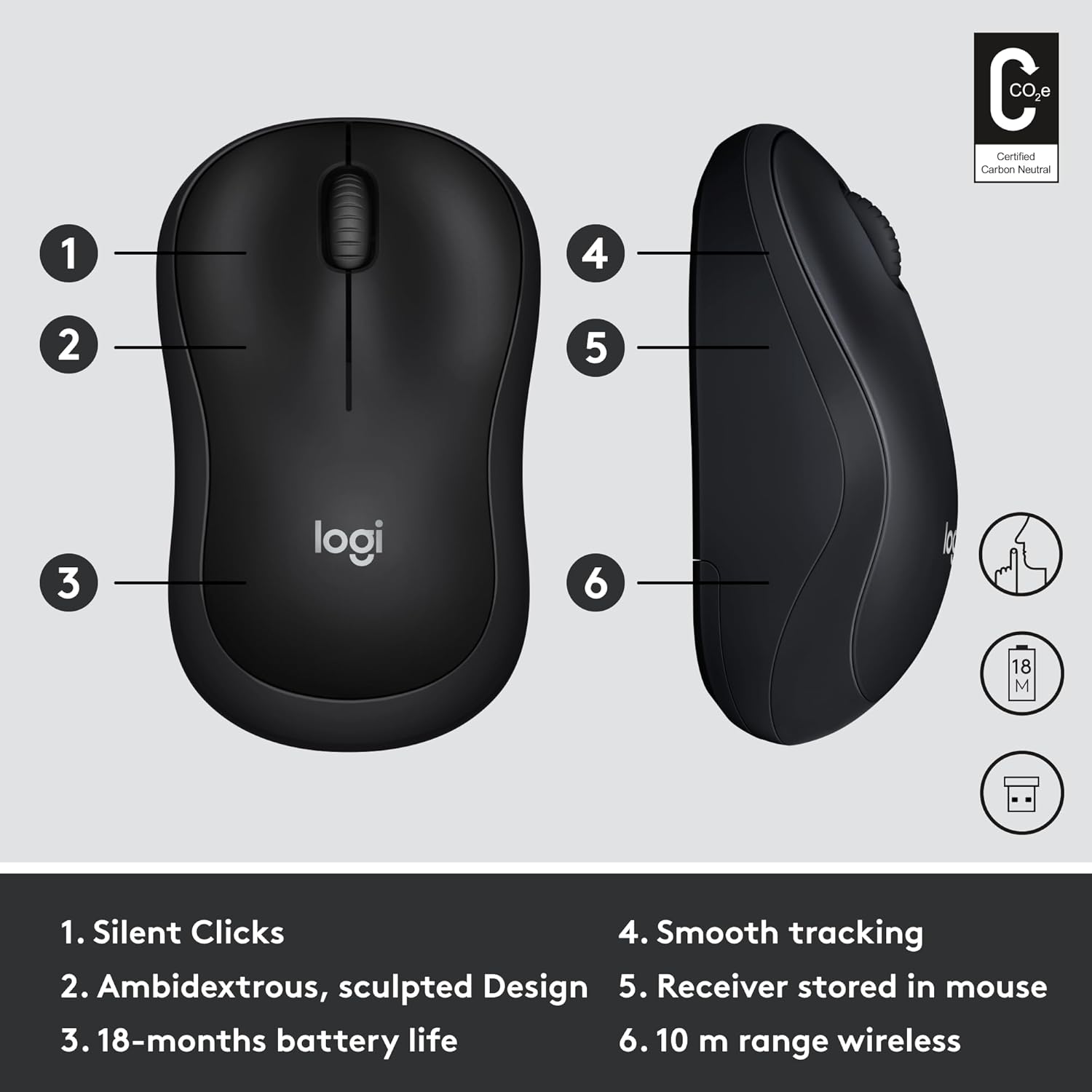
Figure 6: The M220 mouse is portable and can be used effectively in various work environments.
Manteniment
Canvi de bateria
The Logitech M220 Silent Mouse uses one AA battery. To replace the battery, open the battery compartment cover on the underside of the mouse. Remove the old battery and insert a new AA battery, ensuring correct polarity. Close the cover securely.
Figure 7: The battery compartment is easily accessible for replacement.
Neteja
Per netejar el ratolí, feu servir un drap suau i sense borrissol. Per a la brutícia persistent, netegeu-lo lleugerament.ampen the cloth with water or a mild cleaning solution. Avoid using harsh chemicals or abrasive materials, as these can damage the mouse's surface or internal components. Regularly clean the optical sensor on the bottom of the mouse to ensure optimal tracking performance.
Resolució de problemes
Problemes comuns i solucions
- El ratolí no respon:
- Assegureu-vos que el ratolí estigui encès.
- Check if the AA battery is correctly inserted and has sufficient charge. Replace if necessary.
- Verifiqueu que el receptor USB estigui ben connectat a un port USB que funcioni de l'ordinador. Proveu-ho amb un altre port USB.
- Reinicieu l'ordinador.
- Connexió intermitent o retard:
- Reduïu la distància entre el ratolí i el receptor USB.
- Ensure there are no large metal objects or other electronic devices causing interference between the mouse and receiver.
- Try plugging the USB receiver into a different USB port, preferably one closer to the mouse.
- Inaccurate or jumpy cursor:
- Netegeu el sensor òptic de la part inferior del ratolí amb un drap suau i sense borrissol.
- Try using the mouse on a different surface. Highly reflective or uneven surfaces may affect tracking.
Especificacions
| Característica | Detall |
|---|---|
| Marca | Logitech |
| Model | M220 (910-004885) |
| Tecnologia de connectivitat | Wireless, USB (via receiver) |
| Tipus sense fil | 2.4 GHz (802.11a) |
| abast sense fils | 10 metres (33 peus) |
| Tecnologia de detecció de moviment | Òptic |
| Tipus de bateria | 1 bateria AA (inclosa) |
| Durada mitjana de la bateria | 18 mesos |
| Compatibilitat de sistemes operatius | Windows, macOS, Chrome OS, Linux |
| Color | Negre i gris |
| Pes de l'article | 1.76 unces |
| Dimensions del producte (LxWxH) | 1.54 x 3.89 x 2.36 polzades |
Garantia i Suport
The Logitech M220 Silent Mouse comes with a Garantia limitada de maquinari de 3 anys. For detailed warranty information and support, please refer to the official Logitech website or contact Logitech customer service.
For further assistance, visit the Logitech support page or consult the quick start guide included in your product packaging.


