1. Introducció
This user manual provides essential information for the safe and efficient operation of your APC Smart-UPS SRT 3000VA Uninterruptible Power Supply. This high-density, double-conversion online UPS is designed to provide reliable power protection for critical applications such as servers, voice/data networks, medical labs, and light industrial equipment. Please read this manual thoroughly before installation and use.
2. Informació de seguretat
Adherence to these safety guidelines is crucial for preventing electric shock, fire, or injury. Always follow local and national electrical codes.
- Instal·lació: Install the UPS indoors in a controlled environment, away from excessive moisture, heat, or conductive contaminants. Ensure proper ventilation.
- Connexió elèctrica: Connect the UPS to a properly grounded outlet. Do not remove the grounding prong.
- Seguretat de la bateria: Batteries can present a risk of electrical shock and burn from high short-circuit current. Observe all precautions when working with batteries. Replace batteries with the same type and number of batteries as originally installed.
- Manteniment: Refer all servicing to qualified service personnel. There are no user-serviceable parts inside the UPS except for the battery modules.
- Pes: The UPS is heavy (approximately 69 pounds). Use proper lifting techniques or assistance during installation to prevent injury.
3. Producte acabatview
The APC Smart-UPS SRT 3000VA is a high-performance Uninterruptible Power Supply designed to protect your critical equipment from power disturbances. It delivers 2.7 KW / 3000VA of power with a 0.9 power factor.

Figura 3.1: Angle frontal view of the APC Smart-UPS SRT 3000VA UPS, showcasing its compact tower design and front LCD display.
Característiques principals:
- Double-Conversion Online Topology: Provides continuous, clean sine wave power, isolating connected equipment from utility power fluctuations.
- High Power Density: Delivers 2.7 KW / 3000VA of real power, suitable for demanding IT environments.
- Smart-Slot: Allows for the addition of a network management card (sold separately) for remote monitoring and management.
- Temps d'execució escalable: Supports optional external battery packs to extend backup runtime.
- Instal·lació flexible: The SRT series is rack/tower convertible, adapting to various deployment needs.
- Intuitive LCD Interface: Provides real-time status updates and easy navigation.
- Live Swappable Batteries: Enables battery replacement without interrupting power to protected equipment.
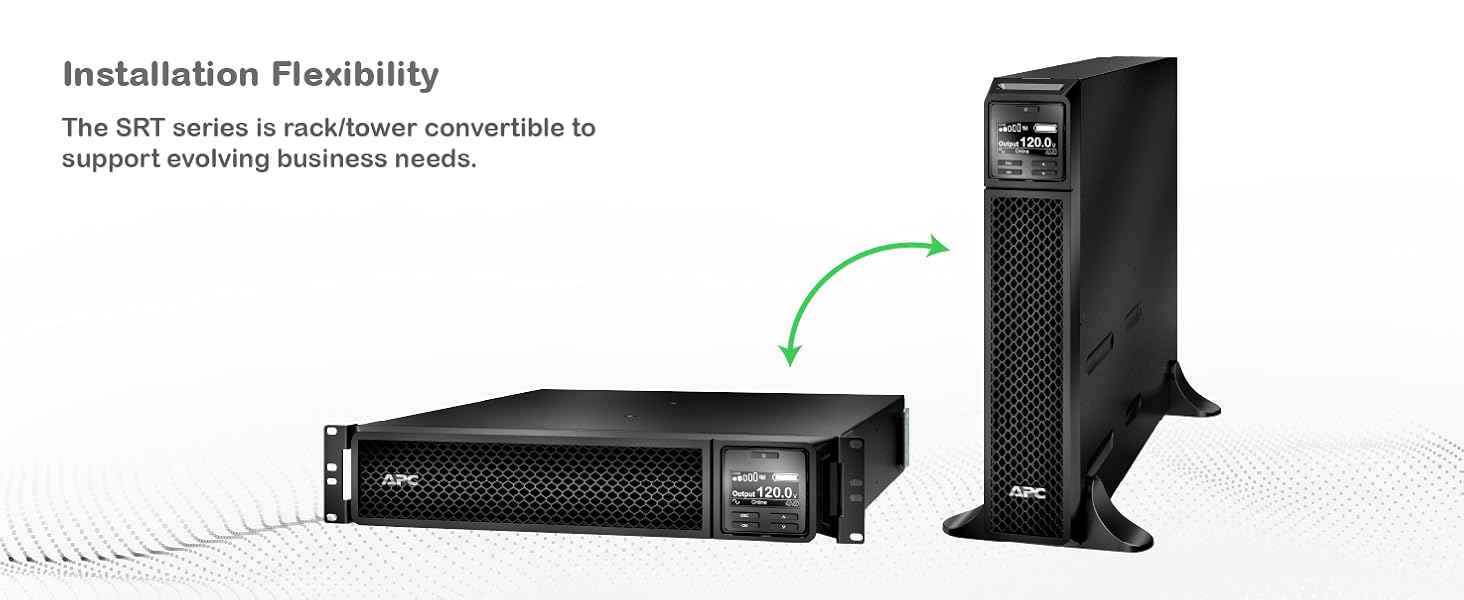
Figure 3.2: Illustration of the UPS's installation flexibility, demonstrating its ability to be configured as a floor-standing tower or a rack-mounted unit.

Figura 3.3: Panell posterior view detailing the communication ports and power outlets, including SmartSlot, NEMA 5-20R, and NEMA L5-30R connections.
4. Configuració
Proper setup ensures optimal performance and safety of your UPS.
4.1 Desembalatge i inspecció
- Carefully unpack the UPS and its components from the packaging.
- Inspect the UPS for any shipping damage. If damage is found, notify the carrier and dealer.
- Retain the packaging for future use or recycling.
4.2 Selecció del lloc
- Choose a location that is clean, dry, and free from excessive dust.
- Ensure adequate airflow around the UPS for proper cooling. Maintain at least 4 inches (10 cm) of clearance at the front and rear.
- Avoid direct sunlight, heat sources, and areas with high humidity.
- The UPS is designed for indoor use only.
4.3 Connexió inicial
- Connect the UPS input power cord (NEMA 5-30p) to a dedicated, grounded electrical outlet.
- Connect your equipment to the UPS output receptacles. The UPS provides 8 NEMA 5-20R outlets and 1 NEMA L5-30R outlet for battery backup.
- Assegureu-vos que totes les connexions siguin segures.
5. Instruccions de funcionament
This section details the basic operation of your Smart-UPS SRT 3000VA.
5.1 Encendre el SAI
- After connecting the input power and equipment, press the power button on the front panel.
- The UPS will perform a self-test and then switch to online mode, providing conditioned power to your connected devices.
Pantalla LCD 5.2 i navegació
The intuitive LCD interface provides real-time status updates and allows for configuration adjustments.

Figura 5.1: Detallada view of the UPS LCD display, showing real-time output voltage and load status, along with navigation buttons.
- Use the navigation buttons (up, down, enter, escape) to browse menus and adjust settings.
- The display shows critical information such as input/output voltage, percentatge de càrregatage, battery charge, and operational status.
5.3 PowerChute Network Shutdown Software
For advanced power protection and graceful shutdown of connected IT equipment, utilize the PowerChute Network Shutdown Software. This software enables unattended, graceful shutdown and automated start-up for hyperconverged infrastructure, virtual machines, and hosts/cluster services.

Figura 5.2: Example interface of the PowerChute Network Shutdown Software, illustrating its capabilities for managing IT environments during power events.
A network management card (sold separately) is required to use PowerChute Network Shutdown.
6. Manteniment
Un manteniment regular garanteix la longevitat i la fiabilitat del vostre SAI.
6.1 Gestió de la bateria
The Smart-UPS SRT features intelligent battery management and live swappable batteries.
- Live Swappable Batteries: Batteries can be replaced without powering down connected equipment, ensuring continuous operation.
- Gestió intel·ligent de la bateria: The UPS provides battery replacement recommendations, temperature-compensated charging, periodic battery self-tests, and disconnect battery notifications.
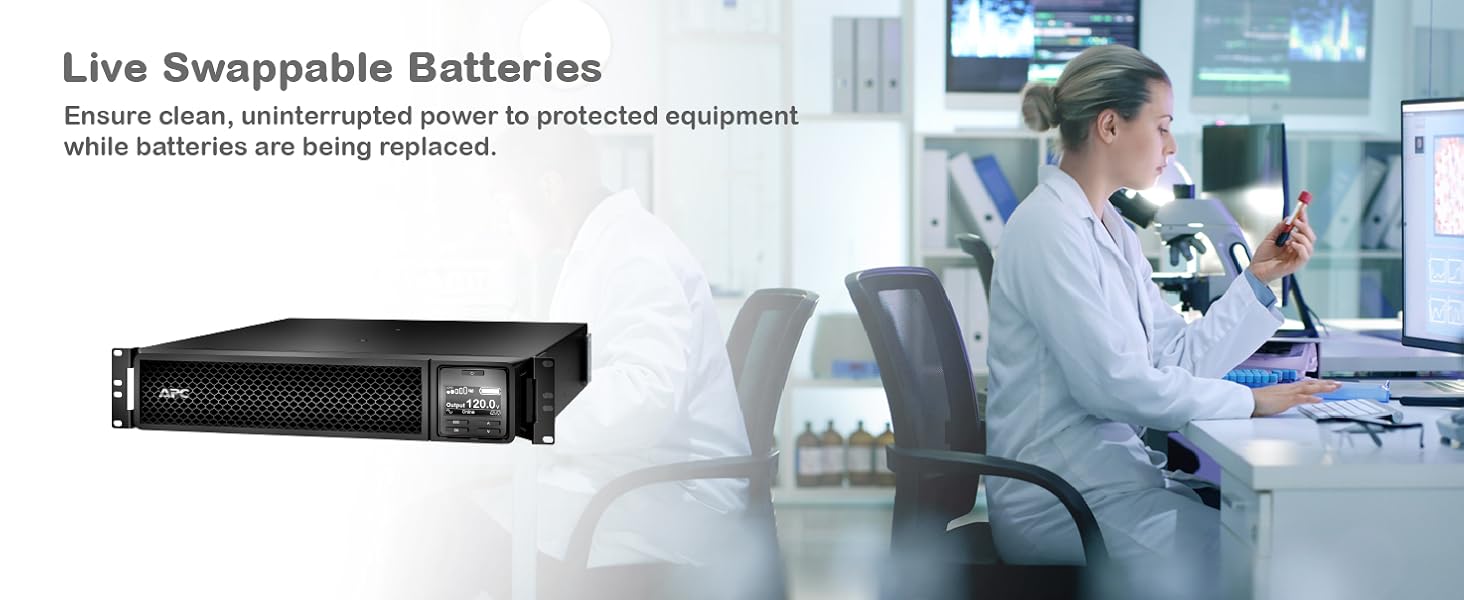
Figure 6.1: Illustration of live swappable batteries, demonstrating the ability to replace battery modules without interrupting power to critical loads.

Figure 6.2: Visual representation of intelligent battery management features, including recommendations, temperature compensation, self-tests, and notifications.
6.2 Neteja
Keep the UPS clean and free of dust. Use a dry cloth to wipe down the exterior. Do not use liquid cleaners or solvents.
7. Solució De Problemes
This section provides solutions to common issues. For more complex problems, contact APC technical support.
| Problema | Causa possible | Solució |
|---|---|---|
| El SAI no s'encén. | No input power or discharged battery. | Ensure the input power cord is securely connected to a live outlet. Allow the UPS to charge for several hours. |
| El SAI emet un so continu. | UPS is on battery power due to utility power failure. | Save work and shut down connected equipment. The UPS will continue to provide power until the battery is depleted or utility power returns. |
| L'indicador "Substitueix la bateria" està encès. | Battery has reached end of life or is faulty. | Order and replace the battery module. Refer to the maintenance section for live swap instructions. |
| Alarma de sobrecàrrega. | Too much equipment connected to the UPS. | Disconnect non-essential equipment from the UPS outlets until the overload alarm clears. |
8. Especificacions
Detailed technical specifications for the APC Smart-UPS SRT 3000VA (SRT3000XLA).
| Atribut | Valor |
|---|---|
| Número de model | SRT3000XLA |
| Dimensions del producte | 3.35 x 25 x 17.01 polzades (8.5 x 63.5 x 43.2 cm) |
| Pes de l'article | 69 lliures (31.3 kg) |
| Voltage | 120 Volts |
| Composició de les cèl·lules de la bateria | Ió de liti |
| Color | Negre |
| Material | Plàstic |
| Connexió d'entrada | NEMA 5-30p |
| Connexions de sortida | 8 x NEMA 5-20R, 1 x NEMA L5-30R |
| Longitud del cable | 6 peus (1.83 metres) |
| Capacitat de potència | 3000 VA / 2700 W |
| Topologia | Double Conversion Online |
9. Garantia i Suport
For warranty information and technical support, please contact APC customer service or visit the official APC weblloc. Conserveu el rebut de compra per a reclamacions de garantia.
- Recursos en línia: Visita www.apc.com for product documentation, FAQs, and support tools.
- Suport tècnic: Contact APC technical support for assistance with installation, operation, or troubleshooting.
- Plans de protecció: És possible que hi hagi plans de protecció ampliada disponibles per a la compra que cobreixin la vostra inversió més enllà de la garantia estàndard.


