1. Introducció
This manual provides instructions for the installation, operation, and maintenance of your Swann 8-Channel 1080p Surveillance Kit. This system is designed to provide high-definition video surveillance for your property, featuring an 8-channel Digital Video Recorder (DVR) and four 1080p cameras.
2. Contingut del paquet
Si us plau, comproveu el contingut del vostre paquet. Si falta algun article o hi ha algun malmès, poseu-vos en contacte amb el vostre distribuïdor.
- Swann 8-Channel 1080p DVR with 1TB Hard Drive
- 4 x 1080p Surveillance Cameras
- Power Adapters for DVR and Cameras
- Video Cables for Cameras
- Cable HDMI
- Cable Ethernet
- Ratolí USB
- Cargols i taps de muntatge
- Guia d'inici ràpid
3. Producte acabatview
3.1 Digital Video Recorder (DVR)
The DVR is the central unit for recording, storing, and managing video footage from your cameras. It features 8 channels for connecting up to 8 cameras and a pre-installed 1TB hard drive for continuous recording.
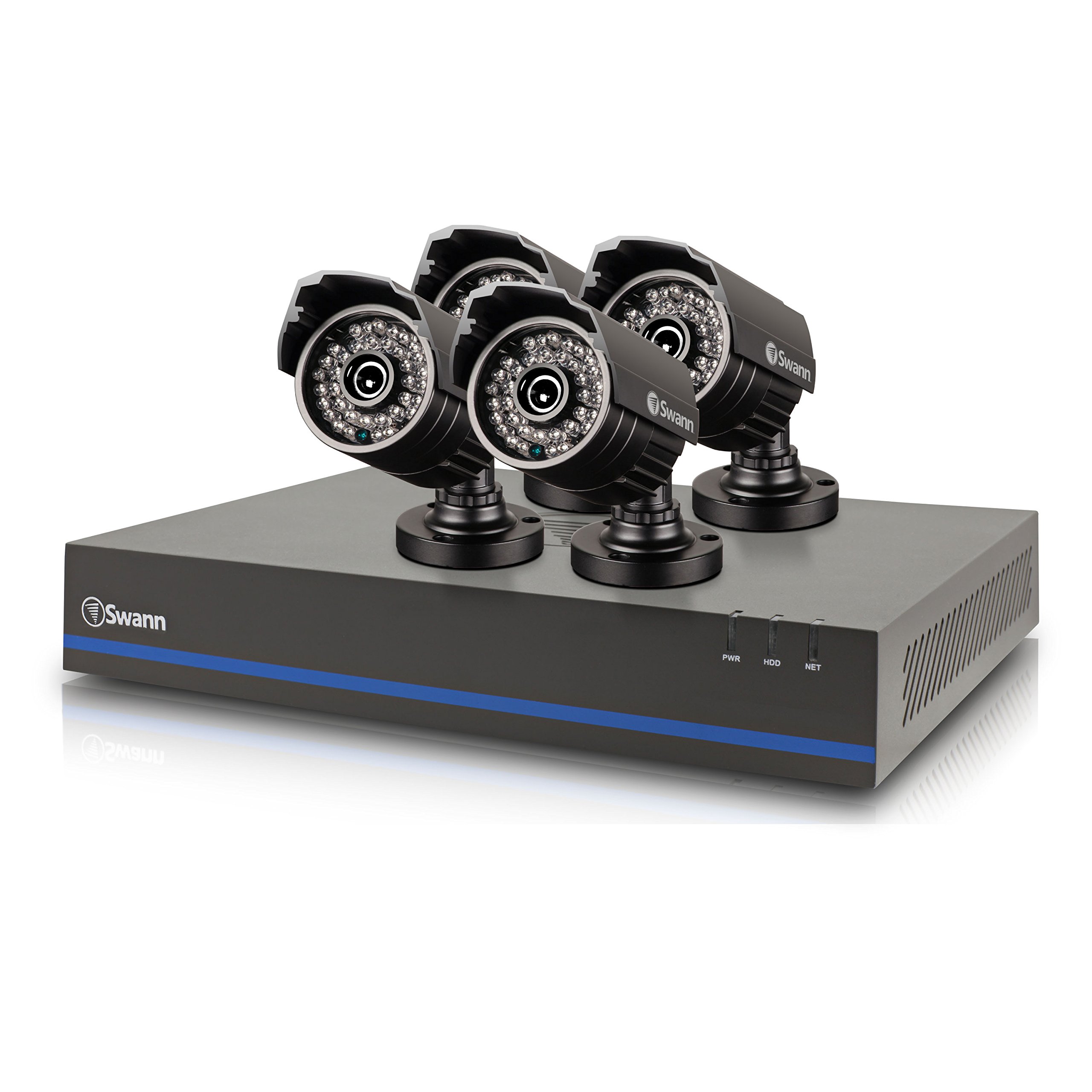
Image 1: Swann 8-Channel DVR (Angled View). This image shows the DVR unit from an angle, highlighting its compact design and front panel indicators.
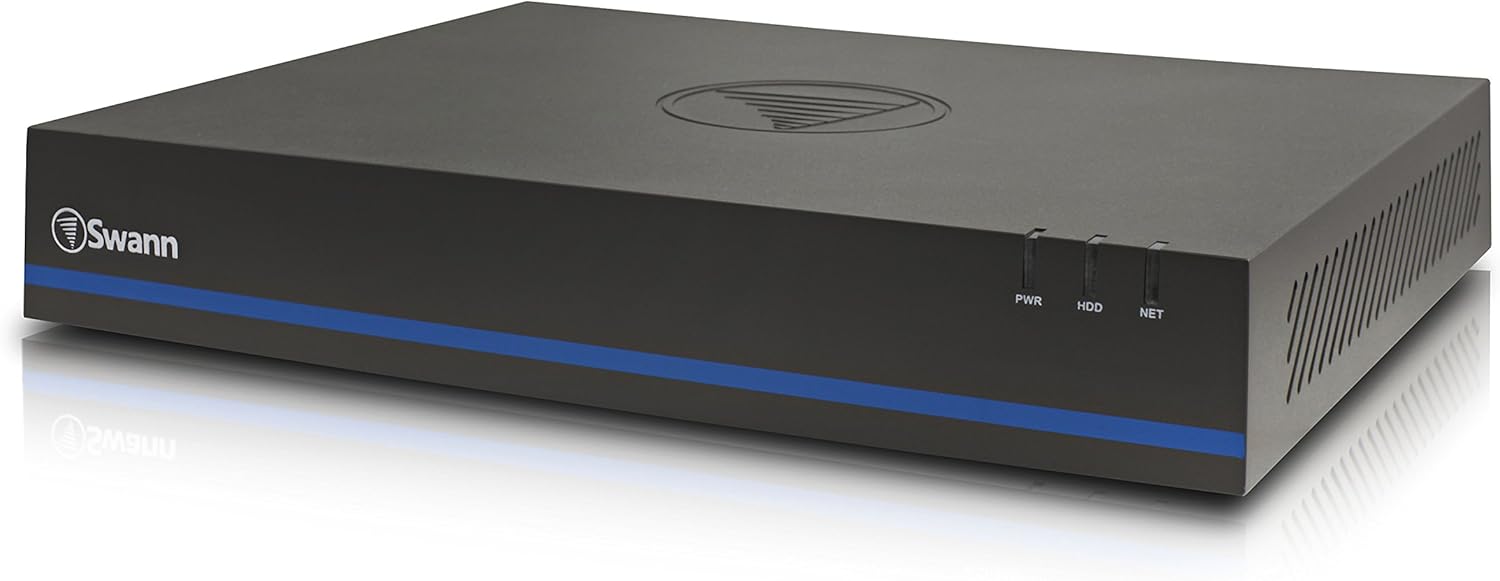
Image 2: Swann 8-Channel DVR (Front View). This image displays the front of the DVR, showing the PWR, HDD, and NET indicator lights.
3.2 Surveillance Cameras
The kit includes four 1080p cameras designed for both indoor and outdoor use. They provide crystal-clear 1920 x 1080 pixel video and are equipped with IR-cut filters for powerful night vision up to 100 feet (30 meters). The cameras have an IP66 weather-resistant rating.
4. Configuració
4.1 Instal·lació de maquinari
- Posicionament del DVR: Place the DVR in a secure, well-ventilated area, away from direct sunlight and moisture.
- Connexió de càmeres: Connect each camera to an available video input port on the DVR using the provided video cables. Ensure connections are secure.
- Powering Cameras: Connect the camera power adapters to the cameras and then to a power outlet.
- Connecting to a Monitor: Connect the DVR to a monitor (e.g., HDTV, LCD screen) using the HDMI or VGA cable.
- Connexió del ratolí: Connecteu el ratolí USB a un port USB del DVR.
- Connexió de xarxa (opcional però recomanada): Connect an Ethernet cable from the DVR to your router for remote viewcapacitats d'ingrés.
- Powering the DVR: Connect the DVR power adapter to the DVR and then to a power outlet. The DVR will power on automatically.
4.2 Configuració inicial del programari
En engegar-lo per primera vegada, el DVR us guiarà a través d'un assistent de configuració inicial. Seguiu les instruccions que apareixen a la pantalla per a:
- Set up a password for the administrator account.
- Configura la configuració de data i hora.
- Adjust video output resolution.
- Perform a software update if prompted. (Note: Some users have reported needing to manually check for updates.)
- Configure network settings (if connected to a router).
4.3 Configuració de l'aplicació mòbil
Per a comandament a distància viewing on your smartphone or tablet (iOS/Android), download the SwannView A més app from your device's app store. (Note: The older SwannView app is not compatible with this system.) Follow the in-app instructions to add your DVR using its unique ID or QR code.
5. Funcionament del sistema
5.1 Viu Viewing
Once the system is set up, you can view viu footage from all connected cameras on your monitor or via the SwannView Plus mobile app. Use the USB mouse to navigate the DVR's on-screen interface.
5.2 Enregistrament
The DVR supports various recording modes:
- Gravació contínua: Records 24/7, overwriting older footage quan el disc dur està ple.
- Gravació de detecció de moviment: Records only when motion is detected by a camera. Sensitivity and recording schedules can be configured.
- Enregistrament programat: Registres durant moments específics del dia o de la setmana.
Access the DVR's menu to configure recording settings for each camera.
5.3 Reproducció
Per tornarview foo gravattage:
- Access the DVR's main menu and select the 'Playback' option.
- Choose the date and time range you wish to review.
- Select the camera(s) whose footagi tu vols view.
- Use the playback controls (play, pause, fast forward, rewind) to navigate through the footage.
You can also transfer incident video to external storage via USB or network.
5.4 Accés remot
The SwannView Plus app allows you to:
- View imatges de càmera en directe des de qualsevol lloc amb connexió a Internet.
- Reprodueix el vídeo gravattage.
- Receive push notifications for motion detection events.
Ensure your DVR is connected to the internet and the app is correctly configured.
6. Manteniment
- Neteja regular: Keep camera lenses clean for optimal image clarity. Use a soft, damp tela.
- Ventilació del DVR: Ensure the DVR's ventilation openings are clear to prevent overheating.
- Actualitzacions de firmware: Revisa periòdicament el suport de Swann website for firmware updates for your DVR to ensure optimal performance and security.
- Gestió del disc dur: The 1TB hard drive will automatically overwrite the oldest footage when full. Back up important footage regularment.
7. Solució De Problemes
| Problema | Causa possible | Solució |
|---|---|---|
| No video on monitor | Loose cable connection, incorrect input source on monitor, DVR not powered on. | Comproveu les connexions del cable HDMI/VGA. Assegureu-vos que el monitor estigui a l'entrada correcta. Verifiqueu l'alimentació del DVR. |
| Sense comandament viewmitjançant l'aplicació | DVR not connected to network, incorrect app (SwannView Link vs. SwannView Plus), network configuration issues. | Ensure DVR is connected to router. Confirm you are using the SwannView A més app. Check DVR network settings. |
| Mala qualitat de visió nocturna | Obstructions in front of camera, camera too far from subject, IR lights blocked. | Clear obstructions. Ensure camera is within 82 feet (25 meters) of the area of interest. |
| DVR making loud humming noise | Normal operation of internal fan/hard drive, poor ventilation. | Ensure adequate ventilation around the DVR. If noise is excessive, contact support. |
| False motion alerts (e.g., from insects) | High motion sensitivity, insects near camera at night. | Adjust motion detection sensitivity in DVR settings. Consider scheduling email alerts to avoid notifications during specific times. |
8. Especificacions
- Marca: Swann
- Número de model: LYSB01LG2GSMY-ELECTRNCS
- Tecnologia de connectivitat: Amb cable
- Resolució de captura de vídeo: 1080p
- Característiques especials: Sensor de moviment, visió nocturna
- Nombre de canals: 8
- Capacitat d'emmagatzematge de memòria: 1 TB (disc dur)
- Font d'alimentació: Elèctric amb cable
- Dimensions de l'article (L x A x A): 16.5 x 12.6 x 8.3 polzades
- Compatibilitat del sistema operatiu: Android, iOS (for mobile app)
- Usos recomanats: Indoor, Outdoor Surveillance
- Visió nocturna: Fins a 82 peus (25 metres)
- Viewangle: 90 graus
- Pes de l'article: 12.8 lliures
- UPC: 840236117031
9. Garantia i Suport
For warranty information and technical support, please refer to the documentation included with your product or visit the official Swann weblloc web. Conserveu el rebut de compra com a comprovant de compra per a reclamacions de garantia.
Recursos en línia:
- Swann Official Weblloc: www.swann.com
- Product Support Page: Refer to the Swann website for specific support pages related to your model.


