1. Introducció
Gràcies per la compraasing the Beatfoxx MC-DVD-90 Design Stereo System. This compact multimedia system is engineered to provide versatile audio and video playback options, including DVD, CD, MP3, and MPEG4 formats, along with FM/MW radio and Bluetooth connectivity. Its sleek design allows for flexible placement, either freestanding or wall-mounted. Please read this manual thoroughly before operating the device to ensure proper use and to maximize its performance and longevity.
2. Instruccions de seguretat
- Font d'alimentació: Assegureu-vos que la font d'alimentació coincideixi amb el voltagels requisits especificats a la unitat. Feu servir només el cable d'alimentació proporcionat.
- Ventilació: Do not block any ventilation openings. Allow adequate space around the unit for proper airflow to prevent overheating.
- Aigua i humitat: No exposeu la unitat a la pluja, la humitat, les goteges o les esquitxades. No col·loqueu objectes plens de líquids, com ara gerros, sobre l'aparell.
- Fonts de calor: Mantingueu la unitat allunyada de fonts de calor com ara radiadors, registres de calor, estufes o altres aparells (inclosos amplificadors) que produeixen calor.
- Neteja: Unplug the unit from the wall outlet before cleaning. Use a dry cloth for cleaning. Do not use liquid cleaners or aerosol cleaners.
- Manteniment: No intenteu reparar aquest producte vosaltres mateixos, ja que obrir o treure les cobertes us pot exposar a un risc perillós de voltage o altres perills. Demaneu tot el servei a personal de servei qualificat.
- Seguretat làser: This product utilizes a Class 1 laser. Do not open the disc compartment during playback.
3. Contingut del paquet
Si us plau, comproveu que tots els elements siguin presents i en bon estat:
- Beatfoxx MC-DVD-90 Stereo System
- Control remot
- Adaptador d'alimentació
- Composite Video Cable (RCA)
- Antena FM

Image: Included cables and FM antenna for the Beatfoxx MC-DVD-90 system.
4. Producte acabatview
4.1 Tauler frontal

Imatge: Frontal view of the Beatfoxx MC-DVD-90 stereo system, showing the central display, control buttons, and speakers.
The front panel features the main display, disc loading slot, and essential control buttons. On the right side, you will find the Standby button, Volume control knob, and buttons for DVD/USB/CARD source selection, Play/Pause, Stop, Mode, and navigation (Skip/Search, Channel Up/Down). The orange illuminated LCD screen provides clear information on the current mode and playback status.

Imatge: Primer pla view of the USB and SD card slots located on the front panel for media playback.
The USB and SD card slots are conveniently located on the lower right side of the front panel, allowing easy access for playing digital media files.

Image: The Beatfoxx MC-DVD-90 with its vertical DVD loading tray open, ready for disc insertion.
The vertical disc loading mechanism is located centrally on the front panel, designed for easy insertion and removal of DVDs and CDs.
4.2 Panell posterior
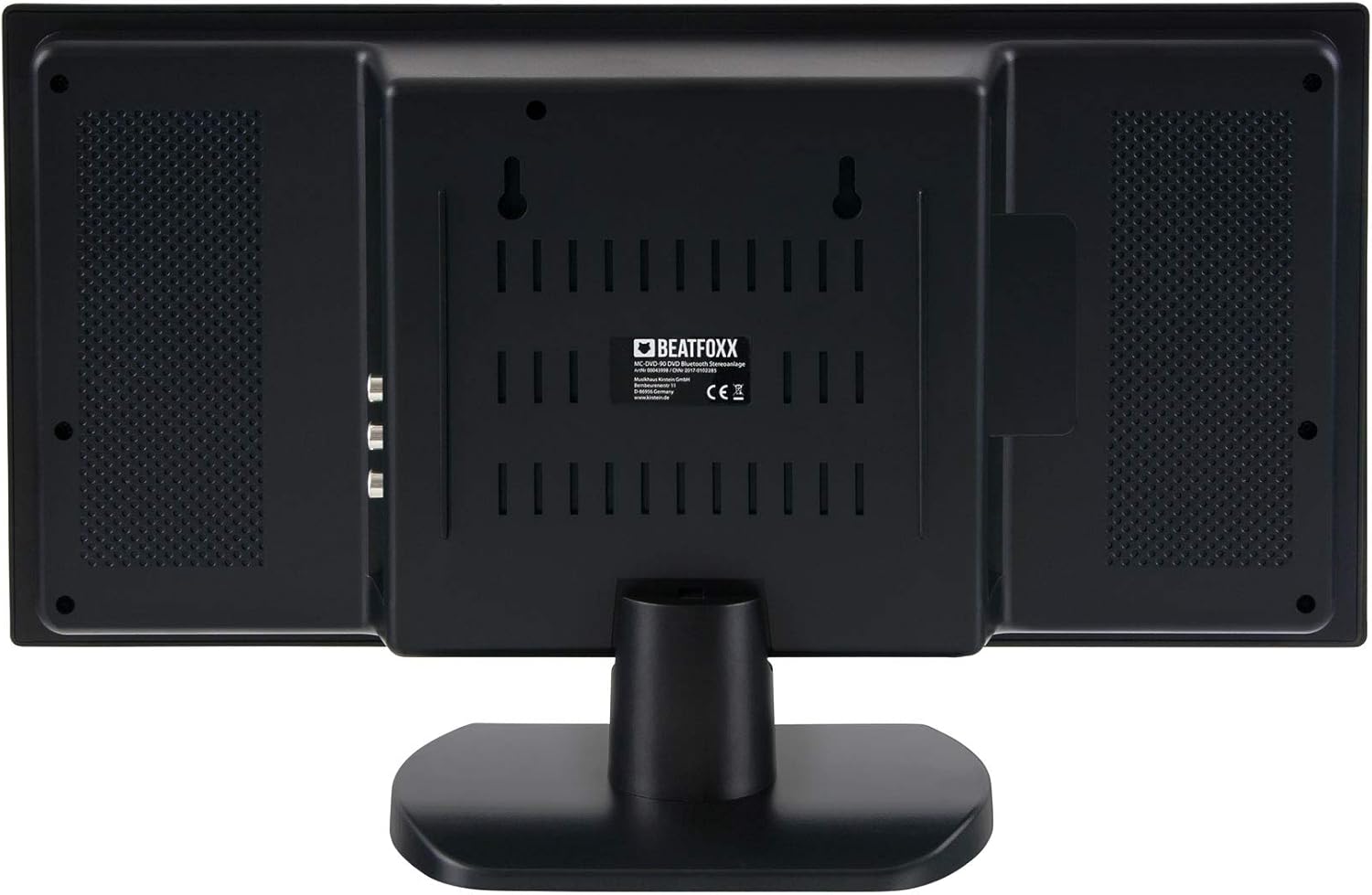
Imatge: Part posterior view of the Beatfoxx MC-DVD-90 stereo system, showing the various connection ports and wall-mounting points.
The rear panel houses all necessary input and output connections, including HDMI, composite video, stereo cinch line output, AUX input, FM antenna input, and the power input. It also features mounting points for wall installation.

Imatge: Lateral view of the Beatfoxx MC-DVD-90, highlighting the HDMI output and composite video (RCA) output ports.

Imatge: Lateral view of the Beatfoxx MC-DVD-90, showing the FM antenna input, 3.5mm AUX input, and the AC power input.
4.3 Control remot

Image: Layout of the Beatfoxx MC-DVD-90 remote control, displaying various function buttons for comprehensive control.
The included remote control provides full functionality for operating the system from a distance. It allows control over power, display settings, mode selection, playback functions (play, pause, stop, skip, repeat, zoom, slow motion, resume), volume, radio tuning, and more. Ensure batteries (not included) are inserted correctly before use.
5. Configuració
5.1 Col·locació
The Beatfoxx MC-DVD-90 offers flexible placement options:
- Autònom: Use the included stand for stable placement on a flat surface such as a desk or shelf.
- Muntatge a la paret: The unit can be mounted on a wall using the integrated mounting points on the rear panel. Ensure appropriate wall anchors and screws are used for secure installation.

Image: The Beatfoxx MC-DVD-90 stereo system shown mounted on a wall, demonstrating its space-saving design.
5.2 Connexions
Before connecting, ensure the unit is powered off and unplugged from the mains.
- Sortida HDMI: Connect an HDMI cable from the unit's HDMI OUT port to the HDMI input on your TV or display for high-quality video and audio transmission.
- Sortida de vídeo compost: If your TV does not have an HDMI input, connect the yellow RCA cable from the VIDEO OUT port on the unit to the video input on your TV.
- Stereo Cinch Line Output: Connect the red and white RCA cables from the L/R AUDIO OUT ports to an external amplifier or audio system if desired.
- Entrada AUX: Connect external audio devices (e.g., smartphone, MP3 player) to the 3.5mm AUX IN jack using a 3.5mm audio cable.
- Antena FM: Connect the included FM antenna to the FM ANT jack for radio reception. Extend the antenna for better signal.
- Connexió d'alimentació: After all other connections are made, connect the power adapter to the DC IN port on the unit and then plug it into a wall outlet.
6. Instruccions de funcionament
6.1 Encès/Apagat
- Premeu el botó ESPERA button on the front panel or remote control to turn the unit on or off (to standby mode).
6.2 Selecció de la font
- Premeu el botó MODE button on the front panel or remote control repeatedly to cycle through available sources: DVD/USB/CARD, Bluetooth, FM/MW Radio, AUX.
6.3 Reproducció de DVD/CD
- Select the DVD/USB/CARD source.
- Gently insert a DVD or CD into the vertical disc slot with the label side facing forward. The disc will be automatically pulled in.
- La reproducció hauria de començar automàticament. Si no, premeu el botó REPRODUCCIÓ/PAUSA botó.
- Utilitza el STOP, REPRODUCCIÓ/PAUSA, i SALTAR (forward/backward) buttons for control.
- The remote control offers advanced functions like ZOOM, CÀMARA LENTA, REPETIR, i CURRÍCULA.
Reproducció USB/SD de 6.4"
- Insert a USB flash drive into the USB slot or an SD card into the SD/MMC slot.
- Select the DVD/USB/CARD source. The system will automatically detect the media.
- Navega per les carpetes i files using the navigation buttons on the front panel or remote control.
- Supported formats include MP3, MPEG4, and JPEG.
6.5 Funcionament Bluetooth
- Select the Bluetooth source. The display will show "BT" or a similar indicator, and the unit will enter pairing mode.
- On your Bluetooth-enabled device (e.g., smartphone), search for available devices and select "Beatfoxx MC-DVD-90".
- Once paired, you can stream audio wirelessly from your device to the stereo system. The effective range is approximately 10 meters.
6.6 FM/MW Radio
- Select the FM/MW Radio source.
- Premeu el botó ESCANEAR button on the front panel or remote control to automatically scan and store available stations.
- Utilitza el CH +/- buttons to navigate through stored stations or manually tune.
- The PLL receiver allows for precise tuning and storage of up to 50 stations.
7. Manteniment
- Neteja: Disconnect the power cord before cleaning. Use a soft, dry cloth to wipe the exterior of the unit. Do not use abrasive cleaners, waxes, or solvents.
- Cura del disc: Manipuleu els discs per les vores. Manteniu-los nets i sense ratllades. Guardeu els discs a les seves fundes quan no els feu servir.
- Ventilació: Comproveu regularment que les obertures de ventilació no estiguin bloquejades per pols o deixalles.
8. Solució De Problemes
| Problema | Causa possible | Solució |
|---|---|---|
| Sense poder | Cable d'alimentació no connectat; presa de corrent defectuosa. | Ensure power cord is securely plugged in. Try a different outlet. |
| Sense so | Volume too low; incorrect source selected; audio cables loose. | Increase volume. Select correct source. Check audio cable connections. |
| El disc no es reprodueix | Disc inserit incorrectament; disc brut o ratllat; format no compatible. | Re-insert disc correctly. Clean disc. Try a different disc. Check supported formats. |
| Bluetooth no connectat | Device not in pairing mode; out of range; interference. | Ensure unit is in Bluetooth pairing mode. Move device closer. Reduce interference. |
| Mala recepció de ràdio | Antena no estesa; senyal feble. | Fully extend the FM antenna. Try repositioning the antenna or the unit. |
9. Especificacions
| Característica | Especificació |
|---|---|
| Model | MC-DVD-90 |
| Potència de sortida (RMS) | 2 x 3 watts |
| Formats reproduïbles | DVD, CD, MP3, MPEG4, DVD-R, DVD+R, DVD-RW, DVD+RW, CD-R, CD-RW, HDCD, VCD, SVCD, JPEG, WMA |
| Connectivitat | USB, SD Card, Bluetooth, HDMI, Composite Video Out, Stereo Cinch Line Out, AUX In (3.5mm) |
| Interval Bluetooth | Fins a 10 metres |
| Sintonitzador de ràdio | FM/MW PLL Receiver with 50 Station Memory |
| Mostra | Orange Illuminated LCD Screen |
| Relacions d'aspecte compatibles | 16:9, 4:3 (Panscan and Letterbox) |
| Dimensions (H x W x D) with stand | 25 x 40 x 11 cm |
| Dimensions (H x W x D) without stand | 20 x 40 x 6 cm |
| Pes | Aprox. 1.3 kg |
| Color | Negre d'alt brillantor |
10. Garantia i Suport
This product comes with a standard manufacturer's warranty. Please refer to the warranty card included in your package for specific terms and conditions. For technical support, troubleshooting assistance, or warranty claims, please contact your retailer or the Beatfoxx customer service department. Keep your proof of purchase for warranty validation.


