1. Introducció
Gràcies per la compraasing the ADE CK2112 Radio-Controlled Digital Alarm Clock. This compact and versatile device features a clear LCD display, real bamboo casing, and provides time, date, day of the week, and indoor temperature. It is designed for ease of use with automatic time setting via DCF signal and dual alarm functions. Please read this manual carefully to ensure proper operation and maintenance of your new alarm clock.
2. Característiques clau
- Compact wireless alarm clock with clear LCD display (5.2 x 5.2 cm).
- Displays time, ambient temperature, date, and day of the week.
- White backlight activated by button press.
- Real bamboo casing with high-quality white ABS plastic.
- Dimensions: 8.2 x 8.2 x 3.4 cm; Weight: 0.15 kg.
- DCF radio-controlled time signal for automatic time setting.
- Automatic summer/winter time adjustment.
- Manually adjustable time.
- Dual alarm with adjustable settings and snooze function.
- Integrated calendar.
- Built-in thermometer for indoor temperature display in °C or °F (-10 to 50 °C).
3. Contingut del paquet
Si us plau, comproveu el paquet per veure si hi ha els elements següents:
- ADE CK2112 Digital Alarm Clock
- 2 piles AA de 1.5V
- Manual d'usuari (aquest document)

Image: ADE CK2112 Alarm Clock with its packaging, showing the clock, batteries, and manual icon.
4. Configuració
4.1 Instal·lació de la bateria
- Localitza el compartiment de la bateria a la part posterior del despertador.
- Obriu la tapa del compartiment de la bateria.
- Insert two (2) 1.5V AA batteries, ensuring correct polarity (+/-).
- Tanqueu bé la tapa del compartiment de la bateria.
4.2 Initial Time Synchronization (DCF Signal)
Upon battery installation, the clock will automatically attempt to synchronize with the DCF radio signal. This process may take a few minutes. Ensure the clock is placed in an area with good signal reception, away from electronic interference.
- The radio signal icon will flash during synchronization.
- Once synchronized, the icon will become steady, and the time will be set automatically.
- The clock will also automatically adjust for Daylight Saving Time (summer/winter time).
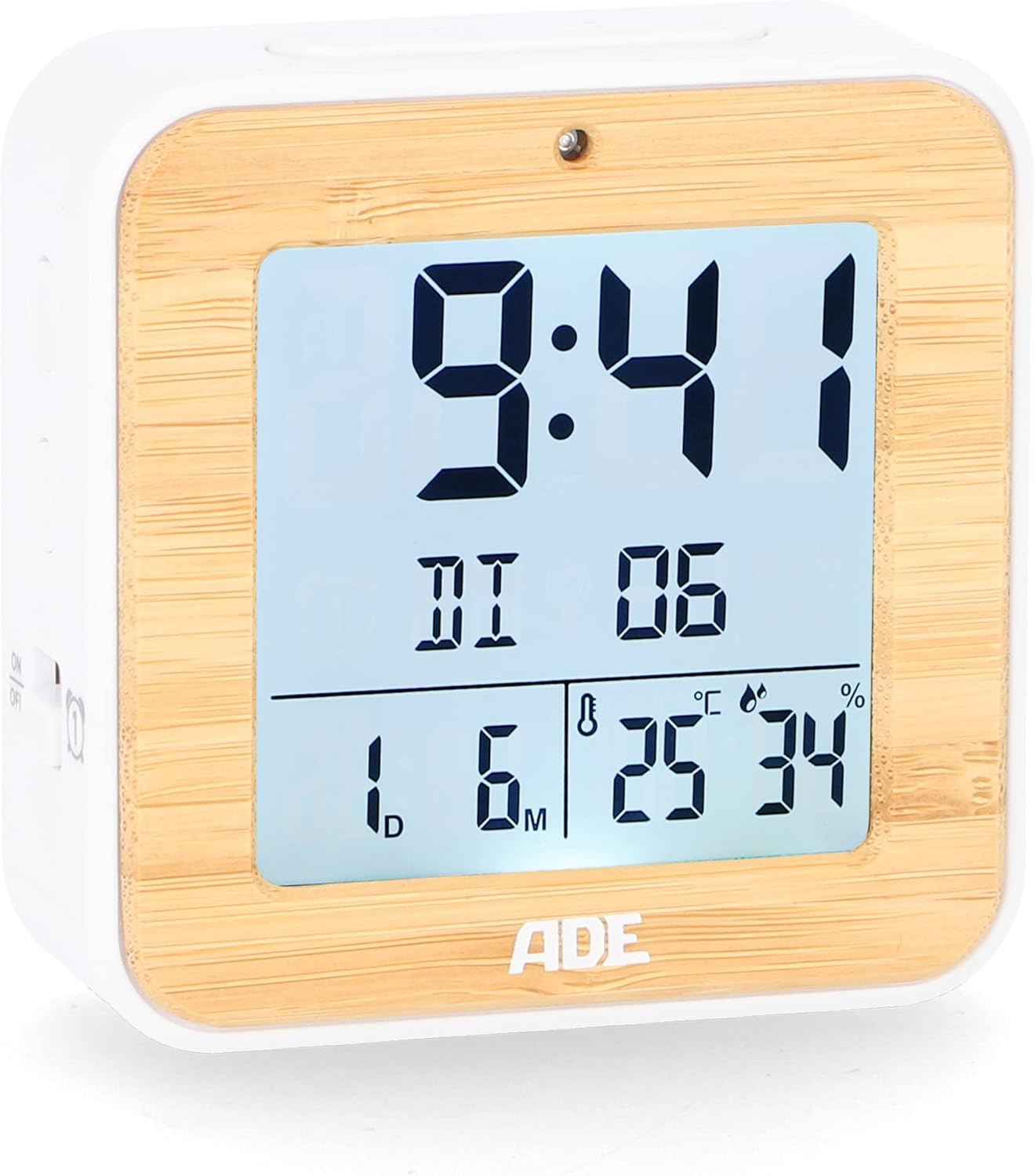
Imatge: Frontal view of the ADE CK2112 Digital Alarm Clock, showing the clear LCD display with time, date, and temperature.
5. Instruccions de funcionament
5.1 Configuració horària manual
If the DCF signal is not available or you prefer to set the time manually:
- Press and hold the "SET" button (location usually on the back or side).
- Use the "+" or "-" buttons to adjust the hour, then press "SET" to confirm.
- Repetiu-ho per a minuts, any, mes i dia.
5.2 Configuració d'alarmes (alarma 1 i alarma 2)
The clock features two independent alarms.
- Press the "ALARM 1" or "ALARM 2" button (usually on the side). The alarm time will flash.
- Use the "+" or "-" buttons to set the desired alarm hour, then press the respective alarm button to confirm.
- Repetiu durant minuts.
- To activate/deactivate an alarm, slide the corresponding ON/OFF switch (e.g., "ON/OFF 1" or "ON/OFF 2") on the side of the clock. An alarm icon will appear on the display when active.

Imatge: Lateral view of the ADE CK2112 Digital Alarm Clock, highlighting the ON/OFF switches for Alarm 1 and Alarm 2.
5.3 Funció de repetició
When the alarm sounds, press the "SNOOZE/LIGHT" button (usually on top) to temporarily silence the alarm. The alarm will sound again after approximately 5-10 minutes (check specific model for exact duration).
5.4 Activació de la retroiluminació
Press the "SNOOZE/LIGHT" button to activate the white backlight for a few seconds, improving visibility in low light conditions.

Image: Illustration showing the automatic backlight via light sensor and manual backlight activation by button press.
5.5 Visualització de la temperatura
The clock displays the indoor temperature. You can switch between Celsius (°C) and Fahrenheit (°F) by pressing a dedicated button (often labeled "°C/°F" or integrated with another setting button).

Image: Close-up of the ADE CK2112 display, indicating the sections for time, alarm, date, humidity, and temperature.
6. Manteniment
6.1 Neteja
Netegeu el rellotge amb un drap suau i sec. No utilitzeu productes de neteja abrasius ni submergiu el dispositiu en aigua.
6.2 Substitució de la bateria
When the display dims or the clock stops functioning, replace the batteries. Always use new 1.5V AA batteries and dispose of old batteries responsibly according to local regulations.
7. Solució De Problemes
| Problema | Causa possible | Solució |
|---|---|---|
| La pantalla està en blanc o tènue. | Bateries baixes o esgotades. | Replace with new 1.5V AA batteries. |
| El rellotge no estableix l'hora automàticament. | Poor DCF signal reception; interference. | Move the clock to a different location, away from electronic devices or metal objects. Try manual time setting. |
| L'alarma no sona. | Alarm not activated; incorrect alarm time set. | Ensure the alarm ON/OFF switch is in the "ON" position and the alarm time is correctly set. |
8. Especificacions
- Model: CK2112
- Marca: ADE
- Tipus de visualització: LCD digital
- Dimensions (L x A x A): 8.2 x 3.81 x 3.5 cm (aprox. 3.23 x 1.5 x 1.38 polzades)
- Pes: 110 grams (aprox. 0.24 lliures)
- Material: Bamboo, ABS Plastic
- Font d'alimentació: 2 piles AA d'1.5 V (incloses)
- Interval de temperatura: -10 a 50 °C (de 14 a 122 °F)
- Sincronització de l'hora: DCF Radio Controlled
- Funcions d'alarma: Dual Alarm, Snooze
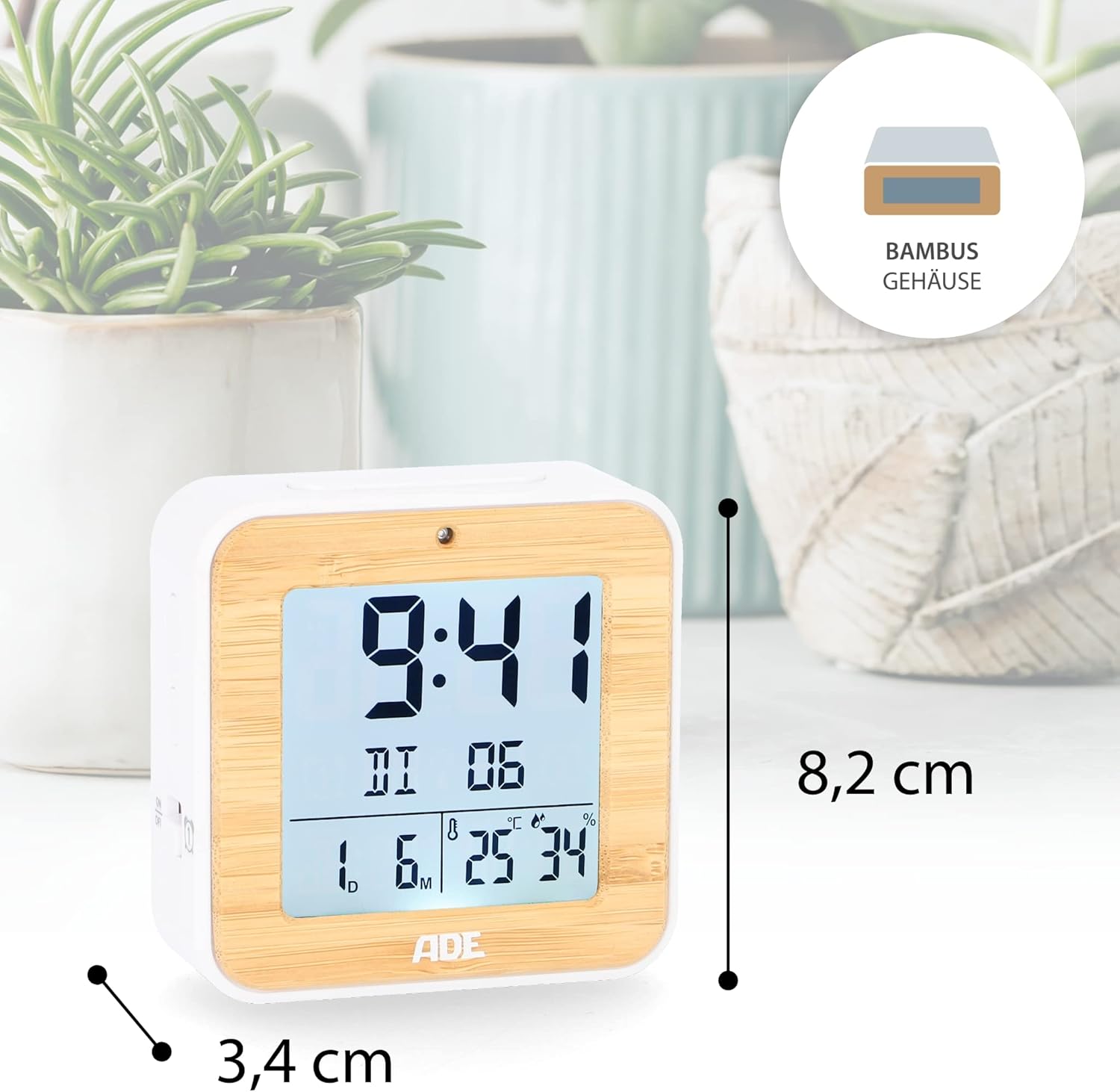
Image: The ADE CK2112 Digital Alarm Clock with its dimensions (8.2 cm height, 3.4 cm depth) clearly marked.
9. Garantia i Suport
For warranty information and customer support, please refer to the contact details provided by your retailer or visit the official ADE weblloc web. Conserveu el rebut de compra com a comprovant de compra.
For frequently asked questions, you may also refer to the brand's FAQ section:
- Q: I received my item but it did not come with instructions in Spanish. What should I do now?
- A: All our items are printed in German, English, and French. Other languages, including Spanish, can be downloaded directly here, on the Amazon website. Or you can scan the QR code on the printed instructions.
- Q: I am very satisfied with my purchase. How can I rate them?
- A: We are very happy that you are satisfied. Feedback is very important to us. You can easily rate us and your purchased item through your Amazon account under orders. Thank you for taking the time to do so!
- Q: I am not satisfied with my purchase. What can I do?
- A: We are sorry that you are not satisfied with your item. We invite you to request a return through your account and you will receive your money back.