1. Introducció
Welcome to the user manual for your HP T730 Thin Pro. This document provides essential information for setting up, operating, maintaining, and troubleshooting your device. Please read this manual thoroughly to ensure optimal performance and longevity of your thin client.
2. Producte acabatview
The HP T730 Thin Pro is a powerful and compact thin client designed for demanding virtualized environments. It features an AMD R-Series Rx-427Bb processor, ample memory, and dedicated graphics, making it suitable for a wide range of business applications.
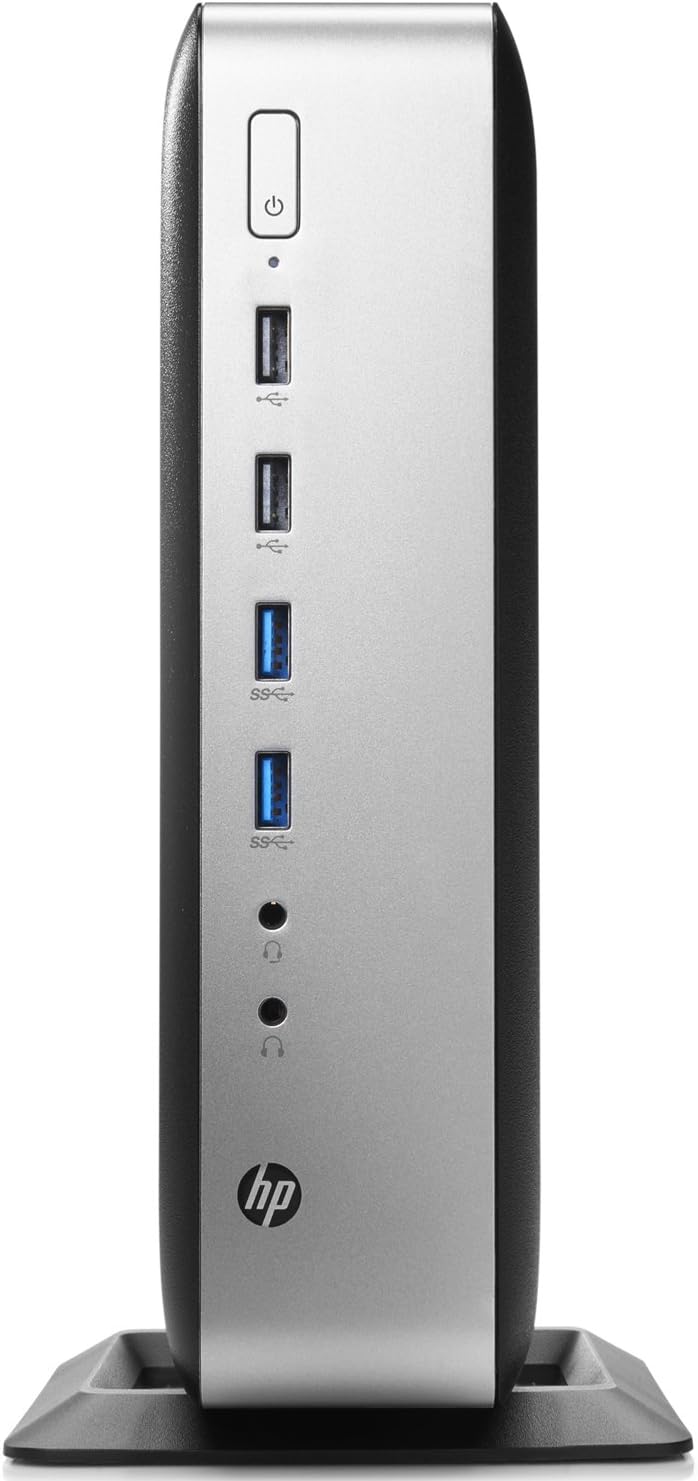
Figure 2.1: Front panel of the HP T730 Thin Pro, displaying the power button, multiple USB ports, and audio input/output jacks.

Figure 2.2: Rear panel of the HP T730 Thin Pro, featuring a comprehensive array of connectivity options including video outputs, USB ports, and network connections.
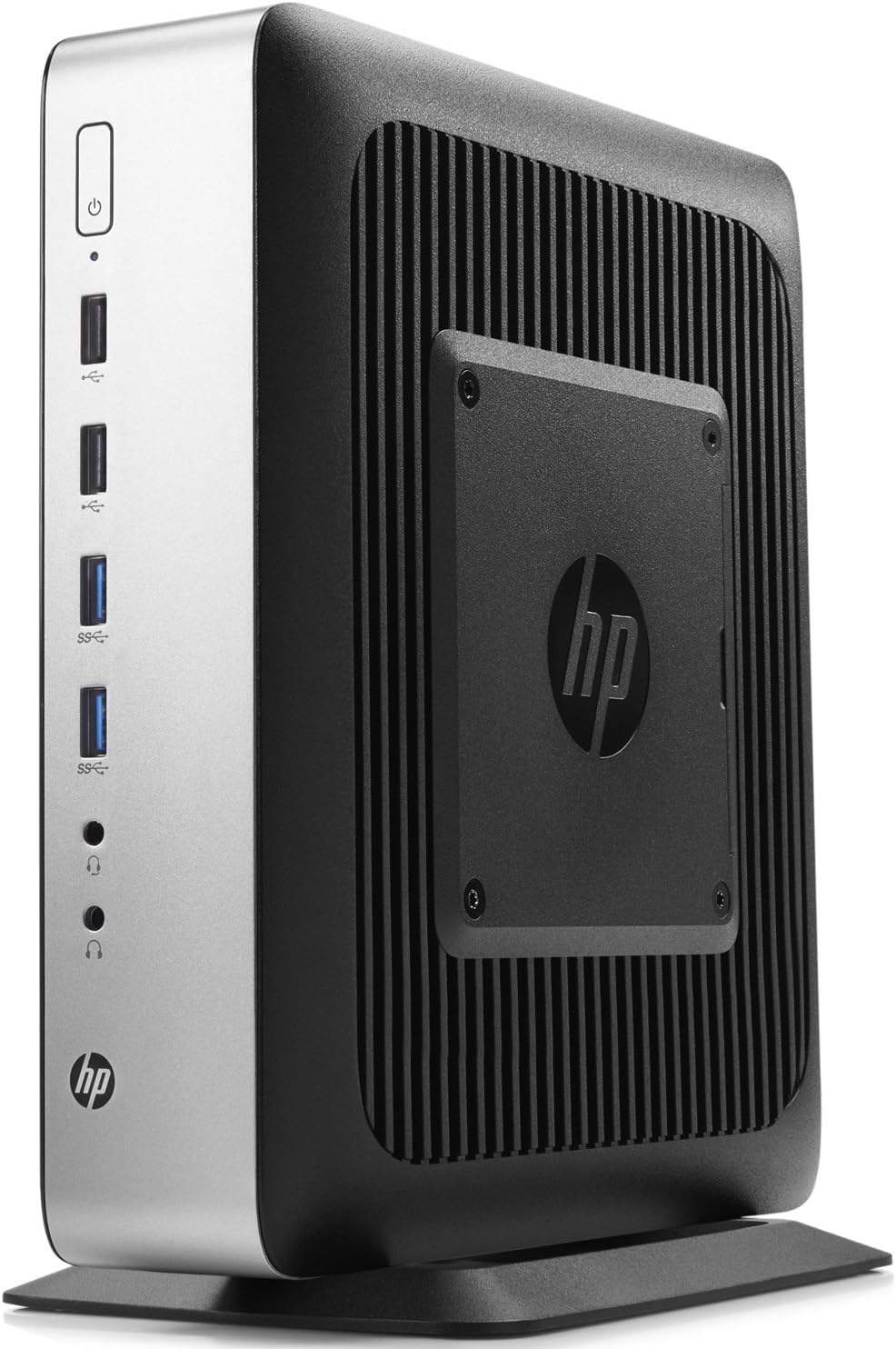
Figura 2.3: Angle view of the HP T730 Thin Pro, highlighting its compact form factor and the integrated VESA mounting plate for flexible deployment.
3. Característiques clau
- Processador: 2.7 GHz Quad Core AMD R-Series CPU
- Memòria: 16 GB de RAM DDR4
- Emmagatzematge: Unitat d'estat sòlid de 16 GB
- Visualització: 15.6" FHD IPS Anti-glare Display
- Gràfics: Dedicated AMD Radeon RX 427B graphics card
4. Guia de configuració
4.1 Desembalatge
Carefully remove the HP T730 Thin Pro and all accessories from the packaging. Verify that all components listed in the packing slip are present.
4.2 Connexió de perifèrics
Abans d'encendre el dispositiu, connecteu els perifèrics essencials:
- Monitor: Connect your display cable (DisplayPort, DVI, or VGA) to the corresponding port on the rear of the thin client.
- Teclat i ratolí: Connecteu el teclat i el ratolí USB a qualsevol port USB disponible.
- Xarxa: Connect an Ethernet cable from your network router or switch to the RJ-45 network port on the rear.
- Potència: Connect the power adapter to the thin client's power input, then plug the power cord into a wall outlet.
4.3 Encès
Press the power button located on the front panel of the thin client. The power indicator light will illuminate, and the system will begin to boot.
5. Operating Your Thin Client
5.1 Initial Boot and OS Setup
Upon the first boot, the Windows 10 operating system may require initial setup, including language selection, network configuration, and user account creation. Follow the on-screen prompts to complete this process.
5.2 Connexió a una xarxa
If you did not connect an Ethernet cable during setup, or if you need to configure Wi-Fi (if applicable), navigate to the network settings within the operating system to establish a connection.
5.3 Funcionament bàsic
Once the operating system is ready, you can begin using your thin client. Access your virtual desktop infrastructure (VDI) or cloud applications as configured by your IT administrator. The device functions similarly to a standard desktop computer for general tasks.
6. Manteniment i cura
- Neteja: Use a soft, dry cloth to clean the exterior of the thin client. For stubborn marks, slightly dampRenta el drap amb aigua. Evita productes de neteja o dissolvents abrasius.
- Ventilació: Ensure that the ventilation openings are not blocked to prevent overheating. Do not place the device in an enclosed space without adequate airflow.
- Actualitzacions de programari: Regularly check for and install operating system and driver updates to maintain security and performance.
- Condicions ambientals: Operate the thin client within recommended temperature and humidity ranges to prevent damage.
7. Solució De Problemes
| Problema | Causa possible | Solució |
|---|---|---|
| Sense poder | Power cable not connected; power outlet issue | Comproveu les connexions del cable d'alimentació; proveu una presa de corrent diferent. |
| Sense pantalla | Monitor cable loose; monitor off; incorrect input selected on monitor | Ensure monitor cable is secure; turn on monitor; select correct input source. |
| Problemes de connectivitat de xarxa | Ethernet cable loose; network settings incorrect; router/switch issue | Check Ethernet cable; verify network settings; restart network equipment. |
| System slow or unresponsive | Too many applications open; outdated drivers; malware | Close unnecessary applications; update drivers; run a malware scan. |
8. Especificacions tècniques
| Característica | Especificació |
|---|---|
| Resolució de pantalla | 1920 x 1080 |
| Processador | 2.7 GHz AMD R-Series |
| RAM | 16 GB |
| Disc dur | SSD |
| Xipset Brand | AMD |
| Descripció de la targeta | Dedicat |
| Sèrie | Hp T730 |
| Número de model de l'article | V0C69UA |
| Sistema operatiu | Windows 10 |
| Pes de l'article | 11 lliures |
| Dimensions del producte | 0.1 x 0.1 x 0.1 polzades |
| Color | Negre |
| Marca del processador | AMD |
| Nombre de processadors | 4 |
| Model de CPU | AMD R Series |
| Velocitat de la CPU | 2.7 GHz |
| Descripció de la targeta gràfica | Dedicat |
| Capacitat d'emmagatzematge de memòria | 100 GB |
| Personal computer design type | Torre d'ordinadors |
| Mida instal·lada de la memòria RAM | 4 GB |
9. Garantia i Suport
Per obtenir informació sobre la garantia i assistència tècnica, consulteu la documentació que s'inclou amb la compra o visiteu el lloc web d'assistència oficial d'HP. weblloc web. Conserveu el comprovant de compra per a reclamacions de garantia.


