DROK 200069

DROK AC 500V 200A Digital Volt Ammeter Panel User Manual

Model: 200069 | Brand: DROK

Introducció

This user manual provides comprehensive instructions for the installation, operation, and maintenance of the DROK AC 500V 200A Digital Volt Ammeter Panel. This device is designed to accurately measure and display AC voltage and current simultaneously, making it an essential tool for monitoring electrical systems.

Informació important de seguretat

ADVERTÈNCIA: Perill de descàrrega elèctrica. La instal·lació i el manteniment només els ha de dur a terme personal qualificat.

Característiques del producte

Especificacions

AtributValor
MarcaDROK
Número de model200069
Tipus de materialPlàstic
MidaAC 130-500V 200A LED Volt Amp Mesurador
Dimensions del producte7 x 4 x 3 cm; 50 g
Dimensions del paquet12.4 x 5.5 x 5.1 cm
Requires Batteries?No
ASINB01M8LCWNW

Configuració i instal·lació

Follow these steps to correctly install your DROK Digital Volt Ammeter Panel:

  1. Prepareu la ubicació de muntatge: Ensure you have a suitable panel cutout for the meter. Refer to the dimensions image below for precise measurements.
  2. Dimensions of the DROK AC 500V 200A Digital Volt Ammeter Panel and its Current Transformer

    Image: Dimensions of the DROK AC 500V 200A Digital Volt Ammeter Panel and its Current Transformer. The meter measures approximately 70mm wide by 40mm high, with a depth of 30mm. The current transformer has an outer diameter of approximately 40mm and an inner diameter of 25mm.

  3. Connexions de cablejat: The meter is a 2-wire design and is powered by the circuit it measures. Connect the red and black wires from the meter to the AC input voltage línies.
  4. Current Transformer (CT) Connection: Connect the two green wires from the CT to the "CT" terminals on the meter.
  5. Current Measurement Setup: For current measurement, the wire carrying the load current must pass through the hole in the middle of the current transformer. Ensure only one wire passes through the CT for accurate readings.
  6. Wiring diagram for DROK AC 500V 200A Digital Volt Ammeter Panel

    Image: Wiring diagram illustrating the connection of the DROK AC 500V 200A Digital Volt Ammeter Panel. The diagram shows the AC input connected to the meter's voltage input terminals (red and black wires). The current transformer (CT) is connected to the meter via green wires, and the load wire passes through the center of the CT.

  7. Assegura el dispositiu: Once wired, secure the meter into its panel cutout.
DROK AC 500V 200A Digital Volt Ammeter Panel with Current Transformer

Imatge: Frontal view of the DROK AC 500V 200A Digital Volt Ammeter Panel, showing the red LED display for voltage and green LED display for current, along with the included toroidal current transformer.

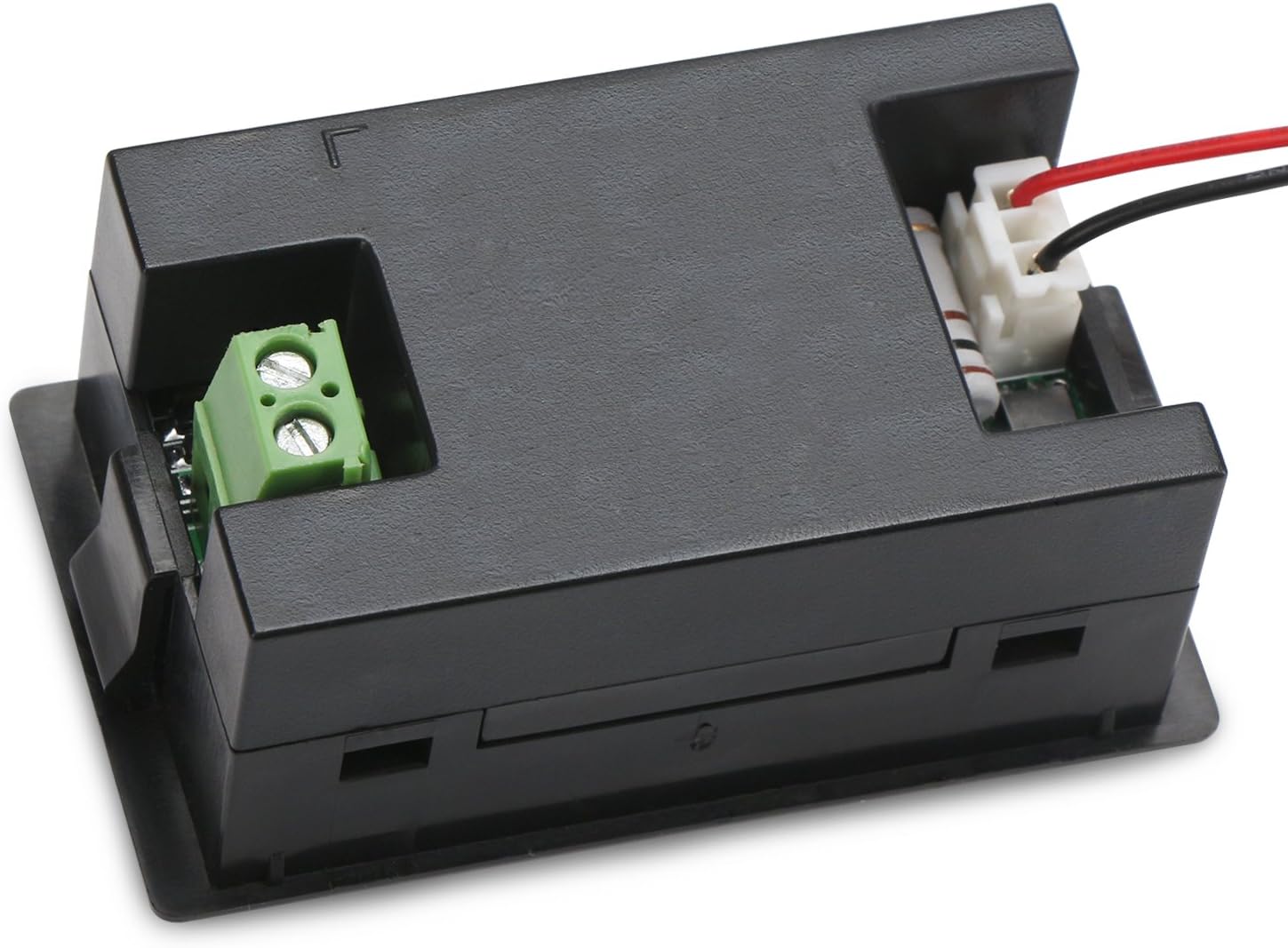
Enrere view of the DROK AC 500V 200A Digital Volt Ammeter Panel showing wiring terminals

Imatge: Enrere view of the DROK AC 500V 200A Digital Volt Ammeter Panel, illustrating the screw terminals for the current transformer connection and the input wires for voltage mesura.

Instruccions de funcionament

Once properly installed and powered, the DROK Digital Volt Ammeter Panel will automatically display the measured AC voltage i corrent.

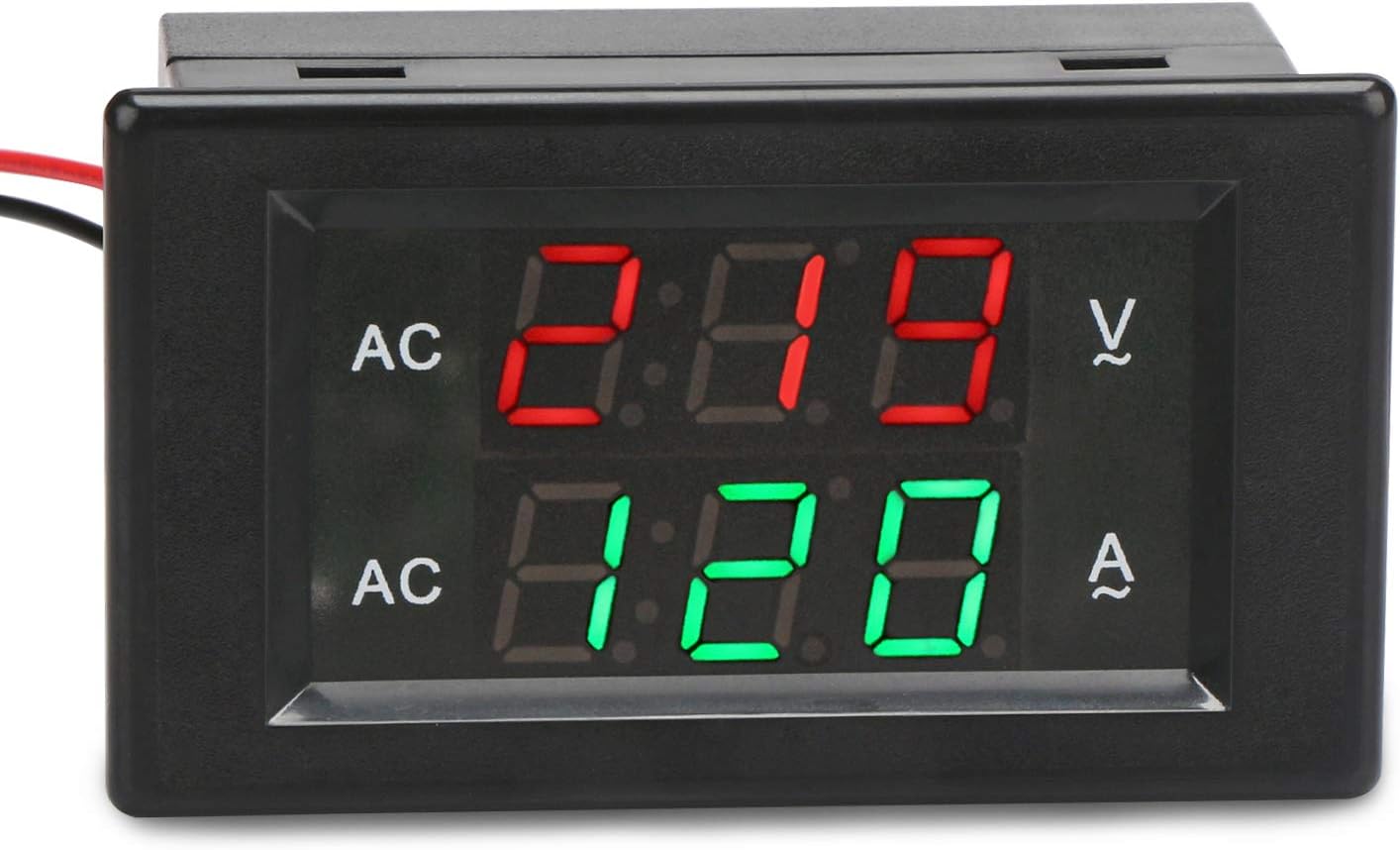
Close-up of the DROK Digital Volt Ammeter Panel display showing voltage and current readings

Imatge: Primer pla view of the DROK Digital Volt Ammeter Panel's display, showing an example reading of AC voltage (red digits) and AC current (green digits).

Calibration (Advanced Users Only)

The meter features a built-in trimmer potentiometer for calibration. If you suspect inaccurate readings, a qualified technician can adjust these potentiometers using a known accurate reference meter. The potentiometers are typically located on the back of the unit, labeled for voltage (V-Setting) and amperage (A-Setting) adjustments.

Manteniment

The DROK Digital Volt Ammeter Panel requires minimal maintenance.

Resolució de problemes

ProblemaCausa possibleSolució
No display / Meter not turning onNo power to the meter; incorrect wiring.Consulta voltage input connections. Ensure power is supplied to the circuit being measured.
Voltage reading is incorrectVol incorrectetage input connection; meter requires calibration.Verifiqueu el voltage input wiring. If persistent, professional calibration may be needed.
Current reading is incorrect or zeroCT not connected; load wire not passing through CT; CT connected incorrectly; meter requires calibration.Ensure CT wires are securely connected to the meter. Verify that only one load wire passes through the center of the CT. If persistent, professional calibration may be needed.
La pantalla parpelleja o és inestableUnstable power supply; loose connections.Check power supply stability. Secure all wiring connections.

Garantia i Suport

For warranty information and technical support, please refer to the official DROK weblloc web o contacteu amb el vostre distribuïdor. Conserveu el rebut de compra com a comprovant de compra.

DROK is committed to customer satisfaction. If you encounter any issues with your product, please reach out to their customer service for assistance.

Documents relacionats - 200069

Preview DROK AC Digital Meter 200386/200677: Specifications & Instructions
Detailed specifications, wiring diagram, and operating instructions for the DROK AC Digital Meter (Model 200386/200677). Measures voltage, current, power, energy, frequency, and power factor.
Preview DROK 200444 Multi-Function Digital Meter: AC Voltage, Current, Power Specifications
Detailed specifications for the DROK 200444 Multi-Function Digital Meter, including AC voltage, current, active power, electric energy, frequency, power factor, and working conditions. Learn about its application method and dimensions.
Preview UM25 USB Color Screen Tester Instructions and Specifications
Comprehensive instructions and technical specifications for the UM25 USB Color Screen Tester, detailing its parameters, functions, interface descriptions, and operation steps for accurate USB testing.
Preview DROK WLS-PVA200 LCD Hall Current VoltagInstruccions de mesurament d'energia elèctrica
This document provides instructions for the DROK WLS-PVA200 LCD Hall Current Voltage Power Electric Energy Meter. It covers function introduction, button operations, technical parameters, and wiring instructions for measuring battery capacity, current, voltage, power, and accumulated electric energy.
Preview DROK VAC9010H DC VoltagManual d'usuari i instruccions de l'amperímetre electrònic
Guia completa del DROK VAC9010H DC VoltagAmperímetre, que cobreix la seva introducció, les principals característiques, les especificacions tècniques, la descripció del panell, els diagrames de connexió, les instruccions d'ús, les funcions de protecció i les precaucions. Apreneu a mesurar el volumtage, corrent, capacitat de càrrega i descàrrega.
Preview DROK USB Tester Instruction Manual: Voltage, Current, Capacitance Measurement
Comprehensive instruction manual for the DROK USB Tester, detailing its parameters, functions, capacitance checking, and measurement capabilities for voltage, corrent i potència.