1. Introducció
Thank you for choosing the ZEALOT B21 Wireless Bluetooth Over-Ear Headphones. These headphones are designed to provide a high-quality audio experience with convenient wireless connectivity and intuitive touch controls. This manual will guide you through the setup, operation, and maintenance of your new headphones.
Contingut del paquet
- ZEALOT B21 Wireless Bluetooth Over-Ear Headphones
- Cable de càrrega USB
- Cable d'àudio de 3.5 mm
- Manual d'usuari

Image 1.1: Contents of the ZEALOT B21 headphone package, showing the headphones, charging cable, audio cable, and user manual.
2. Configuració
2.1 Càrrega dels auriculars
Before first use, fully charge the headphones. Connect the supplied USB charging cable to the charging port on the headphones and the other end to a USB power source (e.g., computer USB port, USB wall adapter). The LED indicator will show charging status and turn off or change color when fully charged. A full charge provides approximately 12 hours of music playback or 300 hours of standby time.
2.2 Engegada/apagada
- Per encendre: Premeu i manteniu premut el botó d'engegada fins que l'indicador LED s'encengui.
- Per apagar: Premeu i manteniu premut el botó d'engegada fins que l'indicador LED s'apagui.
2.3 Vinculació Bluetooth
Per connectar els auriculars a un dispositiu amb Bluetooth:
- Assegureu-vos que els auriculars estiguin apagats.
- Premeu i manteniu premut el botó d'engegada durant aproximadament 5-7 segons fins que l'indicador LED parpellegi en blau i vermell alternativament, cosa que indica el mode d'emparellament.
- Al dispositiu (telèfon intel·ligent, tauleta, ordinador), activeu el Bluetooth i cerqueu els dispositius disponibles.
- Select "ZEALOT B21" from the list of found devices.
- Un cop emparellats, l'indicador LED dels auriculars parpellejarà lentament en blau i sentireu una confirmació audible.
Els auriculars intentaran tornar a connectar-se automàticament amb l'últim dispositiu emparellat quan s'engeguin, si el Bluetooth del dispositiu està actiu i dins de l'abast.

Image 2.1: The ZEALOT B21 headphones, illustrating their over-ear design and touch control area on the ear cup.
3. Instruccions de funcionament
3.1 Toqueu Tauler de control
The ZEALOT B21 headphones feature an integrated touch control panel on the right ear cup for easy management of music and calls.
- Reproduir/pausa: Tap the center of the touch panel once.
- Pujar el volum: Slide your finger upwards on the touch panel.
- Baixar el volum: Slide your finger downwards on the touch panel.
- Pista següent: Slide your finger forward (towards the front of the ear cup) on the touch panel.
- Pista anterior: Slide your finger backward (towards the rear of the ear cup) on the touch panel.
- Voice Dial (when standby): Premeu i manteniu premut el centre del panell tàctil.

Image 3.1: Visual guide to the touch control gestures for managing music playback and volume on the headphones.
3.2 Funcions de trucada
The built-in HD microphone allows for hands-free calling.
- Respondre/Finalitzar la trucada: Tap the center of the touch panel once.
- Rebutja la trucada: Press and hold the center of the touch panel for 2 seconds.
3.3 AUX Line-in Mode
You can use the headphones as a wired headset even when the battery is depleted or with non-Bluetooth devices. Connect one end of the supplied 3.5mm audio cable to the AUX port on the headphones and the other end to your audio source's 3.5mm jack. In AUX mode, the microphone functionality is not available.

Image 3.2: The ZEALOT B21 headphones, highlighting their capability for continuous music playback, including via AUX cable.
4. Comoditat i disseny
The ZEALOT B21 headphones are designed for extended listening comfort.
- Ergonomic Ear Cups: The closed circumaural ear cups are made with breathable protein leather and memory foam padding, providing comfort and effective noise isolation.
- Diadema ajustable: The solid steel headband is adjustable to ensure a secure and comfortable fit for various head sizes, enhancing durability.

Imatge 4.1: Una imatge detallada view of the soft, ergonomic ear cup designed for comfort and sound isolation.
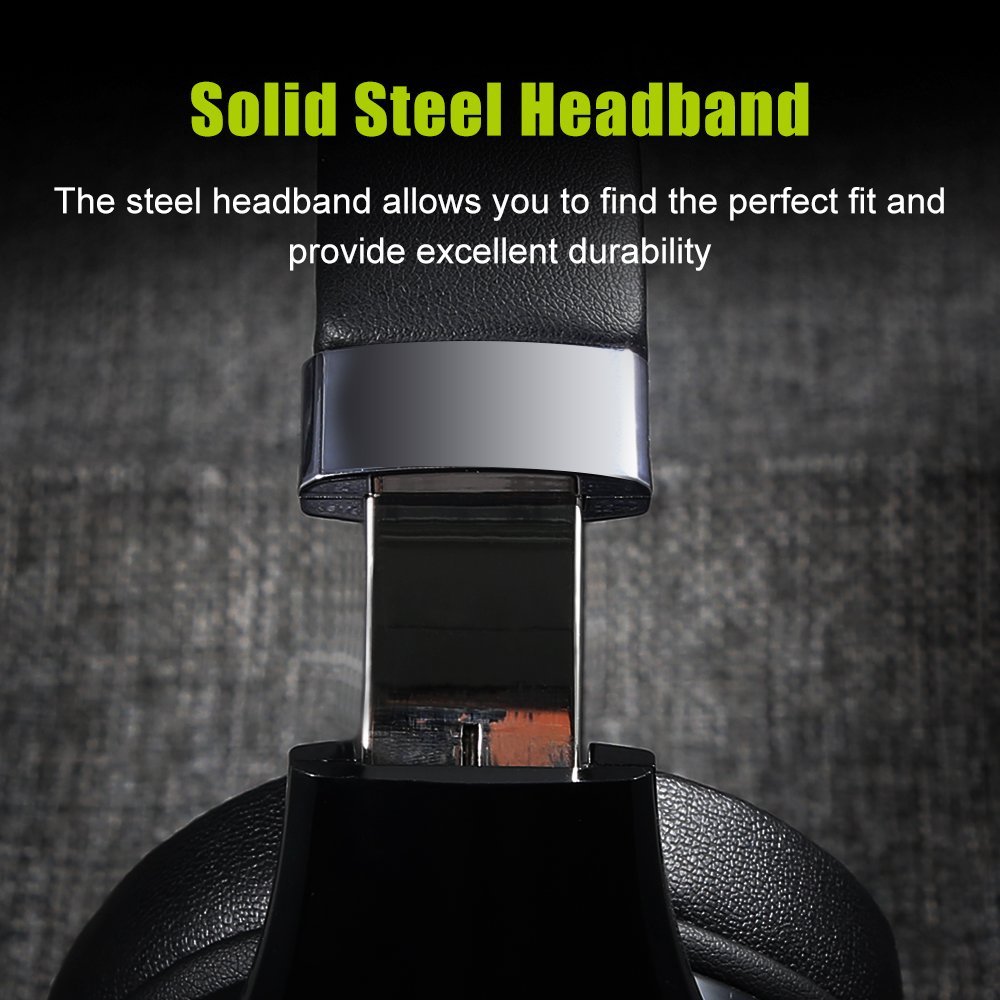
Image 4.2: A close-up of the durable, adjustable steel headband component.
5. Manteniment
5.1 Neteja
To maintain the condition of your headphones:
- Wipe the surfaces with a soft, dry cloth.
- No utilitzeu netejadors abrasius, alcohol ni dissolvents químics.
- Eviteu que entri humitat a cap obertura.
5.2 Emmagatzematge
When not in use, store the headphones in a cool, dry place, away from direct sunlight and extreme temperatures. Using the provided storage bag can help protect them from dust and scratches.
6. Solució De Problemes
If you encounter issues with your ZEALOT B21 headphones, refer to the following solutions:
| Problema | Possible solució |
|---|---|
| Els auriculars no s'engeguen. | Assegureu-vos que els auriculars estiguin completament carregats. Connecteu-los a una font d'alimentació i torneu-ho a provar. |
| No es pot emparellar per Bluetooth. | Ensure headphones are in pairing mode (flashing blue/red). Turn off and on your device's Bluetooth. Move headphones closer to the device. Clear previous Bluetooth connections on your device. |
| Sense so o amb un volum baix. | Check volume levels on both headphones and the connected device. Ensure headphones are properly paired. If using AUX cable, ensure it is fully inserted. |
| Mala qualitat de so. | Move closer to the connected device to reduce interference. Ensure there are no obstacles between the headphones and the device. Try a different audio source. |
| Els controls tàctils no responen. | Ensure your fingers are clean and dry. Power off and restart the headphones. |
7. Especificacions
| Característica | Detall |
|---|---|
| Nom del model | B21 |
| Tecnologia de connectivitat | Sense fil (Bluetooth) |
| Tecnologia de comunicació sense fils | Bluetooth 4.0 (CSR8635 chipset) |
| Distància d'operació | Fins a 10 metres |
| Conector d'auriculars | 3.5 mm Jack (for AUX mode) |
| Resposta de freqüència | 20 Hz - 20000 Hz |
| Impedància | 32 ohms |
| Format de micròfon | Built-In (HD microphone with CVC6.0 Noise Cancelling) |
| Tipus de control | Control tàctil, control de volum |
| Bateria | Bateria de polímer de polímer 500mAh |
| Temps d'espera | Fins a 300 hores |
| Temps de reproducció de música | Fins a 12 hores |
| Material | Pell sintètica (orelles) |
| Pes de l'article | 771 g (1.7 lliures) |
| Dimensions del producte | 21.34 x 18.03 x 10.67 cm |
| Plataformes compatibles | Ordinador portàtil, PC, telèfon intel·ligent, tauleta |
8. Garantia i Suport
For warranty information and technical support, please refer to the warranty card included in your product packaging or visit the official ZEALOT weblloc web. Conserveu el rebut de compra com a comprovant de compra per a qualsevol reclamació de garantia.


