Introducció
Thank you for choosing the Logitech M331 SILENT PLUS Wireless Mouse. This manual provides detailed instructions for setting up, operating, maintaining, and troubleshooting your new wireless mouse. Designed for comfort and quiet operation, the M331 SILENT PLUS offers a reliable and precise navigation experience.
Contingut del paquet
- Ratolí sense fil Logitech M331 SILENT PLUS
- Nano receptor
- 1 pila AA (preinstal·lada)
- Documentació d'usuari

Image: The Logitech M331 SILENT PLUS Wireless Mouse in red, showing its top view with the scroll wheel and Logitech logo.
Guia de configuració
1. Instal·lació de la bateria
The Logitech M331 SILENT PLUS mouse comes with one AA battery pre-installed. If you need to replace it:
- Localitzeu la tapa del compartiment de la bateria a la part inferior del ratolí.
- Feu lliscar la coberta oberta.
- Insert a new AA battery, ensuring the positive (+) and negative (-) terminals align correctly with the indicators inside the compartment.
- Tanqueu bé la tapa del compartiment de la bateria.
2. Connecting the Nano Receiver
The Nano Receiver provides the wireless connection between your mouse and computer.
- Locate the Nano Receiver. It is typically stored inside the battery compartment of the mouse for safekeeping during transport.
- Connecteu el nanoreceptor a un port USB disponible de l'ordinador.
- L'ordinador hauria de detectar i instal·lar automàticament els controladors necessaris. Això pot trigar uns instants.
3. Turning the Mouse On/Off
To conserve battery life, the mouse features an on/off switch.
- Localitzeu l'interruptor d'alimentació a la part inferior del ratolí.
- Slide the switch to the "ON" position to use the mouse.
- Slide the switch to the "OFF" position when not in use for extended periods, such as overnight or during travel.

Image: A diagram highlighting key features of the Logitech M331 mouse, including silent clicks, wide rubber scroll wheel, contoured grips, high precision tracking, the storage location for the unifying receiver, and its 10-meter wireless range.
Instruccions de funcionament
Funcions bàsiques del ratolí
- Clic esquerre: Press the left mouse button to select items, open files, o activar funcions.
- Clic dret: Press the right mouse button to open context menus or access additional options.
- Roda de desplaçament: Gireu la roda de desplaçament amunt o avall per navegar pels documents i web pàgines. La roda de desplaçament també funciona com a botó central.
Funcionament silenciós
The M331 SILENT PLUS mouse is engineered for quiet operation, offering over 90% noise reduction on click sounds compared to standard Logitech mice. This feature ensures a quiet environment for you and those around you.
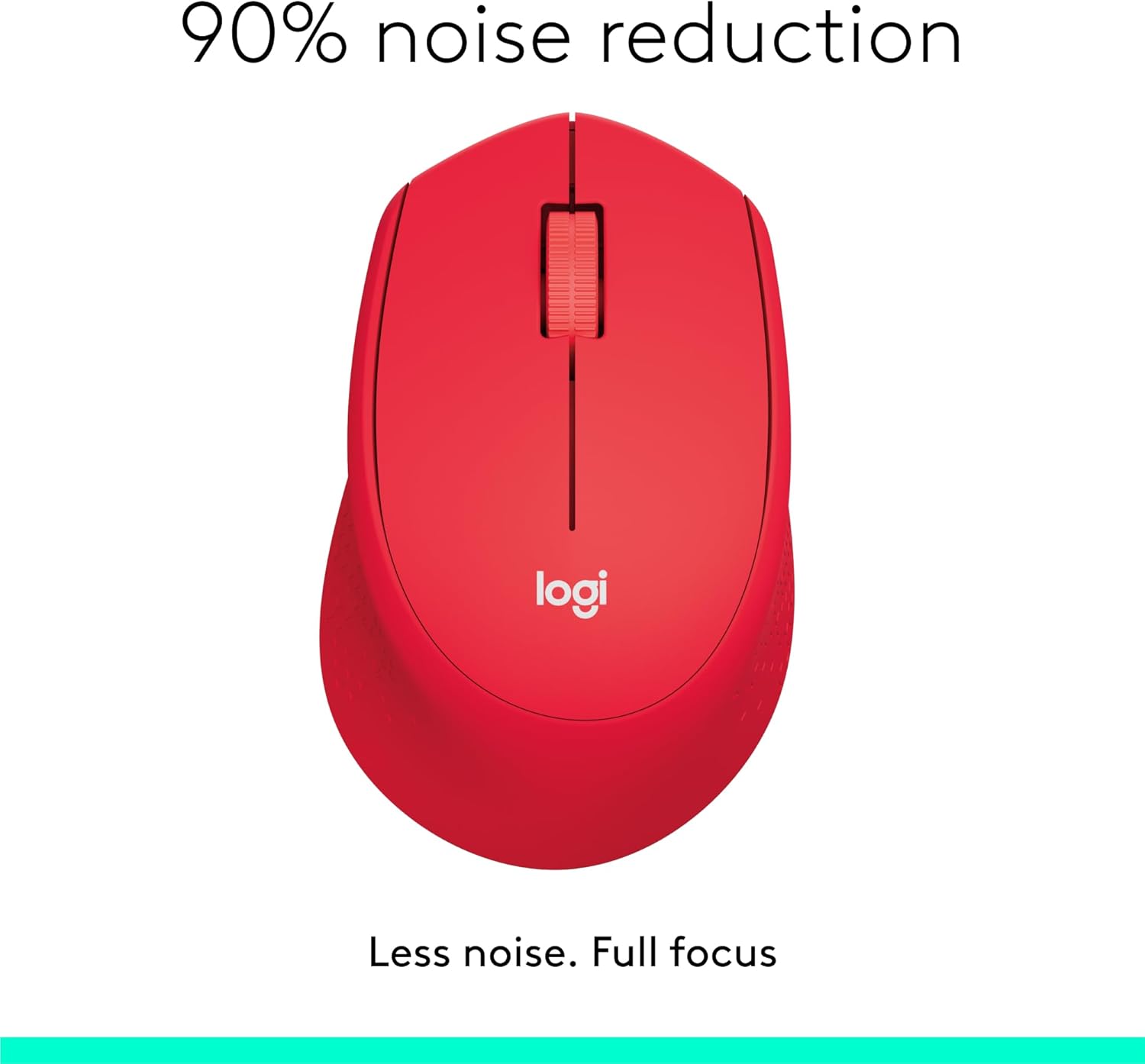
Image: The Logitech M331 mouse illustrating its 90% noise reduction capability, promoting a focused work environment.
Disseny ergonòmic
The mouse is crafted with contoured grips and a curved shape to fit comfortably in your right hand, providing improved control and reducing strain during extended use.

Image: A hand demonstrating the comfortable grip on the Logitech M331 mouse, highlighting its contoured side grips designed for right-hand use.
Manteniment
Neteja del ratolí
Per mantenir un rendiment i una higiene òptims, netegeu el ratolí regularment:
- Turn off the mouse and unplug the Nano Receiver from your computer.
- Utilitzeu un drap suau i sense pelusa dampened with water or an electronics-safe cleaning solution to wipe the surface of the mouse.
- Eviteu que entri humitat a cap obertura.
- For the optical sensor on the underside, use a dry cotton swab to gently remove any dust or debris.
Canvi de bateria
The M331 SILENT PLUS mouse boasts an impressive battery life of up to 24 months. When the battery is low, you may notice erratic behavior or the mouse becoming unresponsive. Refer to the "Installing the Battery" section under Setup Guide for replacement instructions.
Resolució de problemes
| Problema | Causa possible | Solució |
|---|---|---|
| Mouse is unresponsive or not moving. |
|
|
| Erratic or jumpy cursor movement. |
|
|
| Clicks are not registering. |
|
|
Especificacions
| Característica | Detall |
|---|---|
| Model | 910-004916 |
| Dimensions (ratolí) | 105.4 mm (alçada) x 67.9 mm (amplada) x 38.4 mm (profunditat) |
| Weight (Mouse) | 91.0 g (with battery: 78 g / 2.75 oz) |
| Nano Receiver Dimensions | 14.4 mm x 18.7 mm x 6.1 mm |
| Nano Receiver Weight | 1.8 g |
| Tipus de connexió | 2.4GHz Wireless connection |
| abast sense fils | 10 metres (33 peus) |
| La tecnologia de sensors | Seguiment òptic avançat de Logitech |
| Resolució del sensor | 1000 ppp |
| Nombre de botons | 3 (Left/Right-click, Middle click/Scroll wheel) |
| Roda de desplaçament | Yes, 2D, optical, wide rubber wheel |
| Tipus de bateria | 1 x bateria AA |
| Durada de la bateria | Up to 24 months (may vary based on user and computing conditions) |
| Interruptor d'encesa/apagada | Sí |
| Requisits del sistema | Windows 10 or later, Windows 8, Windows RT, Windows 7, Mac OS X 10.5 or later, Chrome OS, Linux Kernel 2.6+2, USB connection (available USB port required) |
| Orientació de la mà | D'acord |
| Tipus de material | Plastic (58% Recycled Plastic) |

Image: Detailed dimensions of the Logitech M331 mouse, showing its length, width, height, and weight with batteries.
Garantia i Suport
For warranty information and technical support, please refer to the user documentation included in your package or visit the official Logitech support website. Logitech products typically come with a limited hardware warranty. Please retain your proof of purchase for warranty claims.
Per obtenir més ajuda, podeu visitar la pàgina d'assistència de Logitech: support.logi.com


