Biconic Bluetooth Tough Weatherproof Portable Wireless Speaker User Manual
Model: ABC-AU-BS-103-BK
Marca: Bytech
1. Producte acabatview
The Biconic Bluetooth Tough Weatherproof Portable Wireless Speaker is designed for robust outdoor and indoor use, providing enhanced bass and clear audio. Its wireless capabilities allow for easy connection to various devices, and its durable, weatherproof construction ensures reliable performance in diverse environments.

Figura 1.1: Frontal view of the Biconic Bluetooth Speaker, showcasinel seu disseny robust i la reixeta de l'altaveu.
Característiques principals:
- Connectivitat sense fils: Seamless Bluetooth pairing with smartphones, tablets, and other compatible devices.
- Disseny impermeable: IPX6 water resistance protects against strong jets of water, making it suitable for outdoor use.
- Baix millorat: Delivers rich, deep bass for a superior audio experience.
- Portàtil: Compact design with a durable strap for easy transport.
- Temps de joc llarg: Up to 4 hours of continuous audio playback on a single charge.
2. Informació de seguretat
Si us plau, llegiu atentament tots els avisos i instruccions de seguretat abans d'utilitzar aquest producte per garantir un funcionament segur i evitar danys.
- Do not expose the speaker to extreme temperatures (hot or cold).
- Do not immerse the speaker in water. While it is IPX6 water resistant, it is not designed for submersion.
- Keep the speaker away from direct heat sources, open flames, and flammable liquids.
- Use only the provided charging cable and a compatible power adapter (5V/1A recommended) to charge the device.
- Do not attempt to disassemble, repair, or modify the speaker. This will void the warranty and may cause harm.
- Mantenir fora de l'abast dels nens.
- Netegeu l'altaveu amb un drap suau i sec. No utilitzeu productes de neteja abrasius ni dissolvents.
3. Contingut del paquet
Verifiqueu que tots els elements estiguin presents al paquet en desempaquetar-lo:
- Biconic Bluetooth Tough Weatherproof Portable Wireless Speaker
- Cable de càrrega USB
- Manual d'usuari (aquest document)
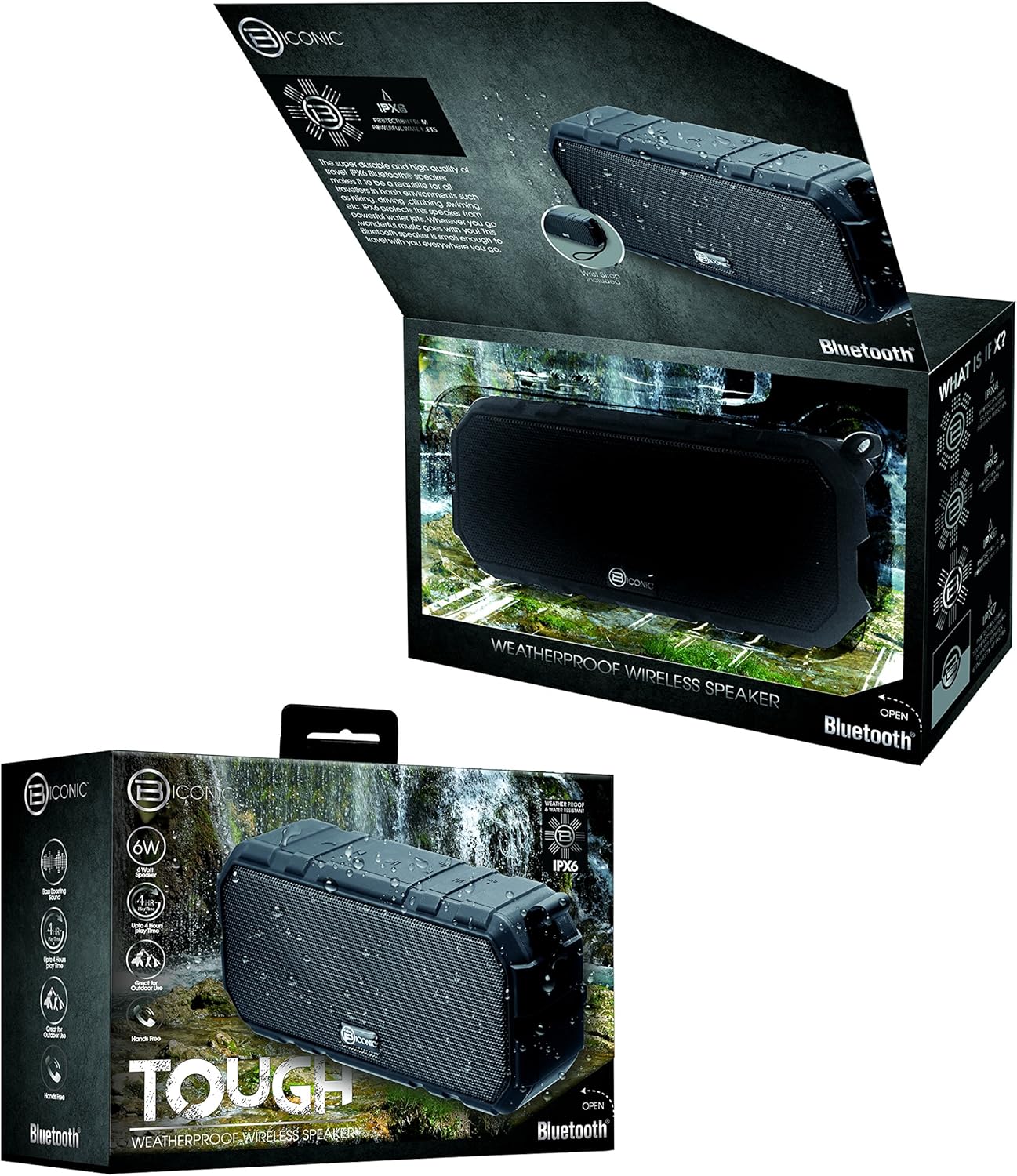
Figure 3.1: The Biconic Bluetooth Speaker shown with its retail packaging, indicating typical package contents.
4. Configuració
4.1 Càrrega de l'altaveu
- Locate the charging port on the side of the speaker. This port is typically protected by a rubber flap to maintain water resistance.
- Obriu la solapa de goma.
- Connecteu l'extrem petit del cable de càrrega USB proporcionat al port de càrrega de l'altaveu.
- Connect the larger end of the USB cable to a USB power source (e.g., computer USB port, USB wall adapter).
- The charging indicator light will illuminate, typically red, to show that the speaker is charging.
- Once fully charged (approximately 2-3 hours), the indicator light will change color (e.g., turn off or turn blue/green). Disconnect the charging cable and close the rubber flap securely to maintain water resistance.
4.2 Engegada/apagada
- Per encendre: Press and hold the Power button (usually marked with a power symbol) for a few seconds until you hear an audible tone or see an indicator light illuminate.
- Per apagar: Press and hold the Power button again for a few seconds until you hear an audible tone or the indicator light turns off.
5. Instruccions de funcionament
5.1 Vinculació Bluetooth
Before first use, you need to pair the speaker with your Bluetooth-enabled device.
- Ensure the speaker is fully charged and powered on. It will automatically enter pairing mode, indicated by a flashing blue LED light.
- On your smartphone, tablet, or other Bluetooth device, go to the Bluetooth settings menu.
- Activeu el Bluetooth si encara no està habilitat.
- Scan for available devices. You should see "Biconic Speaker" or a similar name appear in the list.
- Select "Biconic Speaker" to connect. Once successfully paired, you will hear a confirmation tone, and the blue LED light on the speaker will stop flashing and remain solid.
- Si se us demana una contrasenya, introduïu "0000".
- L'altaveu es tornarà a connectar automàticament al darrer dispositiu emparellat quan s'engegui, si el dispositiu es troba dins del rang i el Bluetooth està habilitat.
5.2 Reproducció de música
Once paired, you can control music playback directly from your connected device or using the speaker's controls.
- Reproduir/pausa: Press the Play/Pause button (often marked with a triangle or || symbol) once to play or pause music.
- Pujar el volum: Press the Volume Up button (+) to increase the volume.
- Baixar el volum: Press the Volume Down button (-) to decrease the volume.
- Pista següent: Press and hold the Volume Up button (+) for a few seconds to skip to the next track.
- Pista anterior: Press and hold the Volume Down button (-) for a few seconds to go to the previous track.

Figura 5.1: superior view of the Biconic Bluetooth Speaker, highlighting the control buttons for power, volume, and playback.
5.3 Answering Calls (Hands-Free Function)
The speaker supports hands-free calling when connected to a smartphone.
- Respon a la trucada: When a call comes in, press the Play/Pause button once to answer.
- Finalitzar la trucada: Durant una trucada, premeu el botó Reprodueix/Pausa una vegada per finalitzar la trucada.
- Rebutja la trucada: Press and hold the Play/Pause button for a few seconds to reject an incoming call.
6. Manteniment
Un manteniment adequat garanteix la longevitat i el rendiment òptim del vostre altaveu.
- Neteja: Netegeu l'altaveu amb un suau, damp cloth. Do not use harsh chemicals, solvents, or abrasive cleaners. Ensure the charging port flap is closed before cleaning with a damp tela.
- Emmagatzematge: Guardeu l'altaveu en un lloc fresc i sec, allunyat de la llum solar directa i de temperatures extremes quan no l'utilitzeu durant períodes prolongats.
- Cura de la bateria: To preserve battery life, fully charge the speaker before storing it for long periods. Recharge every 3-6 months if not used regularly.
- Resistència a l'aigua: Always ensure the rubber flap covering the charging port is securely closed to maintain the IPX6 water resistance rating.

Figure 6.1: The Biconic Bluetooth Speaker demonstrating its water-resistant capabilities, highlighting the importance of proper sealing for maintenance.
7. Solució De Problemes
| Problema | Causa possible | Solució |
|---|---|---|
| L'altaveu no s'encén. | La bateria està esgotada. | Carregueu l'altaveu completament. |
| No es pot emparellar amb un dispositiu Bluetooth. | Bluetooth is off on your device; speaker is not in pairing mode; device is too far. | Ensure Bluetooth is enabled on your device. Power off and on the speaker to re-enter pairing mode. Move device closer to the speaker (within 10 meters). Forget the device on your phone and try pairing again. |
| Sense so o amb un volum baix. | Volum massa baix a l'altaveu o al dispositiu; l'altaveu no està connectat. | Increase volume on both the speaker and your connected device. Ensure the speaker is properly paired and connected. |
| Distorsió del so. | Volume too high; interference; low battery. | Reduce volume. Move speaker away from other electronic devices. Charge the speaker. |
8. Especificacions
| Característica | Detall |
|---|---|
| Número de model | ABC-AU-BS-103-BK |
| Marca | Bytech |
| Tecnologia de connectivitat | Bluetooth |
| Potència de sortida màxima dels altaveus | 3 watts |
| Mode de sortida d'àudio | estèreo |
| Classificació de resistència a l'aigua | IPX6 (Water resistant, not submersible) |
| Tipus de bateria | 1 bateria de ions de liti (obligatòria) |
| Hora de jugar | Fins a 4 hores |
| Dimensions del producte | 2.54 x 2.54 x 2.54 cm |
| Pes de l'article | 522 g |
| Tipus de muntatge | Taula |
9. Garantia i Suport
For warranty information and technical support, please contact Bytech customer service. Details are typically provided on the product packaging or the official Bytech weblloc.
Si us plau, conserveu el comprovant de compra per a qualsevol reclamació de garantia.
Nota: Els termes de la garantia poden variar segons la regió.


