Característiques del producte
- Xbox One S 500GB Console: A compact and powerful gaming console.
- Comandament sense fil de l'Xbox: Includes one controller with a 3.5mm headset jack for audio and chat.
- 4K Blu-ray Movies: Watch Ultra HD Blu-ray discs for stunning visual clarity.
- 4K Content Streaming: Stream 4K content from popular apps like Amazon, Netflix, Hulu, and Microsoft Movies.
- Alt rang dinàmic (HDR): Experience richer, more luminous colors and video in supported games and content.
- Biblioteca de jocs àmplia: Play over 100 console exclusives and a growing library of Xbox 360 games through backward compatibility.
- Cables inclosos: Comes with an HDMI cable (4K Capable) and an AC Power cable.
- Xbox Live Gold Trial: Includes a 14-day Xbox Live Gold Trial for online multiplayer and free games.
Guia de configuració
1. Unboxing and Contents Check
Traieu amb cura tots els articles de l'embalatge. Assegureu-vos que hi hagi els components següents:
- Xbox One S 500GB Console
- 1 comandament sense fil Xbox
- HDMI Cable (4K Capable)
- Cable d'alimentació de CA.
- 14-day Xbox Live Gold Trial (digital code or card)
2. Connexió de la consola
- Connecteu el cable HDMI: Insert one end of the HDMI cable into the HDMI OUT port on the back of your Xbox One S console. Connect the other end to an HDMI input on your TV or monitor.
- Connecteu el cable d'alimentació: Plug the AC Power Cable into the power input on the back of the console. Connect the other end of the power cable to a wall outlet.

Imatge: Part posterior view of the Xbox One S console, highlighting the HDMI OUT and power input ports for easy connection.
3. Setting Up the Controller
- Insereix les piles: Open the battery compartment on the back of the Xbox Wireless Controller and insert two AA batteries (included).
- Controlador d'encesa: Mantingueu premut el botó Xbox del controlador per encendre'l.
- Maridatge: Press the Pair button on the top of the controller (small circular button). Then, press the Pair button on the front of the console (small circular button near the USB port). The Xbox button on the controller will flash rapidly and then become solid when paired.
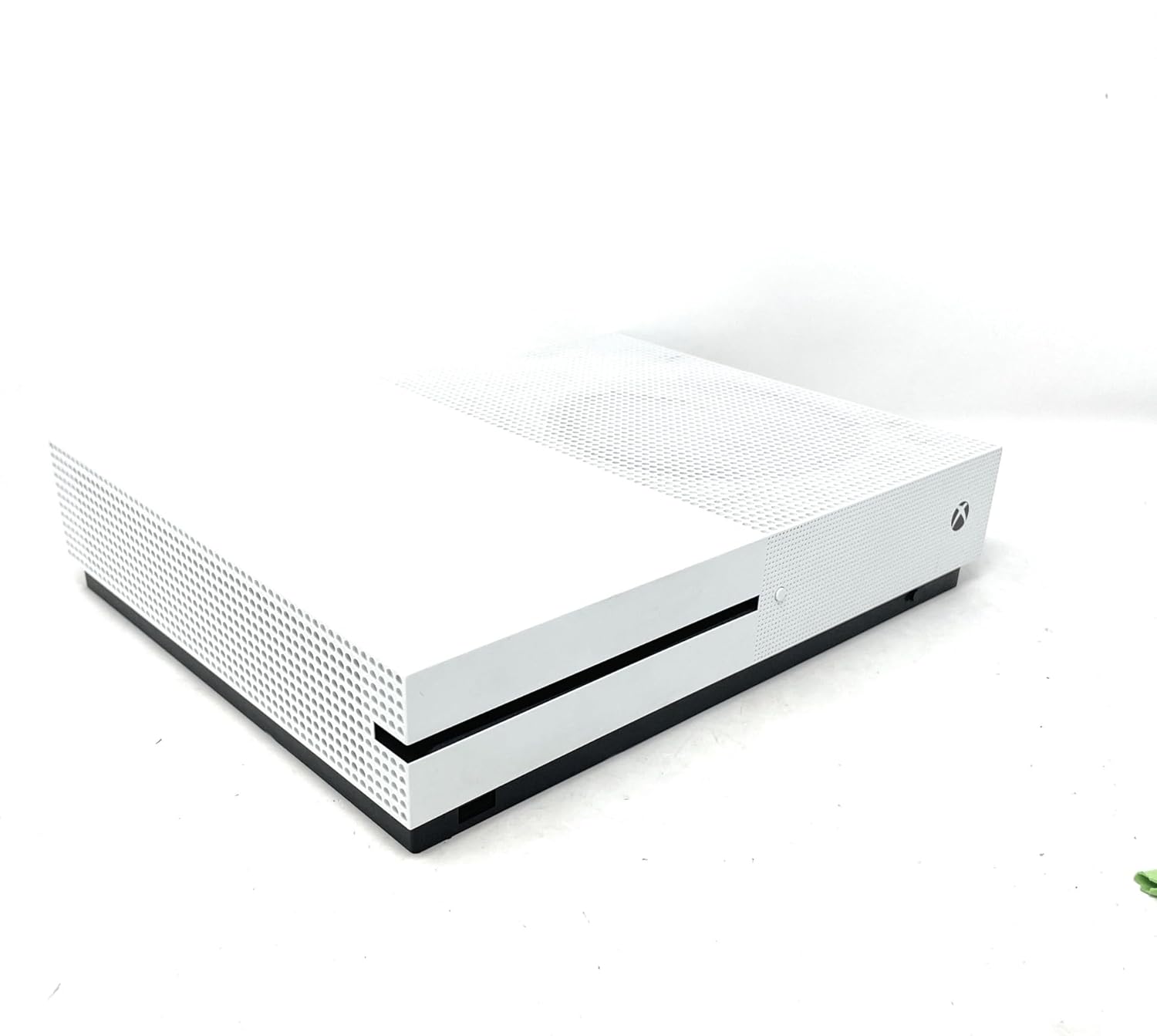
Imatge: Frontal view of the Xbox One S console, showing the power button and controller pairing button. A white Xbox Wireless Controller is placed on top of the console.
4. Initial Console Power On and Configuration
Press the Xbox button on the front of the console to power it on. Follow the on-screen instructions to:
- Seleccioneu el vostre idioma i regió.
- Connecteu-vos a la vostra xarxa Wi-Fi o utilitzeu un cable Ethernet per a una connexió amb fil.
- Inicia la sessió amb el teu compte de Microsoft o crea'n un de nou.
- Install any necessary system updates. This may take some time.
Operating Your Xbox One S
1. Encendre/apagar
- Per encendre: Premeu el botó Xbox de la consola o el botó Xbox del controlador.
- Per apagar: Press and hold the Xbox button on your controller until the Power Center appears, then select "Turn console off". Alternatively, press and hold the Xbox button on the console for 10 seconds until it powers off.
2. Navigating the Dashboard
The Xbox dashboard is your central hub. Use the D-pad or left analog stick on your controller to navigate through menus, games, and apps. The Xbox button on the controller will always take you back to the Home screen.
3. Jugar a jocs
- Jocs basats en disc: Insert a game disc into the disc drive on the front of the console. The game will appear on your Home screen or in "My games & apps".
- Jocs digitals: Download games from the Microsoft Store. Once downloaded, they will appear in "My games & apps".
- Compatibilitat enrere: Many Xbox 360 and original Xbox games are playable on Xbox One S. Insert the disc or download the digital version if you own it.
4. Reproducció i transmissió multimèdia
The Xbox One S features a built-in 4K Ultra HD Blu-ray player and supports streaming from various entertainment apps.
- 4K Blu-ray: Insert a 4K Ultra HD Blu-ray disc into the console. The Blu-ray player app will launch automatically.
- Aplicacions de streaming: Download apps like Netflix, Hulu, Amazon Prime Video, and Microsoft Movies from the Microsoft Store to stream 4K content (subscription and 4K TV required).
Manteniment
1. Cleaning Your Console
Regularly clean your Xbox One S to ensure optimal performance and longevity.
- Use a soft, lint-free cloth to wipe down the exterior of the console.
- Gently use a vacuum cleaner with a brush attachment to remove dust from ventilation grilles.
- No utilitzeu netejadors líquids ni materials abrasius.
2. Ensuring Proper Ventilation
Place your console in a well-ventilated area. Avoid placing it in enclosed spaces or on soft surfaces that can block airflow.
3. Actualitzacions de programari
Keep your console's software up-to-date to access the latest features, improvements, and security patches. Updates are typically downloaded and installed automatically when the console is in Instant-On power mode.
4. Gestió de l'emmagatzematge
The 500GB internal storage can fill up quickly with games and apps. To manage storage:
- Delete games or apps you no longer play from "My games & apps".
- Connect an external USB 3.0 hard drive (256GB or larger) to expand your storage capacity.
Resolució de problemes comuns
1. Console Not Powering On
- Assegureu-vos que el cable d'alimentació estigui connectat correctament tant a la consola com a la presa de corrent.
- Proveu una presa de corrent diferent.
- If using a power strip, try plugging directly into a wall outlet.
2. No Display on TV
- Verify the HDMI cable is firmly connected to both the console's HDMI OUT port and your TV's HDMI input.
- Assegureu-vos que el televisor estigui configurat a la font d'entrada HDMI correcta.
- Try a different HDMI cable or TV.
3. Controller Not Connecting/Responding
- Check if the controller batteries are charged or replace them.
- Re-pair the controller with the console using the pairing buttons (refer to Setup Guide).
- Try connecting the controller to the console using a USB cable.
4. Problemes de connexió de xarxa
- Restart your console and your network router/modem.
- Go to Settings > Network > Network settings > Test network connection to diagnose issues.
- Ensure your Wi-Fi password is correct if connecting wirelessly.
Especificacions tècniques
| Característica | Detall |
|---|---|
| Número de model | Xbox One S 500GB |
| Capacitat d'emmagatzematge | 500GB Internal Hard Drive |
| Sortida de vídeo | 4K Ultra HD (Blu-ray & Streaming), High Dynamic Range (HDR) |
| Suport d'àudio | Dolby Atmos, DTS:X |
| Unitat òptica | 4K Ultra HD Blu-ray / DVD |
| Connectivitat | HDMI In/Out, USB 3.0 ports, Ethernet, Wi-Fi (802.11ac), Bluetooth |
| Dimensions | 21.65 x 23.62 x 21.65 polzades |
| Pes | 6.36 lliures |
| Fabricant | Microsoft |
| Data de llançament | 1 de juliol de 2017 |
Garantia i suport
Informació de la garantia
Your Microsoft Xbox One S 500GB Console is covered by a limited manufacturer's warranty. Please refer to the warranty card included in your product packaging for specific terms, conditions, and duration of coverage. Keep your proof of purchase for warranty claims.
Atenció al client
For technical assistance, troubleshooting, or warranty inquiries, please contact Microsoft Support:
- Assistència en línia: Visita el suport oficial d'Xbox weblloc web per a preguntes freqüents, guies de resolució de problemes i fòrums de la comunitat.
- Suport telefònic: Contact Microsoft Customer Service via phone. Refer to the official Xbox weblloc per als números de contacte regionals.
Before contacting support, please ensure you have your console's serial number and proof of purchase readily available.


