1. Introducció
Gràcies per la compraasing the ARTlii Mini Pico Projector. This compact and portable projector is designed for home cinema, video playback, and presentations, offering versatile connectivity options. Please read this manual carefully before use to ensure proper operation and to maximize your viewexperiència.
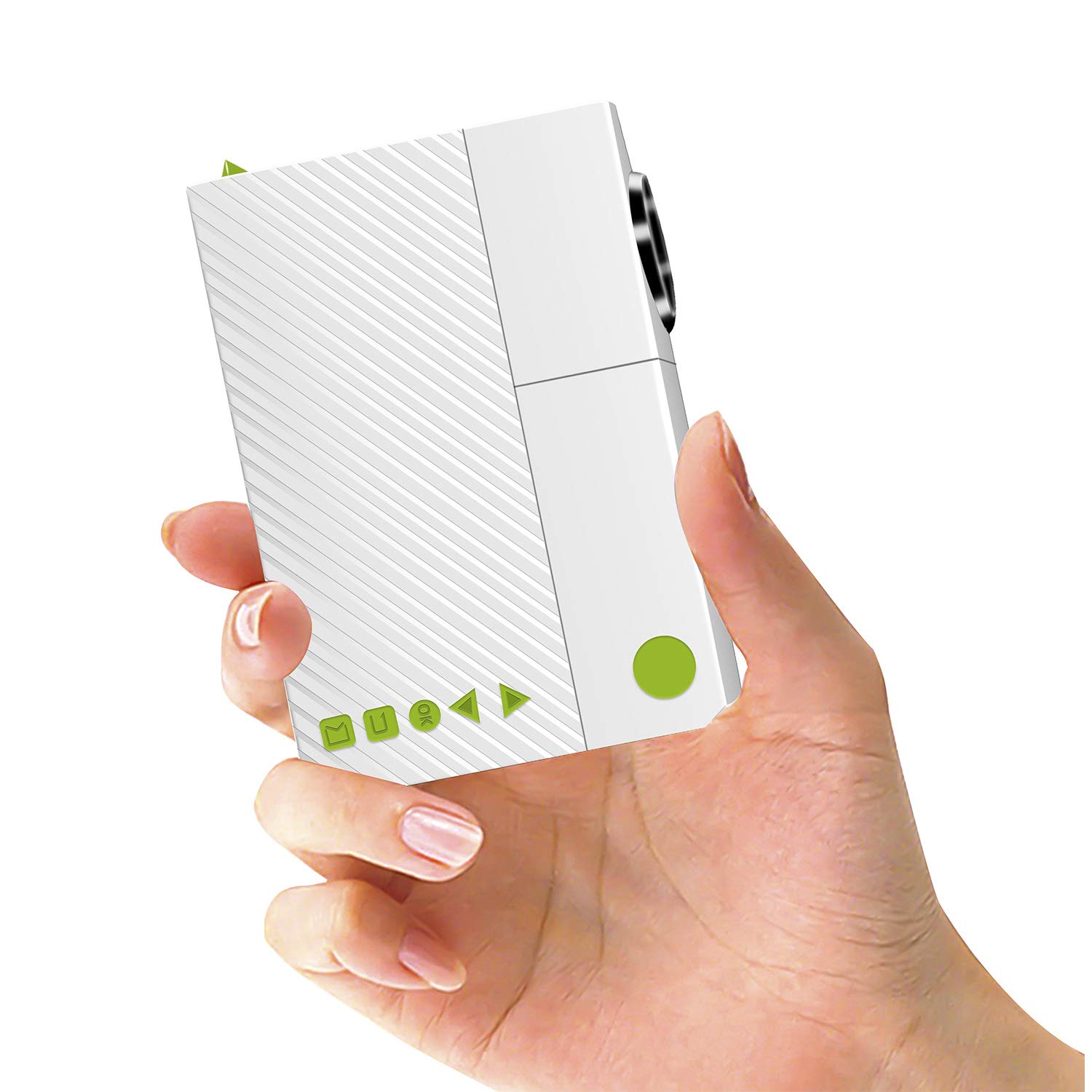
Image: The ARTlii Mini Pico Projector, a compact device for portable entertainment.
2. Instruccions de seguretat
- Font d'alimentació: Use only the specified power adapter (5V/2A) or a compatible power bank. Ensure the voltage és correcta abans de connectar.
- Ventilació: No bloquegeu les obertures de ventilació. Assegureu-vos que hi hagi prou espai al voltant del projector per a un flux d'aire adequat per evitar el sobreescalfament.
- Seguretat ocular: No mireu directament a la lent del projector quan estigui encès.amp is on. The bright light can cause eye strain or damage.
- Col·locació: Place the projector on a stable, flat surface. Avoid placing it in direct sunlight, near heat sources, or in humid environments.
- Neteja: Desconnecteu l'alimentació abans de netejar. Feu servir un drap suau i sec. No utilitzeu netejadors líquids ni en aerosol.
- Nens: Keep the projector out of reach of small children.
3. Contingut del paquet
Si us plau, comproveu el paquet per veure si hi ha els elements següents:
- ARTlii Mini Pico Projector
- Control remot
- Adaptador d'alimentació
- AV Cable (RCA to 3.5mm)
- Guia d'usuari

Image: The projector, remote control, power adapter, AV cable, and user guide included in the package.
4. Producte acabatview
Familiarize yourself with the projector's ports and controls:
- Lent: Projection output.
- Anell de focus: Ajusta la nitidesa de la imatge.
- Botó d'encesa: Encén/apaga el projector.
- Botons de navegació: Per a la navegació pel menú.
- Ports d'entrada: AV, SD card slot, USB, HDMI.
- Sortida d'àudio: Presa d'auriculars de 3.5 mm.
- Entrada de corrent continu: Per a l'adaptador de corrent.

Image: Diagram showing the various input ports and control buttons on the ARTlii Mini Pico Projector.
5. Configuració
5.1 Connexió d'alimentació
- Connect the power adapter to the DC input port on the projector.
- Connecteu l'adaptador de corrent a una presa de corrent.
- Alternatively, for portable use, connect a 5V/2A power bank to the projector's power input.
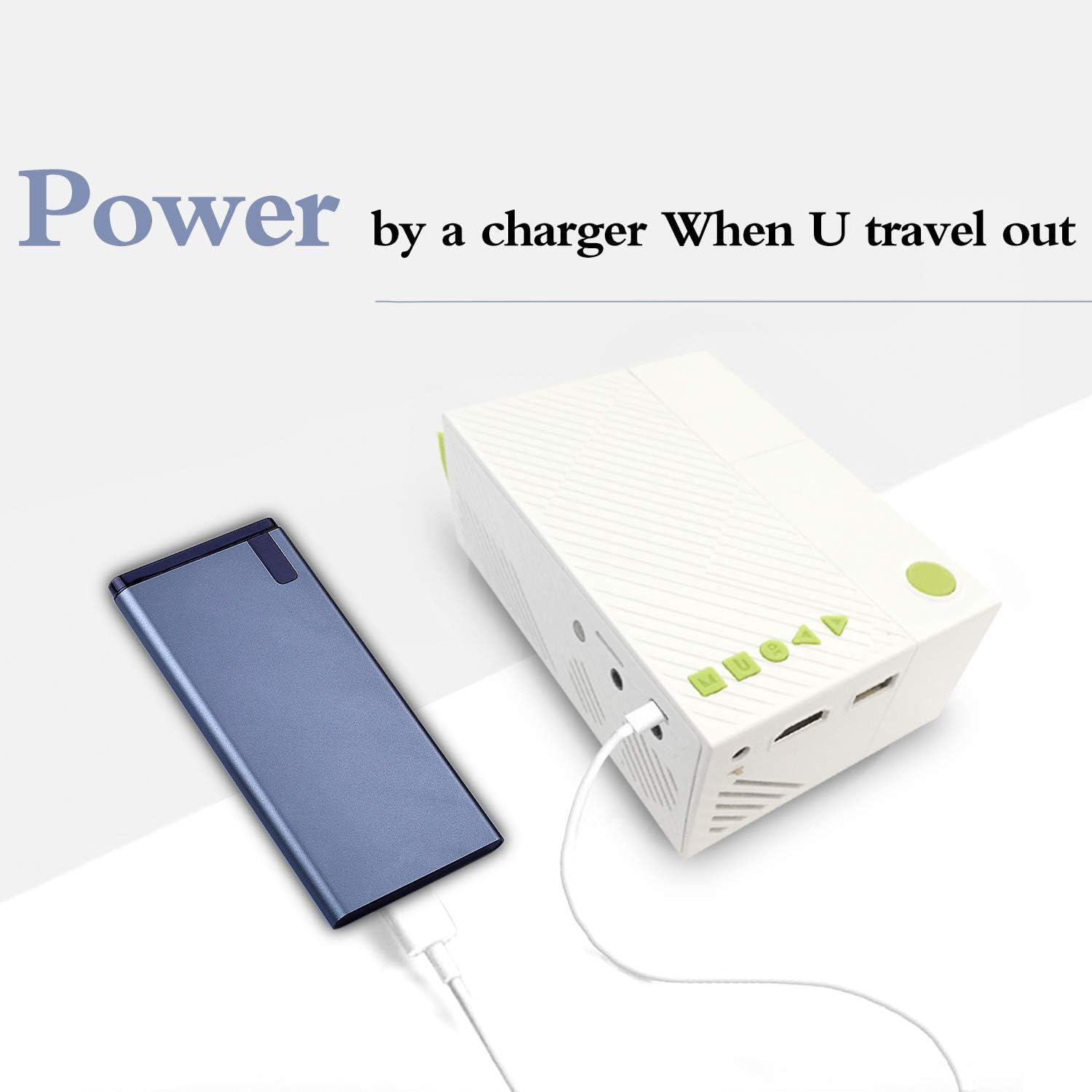
Image: The ARTlii Mini Pico Projector being powered by a portable power bank, illustrating its portability.
5.2 Col·locació i projecció
- Place the projector on a flat, stable surface, facing your desired projection screen or wall.
- Adjust the distance between the projector and the screen to achieve the desired image size. The optimal projection distance is 40-80 inches, yielding a projection size of 20-60 inches.
- Enceneu el projector amb el botó d'encesa o el comandament a distància.
- Gireu l'anell d'enfocament de la lent del projector fins que la imatge aparegui clara i nítida.
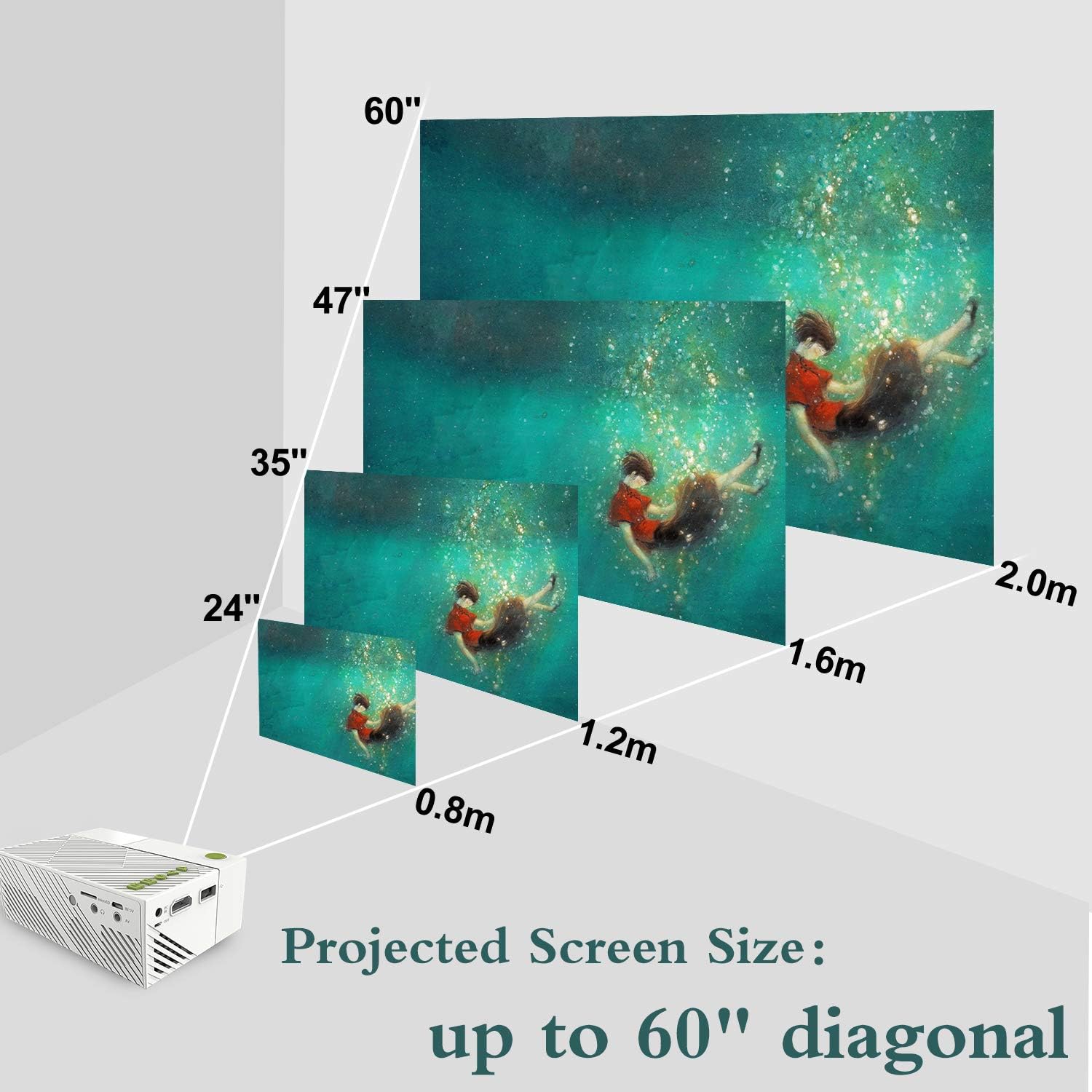
Image: A visual representation of how projected screen size changes with distance, showing sizes from 24 to 60 inches diagonal.
6. Instruccions de funcionament
6.1 Encès/Apagat
- Per engegar el projector, premeu el botó d'engegada del comandament a distància o del comandament a distància.
- Per apagar l'aparell, premeu el botó d'engegada de nou. Confirmeu l'apagada si se us demana.
6.2 Selecció de la font
- After powering on, use the 'Source' button on the remote or the projector's navigation buttons to select your desired input source (HDMI, USB, SD, AV).
- Navigate through the menu using the arrow keys and confirm with the 'OK' button.
6.3 Reproducció multimèdia
- Once a source is selected, the projector will display content from that source.
- For USB/SD card inputs, navigate through the file browser to select your media (audio, image, video, text files).
- Use the remote control for playback functions such as play, pause, fast forward, and rewind.
7. Connectivitat
The ARTlii Mini Pico Projector offers multiple connectivity options:
- HDMI: Connect to laptops, desktop computers, game consoles (e.g., Xbox), and other HDMI-enabled devices for high-definition video and audio.
- USB: Plug in USB flash drives or external hard drives to play media files directament.
- Targeta SD: Insert an SD card to access photos, videos, and other compatible files.
- DE: Use the included AV cable to connect to older devices like DVD players or set-top boxes.
- Sortida d'àudio: Connect external speakers or headphones via the 3.5mm audio jack for enhanced sound.

Image: Children enjoying a movie projected onto a wall, demonstrating the projector's use in a home setting.
8. Manteniment
8.1 Neteja de la lent
Use a soft, lint-free cloth specifically designed for optical lenses. Gently wipe the lens to remove dust or smudges. Do not use abrasive cleaners or excessive force.
8.2 Neteja del cos del projector
Wipe the exterior of the projector with a soft, dry cloth. Avoid using chemical cleaners that may damage the finish.
8.3 Emmagatzematge
When not in use, store the projector in a cool, dry place, away from dust and direct sunlight. It is recommended to use the original packaging or a protective case.
9. Solució De Problemes
- Sense imatge:
- Ensure the projector is powered on and the power adapter is securely connected.
- Verify the correct input source is selected (HDMI, USB, SD, AV).
- Check the connection cable between the projector and the source device. Try a different cable if possible.
- Imatge borrosa:
- Ajusteu l'anell d'enfocament de la lent del projector fins que la imatge sigui nítida.
- Ensure the projection distance is within the recommended range (40-80 inches).
- Sense so:
- Comproveu la configuració de volum tant al projector com al dispositiu font.
- Ensure external speakers or headphones are properly connected if used.
- If using HDMI, verify the audio output settings on your source device.
- El control remot no funciona:
- Ensure the batteries are correctly inserted and not depleted.
- Apunteu el comandament a distància directament al receptor d'infrarojos del projector.
- Avís de sobreescalfament:
- Assegureu-vos que les obertures de ventilació del projector no estiguin bloquejades.
- Allow the projector to cool down in a well-ventilated area.
10. Especificacions
| Característica | Detall |
|---|---|
| Marca | ARTlii |
| Número de model | Artlii-MINI |
| Pes de l'article | 8.8 unces |
| Dimensions del producte | 4.96 x 3.39 x 1.89 polzades |
| Potència de sortidatage | 50 watts |
| Color | Blanc |
| Característica especial | Portàtil |
| Tecnologia de connectivitat | HDMI, USB |
| Resolució de visualització | 320 x 240 pixels (Native) |
| Resolució suportada | Up to 1920 x 1080P |
| Relació d'aspecte | 4:3 o 16:9 |
| Mida de projecció | 20-60 polzades |
| Millor distància de projecció | 40-80 polzades |
| Tipus d'altaveu | Integrat |
| Consum d'energia | 10W-24W |
11. Garantia i Suport
The ARTlii Mini Pico Projector comes with a 1 any de garantia des de la data de compra.
If you encounter any issues or have questions regarding the product's quality or operation, please contact our customer service team. Our team is available 24/7 and will respond to your inquiries within 24 hours.
For support, please refer to the contact information provided in your purchase documentation or on the official ARTlii weblloc.


