1. Introducció
The Scosche FD5000SW-WM1 Factory Stereo Replacement Interface Adapter Kit is designed to facilitate the installation of an aftermarket stereo in select 2005-2016 Ford, Lincoln, and Mercury vehicles. This interface ensures seamless integration by retaining essential factory features such as steering wheel controls and OEM amplifier functionality. It provides power and speaker wires, connects to the aftermarket radio harness, and integrates with factory premium sound systems.
2. Compatibilitat
This interface is vehicle-specific. Use the provided fit guide to verify compatibility with your vehicle's make, model, and year. For a complete vehicle compatibility list and trim level notes, please refer to the detailed fit guide image below or visit the official Scosche weblloc.
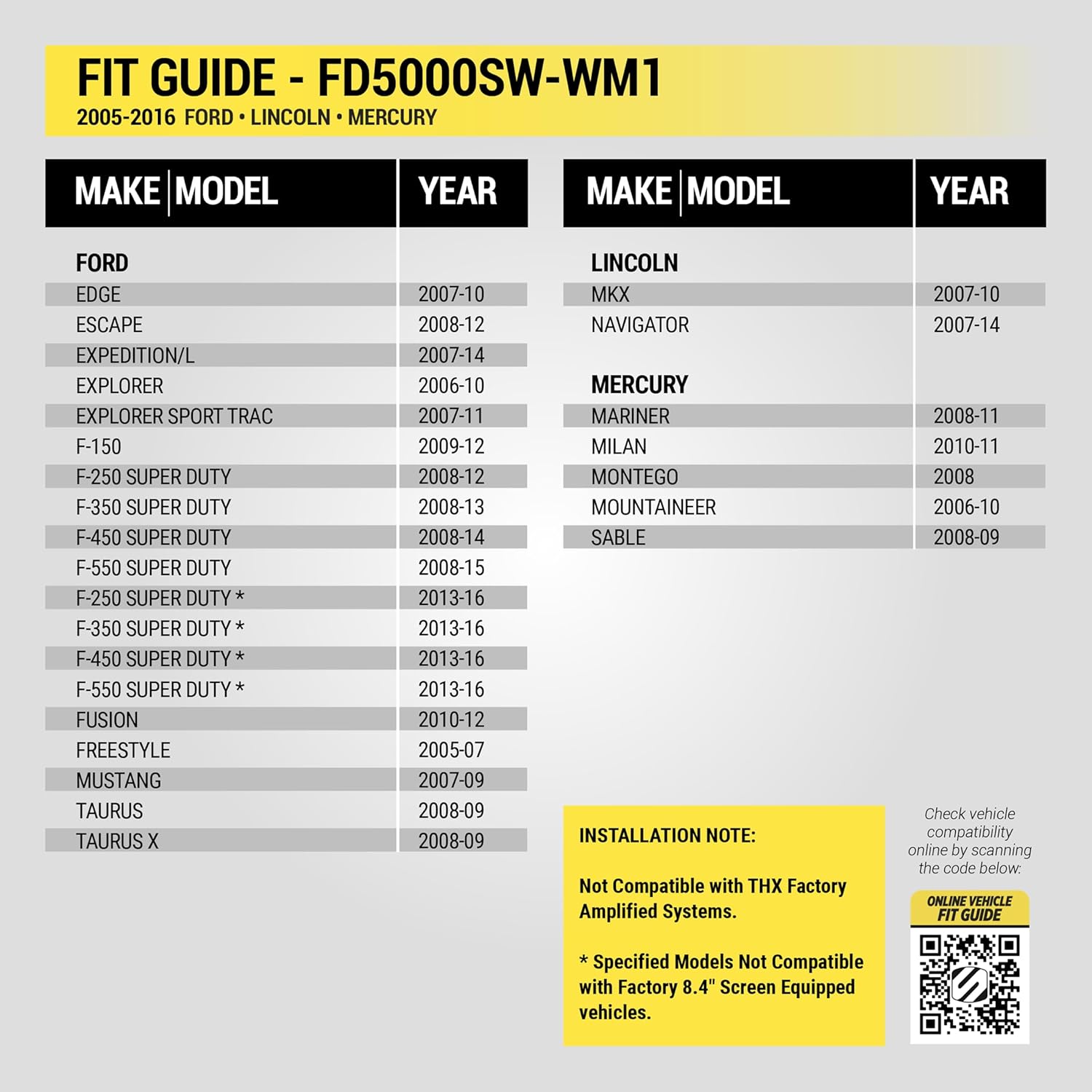
Imatge 1: Scosche FD5000SW-WM1 Fit Guide and Standard 12V Wiring Color Code. This image details compatible Ford, Lincoln, and Mercury models and years, along with important installation notes regarding THX Factory Amplified Systems and Factory 8.4" Screen Equipped vehicles. It also provides the EIA standard 12V wiring color code for easy identification of constant, ignition, ground, amplifier, antenna, illumination, dimmer, phone mute, and speaker wires.
For additional vehicle compatibility information, visit: www.scosche.com/walmart
3. Contingut del paquet
The Scosche FD5000SW-WM1 kit typically includes the following components:
- Mòdul d'interfície
- Arnès de control del volant
- Arnès d'interfície
- Quadern d'instruccions
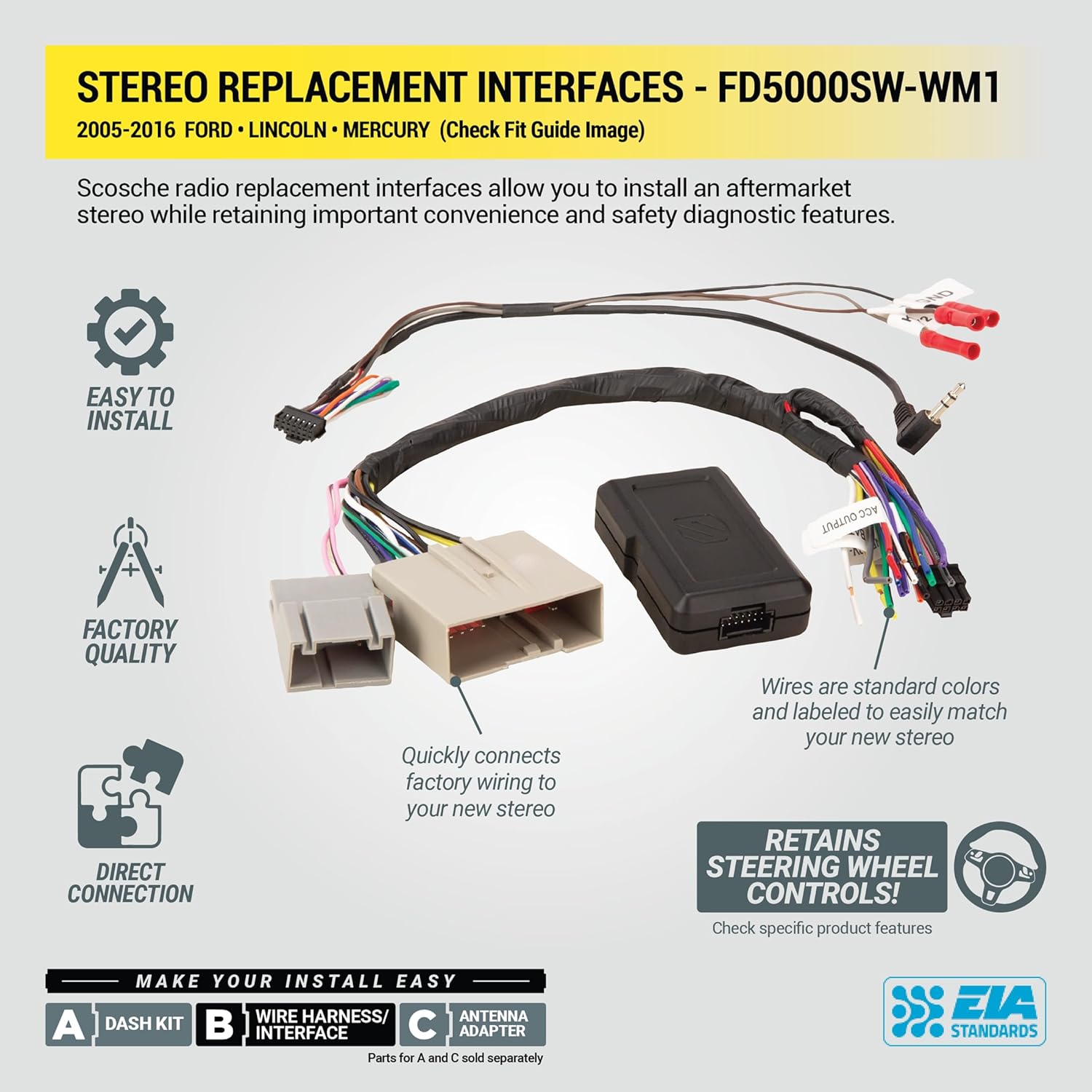
Imatge 2: Acabatview of the Scosche FD5000SW-WM1 components, including the interface module, wiring harness, and steering wheel control connections. This image illustrates how the interface plugs into the vehicle harness and connects to the new stereo, highlighting the standard color-coded wires.
4. Wiring Color Code
The color codes used on this car stereo interface harness conform to the E.I.A. (Electronics Industry Association) standard. These colors may differ from the wiring codes found on your stereo. Always refer to your stereo owner's manual for specific wiring details before making any connections.
| Color del filferro | Funció | Color del filferro | Funció |
|---|---|---|---|
| groc | 12V Battery : Constant (+) | marró | Silenci del telèfon |
| Vermell | 12V Ignition : Switched (+) | Blanc | Altaveu frontal esquerre (+) |
| Negre | Xassís a terra (-) | Blanc/Negre | Altaveu frontal esquerre (-) |
| Negre / Blanc | Fàbrica Amplifier Ground | Gris | Altaveu frontal dret (+) |
| Blau | Antenna Power (when tuner is on) | Gris / Negre | Altaveu davanter dret (-) |
| Blau/Blanc | AmpEncesa del lifier | Verd | Altaveu posterior esquerre (+) |
| Taronja | Dash Illumination 12V | Verd / Negre | Altaveu posterior esquerre (-) |
| Taronja / Blanc | Dash Light Dimmer 1V - 12V | Lila | Altaveu posterior dret (+) |
| Taronja / Negre | Dimmer Ground (neg. trigger circuits) | Lila / Negre | Altaveu posterior dret (-) |
5. Instruccions d'instal·lació (Configuració)
Follow these steps for proper installation of your Scosche FD5000SW-WM1 interface. Always ensure the vehicle's battery is disconnected before beginning any electrical work.
5.1. Desconnecteu la bateria
Before starting any installation, disconnect the negative battery terminal to prevent electrical shorts or damage.
Vídeo 1: This video demonstrates the initial steps of a car radio installation, including disconnecting the negative battery terminal. It also shows the various components of a wiring harness and how to connect them to an aftermarket stereo.
5.2. Remove Factory Stereo
Using appropriate panel removal tools, carefully remove any trim panels surrounding your factory stereo. Unscrew and detach the factory radio, then unplug all harnesses from its rear.
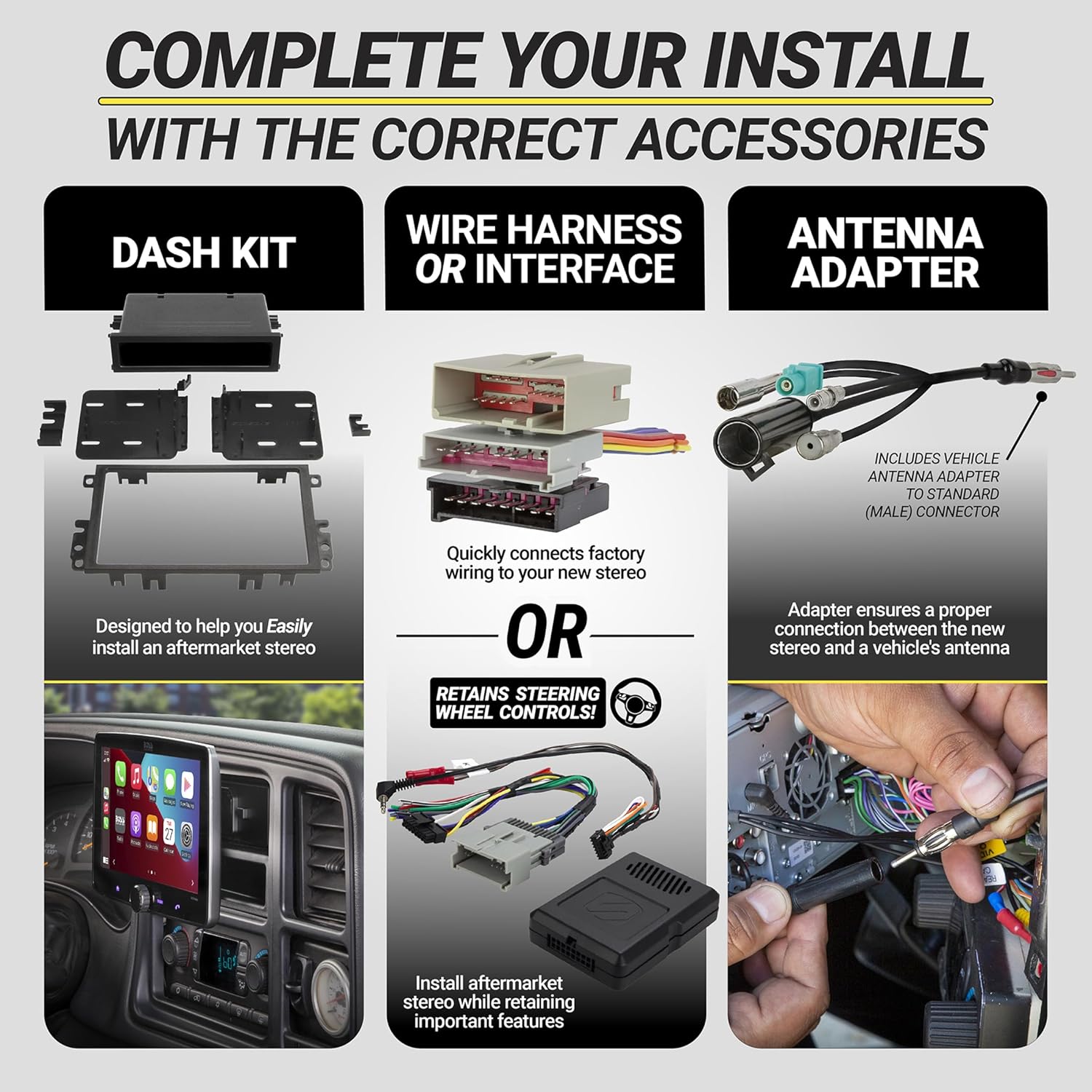
Imatge 3: This image illustrates the process of removing the factory stereo and installing an aftermarket unit. It shows the dash kit, wire harness/interface, and antenna adapter, emphasizing direct connection and retention of steering wheel controls.
5.3. Prepare Wiring Harness
Connect the Scosche FD5000SW-WM1 interface harness to your aftermarket stereo's wiring harness. Match the wire colors according to the E.I.A. standard. Use splice connectors or solder for secure connections. Some wires, such as amplifier turn-on, parking sense, and steering wheel control connections, may require specific connections not directly to the vehicle harness.
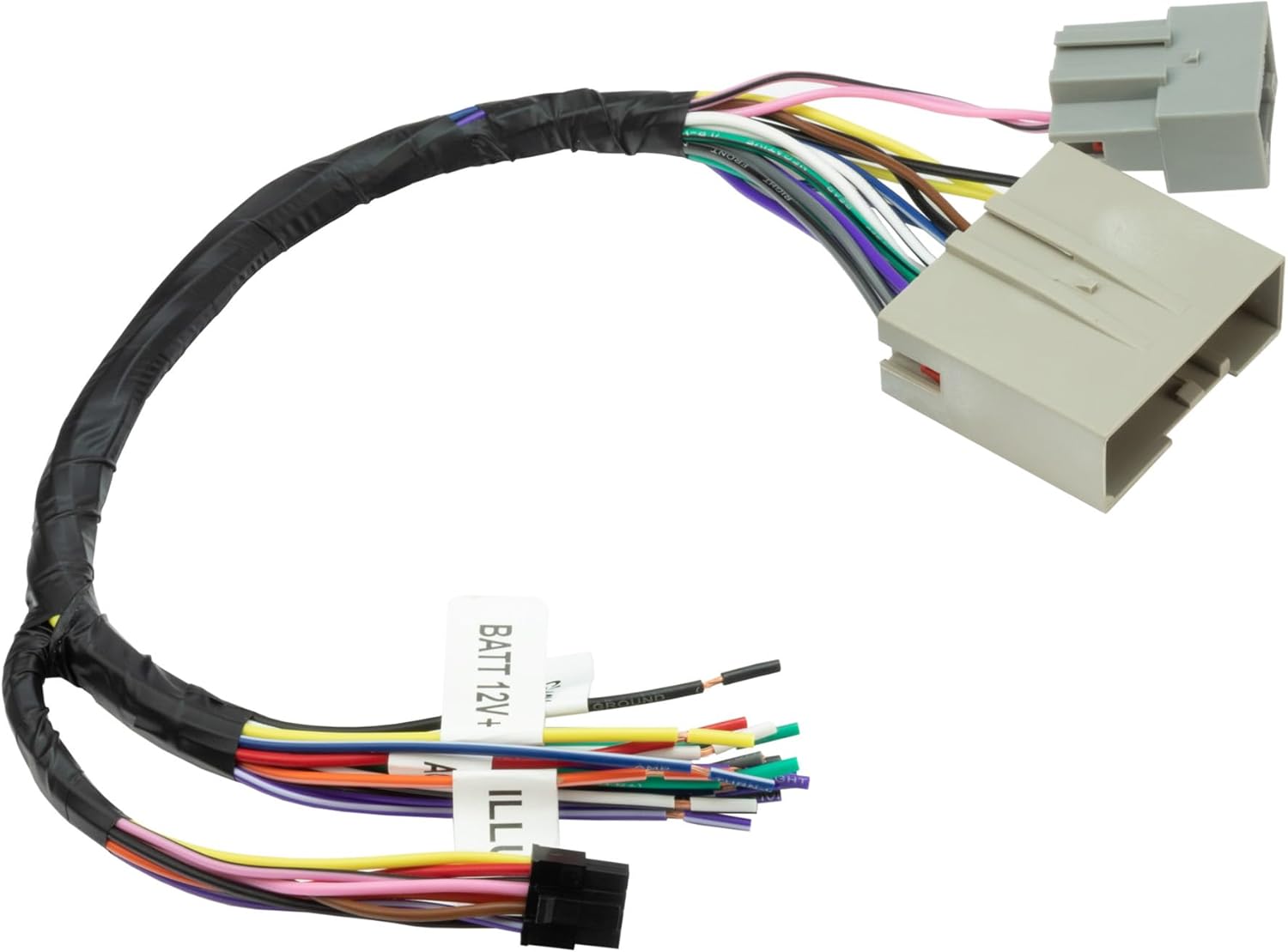
Imatge 4: Un detallat view of the Scosche FD5000SW-WM1 wiring harness, showing the various color-coded wires ready for connection to an aftermarket stereo.
Vídeo 2: Aquest vídeo ofereix un finalview of a radio wire harness with RCA connections for Ford, Lincoln, and Mercury vehicles, demonstrating the components and their intended use.
Vídeo 3: This video showcases a Double DIN Kit with radio wire for Ford/Mercury vehicles, illustrating the components and how they fit together for installation.
Vídeo 4: This video presents a car radio wire harness connector and antenna for Ford vehicles, detailing the connections and components.
5.4. Install New Stereo
Install the new stereo into the dash kit using the screws provided with the stereo. Plug the vehicle harness into the vehicle and the radio harness into the radio. Secure the new stereo assembly into the dashboard opening.
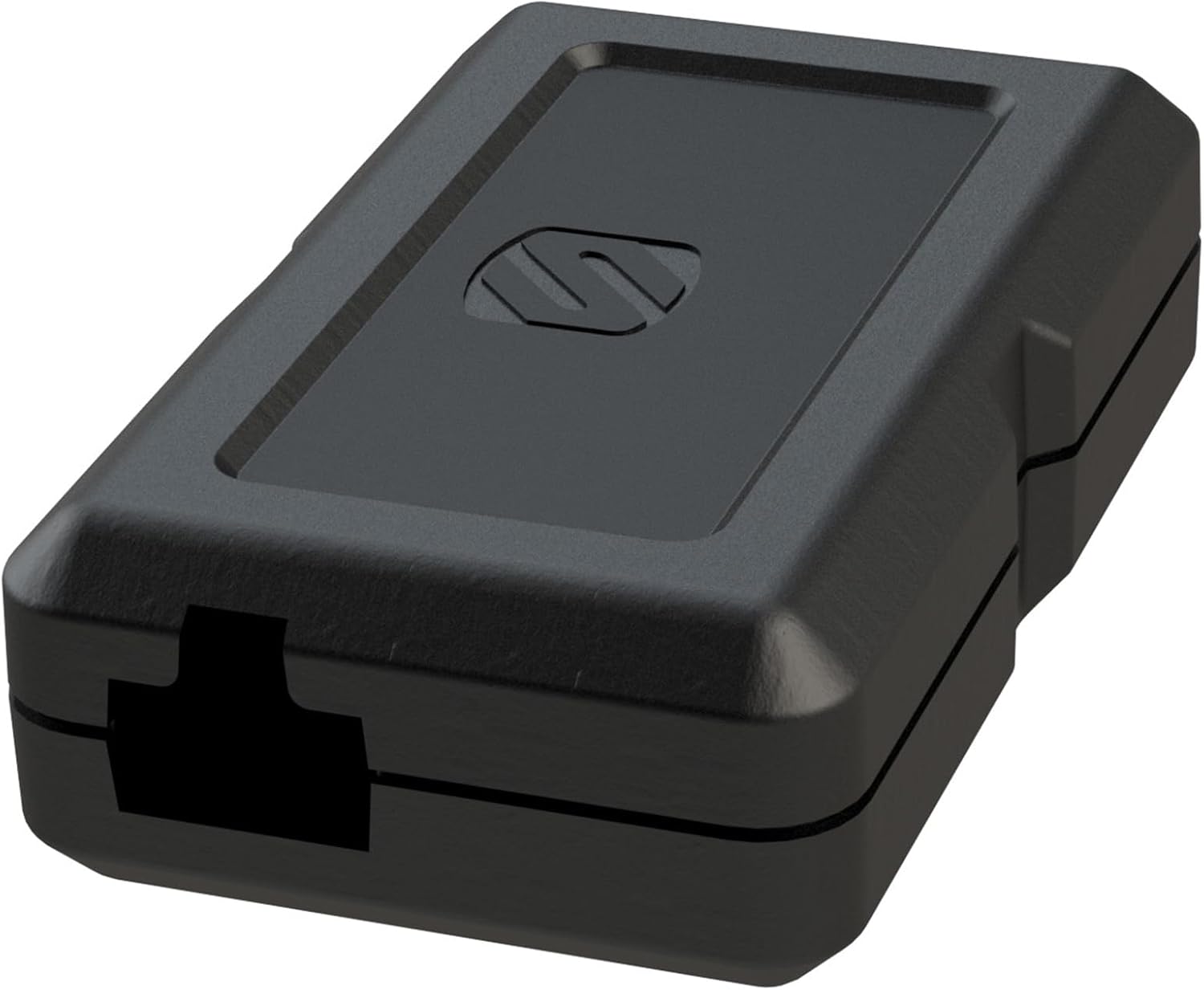
Imatge 5: Un primer pla view of the Scosche FD5000SW-WM1 interface module, a key component for retaining factory features.
5.5. Reconnect Battery and Test
Reconnect the negative battery terminal. Turn on the vehicle and the new radio to check all functions, including audio, steering wheel controls, and any other integrated features.
6. Funcionament
Once installed, your aftermarket stereo will operate as per its manufacturer's instructions. The Scosche FD5000SW-WM1 interface ensures that factory features like steering wheel controls and warning chimes are retained and function correctly with your new head unit. Refer to your aftermarket stereo's manual for specific operating instructions.
7. Manteniment
The Scosche FD5000SW-WM1 interface is designed for long-term reliability and typically requires no routine maintenance. Ensure all connections remain secure and free from moisture or physical damage. If any issues arise, refer to the troubleshooting section.
8. Solució De Problemes
- Sense alimentació a l'estèreo: Check all power connections (constant 12V, switched 12V, ground) and ensure the vehicle's battery is fully charged and properly connected. Verify all fuses are intact.
- Sense sortida d'àudio: Confirm speaker wire connections are correct and secure. Ensure the OEM amplifier is receiving power and is properly integrated by the interface. Check the aftermarket stereo's settings.
- Els comandaments del volant no funcionen: Verify the steering wheel control harness is correctly connected to both the interface module and the aftermarket stereo. Some aftermarket stereos require programming or a specific setting to enable steering wheel controls. Refer to your stereo's manual.
- Warning Chimes Not Working: Ensure the interface module is correctly installed and receiving power. The module is responsible for retaining factory warning chimes.
- Problemes intermitents: Recheck all wiring connections for looseness or corrosion. Ensure proper grounding.
If issues persist, contact Scosche customer support for further assistance.
9. Especificacions
- Pes de l'article: 6.4 unces
- Dimensions del producte: 5 x 6 x 6 polzades
- Número de model de l'article: FD5000
- ASIN: B01N26NBV3
- Compatibilitat: Select 2005-16 Ford, Lincoln & Mercury Vehicles (refer to fit guide for details)
- Característiques: Retains steering wheel controls, retains OEM amplifier, provides power and speaker wires, connects to aftermarket radio harness.
10. Garantia i Suport
The Scosche FD5000SW-WM1 is backed by Scosche's Lifetime Tech Support and Limited Warranty. For warranty claims, technical assistance, or product inquiries, please visit the official Scosche weblloc o poseu-vos en contacte amb el seu departament d'atenció al client.


