Introducció
Thank you for choosing MuveAcoustics Drive Wired Earbuds. These earbuds are designed to provide a high-quality audio experience with powerful bass, clear sound, and convenient controls. This manual will guide you through the setup, operation, and maintenance of your new earbuds.
Què hi ha a la caixa
Carefully unpack your MuveAcoustics Drive Wired Earbuds and ensure all items are present:
- MuveAcoustics Drive Wired Earbuds with integrated microphone
- Funda protectora
- Manual d'usuari (aquest document)
- Ear Cushions (S/M/L sizes)
Video: This video demonstrates the contents of the MuveAcoustics Drive Wired Earbuds packaging, showing the earbuds, manual, pouch, and extra ear cushions.
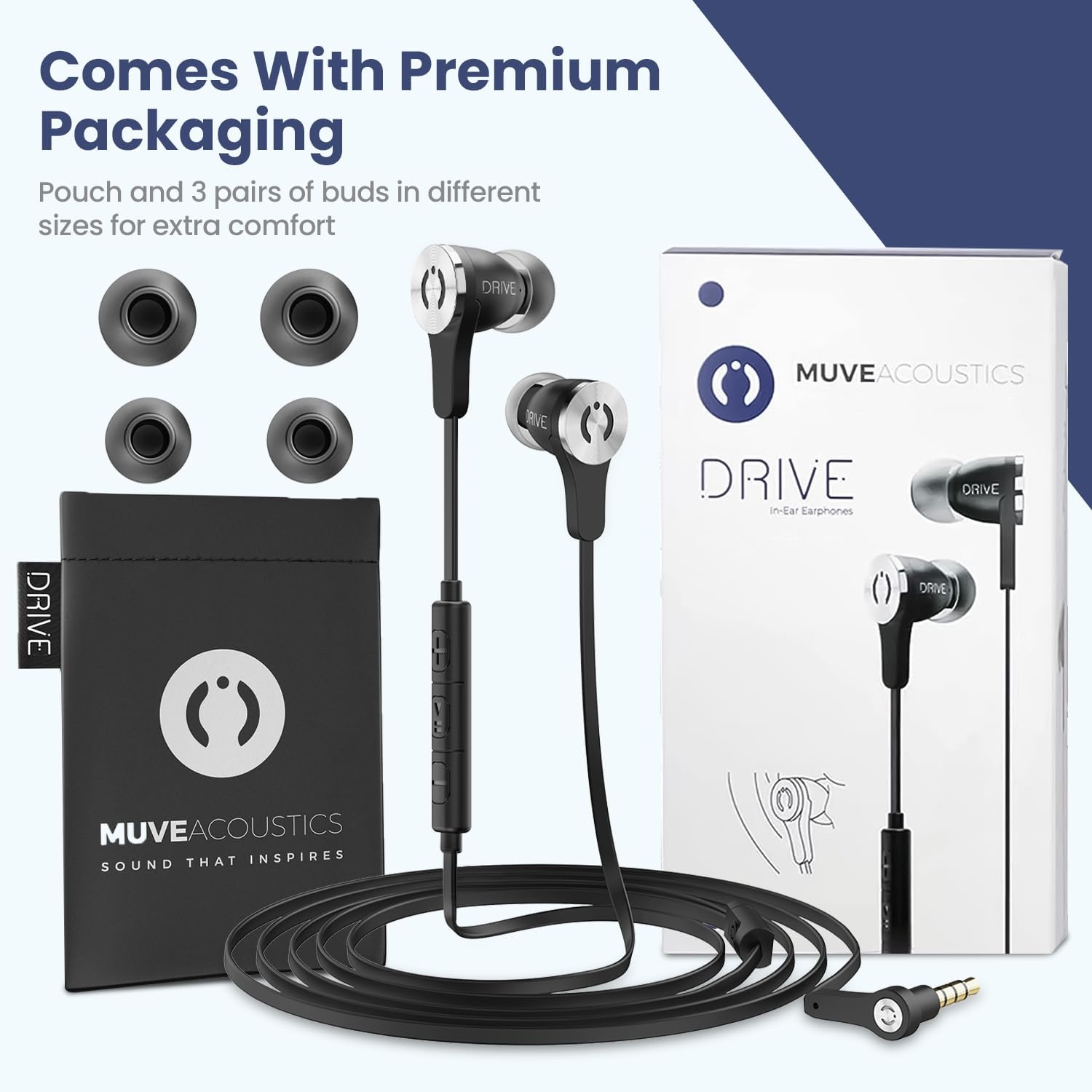
Image: The MuveAcoustics Drive Earbuds are shown with their premium packaging, including a protective pouch and three pairs of ear tips for customized comfort.
Configuració
The MuveAcoustics Drive Wired Earbuds are designed for simple plug-and-play functionality.
- Seleccioneu coixins per a les orelles: Choose the ear cushion size (S, M, or L) that provides the most comfortable and secure fit for your ears. A proper fit enhances sound quality and passive noise isolation.
- Connecta't al dispositiu: Insert the 3.5mm audio jack into the headphone port of your compatible device (smartphone, tablet, laptop, gaming console, etc.).
- Ajustar el volum: Begin playing audio on your device and adjust the volume using the inline remote control or your device's volume settings.

Image: The earbuds are compatible with a wide range of devices featuring a 3.5mm headphone jack, including phones, tablets, and gaming systems.
Instruccions de funcionament
Your MuveAcoustics Drive Earbuds feature an inline remote control for easy management of audio playback and calls.
Inline Remote Control Functions:
| Acció | Premeu el botó |
|---|---|
| Respondre/Finalitzar la trucada | Click the main button once |
| Reproducció/pausa de música | Click the main button once |
| Pista següent | Click the main button twice |
| Pista anterior | Click the main button three times |
| Augmenta el volum | Click '+' button once |
| Disminuir el volum | Click '-' button once |
| Volum complet | Hold '+' button |
| Silencia el volum | Hold '-' button |

Image: A visual guide to the inline remote control, detailing button presses for calls, track control, and volume adjustments.
Característiques principals:
- Baix potent: Enjoy rich and deep bass response for an immersive audio experience.
- Aïllament passiu del soroll: The ergonomic in-ear design and proper ear cushion fit help block out external distractions, allowing for clearer audio.
- High Definition Microphone: The built-in microphone with an internal sound-absorbing design ensures clear voice transmission during calls.

Image: An illustration highlighting the key features of the earbuds, such as noise reduction, microphone quality, and control functions.
Manteniment
Proper care will extend the life and performance of your earbuds.
- Neteja: Gently wipe the earbuds and ear cushions with a soft, dry cloth. Do not use harsh chemicals or abrasive materials.
- Emmagatzematge: When not in use, store the earbuds in the provided protective case to prevent tangling and damage.
- Cura del cable: The flat cable design is tangle-free, but avoid excessive pulling or sharp bends to maintain its integrity.

Image: The durable, flat, tangle-free cable and robust 3.5mm plug are designed for longevity and ease of use.
Resolució de problemes
If you encounter any issues with your MuveAcoustics Drive Earbuds, refer to the following common solutions:
- Sense so o volum baix:
- Assegureu-vos que el connector de 3.5 mm estigui completament inserit al dispositiu.
- Check your device's volume settings and the inline remote's volume.
- Test with another audio device to rule out device-specific issues.
- Ensure ear cushions are properly seated on the earbuds and in your ears.
- El micròfon no funciona:
- Confirm the 3.5mm jack is fully inserted.
- Comproveu la configuració d'entrada de micròfon del dispositiu.
- Assegureu-vos que el micròfon no estigui obstruït.
- Static or Intermittent Sound:
- Assegureu-vos que el connector de 3.5 mm estigui net i lliure de residus.
- Try rotating the jack slightly in the port.
- Test with another device to identify if the issue is with the earbuds or the source device.
Especificacions
| Característica | Detall |
|---|---|
| Nom del model | Condueix |
| Número de model | MA-1000SB |
| Tecnologia de connectivitat | Cablejat (connector de 3.5 mm) |
| Control de soroll | Aïllament acústic (passiu) |
| Resposta de freqüència | 20 kHz |
| Impedància | 16 ohms |
| Micròfon | Integrated HD Microphone |
| Característica del cable | Cable pla sense embolics |
| Tipus de control | Volume Control, Call Control, Track Control |
| Material | Acrylonitrile Butadiene Styrene (ABS), Thermoplastic Elastomer (TPE) |
| Pes de l'article | 43 grams (1.52 unces) |
| Dimensions del producte | 0.47 x 0.94 x 0.87 polzades |
| Components inclosos | Ear Cushions, Protective Case, User Manual |
Garantia i Suport
MuveAcoustics products are manufactured with attention to quality and performance. For information regarding warranty coverage and customer support, please refer to the warranty card included in your product packaging or visit the official MuveAcoustics weblloc.
For further assistance, please contact MuveAcoustics customer service.


