1. Introducció
The Autel AutoLink AL539 is a versatile OBD2 scanner and automotive multimeter designed for comprehensive vehicle diagnostics. It combines professional electrical testing functions with full OBD2 capabilities to help users identify and resolve vehicle issues efficiently.
Característiques principals:
- Electrical Circuit / Starter / Charging System Tester: Diagnoses vehicle electrical systems, including DC/AC voltage, continuity, and current tests. Evaluates cranking status and charging system output.
- Emission Status Check: Provides I/M readiness and O2 sensor tests to assess emission status and prepare for smog tests.
- Complete OBDII Functions: Reads and clears diagnostic trouble codes (DTCs), displays live data, freeze frame data, O2 monitor test results, on-board monitor test results, component test results, and vehicle information. Supports data printing via PC.
- Àmplia cobertura de vehicles: Compatible with most 1996 and newer US, Asian, and European vehicles (OBDII & CAN). Features Smart AutoVIN technology for easy vehicle identification.
- Interfície fàcil d'utilitzar: Features a TFT color display and intuitive navigation for ease of use.

Figure 1: Autel AutoLink AL539 Diagnostic Tool with Multimeter Probes.
2. Configuració
2.1 Contingut del paquet
Verifiqueu que tots els elements siguin presents al vostre paquet:
- Autel AutoLink AL539 Main Unit
- Cable OBDII
- Cables de prova del multímetre
- Cable USB
- Manual d'usuari
- Funda protectora de transport
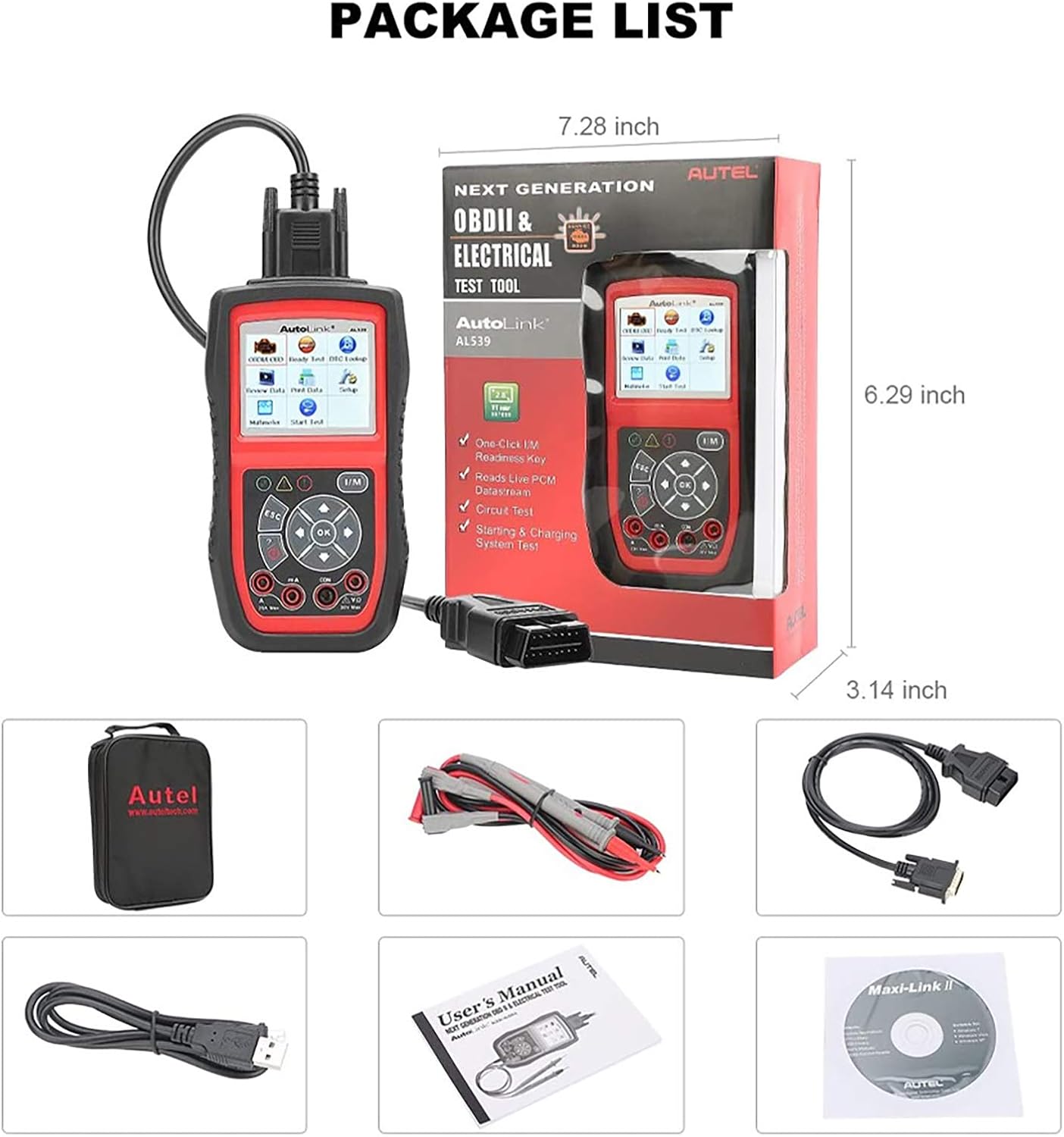
Figure 2: Contents of the Autel AutoLink AL539 package, including the main unit, cables, and manual.
2.2 Connexió al vehicle
- Localitza el connector d'enllaç de dades (DLC) de 16 pins del vehicle. Normalment es troba sota el tauler de control, al costat del conductor.
- Ensure the vehicle's ignition is in the "ON" position (engine off) for most diagnostic functions. For some tests, the engine may need to be running.
- Connect the OBDII cable from the AL539 unit to the vehicle's DLC. The connector is designed to fit only one way.
- The AL539 unit will power on automatically once connected to the vehicle's DLC.
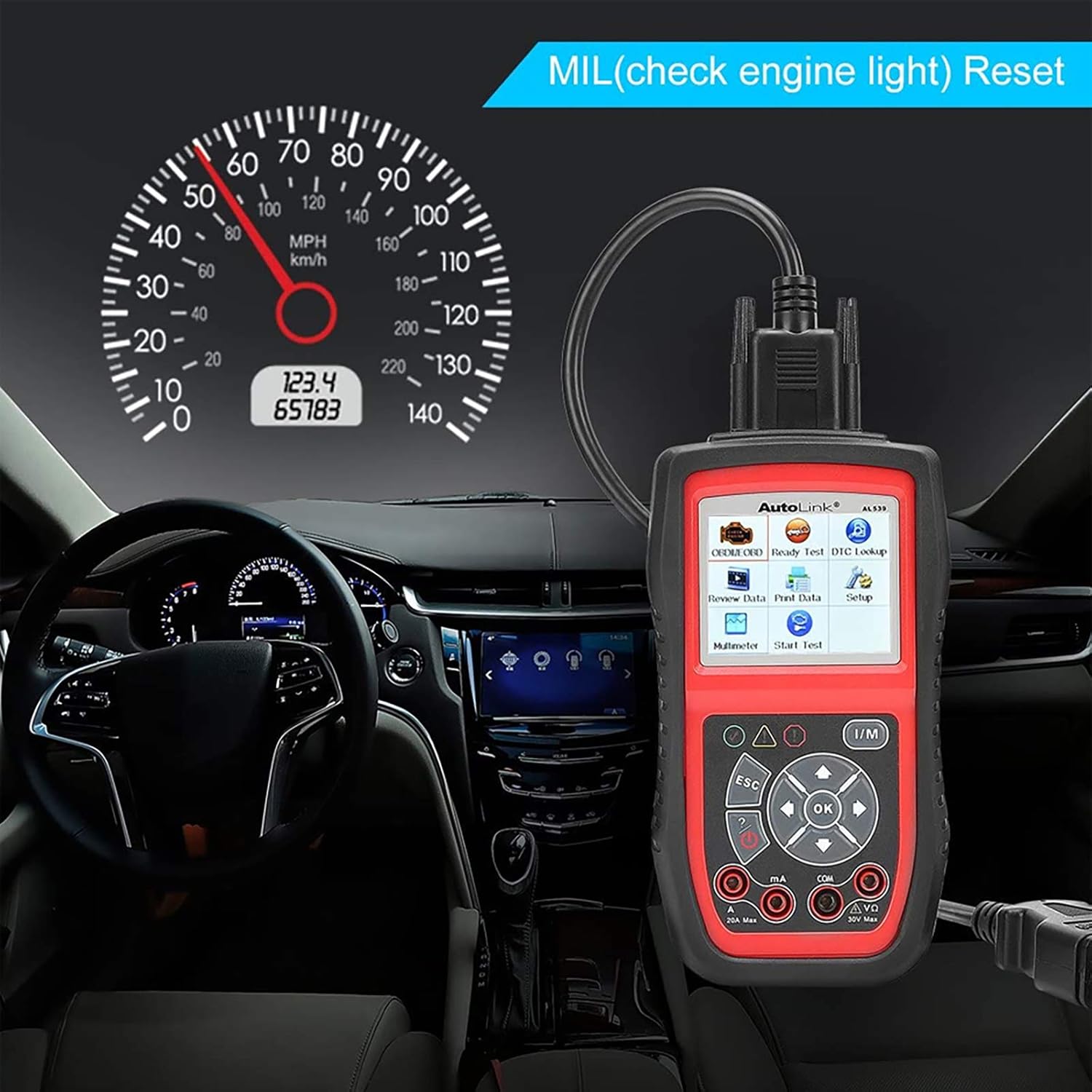
Figure 3: The AL539 unit connected to a vehicle's OBDII port, positioned for dashboard visibility.
3. Instruccions de funcionament
3.1 Diagnòstic OBDII/EOBD
This section covers the primary diagnostic functions for reading and clearing vehicle trouble codes.
- Llegir codis: Displays Diagnostic Trouble Codes (DTCs) stored in the vehicle's computer.
- Esborra codis: Clears DTCs from the vehicle's computer. This will also turn off the Malfunction Indicator Lamp (MIL).
- Dades en directe: Mostra dades en temps real dels sensors del vehicle.
- Congelar fotograma: Shows a snapshot of operating conditions at the time a fault code was set.
- Preparació I/M: Comprova l'estat dels sistemes de monitorització relacionats amb les emissions.
- Cerca DTC: Provides definitions for generic and manufacturer-specific codes.

Figura 4: Mésview of complete OBDII functions available on the AL539, including Check Engine Light, Read Codes, Live Data, Erase Codes, Freeze Frame, I/M Readiness, O2 Monitor, and Vehicle Information.
Video 1: Demonstration of Check Engine Light, Live Data, and I/M Monitor functions on a similar Autel MaxiLink ML519 diagnostic tool. This video illustrates core OBDII diagnostic processes applicable to the AL539.
3.2 Automotive Multimeter Functions
The AL539 integrates a multimeter for electrical system testing.
- Circuit Test: Measures DC or AC voltage, continuity, and current.
- Starting System Test: Diagnoses the cranking status of the vehicle to determine if starter voltage és normal.
- Prova del sistema de càrrega: Evaluates the charging system output (normal, low, high, or excessive ripple).
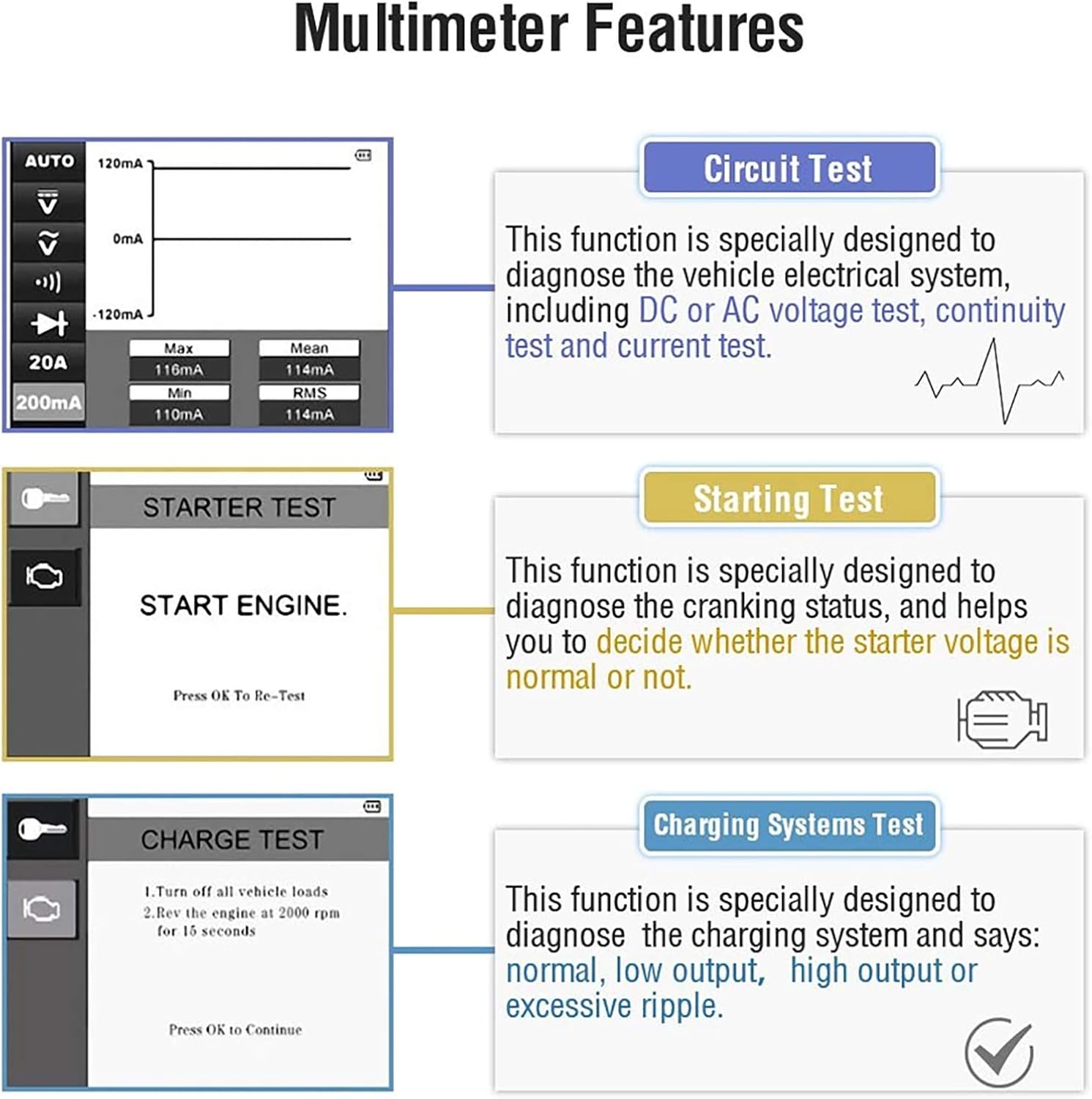
Figure 5: Visual representation of the multimeter features including Circuit Test, Starting Test, and Charging Systems Test.

Figure 6: The AL539 unit demonstrating multimeter functions, showing voltage i mesures de resistència.
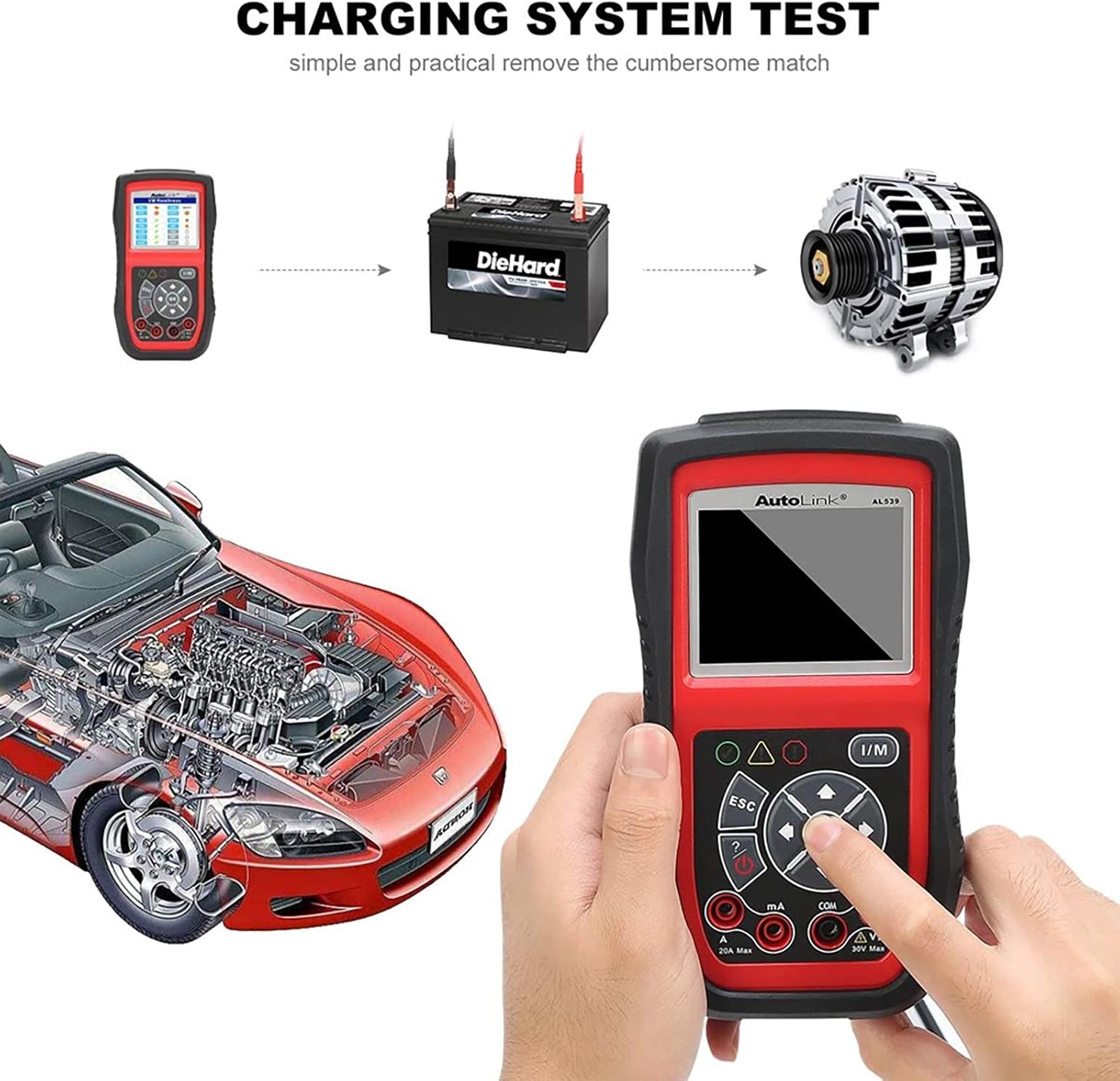
Figure 7: Diagram illustrating the process of performing a charging system test with the AL539, connecting to the battery and alternator.
3.3 System Setup and Navigation
The AL539 features a user-friendly interface with various menu options for configuration and data management.
- Review Dades: Allows playback of recorded live data streams.
- Imprimir dades: Enables printing of diagnostic data via a PC connection.
- Configuració: Configures device settings such as language, units of measure, and sound.
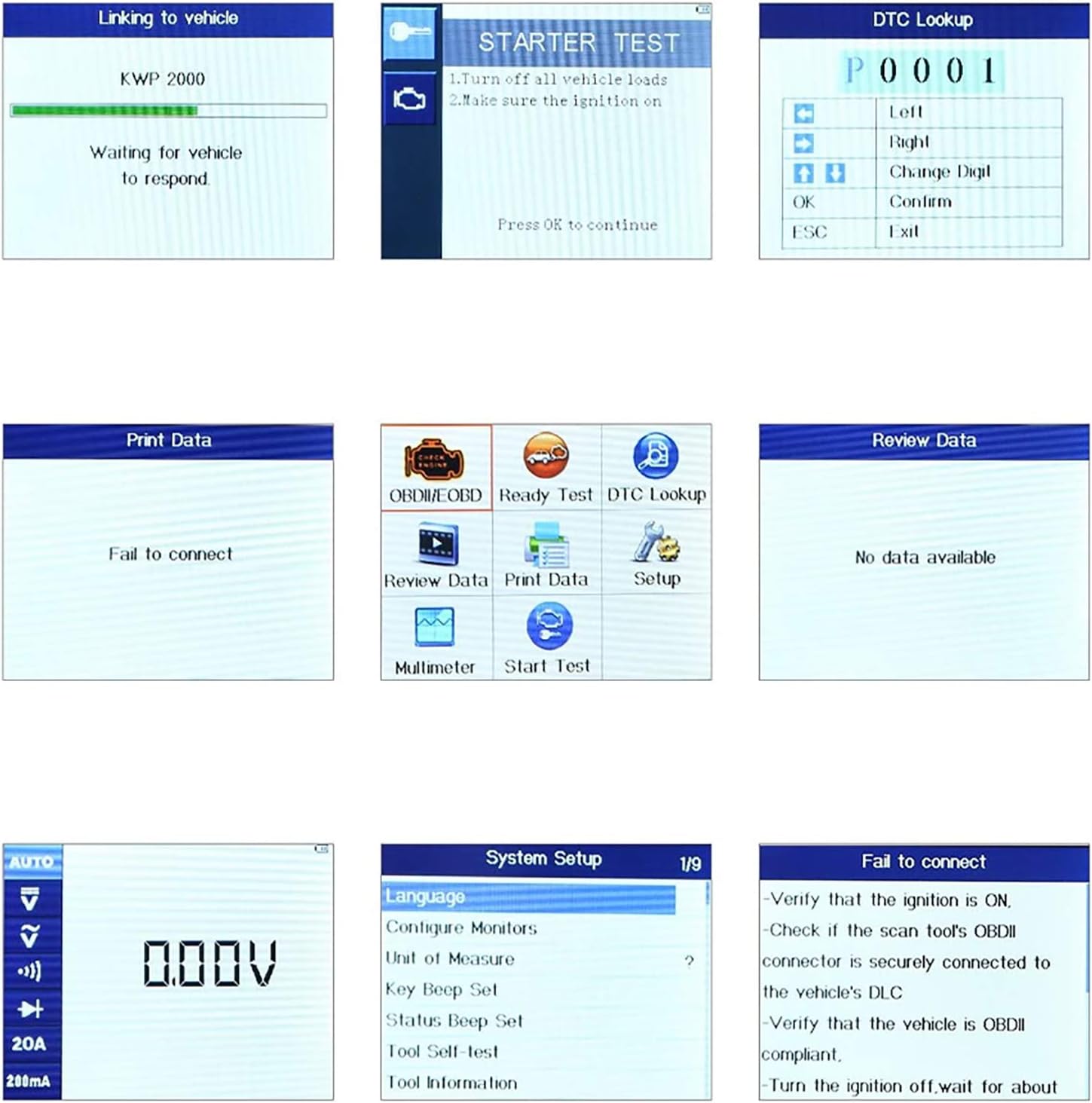
Figure 8: Various screen displays from the AL539, showing communication status, diagnostic menus, live data, and system setup options.
4. Manteniment
4.1 Actualitzacions de programari
The AL539 offers free lifetime software updates to ensure compatibility with new vehicle models and diagnostic protocols. Refer to the official Autel website for instructions on downloading and installing updates via a PC.
4.2 Cura del dispositiu
- Mantingueu el dispositiu net i lliure de pols i humitat.
- Store the unit in its protective carry case when not in use.
- Avoid dropping the device or subjecting it to harsh impacts.
5. Solució De Problemes
| Problema | Causa possible | Solució |
|---|---|---|
| La unitat no s'encén. | Incorrect connection to DLC; vehicle ignition off; vehicle battery low. | Verify secure connection to DLC. Ensure ignition is ON. Check vehicle battery voltage. |
| Error de comunicació amb el vehicle. | DLC connection issue; vehicle not OBDII compliant; ignition off. | Check DLC connection. Confirm vehicle is 1996 or newer and OBDII compliant. Turn ignition ON. |
| Incomplete I/M Readiness Monitors. | Vehicle has not completed a full drive cycle since last code clear or battery disconnect. | Perform a drive cycle according to vehicle manufacturer specifications to allow monitors to run. |
| Incorrect Multimeter readings. | Improper test lead connection; incorrect function selected. | Ensure test leads are correctly inserted and connected. Select the appropriate measurement function (voltage, current, continuity). |
6. Especificacions
- Marca: Autel
- Model: AL539
- Pes de l'article: 2.27 lliures
- Dimensions del paquet: 18.35 x 14.29 x 6.61 polzades
- ASIN: B06X6J39TK
- Data de primera disponibilitat: 16 de febrer de 2017
- UPC: 713830328069
7. Garantia i assistència
The Autel AutoLink AL539 comes with a 12-month guarantee from the date of purchase.
For technical support, software updates, or further assistance, please visit the official Autel website or contact their customer service. Free software updates are available for the lifetime of the product.


