1. Introducció
The PROZOR 192KHz Digital to Analog Audio Converter is designed to convert digital PCM audio signals from coaxial or Toslink inputs into analog L/R RCA and 3.5mm jack audio outputs simultaneously. This device allows you to connect modern digital audio sources to older analog audio systems, enhancing your listening experience with clear, high-fidelity sound.
Key features include a built-in volume control knob for precise output adjustment, support for a 192kHz 24-bit sampling rate, and an aluminum alloy casing for durability and heat resistance. The gold-plated input and output interfaces minimize signal transmission loss.
2. Contingut del paquet
Si us plau, verifiqueu que tots els elements siguin presents al vostre paquet:
- PROZOR 192KHz DAC Digital to Analog Audio Converter Unit
- Optical Cable (1m / 3ft)
- USB Power Cable (5.5mm)
- Manual d'usuari

Figure 2.1: Package contents including the converter, optical cable, USB power cable, and user manual.
3. Producte acabatview
Familiarize yourself with the various components and ports of your PROZOR DAC converter.

Figure 3.1: The PROZOR 192KHz DAC converter unit shown with its optical and USB power cables.
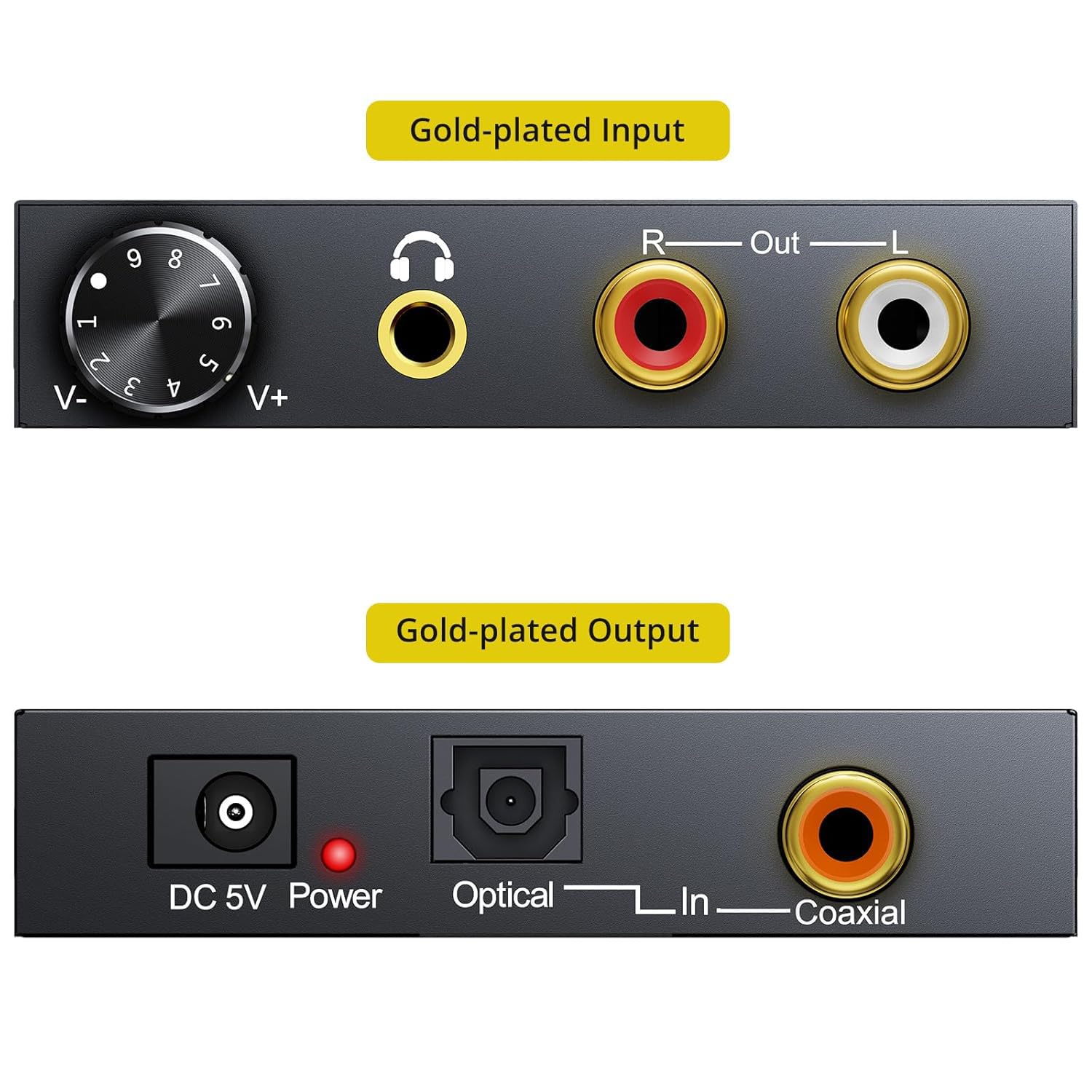
Figura 3.2: Detallada view of the converter's front panel (volume knob, 3.5mm jack, RCA L/R outputs) and rear panel (DC 5V power, Optical input, Coaxial input).

Figure 3.3: Dimensions of the PROZOR 192KHz DAC Converter: 7.0cm (2.75in) length, 6.1cm (2.40in) width, 1.5cm (0.59in) height.
4. Configuració i connexió
Follow these steps to correctly set up your PROZOR 192KHz DAC converter:
- Connexió d'alimentació: Connect the provided USB power cable to the DC 5V input port on the converter. Plug the other end of the USB cable into a 5V 1A USB power adapter (not included) or a USB port on your TV/device.
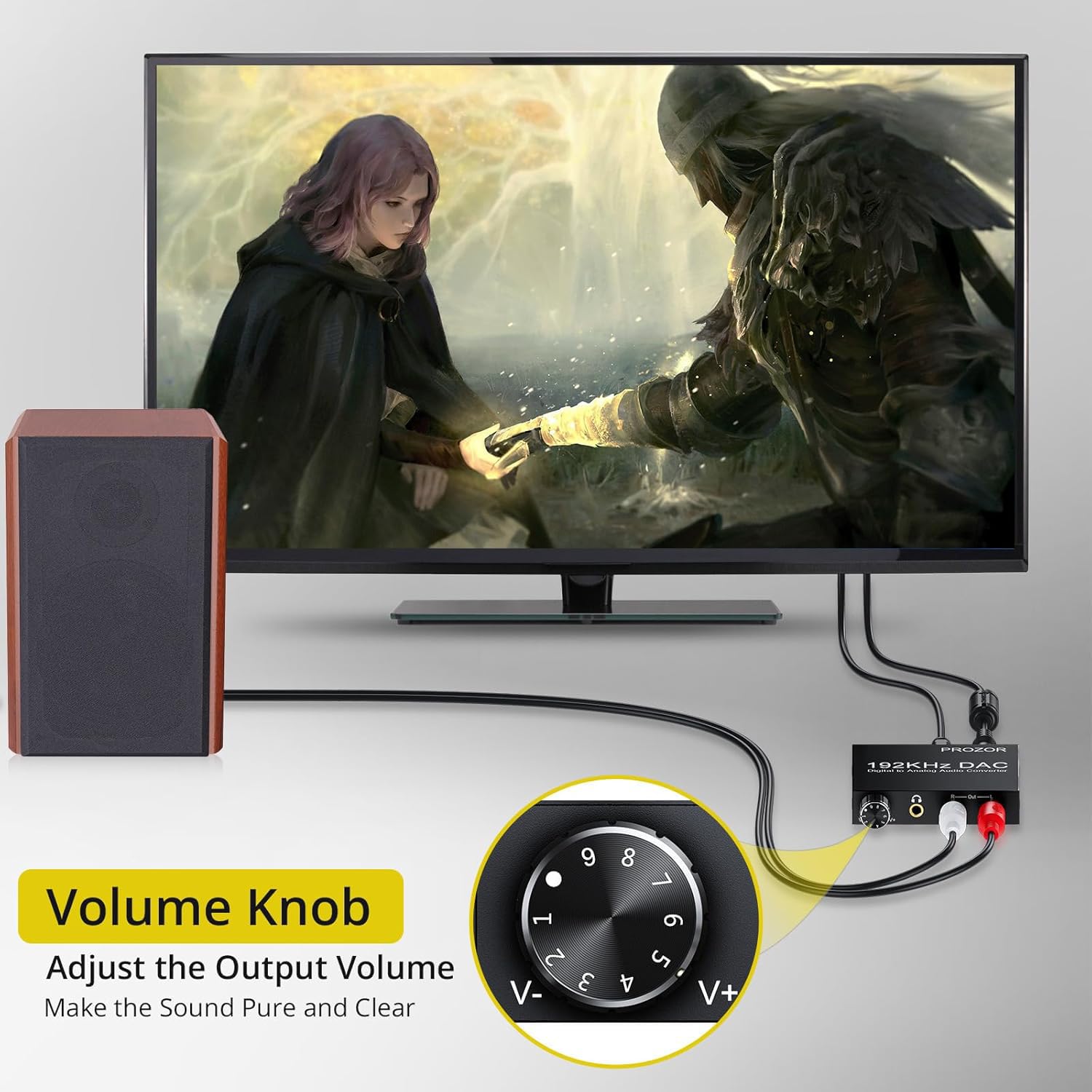
Figure 4.1: Connect the USB power cable to the converter. Ensure a stable 5V 1A power supply.
- Entrada d'àudio digital: Connect your digital audio source (e.g., TV, Blu-ray player, game console) to the converter using either an Optical (Toslink) cable or a Coaxial cable.
- For Optical connection, insert the optical cable into the "Optical In" port on the converter and the optical output port on your source device.
- For Coaxial connection, insert the coaxial cable into the "Coaxial In" port on the converter and the coaxial output port on your source device.
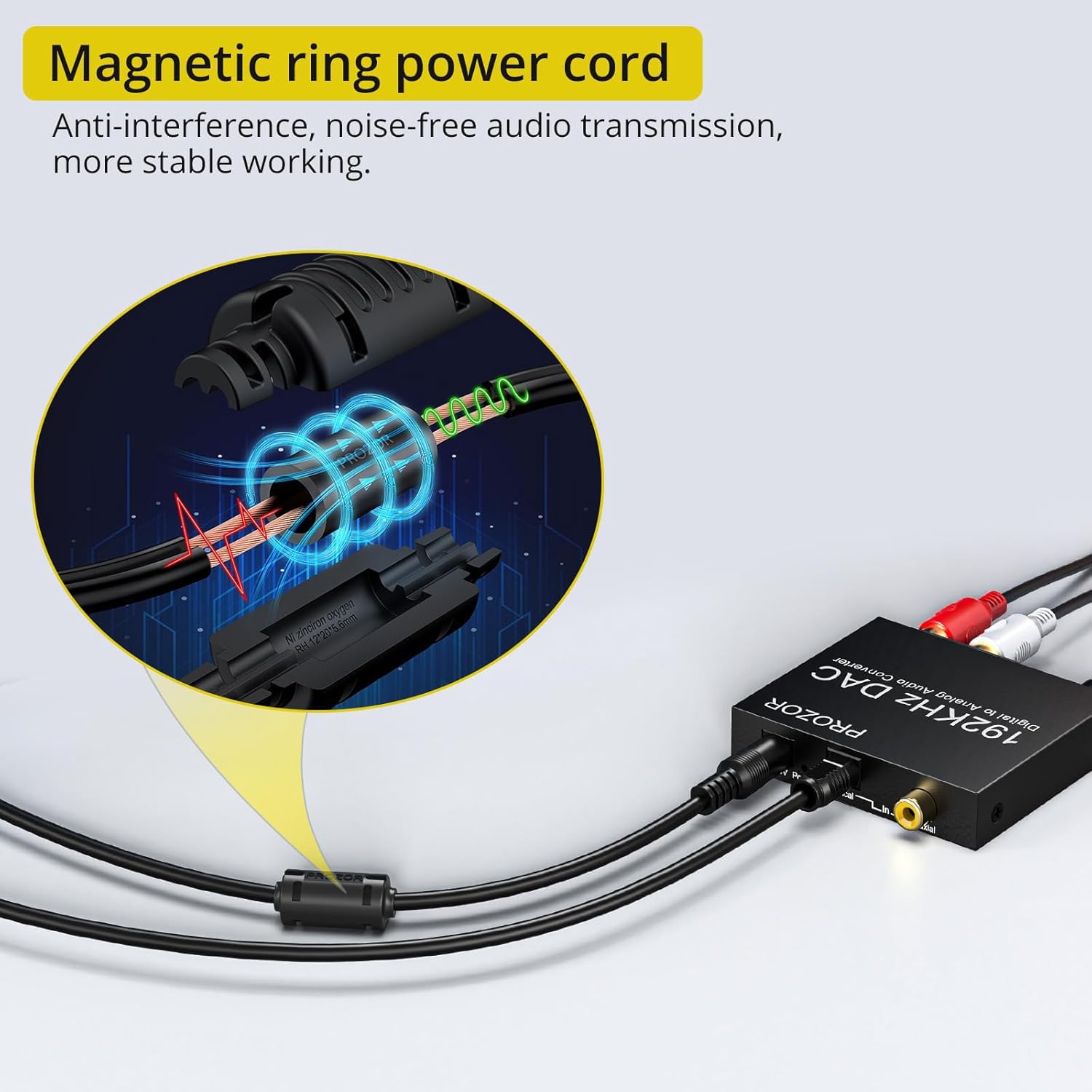
Figure 4.2: The converter can receive digital audio from devices like TV boxes, Blu-ray players, game consoles, and HDTVs.
- Sortida d'àudio analògic: Connect your analog audio receiving device (e.g., amplifier, headphones, speakers) to the converter.
- For RCA output, connect RCA L/R cables from the "R-Out" and "L-Out" ports on the converter to your amplifier o altaveus actius.
- For 3.5mm jack output, connect headphones or a 3.5mm audio cable to the headphone jack on the converter.
- TV Audio Output Settings (Crucial): The converter supports PCM/LPCM 2.0 channel audio. It does not support 5.1CH, Dolby, or DTS formats. You MUST set your TV's digital audio output to PCM/LPCM.

Figure 4.3: Ensure your TV audio output is set to PCM/LPCM for proper functionality.
Typical PCM setting path (may vary by TV model):
- Menu → Settings → Sound → Expert Settings → Audio Format → PCM
- Menu → All Settings → Sound → Sound Out → Optical → Digital Sound Out → PCM

Figure 4.4: Visual guide for setting TV audio output to PCM format.
5. Instruccions de funcionament
Once all connections are made and your TV audio output is correctly configured to PCM, the converter is ready for use.
- Ajust de volum: Use the volume control knob on the front of the converter to adjust the output volume for both the 3.5mm headphone jack and the L/R RCA outputs simultaneously. Rotate clockwise to increase volume (V+) and counter-clockwise to decrease volume (V-).

Figure 5.1: The volume knob allows precise control over the audio output level.
- Sortida simultània: The converter provides simultaneous audio output through both the L/R RCA ports and the 3.5mm headphone jack. This allows you to connect multiple audio devices if needed.
- Silenciament automàtic: The device features a 24-bit SPDIF incoming bit stream on L/R channels to eliminate noise when no signal input is present, and it automatically mutes during non-audio input signals.
6. Solució De Problemes
- Sense sortida d'àudio:
- Assegureu-vos que tots els cables estiguin ben connectats als seus ports respectius.
- Verify that the power cable is connected and the converter is receiving power (check for any indicator lights).
- Crucially, check your TV's audio output settings. It MUST be set to PCM/LPCM. Refer to Section 4, Step 4 for detailed instructions.
- Confirm that your audio receiving device (amplifier, headphones) is powered on and set to the correct input.
- Brunzit o soroll:
- Ensure the power supply is stable (5V 1A). Avoid using power adapters that do not meet this specification.
- If powering via a USB port on a computer or TV, try a different USB port, especially a USB 3.0 port if available, as some USB 2.0 ports may introduce noise.
- Comproveu si hi ha connexions soltes o cables danyats.
- L'alumini casing and magnetic ring power cord are designed to reduce interference, but external electrical interference can still occur. Try relocating the converter away from other electronic devices.
- Left/Right Channels Reversed (Rare):
- If you experience reversed left and right audio channels, ensure your RCA cables are connected correctly (red to R, white to L). If the issue persists, you may need to reverse the L/R connections at your receiving device or headphones as a workaround.
7. Especificacions
| Característica | Detall |
|---|---|
| Marca | PROZOR |
| Número de model | FBA_4330141664 |
| Dimensions del producte | 2.76 x 2.36 x 0.79 polzades |
| Pes de l'article | 8.11 unces |
| Entrada d'àudio | Àudio digital coaxial o Toslink |
| Sortida d'àudio | L/R RCA, 3.5mm Jack |
| Sampling Tarifa de suport | 32 kHz, 44.1 kHz, 48 kHz, 96 kHz, 192 kHz |
| Bit Rate Support | 24-bit SPDIF incoming bit stream |
| Font d'alimentació | DC 5V 1A (via USB cable, adapter not included) |
| CasinMaterial de g | Aliatge d'alumini |
8. Vídeos de productes
Watch these official product videos for visual guidance on setup and functionality.
PROZOR 192KHz DAC | Upgrade Volume Adjustable
Aquest vídeo ofereix un finalview of the PROZOR 192KHz DAC converter, highlighting its features including volume adjustment and various connection options. It demonstrates the product's design and how it integrates into an audio setup.
AUTOUTLET 192kHz Optical to RCA Converter with 3ft Cable
This video demonstrates the setup and use of a 192kHz optical to RCA converter, similar in function to the PROZOR model. It shows how to connect the optical cable from a TV and output to RCA for external speakers, including the necessary TV audio settings.
Convertidor d'àudio digital a analògic
This video illustrates the basic functionality of a digital to analog audio converter, showing the connection of digital input and analog output to an audio system. It provides a general visual guide for users unfamiliar with such devices.
9. Garantia i Suport
For detailed warranty information, technical support, or service inquiries, please refer to the official PROZOR product documentation included in your package or visit the PROZOR official weblloc. Conserveu el rebut de compra per a reclamacions de garantia.


