Introducció
The FreedConn TCOM-SC is a versatile Bluetooth communication system designed for motorcycle helmets. It enables hands-free communication, music streaming, GPS navigation audio, and FM radio reception. Key features include:
- Bluetooth Intercom: Supports communication between 2 riders simultaneously, with up to 3 riders connected, over a distance of up to 800 meters in open spaces.
- LCD Screen: Provides clear visual feedback on operating status.
- FM Radio: Allows listening to radio broadcasts during rides.
- Advanced Noise Control: Utilizes DSP (Digital Signal Processor) for echo cancellation and noise suppression, ensuring clear audio.
- Music Sharing: Share music with another paired headset.
- Universal Compatibility: Connects with most Bluetooth-enabled mobile phones, MP3 players, and GPS devices.
- Water Resistant Design: Suitable for various weather conditions.
- Long Battery Life: Up to 10 hours talk time, 7 hours intercom time, and 300 hours standby.

Image: FreedConn TCOM-SC Bluetooth Motorcycle Helmet Intercom System with included components.
Vídeo: Acabatview of FreedConn TCOM-SC features and benefits.
Contingut del paquet
Verifiqueu que tots els elements siguin presents al vostre paquet:
- 1x Motorcycle Intercom System (TCOM-SC unit)
- 1x Stereo Headphones (including changeable hard mic and soft mic)
- 1x Tornavís
- 1x Sticky Clamp
- 1x Headsets Clip
- 1x cable USB
- 1 x manual d'usuari
- 4x Felted Adhesive Earphone Pads
Nota: Power adapter is not included. The unit can be charged using any standard phone adapter.

Image: All components included in the FreedConn TCOM-SC package.
Configuració i instal·lació
The TCOM-SC is designed for easy installation on most motorcycle helmets. Choose between the hard mic cord for modular and half helmets, or the soft mic cord for full-face helmets.
Identificació de components:

Image: Detailed product structure diagram with labeled components.
Passos d'instal·lació:
- Attach the intercom unit to the side of your helmet using the sticky clamp or headset clip.
- Insert the stereo headphones into the helmet's ear pockets, ensuring they are positioned correctly for optimal sound.
- Connect the chosen microphone (hard or soft cable) to the headset.
- Route the cables neatly within the helmet lining to avoid interference and ensure comfort.
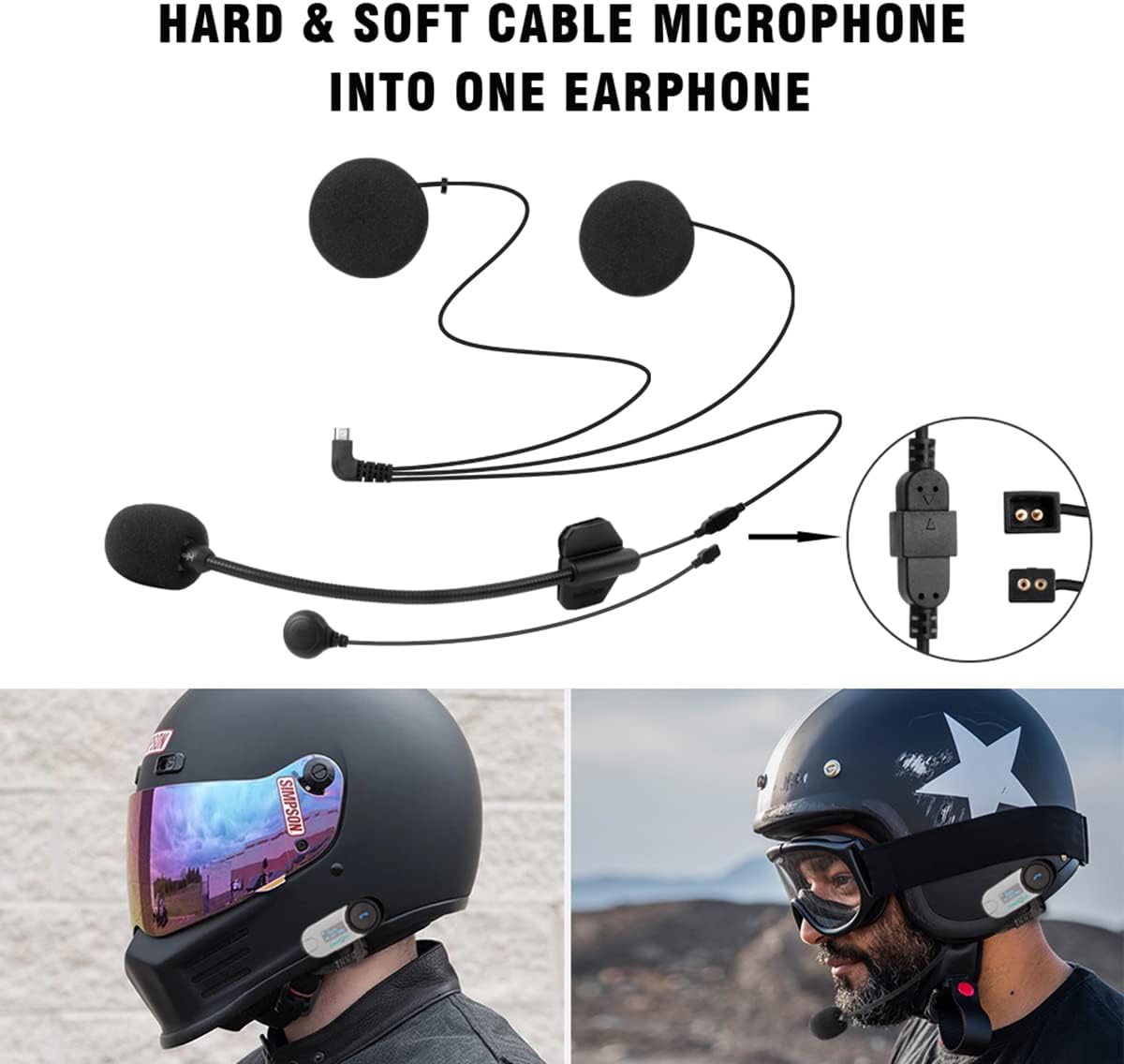
Image: Step-by-step guide for helmet installation.
Instruccions de funcionament
Controls bàsics:

Image: Control layout and functions of the TCOM-SC unit.
- Encès/apagat: Long press the Power/Intercom button.
- Control de volum: Turn the Jog Wheel.
- Reproducció / pausa de música: Press the Multi-function Button.
- Omet la pista: Turn the Jog Wheel (while music is playing).
- Respondre/Finalitzar la trucada: One press of the Multi-function Button.
- Rebutja la trucada: One press of the Multi-function Button.
- Torna a marcar l'últim número: Mantingueu premut el botó multifunció durant 2 segons.
- Ràdio FM activada/desactivada: Premeu dues vegades el botó multifunció.
- Switch FM Channel: Turn the Jog Wheel (while FM radio is on).
Bluetooth Mobile Pairing:
- Ensure the TCOM-SC unit is powered off.
- Press and hold the Multi-function Button for approximately 5 seconds until the LCD screen displays "PAIRING".
- On your mobile phone, enable Bluetooth and search for "T-COM". Select it to connect.
- Once connected, you can stream music, receive GPS voice prompts, and handle phone calls.

Image: Bluetooth pairing with mobile devices and other intercoms.
Video: Demonstrates clearing pairing history, mobile pairing, intercom pairing, and music sharing.
Intercom Pairing (Two TCOM-SC Units):
- Ensure both TCOM-SC units are powered on.
- On both units, long press the Power/Intercom button for approximately 5 seconds until the LCD screen displays "PAIRING".
- Short press the Power/Intercom button on one of the units (e.g., Unit A). The units will search for each other and connect.
- Once connected, the LCD will show "INTERCOM". You can now communicate between the two units.
- To disconnect the intercom, short press the Power/Intercom button on either unit.
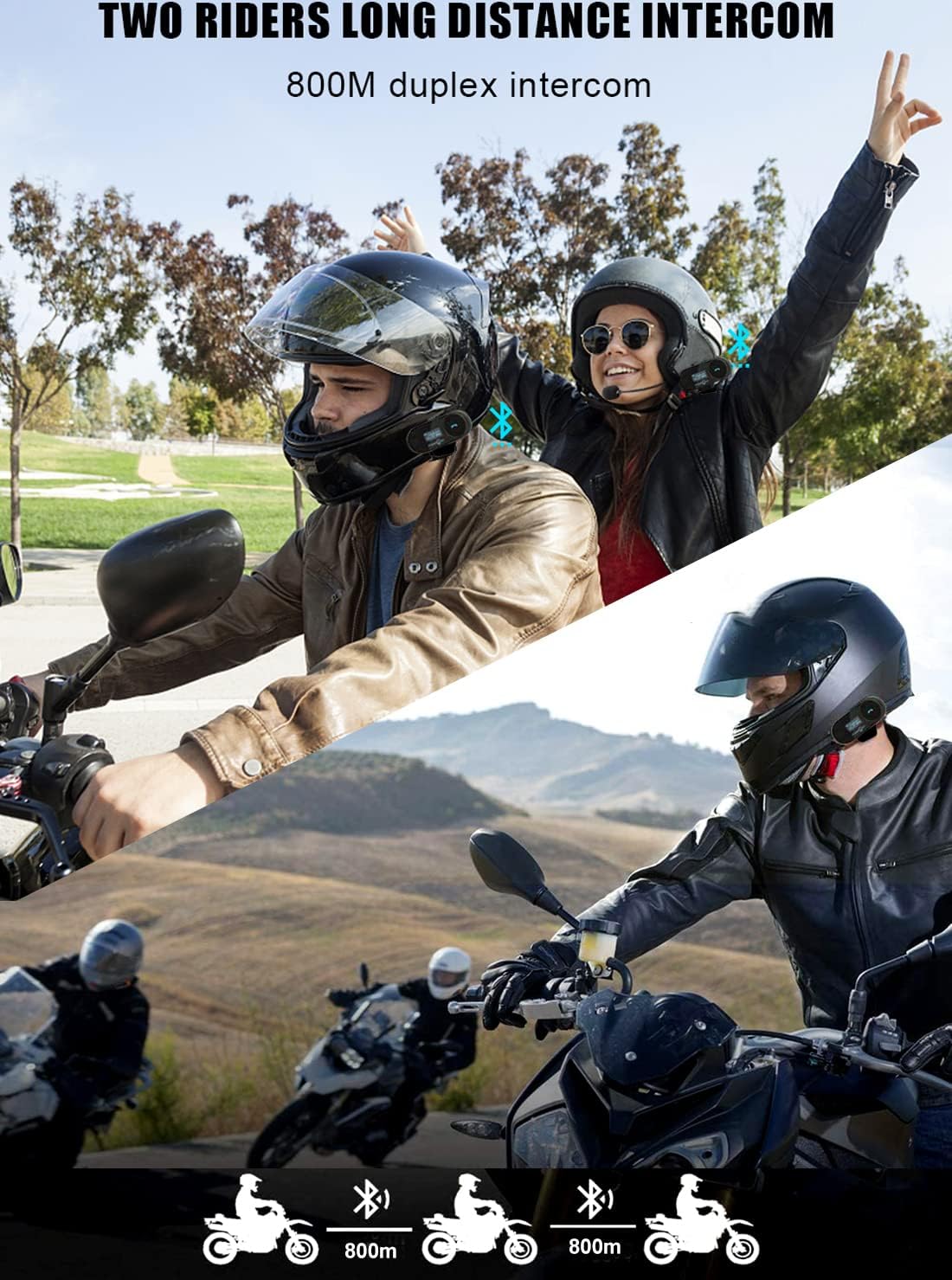
Image: Illustration of two-rider intercom communication.
Compartir música:
Music sharing is possible between two paired TCOM-SC headsets after they have been successfully paired for intercom. Ensure no third T-COM unit is paired during this process. Exit intercom status after initial pairing.
- Pair your primary TCOM-SC unit (Unit A) with your mobile phone and start playing music.
- Ensure the second TCOM-SC unit (Unit B) is also powered on.
- Double-click the Power/Intercom button on Unit A to initiate music sharing. Both units will then play the music from Unit A's connected phone.
- To stop music sharing, double-click the Power/Intercom button on Unit A again.
Video: Demonstrates music sharing functionality between two TCOM-SC units.
Manteniment
The FreedConn TCOM-SC features a water-resistant design, making it suitable for use in various weather conditions. To ensure longevity and optimal performance:
- Eviteu submergir la unitat en aigua.
- Netegeu la unitat amb un aparell suau, damp tela. No utilitzeu productes químics aggressivs ni netejadors abrasius.
- Ensure all ports are dry before charging or connecting accessories.
- Guardeu la unitat en un lloc sec quan no l'utilitzeu.

Image: TCOM-SC highlighting water resistance and noise cancellation features.
Resolució de problemes
If you encounter issues with your TCOM-SC unit, refer to the following common solutions:
- No Sound or Sound from Only One Speaker:
Ensure the speaker port is securely plugged in. If the issue persists, the speakers may be faulty. Contact customer support for replacement speakers. For optimal sound, ensure speakers are positioned directly over your ears inside the helmet.
- Cannot Achieve 3-Person Intercom:
The TCOM-SC model supports pairing with up to 3 riders but only allows 2 riders to communicate via intercom simultaneously. It can also pair with other brands of Bluetooth headsets.
- Pairing Issues with Older/Newer TCOM-SC Units:
Refer to the specific pairing instructions for mixing new and old versions of TCOM-SC units. Ensure all previous pairing information is cleared before attempting new pairings.
Video: Instructions on pairing between old and new TCOM-SC devices.
Video: Guide for pairing between NEW version and OLD version of TCOM-SC.
Especificacions
| Característica | Detall |
|---|---|
| Nom del model | T-COM SC |
| Dimensions | 81mm (L) × 31mm (W) × 25mm (H) / 3.23 x 1.26 x 0.98 inches |
| Pes de l'article | 45 grams (excluding accessories) / 1.59 ounces |
| Versió Bluetooth | 3.0 |
| Tecnologia de connectivitat | Sense fil |
| Tipus de bateria | Rechargeable Lithium Polymer Battery (400mAh) |
| Temps de càrrega | Aproximadament 2.5 hores |
| Temps de conversa telefònica | Fins a 10 hores |
| Temps de conversa de l'intercomunicador | Fins a 7-8 hores |
| Temps d'espera | Fins a 300 hores |
| Nivell de resistència a l'aigua | Water Resistant (IPX5 mentioned in image) |
| Control de soroll | Active Noise Cancellation (DSP Echo Cancellation and Noise Suppression) |
| Dispositius compatibles | Cellphones, Tablets, GPS, Motorcycles |
Garantia i Suport
FreedConn products are designed for durability and performance. For any product-related inquiries, technical assistance, or warranty claims, please contact FreedConn customer support through your purchase platform or the official FreedConn weblloc.
If you experience issues with components like speakers, replacements may be available through customer support.


