1. Introducció
The Browning Defender 850 (BTC-9D) is a high-performance trail camera designed for capturing wildlife images and videos. Featuring 20-megapixel resolution, Full HD video recording, and advanced infrared technology, it provides clear and detailed footage day or night. Its compact, camouflage design allows for discreet placement in various outdoor environments. This manual provides essential information for setting up, operating, and maintaining your camera.
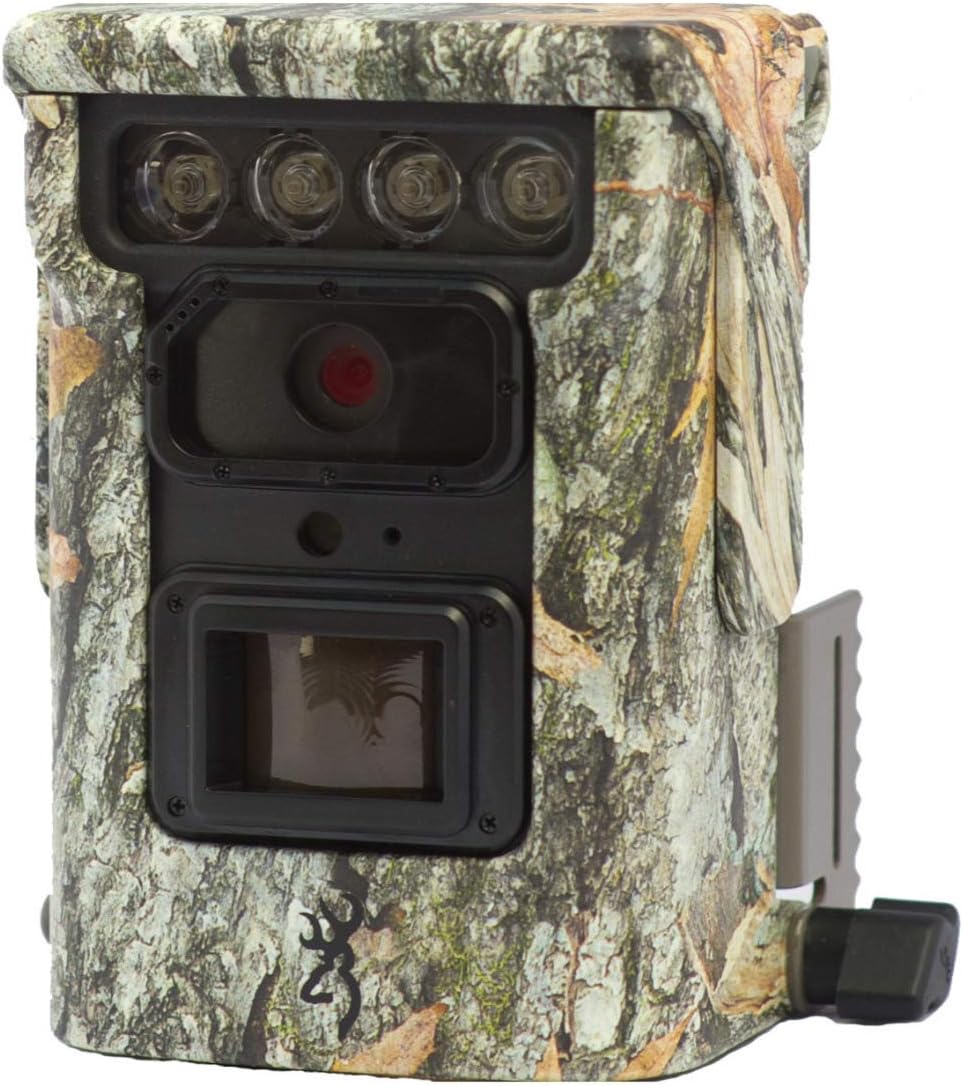
Imatge 1.1: Frontal view of the Browning Defender 850 trail camera, showcasing its lens, IR emitters, and camouflage casing.
2. Contingut del paquet
Si us plau, verifiqueu que tots els elements que s'enumeren a continuació estiguin inclosos al vostre paquet:
- 1x Browning Defender 850 Trail Camera (BTC-9D)
- 4x CR123 Lithium Batteries
- 1x 16GB SDXC SD Card
- CD with 'Time Lapse Viewer' Software
3. Característiques clau
The Browning Defender 850 is equipped with several advanced features to enhance your trail monitoring experience:
- Imatges d'alta resolució: Captura imatges fixes de 20 megapíxels.
- Vídeo Full HD: Records 1920x1080 Full HD videos with sound.
- Velocitat de disparador ràpida: Ultra-fast 0.4-second trigger speed to capture fast-moving subjects.
- Invisible IR Flash: Features 850 nm infrared flash for silent, nearly invisible night illumination up to 36 meters (120 feet).
- Connectivitat Wi-Fi i Bluetooth: Allows for wireless viewing and management of photos and videos via the Browning Trail Camera app on your smartphone or tablet.
- Múltiples modes de captura: Supports Photo, Video, Time-lapse, and Time-lapse Plus modes.
- Mode de ràfega: Captures 1-8 photos per trigger, with a fast burst option of 8 photos in 2 seconds.
- Superposició de dades: Images and videos include time, date, camera ID, moon phase, and temperature stamps.
- Disseny compacte: Small and discreet camouflage housing.
4. Guia de configuració
4.1. Instal·lació de la bateria
The camera requires 4x CR123 Lithium batteries (included). To install:
- Localitzeu el compartiment de la bateria a la càmera.
- Obriu la porta del compartiment.
- Insert the 4 CR123 batteries, ensuring correct polarity (+/-) as indicated inside the compartment.
- Tanqueu bé la porta del compartiment de la bateria.
4.2. Inserció de la targeta SD
A 16GB SDXC SD card is included. The camera supports up to 128GB SDXC cards. To insert:
- Locate the SD card slot, typically near the battery compartment.
- Insert the SD card with the label facing the front of the camera until it clicks into place.
- Per treure-la, premeu la targeta suaument cap a dins fins que surti.
4.3. Muntatge de la càmera
The Defender 850 features a 1/4" tripod thread for versatile mounting options. It also comes with an integrated mounting bracket.
- Use the included strap or a compatible mounting accessory to secure the camera to a tree or post.
- Ensure the camera is stable and pointed towards the desired monitoring area.
- For optimal performance, position the camera at a height of approximately 1-2 meters (3-6 feet) from the ground.

Imatge 4.1: Lateral view of the Browning Defender 850, illustrating the integrated mounting bracket.
5. Instruccions de funcionament
5.1. Encès / apagat
Once batteries and SD card are installed, the camera will enter a ready state. Most configuration and operation are managed through the Browning Trail Camera app.
5.2. Connecting via WiFi and Bluetooth
The Defender 850 utilizes WiFi and Bluetooth for seamless connectivity with your smartphone or tablet.
- Descarrega l'oficial Browning Trail Camera App des de la botiga d'aplicacions del teu dispositiu (iOS o Android).
- Assegureu-vos que el Bluetooth estigui habilitat al vostre telèfon intel·ligent/tauleta.
- Open the Browning Trail Camera App and follow the on-screen instructions to discover and connect to your BTC-9D camera via Bluetooth.
- Once connected via Bluetooth, the app will guide you to establish a WiFi connection for faster data transfer and live viewing (if supported).
5.3. Modes i configuració de la càmera
Through the Browning Trail Camera App, you can configure various settings:
- Mode de captura: Select between Photo, Video, Time-lapse, or Time-lapse Plus.
- Resolució fotogràfica: Set to 20 Megapixels for highest quality.
- Video Resolution & Length: Choose 1920x1080 Full HD. Adjust video length (5/10/20/30 seconds, 1/2 minutes).
- Trigger Delay/Image Delay: Set the delay between detections (5/10/20/30 seconds, 1/5/10/30/60 minutes).
- Burst Settings: Configure the number of photos taken per trigger (1-8 photos).
- Time-lapse Interval: Define the interval for time-lapse captures (5/10/20/30 seconds, 1/2/5/10/30/60 minutes).
- IR Flash Power: Adjust the infrared flash power (Power Save, Long Range, Fast Motion) based on your needs.
- Data i hora: Synchronize the camera's clock with your device.
- Identificador de càmera: Assign a unique ID to your camera for easier identification if you operate multiple units.
5.4. Viewing i Gestió Files
L’aplicació ho permet view captured images and videos directly on your device without retrieving the SD card.
- Browse thumbnails of captured media.
- Download selected photos or videos to your device.
- Suprimeix els elements no desitjats files de la targeta SD.
- For time-lapse sequences, use the included 'Time Lapse Viewer' software on a computer for optimal playback.
6. Manteniment
Proper maintenance ensures the longevity and optimal performance of your Browning Defender 850 camera.
- Neteja: Gently wipe the camera lens and IR emitters with a soft, lint-free cloth. Avoid abrasive materials or harsh chemicals. Keep the casing clean from dirt and debris.
- Cura de la bateria: Replace batteries when the low battery indicator appears in the app. Remove batteries if the camera will be stored for an extended period to prevent leakage.
- Gestió de la targeta SD: Periodically format the SD card using the camera's app or a computer to maintain optimal performance and prevent data corruption. Back up important files abans de formatar.
- Emmagatzematge: Quan no la feu servir, guardeu la càmera en un lloc fresc i sec, allunyat de la llum solar directa i de temperatures extremes.
7. Solució De Problemes
If you encounter issues with your Browning Defender 850, refer to the following common troubleshooting steps:
- La càmera no s'encén:
- Assegureu-vos que les piles estiguin inserides correctament amb la polaritat adequada.
- Replace with fresh CR123 Lithium batteries.
- No Images/Videos Captured:
- Check if the SD card is properly inserted and not full.
- Ensure the SD card is formatted correctly (FAT32 or exFAT, depending on card size).
- Verify camera settings (e.g., trigger delay, operating schedule) via the app.
- Confirm the camera is in an active capture mode (Photo, Video, etc.).
- Mala qualitat d'imatge/vídeo:
- Clean the camera lens and IR emitters.
- Ensure the camera is not too close or too far from the subject.
- Check IR flash settings for night captures.
- Cannot Connect via App (WiFi/Bluetooth):
- Ensure Bluetooth and WiFi are enabled on your smartphone/tablet.
- Make sure the camera is powered on and within range.
- Restart both the camera (by removing/reinserting batteries) and your smartphone/tablet.
- Update the Browning Trail Camera App to the latest version.
- Time-lapse Viewer Software Issues:
- Assegureu-vos que l'ordinador compleix els requisits mínims del sistema per al programari.
- Reinstall the software from the provided CD.
If problems persist, contact Browning customer support for further assistance.
8. Especificacions
Detailed technical specifications for the Browning Defender 850 (BTC-9D) trail camera:
| Característica | Especificació |
|---|---|
| Número de model | BTC-9D |
| Resolució d'imatge | 20 megapíxels |
| Resolució de vídeo | 1920x1080 Full HD with Sound |
| Velocitat de desencadenament | 0.4 segons |
| IR Flash Type | 850 nm Infrared (Invisible) |
| Interval de flaix IR | 36 metres (120 peus) |
| Font d'alimentació | 4x CR123A Lithium Batteries (included) |
| Alimentació externa | Connexió de 12 volts |
| Suport per a targetes de memòria | Up to 128GB SDXC (16GB included) |
| Connectivitat | WiFi, Bluetooth, USB, TV Out |
| Dimensions (AxAxP) | 127 mm x 102 mm x 64 mm (aprox. 5 x 4 x 2.5 polzades) |
| Pes | 453.59 g (aprox. 1 lliura) |
| Color | Camuflatge |
| Temperatura de funcionament | Not specified, typical for outdoor use. |
9. Garantia i Suport
The Browning Defender 850 (BTC-9D) trail camera comes with a 24 mesos de garantia des de la data de compra, cobrint defectes de fabricació.
For technical support, warranty claims, or further inquiries, please contact Browning customer service. Refer to the official Browning website or product packaging for the most up-to-date contact information.
Nota: Conserva el comprovant de compra per validar la garantia.