Introducció
The ELEGOO Mega2560 Starter Kit is a high-quality electronic project kit designed for beginners. It provides all the components, sensors, wires, and boards needed to start programming, learn electronics, and create IoT projects. This manual offers essential information for setting up, operating, maintaining, and troubleshooting your kit.
For detailed lessons and project guides, please refer to the official PDF tutorial available for download from the ELEGOO website. This kit is an excellent resource for exploring the world of microcontrollers and embedded systems.
Configuració
1. Contingut del kit
Before beginning, verify that all components are present in your kit. The ELEGOO Mega2560 Starter Kit includes over 200 components to facilitate various projects.

Imatge: Més deview of the kit contents, showing the Mega2560 board, various sensors, wires, and a quick start guide.

Image: The kit box opened, displaying the organized compartments with various electronic components.
2. Instal·lació de programari
To program the Mega2560 board, you will need to install the Arduino IDE (Integrated Development Environment) on your computer. This software is compatible with Windows, macOS, and Linux operating systems.
- Baixeu la darrera versió de l'IDE d'Arduino des de l'Arduino oficial weblloc.
- Follow the installation instructions provided on the Arduino weblloc web per al vostre sistema operatiu específic.
- Install the necessary drivers for the Mega2560 board. These are typically included with the Arduino IDE installation or can be found on the ELEGOO weblloc.
3. Accessing Tutorials
The kit includes a comprehensive PDF tutorial with over 35 lessons. This tutorial is crucial for understanding how to use the components and build projects. A physical CD is not included; the tutorial must be downloaded.
- Locate the download instructions in the quick start guide provided with your kit.
- Visit the official ELEGOO weblloc (www.elegoo.com) to download the latest version of the PDF tutorial and exampel codi.
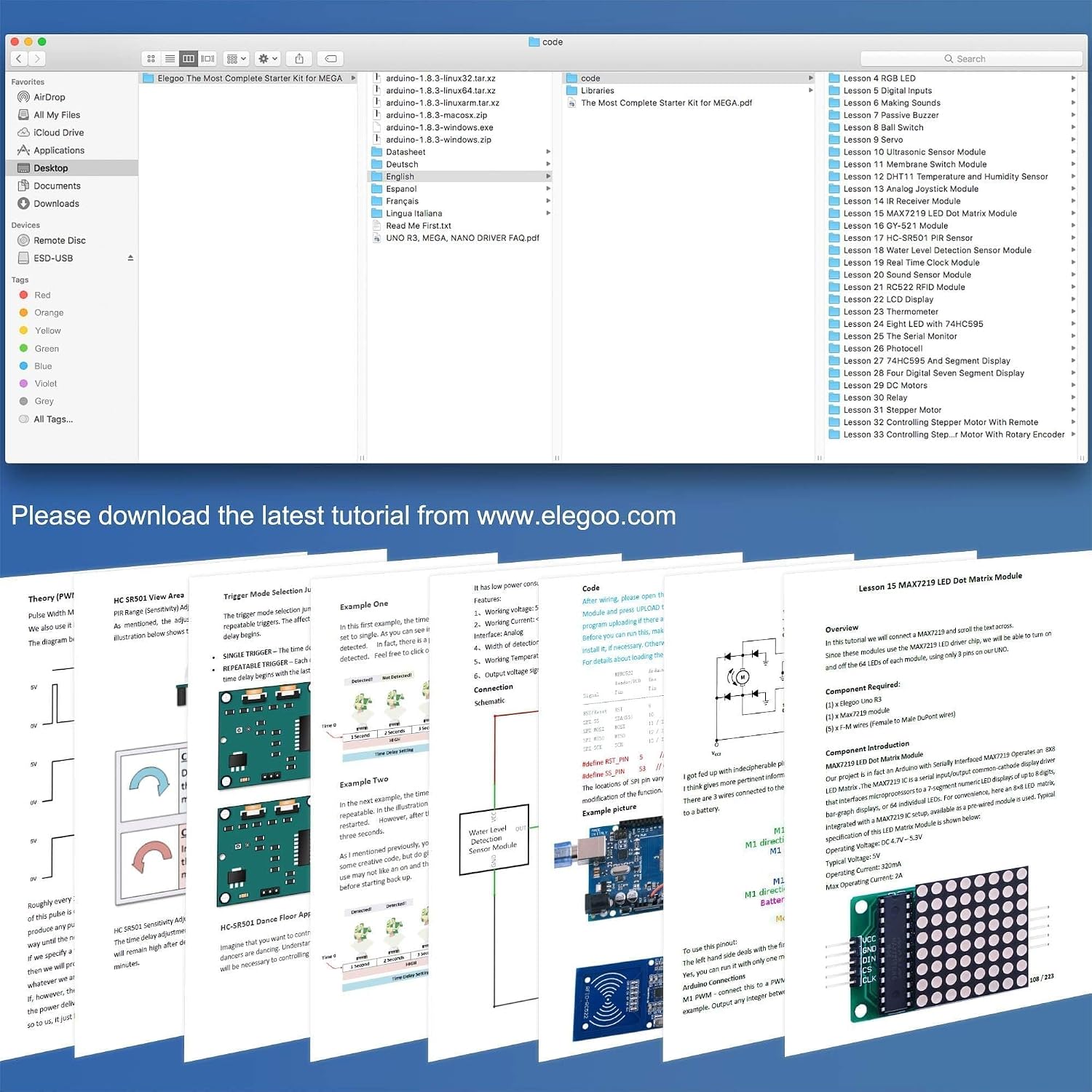
Image: A computer screen showing the downloaded tutorial files i example code for various lessons.
Instruccions de funcionament
The ELEGOO Mega2560 board is the central component of this kit. It functions as a microcontroller that can be programmed to interact with various electronic components.
1. Connecting the Board
Connect the Mega2560 board to your computer using the provided USB cable. This connection powers the board and allows you to upload your programs (sketches) from the Arduino IDE.
2. Uploading Your First Sketch
- Obriu l'IDE d'Arduino.
- Select the correct board type (Arduino Mega2560) from the "Tools > Board" menu.
- Select the correct serial port from the "Tools > Port" menu.
- Obre un dels example sketches from the downloaded tutorial or a basic example like "Blink" (File > Examples > 01.Basics > Blink).
- Click the "Upload" button (right arrow icon) to compile and upload the sketch to your Mega2560 board.
3. Building Projects
Each lesson in the tutorial guides you through building a specific circuit and writing the corresponding code. Pay close attention to the wiring diagrams and component values.

Imatge: Example circuit diagrams illustrating how to connect various components like LEDs, sensors, and motors to the Mega2560 board.
Always double-check your wiring before powering on your circuit to prevent damage to components.
Manteniment
Proper care and maintenance will extend the lifespan of your ELEGOO Mega2560 Starter Kit components.
- Emmagatzematge: Store all components in their original packaging or a dedicated storage box to prevent loss and damage. Keep them away from dust, moisture, and extreme temperatures.
- Manipulació: Handle electronic components with care. Avoid bending pins excessively. When inserting components into a breadboard, apply gentle, even pressure.
- Neteja: If necessary, gently clean the boards and components with a soft, dry cloth. Avoid using liquids or abrasive cleaners.
- Font d'alimentació: Always use the recommended power supply for the Mega2560 board. Incorrect voltage can damage the board and connected components.
Resolució de problemes
Encountering issues is a normal part of learning electronics. Here are some common problems and solutions:
- Junta no reconeguda:
- Assegureu-vos que el cable USB estigui connectat correctament tant a la placa com a l'ordinador.
- Verify that the correct drivers are installed. Reinstall them if necessary.
- Check if the correct serial port is selected in the Arduino IDE (Tools > Port).
- Code Compilation Errors:
- Amb cura review your code for typos, missing semicolons, or incorrect syntax.
- Ensure all necessary libraries are installed. For example, some projects might require specific libraries like "pitches.h". In the Arduino IDE, go to "Sketch > Include Library > Manage Libraries..." to search and install. If a library is provided as a .zip file, use "Sketch > Include Library > Add .ZIP Library...".
- Refer to the error messages in the Arduino IDE's console for clues.
- El circuit no funciona:
- Double-check all wiring against the tutorial's circuit diagram. Ensure wires are in the correct holes and components are oriented correctly.
- Verify that components are functional. For example, if an LED doesn't light up, try it in a simple "Blink" circuit to confirm it's not faulty.
- Ensure power connections are correct and sufficient.
- For resistors, use a multimeter to confirm their values, as color codes can sometimes be difficult to read, especially for precision metal film resistors.
- Tutorial Language Issues:
- If the tutorial's translation is unclear, try to cross-reference with diagrams and code examples.
- Many online communities and forums exist for Arduino and ELEGOO kits; searching for specific lesson numbers or component issues can provide additional clarity.
If you continue to experience issues, please refer to the support section for contact information.
Especificacions
| Característica | Detall |
|---|---|
| Marca | ELEGOO |
| Número de model | JP-EL-KIT-008 |
| Dimensions del producte | 34.8 x 21.34 x 4.7 cm |
| Pes de l'article | 36 g |
| Fabricant de CPU | Atmel |
| Tecnologia de memòria RAM | DDR3 |
| Recompte de processadors | 1 |
| Sistemes operatius compatibles | Windows, macOS, Linux |
| Piles incloses | Sí |
| Piles necessàries | Sí |
Garantia i Suport
ELEGOO is committed to providing high-quality products and customer satisfaction. For any questions, technical assistance, or issues regarding your ELEGOO Mega2560 Starter Kit, please contact ELEGOO customer support.
- Assistència en línia: Visit the official ELEGOO weblloc (www.elegoo.com) for FAQs, forums, and contact information.
- Suport per correu electrònic: Refer to the quick start guide or the ELEGOO website for specific customer service email addresses (e.g., service@elegoo.com or euservice@elegoo.com for European and Asian customers, as indicated in product images).
- Registre de productes: Register your product on the ELEGOO weblloc web per rebre actualitzacions i suport.
Conserveu el vostre comprovant de compra per a reclamacions de garantia.


