1. Introducció
This manual provides detailed instructions for the operation, setup, and maintenance of your Flysky FS-i6X 10-channel 2.4GHz AFHDS 2A RC Transmitter and FS-iA10B Receiver. This system is designed for use with fixed-wing aircraft, gliders, and helicopters, offering reliable and precise control.
The FS-i6X transmitter and FS-iA10B receiver are pre-bound at the factory. Therefore, re-binding is generally not required upon initial receipt. Please read this manual thoroughly before operating the device to ensure safe and correct usage.
2. Contingut del paquet
Verifiqueu que tots els elements que s'enumeren a continuació s'inclouen al vostre paquet:
- 1x Flysky FS-i6X Transmitter
- 1x FS-iA10B Receiver
- 1x Bind Plug
- 1x Upgrade Cable
Nota: Les piles no estan incloses i s'han de comprar per separat.
3. Producte acabatview
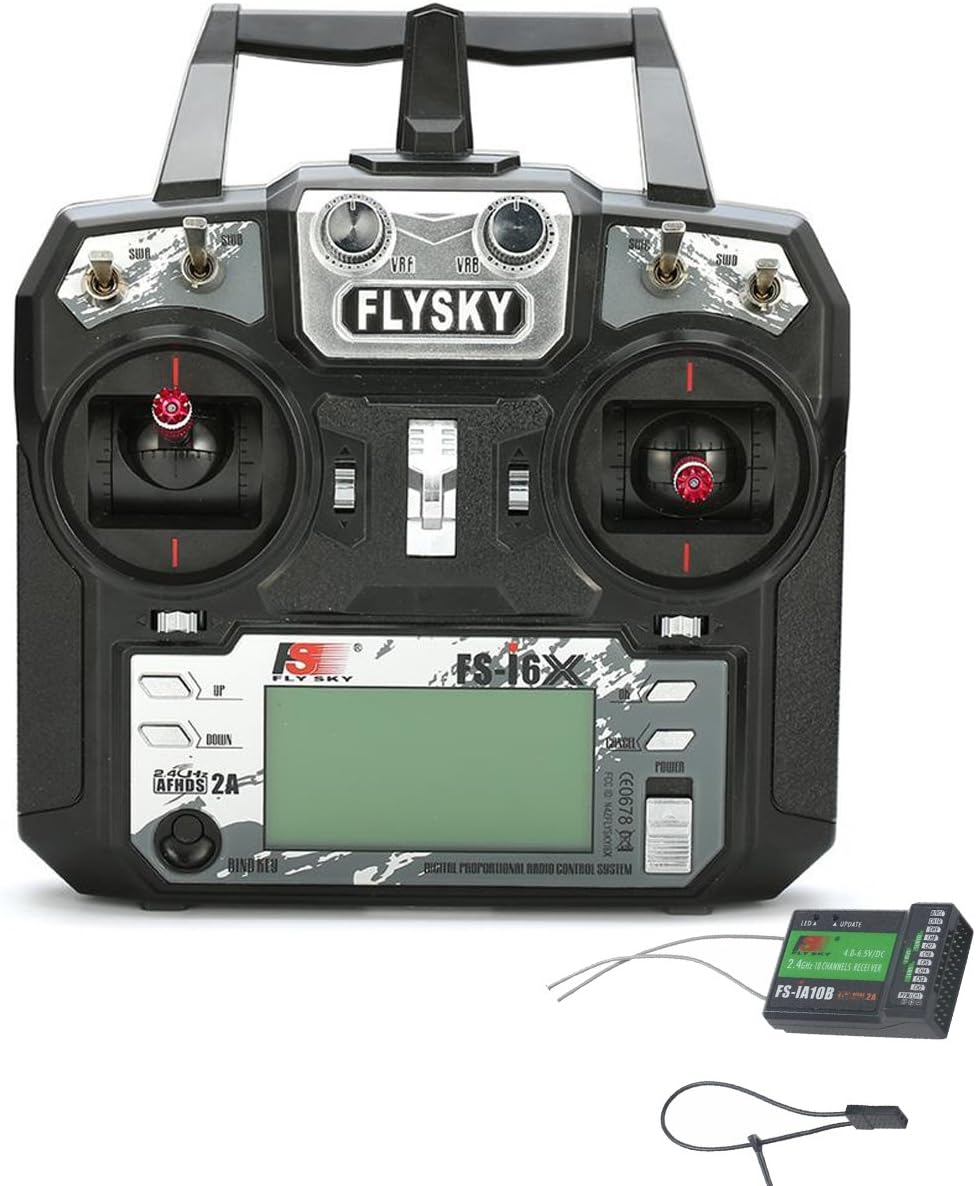
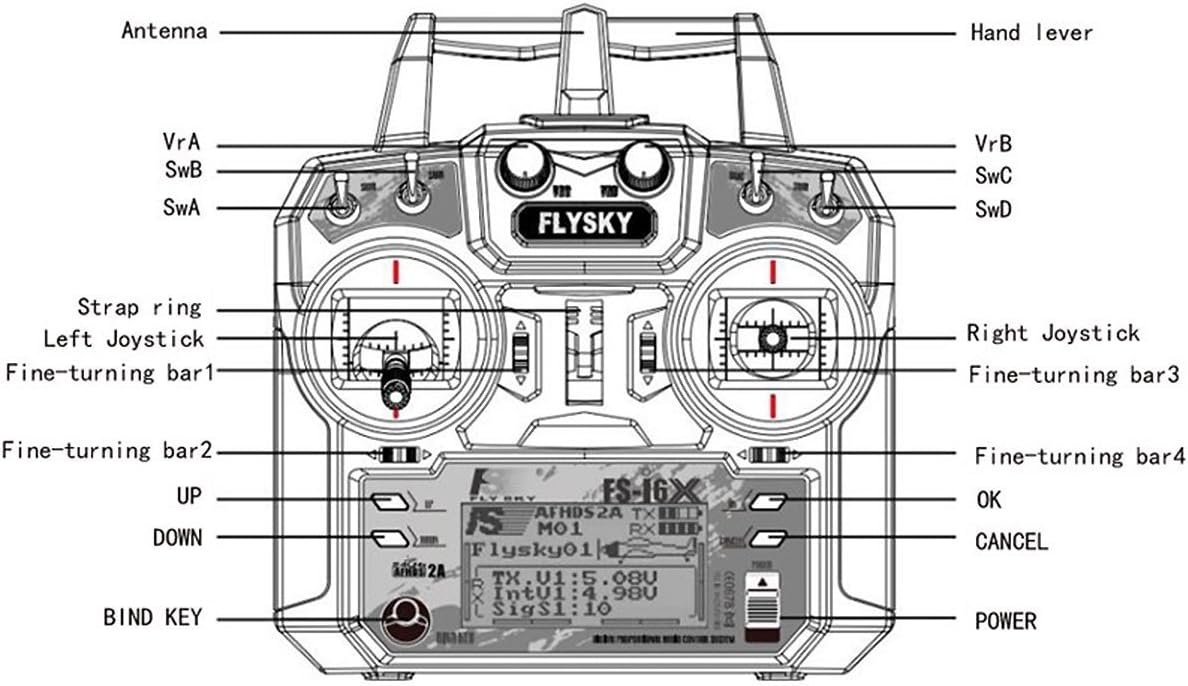
3.1 FS-i6X Transmitter Components
3.2 FS-iA10B Receiver Components

4. Configuració
4.1 Instal·lació de la bateria (transmissor)
The FS-i6X Transmitter requires four (4) AA batteries (1.5V each) for a total of 6V DC power. Ensure correct polarity when inserting batteries.
- Obriu la tapa del compartiment de les piles a la part posterior del transmissor.
- Insert four AA batteries according to the polarity markings (+/-) inside the compartment.
- Tanqueu bé la tapa del compartiment de la bateria.

4.2 Connexió del receptor
Connect your servos and other control devices to the appropriate channels on the FS-iA10B receiver. Ensure that the power supply for the receiver is within the specified range of 4.0-6.5V DC.
4.3 Procediment vinculant
The FS-i6X transmitter and FS-iA10B receiver are pre-bound from the factory. You do not need to bind them again upon receipt. However, if you need to re-bind or bind to a new receiver, follow these steps:
- Assegureu-vos que el transmissor estigui apagat.
- Insert the bind plug into the B/VCC port on the FS-iA10B receiver.
- Connect power to the receiver. The receiver's LED should flash rapidly, indicating it is in binding mode.
- While holding down the BIND KEY on the transmitter, turn on the transmitter.
- Release the BIND KEY once the transmitter display shows "RX Binding" or similar.
- The receiver's LED should turn solid, indicating successful binding.
- Apagueu tant l'emissor com el receptor.
- Traieu el connector de connexió del receptor.
- Turn on the transmitter first, then the receiver. The system should now be bound and operational.
5. Instruccions de funcionament
5.1 Engegada/apagada
- Per encendre: Press and hold the POWER button on the transmitter until the display illuminates.
- Per apagar: Press and hold the POWER button until the display turns off.
5.2 Channel Setup (Enabling 10 Channels)
The FS-i6X transmitter defaults to 6 channels. To enable all 10 channels, follow these steps:
- Premeu llargament el botó OK button for 2 seconds to enter the main menu setting.
- Navegueu i seleccioneu Configuració del sistema.
- Scroll down to the last item, Aux SWitches (auxiliary switch setting), and select it to enter.
- For switches SwA, SwB, SwC, SwD, set their selection to On per activar-los.
- Change the channel assignment from Ch6 a Ch10.
- Premeu llargament el botó CANCEL·LA button to automatically save the settings and exit the menu.
5.3 Vol baixtage Avís
The transmitter features a low voltage warning system. If the battery voltage drops below 4.2V, an alert will be displayed on the LCD screen, indicating that the batteries need to be replaced or recharged (if using rechargeable batteries).
6. Especificacions
6.1 FS-i6X RC Transmitter Specifications
| Característica | Detall |
|---|---|
| Canal | 6-10 (per defecte 6) |
| Tipus de model | Ala fixa/planador/helicòpter |
| Interval de RF | 2.408-2.475 GHz |
| Potència de RF | <20 dBm |
| Canal RF | 135 |
| Ample de banda | 500 KHz |
| Sistema de 2.4 GHz | AFHDS 2A/AFDHS |
| Tipus de modulació | GFSK |
| Resolució de pal | 4096 |
| Volum baixtage Avís | <4.2V |
| DSC port | PS/2 Port PPM |
| De pagament | No |
| Longitud de l'antena | 26mm (Dual Antenna) |
| Pes | 392 g |
| Poder | 6V DC 1.5AA * 4 |
| Mostra | STNTransflective Display, LCD 128x64 Lattice, VA 73x39mm, LCD with white backlight |
| Mida | 174x89x190 mm |
| On-line Update | Sí |
| Color | Negre |
| Certificat | CE0678, FCC ID: N4ZFLYSKYI6X |
| Model | Model 2 (left hand throttle) |
6.2 FS-iA10B Receiver Specifications
| Característica | Detall |
|---|---|
| Canals | 10 |
| Tipus de model | Ala fixa/planador/helicòpter |
| Interval de RF | 2.4055-2.475 GHz |
| Canal RF | 140 |
| Sensibilitat del receptor de RF | -105 dBm |
| Ample de banda | 500 KHz |
| Sistema de 2.4 GHz | AFHDS 2A |
| Tipus de modulació | GFSK |
| Poder | 4.0-6.5V DC |
| Longitud de l'antena | 26mm (Dual Antenna) |
| Pes | 17.6 g |
| Mida | 50.6 * 34.9 * 14.9 mm |
| i-BUS Port | Sí |
| Data Acquisition Port | Sí |
| Color | Negre |
| Certificat | CE0678, FCC |
7. Manteniment
- Keep the transmitter and receiver clean and free from dust and moisture. Use a soft, dry cloth for cleaning.
- Avoid exposing the devices to extreme temperatures, direct sunlight, or corrosive materials.
- Traieu les piles del transmissor si no el fareu servir durant un període prolongat per evitar fuites.
- Comproveu regularment totes les connexions per assegurar-vos que estiguin ben ajustades.
8. Solució De Problemes
| Problema | Solució |
|---|---|
| El transmissor no s'encén. | Check battery installation and ensure batteries are fresh or fully charged. Verify correct polarity. |
| Receiver LED flashes rapidly, not binding. | Ensure the bind plug is correctly inserted into the B/VCC port. Confirm the transmitter is in binding mode (holding BIND KEY while powering on). Ensure the receiver is powered. |
| No control response after binding. | Verify that the receiver is receiving power and its LED is solid. Check all servo connections to the receiver. Ensure the transmitter and receiver are within range and not experiencing interference. Re-bind the system if necessary. |
| Only 6 channels are active. | Follow the "Channel Setup (Enabling 10 Channels)" instructions in Section 5.2 to activate all 10 channels. |
| Vol baixtage warning on display. | Replace the transmitter batteries immediately. |
9. Support and Online Resources
For further assistance, firmware updates, or additional product information, please visit the official Flysky website. Online communities and forums dedicated to RC hobbies can also provide valuable support and tips.
The FS-i6X supports online updates. Refer to the official Flysky website for instructions on how to perform firmware updates using the provided upgrade cable.


